
Argo VPN
Argo VPN is a privacy-focused Android VPN app created to help users bypass heavy internet censorship, especially in Iran, while keeping connections as stable and secure as possible. It uses custom protocols and multiple connection modes to stay accessible in restrictive networks.
With this tool you can connect to private tunnels, protect DNS queries, and access websites and apps that are blocked by ISPs or governments. The app also lets you control which domains go through the VPN and which stay outside it, so you can fine-tune privacy and speed.
You can download the latest Argo VPN APK directly from our website, install it on compatible Android devices, and start using its servers and bridge system without creating complex configurations.
Rate this app
App details
- App name
- Argo VPN
- Category
- Tools
- Version
- v3.0.18
- Size
- 14.89 MB
- Requirements
- Android 4.2 And Up
- Package name
- com.filtershekanha.argovpn
- Publisher
- Filtershekanha
- Price
- Free
- Mod
- No
- Downloads
- 100,001
- Rating
- 4.7 / 5
- Rating count
- 30,000
- Play Store
- Yes
- Requires root
- No
- Offline support
- No
- Contains ads
- No
- In-app purchases
- No
- Updated
- May 21, 2026
- Age rating
- Rated for 3+
Table of contents
What is Argo VPN for Android
Argo VPN is an Android virtual private network application developed by Filtershekanha, a team known for working on tools that help users in Iran bypass internet filtering. The app focuses on resisting censorship, protecting DNS traffic, and keeping connections usable even when traditional VPN protocols are blocked.
Instead of relying only on common VPN protocols that authorities often detect and restrict, Argo VPN introduces its own Argo Authenticator protocol and bridge infrastructure. These are designed to disguise VPN traffic and maintain access when standard VPNs stop working. The app routes your data through encrypted tunnels so local networks, ISPs, or monitoring systems have limited visibility into what you access.
It can be said that you will find several key features in this application. You can simply download the Argovpn Apk and start using it right away. If you have any questions, you are welcome to ask us through the comment section. Users can explore similar tools as well on this site like Shoora VPN and VPN SAKTI.
Beyond bypassing blocks, Argo VPN also offers domain-level controls. You can block specific websites, exclude certain URLs from the tunnel, and manage access to potentially harmful or immoral content according to your preferences. This combination of censorship circumvention and granular control makes it a practical choice for users who live under strict internet controls or who simply want more control over their traffic.
Why download Argo VPN APK from our website
Downloading the Argo VPN APK directly from our website lets you access the latest available Android version without waiting for staged rollouts or regional restrictions. You get the installer file in one tap and can keep it for offline backup or share it between your own devices.
Because Argo VPN targets environments where many app stores are partially blocked or throttled, having the APK file locally is especially useful. You can install it, remove it, and reinstall it whenever needed, and still keep your preferred configuration and domain rules.
Our download section provides the official package name and version details, so you can confirm that you are getting the correct Argo VPN build for your Android phone or tablet.
How Argo VPN is useful in restrictive networks
Argo VPN is particularly useful for users who face strict filtering of social networks, messaging apps, news websites, or cloud services. By tunneling traffic through its encrypted network, the app helps you reach platforms that might otherwise stay unreachable on your local connection.
The app’s DNS leak protection aims to stop providers from tracking visited domains even when you are connected through the VPN. Combined with an integrated firewall and kill-switch type behavior, this reduces the risk of accidental exposure when the connection drops or switches.
Argo VPN also supports URL inclusion and exclusion rules, which lets you send only selected domains through the tunnel while keeping local services, banking apps, or latency‑sensitive traffic outside. This selective routing can improve overall performance and battery life while still guarding the activities you care about most.
How to download and install Argo VPN APK
You can get the Argo VPN APK file directly from our website and install it manually on your Android device. Follow these basic steps to complete the process safely on supported versions of Android.
Scroll to the download section on this page and tap the Argo VPN APK download button.
Wait until the APK file finishes downloading to your phone or tablet.
Open your device settings and enable installation from unknown sources or allow your browser/file manager to install apps.
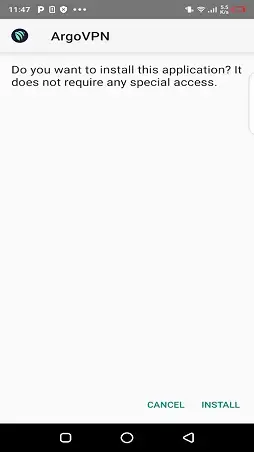
Locate the downloaded APK in your notifications or file manager and tap it to start installation.
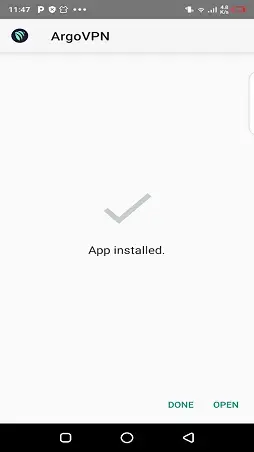
Review the requested permissions, then tap Install and wait for the process to complete.
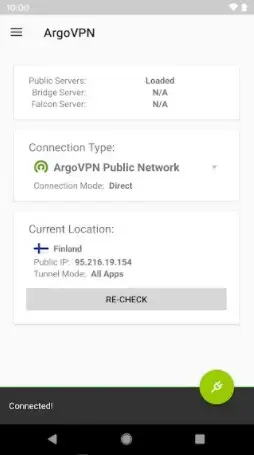
Open Argo VPN from your app drawer, choose a server or bridge mode, and connect to begin using the VPN.
When a new version becomes available on our website, you can download the updated APK and install it over the existing app to keep your data and settings where possible.
Features
Censorship-resistant VPN design
Built to work in countries with strong internet censorship, especially Iran, using custom protocols and bridges to keep connections available when common VPNs are blocked.
Encrypted tunnels for web traffic
Creates secure tunnels between your device and remote servers so ISPs and local networks have limited insight into the content you access.
Argo Authenticator protocol
Uses a proprietary protocol intended to disguise VPN traffic patterns and make it harder for filtering systems to detect and throttle connections.
Bridge connection mode
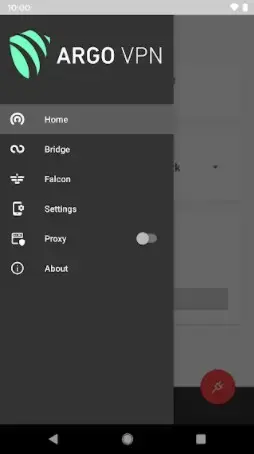
Offers alternative bridge servers and paths that help you connect when direct VPN modes are restricted or unstable.
DNS leak protection
Attempts to route DNS queries through the tunnel so your visited domains are not exposed to local DNS resolvers whenever the VPN is active.
Domain blocking and filtering
Lets you block specific websites or categories at the app level, giving you more control over what can be accessed on your device.
Include and exclude URL lists
Allows you to define which domains must always go through the VPN and which should bypass it to balance privacy and performance.
Kill-switch style protection
Includes mechanisms to limit traffic if the VPN connection drops unexpectedly, helping to avoid accidental exposure of sensitive traffic.
Screenshots
Security and privacy approach
Argo VPN focuses on practical privacy in filtered networks rather than marketing heavy encryption buzzwords. It relies on TLS-based tunneling and its own Argo Authenticator scheme to blend in with common HTTPS traffic and reduce the chance of detection.
The app also offers firewall-style controls and kill-switch behavior that attempts to restrict traffic when the VPN disconnects. While no VPN can guarantee perfect anonymity or protection against targeted surveillance, this design helps reduce common leakage points during everyday browsing and messaging.
Compatibility and performance
The version available on our website supports Android 4.2 and later, which covers a wide range of older and newer devices. The actual performance you get depends heavily on your network, ISP throttling, and the current level of censorship in your region.
In typical use, Argo VPN aims to keep battery consumption relatively low compared to many always-on VPNs. Its selective routing options also help you keep less critical traffic outside the tunnel, which can improve speed and reduce resource usage.
Best practices for using Argo VPN
When using Argo VPN to access blocked content, it is important to understand the legal context in your country. Laws around VPN usage differ widely, and users remain responsible for how they use the app.
For safer day-to-day usage, keep the app updated with the latest APK from our website, enable DNS leak protection, and configure domain rules to ensure that sensitive services always pass through the encrypted tunnel. Combining these steps with good browsing habits will help you get more benefit from Argo VPN on your Android device.
FAQs
Pros
- Designed specifically to bypass strong internet censorship, especially in Iran
- Offers custom protocol and bridge modes for connections when typical VPNs fail
- Provides DNS leak protection and firewall style features for added privacy
- Lets users include or exclude specific domains from the VPN tunnel
- Supports blocking of unwanted or harmful websites at the app level
- Works on older Android versions starting from Android 4.2 in the provided build
Cons
- Performance and stability can vary depending on local network conditions and blocking methods
- Servers may become slow or unreachable during high demand or stronger filtering waves
- App is focused on censorship resistance rather than a large global streaming server list
- Requires continuous internet access to function and cannot work offline
Conclusion
Argo VPN is a focused Android VPN app built around bypassing censorship and protecting DNS traffic in restrictive environments. If you need more control over which domains use a secure tunnel and you live in or travel through heavily filtered networks, downloading the Argo VPN APK from our website gives you a practical way to test whether its bridges and custom protocol work well on your connection.




Comments
Trang
Tôi mong ứng sẽ thay đổi lại một số như là lần đầu đăng ký và đăng nhập lại sẽ giữ nguyên không mất danh sách bạn bè