

ASD Monitor
ASD Monitor is an official Android tool used by election officials in Kerala to monitor Absentee, Shifted and Dead (ASD) voters at polling stations. It helps teams record and track sensitive voter data directly from the field.
The app connects poll managers and higher-level officers to a central backend so they can verify ASD voters, capture remarks and keep the process transparent. This reduces manual paperwork and supports cleaner electoral rolls.
The election is one of the best processes for the selection of a country leader. Each country has different political parties, which offer services for the people at the provided time. So, we are here with the best application for the poll officers of the Kerala Election Result App process.
You can download the latest ASD Monitor APK directly from our website and install it on authorized Android devices that meet the minimum system requirements.
Rate this app
App details
- App name
- ASD Monitor
- Category
- Communication
- Version
- v2.2
- Size
- 2.92 MB
- Requirements
- 4.4 and Up
- Package name
- org.nic.bellthecat
- Publisher
- Bellthecat
- Price
- Free
- Mod
- No
- Downloads
- 50,000
- Rating
- 4.0 / 5
- Rating count
- 16,000
- Play Store
- Yes
- Requires root
- No
- Offline support
- No
- Contains ads
- No
- In-app purchases
- No
- Updated
- May 11, 2026
- Age rating
- Rated for 3+
Table of contents
What is ASD Monitor App
ASD Monitor is an Android application developed for election administration in Kerala. The app helps officials manage ASD (Absentee, Shifted and Dead) voter lists at polling stations in a structured and traceable way.
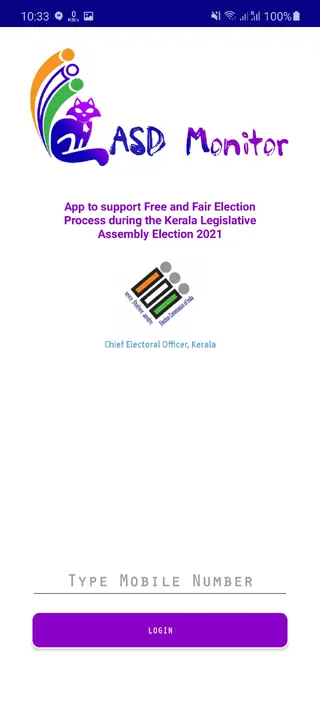
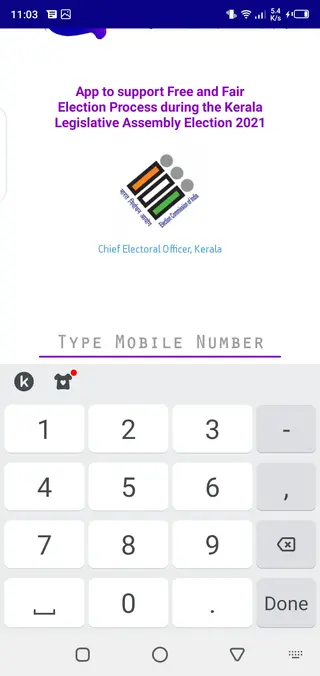
Authorized users log in with their registered mobile number and complete a one-time password (OTP) verification. After successful sign-in, poll managers and other officers can view assigned booths, enter voter details and send updates to the central server.
The application focuses on digital record-keeping instead of paper-based lists. By capturing voter serial numbers, remarks and photos where required, it supports more accurate monitoring of ASD voters and helps reduce the chances of impersonation or fake voting.
Why download ASD Monitor APK from our website
Downloading ASD Monitor APK from our website allows election officials and authorized personnel to get the current available version in a single, ready-to-install file. You do not need to search multiple sources or rely on stores where the app may not be listed.
Once you download the APK from our app page, you can transfer it to the designated polling devices and complete installation before the poll day. This is especially useful in locations with limited internet access, where installing directly on-site might be difficult.
Our download page keeps essential details in one place, such as the package name, version, Android requirement and basic usage information, so teams can quickly confirm they are using the correct application.
How ASD Monitor is useful for election officials
ASD Monitor is designed to support a transparent and well-documented election process. By digitizing ASD voter monitoring, it becomes easier for poll managers to follow official instructions and maintain consistent records across booths.
The app lets officers check voters against the ASD list at the time of polling, record necessary remarks and inform higher authorities in near real time. This helps supervisory officers identify irregular patterns and respond quickly if something looks unusual.
Because all updates go to a centralized backend, it is simpler to consolidate data after polling ends. That makes post-poll scrutiny of ASD votes more efficient and supports accurate reporting for the Chief Electoral Officer and related teams.
How to download and install ASD Monitor APK
You can get the ASD Monitor APK file directly from our website. Follow these steps on your Android device or download on a computer and move it to the device you will use at the polling station.
Open our ASD Monitor app page and scroll to the download section.
Tap the APK download button to start downloading the official file to your device.
Wait until the download completes, then locate the APK in your Downloads folder or file manager.
If this is your first manual install, enable installation from unknown sources in your Android security settings.
Tap the ASD Monitor APK file and choose Install, then wait for the process to finish.
Open the app, enter the registered mobile number and complete OTP verification as instructed by the election authorities.
Only use the credentials and mobile numbers approved by the election department while activating the app on any device.
Features
OTP based secure login
Users sign in with a registered mobile number and one-time password to ensure only authorized officials access the app.
Digital ASD voter list management
Poll managers can access and work with ASD voter lists assigned to their polling station in digital form.
Voter detail entry
The app supports entering voter serial number, remarks and other required information during verification.
Photo capture support
Officials can attach voter photos where required by current instructions to strengthen verification records.
Real time data sync
Information submitted through the app is sent to a central server so senior officials can monitor activity.
Improved transparency
Digital records help reduce the possibility of impersonation and support more transparent ASD vote handling.
Simple user interface
The interface is kept straightforward so polling staff can learn and use the app with minimal training.
No advertisements
The application is focused on official work only and does not display third party advertisements.
Screenshots
System requirements and compatibility
ASD Monitor runs on Android devices that meet the minimum version specified on our download page. It is typically designed for smartphones used by polling staff, but can also work on compatible tablets if permitted by local instructions.
For best performance, use a device with reliable mobile data or Wi-Fi connectivity, sufficient battery backup for an entire polling day and enough storage to install the APK and handle temporary data. Keeping the device updated and free from unnecessary background apps can help the ASD Monitor application run smoothly.
Privacy and data handling
The ASD Monitor app deals with sensitive electoral information, so devices running it should be handled carefully. Only authorized officers should have physical access to the phone, and the screen should not be shared with unauthorized persons while viewing voter data.
Follow the guidelines issued by the election department regarding storage, transmission and sharing of ASD-related information. Do not export or share screenshots or data outside official channels, and ensure devices are locked with a PIN or password when not in active use.
Tips for poll managers using ASD Monitor
Before poll day, make sure the ASD Monitor APK is properly installed on every designated device and that login has been tested using the official mobile number and OTP. This helps avoid last-minute technical surprises at the polling station.
During polling, check each ASD voter against the list, fill in the required fields carefully and confirm entries before submitting. If you face any functional issues with the app, contact the support channels or nodal officers specified in your official training materials rather than trying to troubleshoot alone.
FAQs
Pros
- Purpose built for Kerala election ASD vote monitoring
- OTP based login helps restrict access to authorized officials
- Digital recording reduces manual paperwork and errors
- Centralized syncing supports real time supervision
- Interface is straightforward for polling staff to understand
- No in-app advertisements to distract users
Cons
- Intended only for authorized election officials, not general users
- Requires stable network connectivity for syncing data
- Not available through Google Play Store in many cases
- Cannot perform meaningful functions without backend access and valid credentials
Conclusion
ASD Monitor is a focused election management tool built for handling ASD voter monitoring in Kerala. For authorized officials who need to capture ASD details at polling stations, downloading the APK from our website and installing it on approved devices provides a structured way to record and send information to the central system, helping keep the polling process more transparent and traceable.




Comments
No approved comments yet.