

AA Phenotype Patcher
AA Phenotype Patcher is a utility app for Android that helps you show hidden or blocked apps inside Android Auto on compatible head units. It focuses on giving you more control over what appears on your car display.
With this tool you can patch Android Auto app visibility rules on supported devices, without rooting your phone. You can experiment with additional apps in your car environment and decide which ones you actually want to see while driving.
You can download the official AA Phenotype Patcher APK directly from our website and install it manually on any compatible Android phone or tablet that you use with Android Auto.
Rate this app
App details
- App name
- AA Phenotype Patcher
- Category
- Tools
- Version
- v0.85
- Size
- 1.46 MB
- Requirements
- 5.0 and Above
- Package name
- pl.eselter.aaphenotypepatcher
- Publisher
- ESELTER
- Price
- Free
- Mod
- No
- Downloads
- 59,468
- Rating
- 4.6 / 5
- Rating count
- 19,409
- Play Store
- No
- Requires root
- No
- Offline support
- No
- Contains ads
- No
- In-app purchases
- No
- Updated
- May 29, 2026
- Age rating
- Rated for 3+
Table of contents
What is AA Phenotype Patcher?
AA Phenotype Patcher is an Android tweaking tool created by ESELTER that modifies how Android Auto treats installed apps on your phone. It works by editing Android Auto phenotype flags, which control whether specific apps appear in the car interface.
On newer Android Auto versions, Google limits which apps can show up on the car screen for safety and policy reasons. Many media, navigation and messaging apps remain available, but some categories or individual apps stay hidden.
With AA Phenotype Patcher you can try to override some of these limitations on supported Android Auto builds. The app is designed to work without root, so you can install it like a normal APK and connect your phone to your car to start configuring visibility for compatible apps.
The tool targets users who already understand Android Auto and want to experiment with extra apps, such as video players, browsers or other utilities that are normally blocked from the dashboard interface.
Why download AA Phenotype Patcher APK from our site
Downloading AA Phenotype Patcher APK from our website lets you get the specific version mentioned here without searching around or dealing with confusing links. The installer file is ready to sideload, so you only need to enable unknown sources once and run the APK.
Our page keeps the core information together in one place: app name, package ID, version, Android requirement and direct download link. This makes it easier to match the APK with your current Android Auto setup and decide if you want to test it on your own device.
If you ever want to reinstall the app or share the exact same build with another device, you can always return to this page and download AA Phenotype Patcher again from the same location.
How AA Phenotype Patcher can be useful
AA Phenotype Patcher is mainly useful for advanced Android Auto users who feel limited by the default app list in their car. It gives you a way to test additional apps that might be hidden by policy or region.
You can go through your installed apps, toggle visibility options and then reconnect to your car to see which ones appear. This trial-and-error workflow helps you discover combinations that fit your personal needs, such as custom music clients, podcast apps or other tools.
The app can also act as a learning tool. By experimenting with phenotype flags you better understand how Android Auto decides what to show on the dashboard, which is valuable if you like to customize your Android environment.
Because it does not require root, AA Phenotype Patcher lowers the barrier to entry compared with older methods that depended on system-level modifications. You still need to accept the usual risks of using third-party tweaking utilities, but you avoid unlocking the entire operating system.
How to download and install AA Phenotype Patcher APK
You can get the AA Phenotype Patcher APK file directly from this page on our website. Follow these steps to download and install it on your Android device.
Scroll to the download section on this page and tap the AA Phenotype Patcher APK download button.
Wait for your browser to finish downloading the APK file to your device.
On Android, open Settings and allow app installs from your browser or file manager if you have not done this before.
Open your Downloads folder or notification panel and tap the AA Phenotype Patcher APK file.
Review the permissions shown on the installer screen, then tap Install to start the setup.
Once installation completes, open AA Phenotype Patcher from your app drawer and connect your phone to your car to begin configuring Android Auto.
If installation fails, check your Android version, storage space and unknown sources settings, then download the APK again from our website and retry.
Features
No root required
Works on many standard Android devices without needing root access, so you avoid system-level modifications.
Control Android Auto visibility
Lets you adjust which installed apps are allowed to appear in the Android Auto interface on your car display.
Targeted for Android Auto users
Designed specifically for people who regularly use Android Auto and want more flexibility than the default app list.
Simple interface
Provides a straightforward layout where you can scroll through apps and toggle relevant options without complex commands.
Lightweight tool
Small, focused utility that concentrates on phenotype patching instead of bundling unrelated features.
Manual experimentation
Enables power users to test different combinations of app flags and observe how Android Auto reacts.
Direct APK installation
Distributed as an APK so you can sideload it on compatible phones and tablets used for Android Auto.
Free to use
Offered without upfront purchase, so you can try it without a payment barrier.
Screenshots
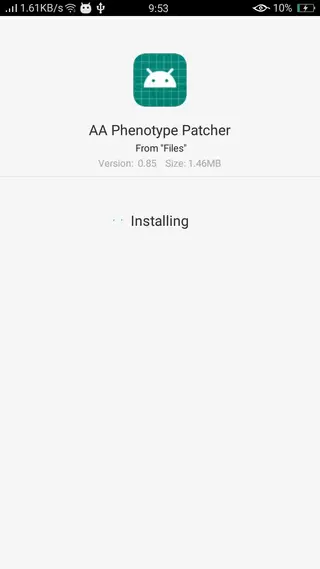
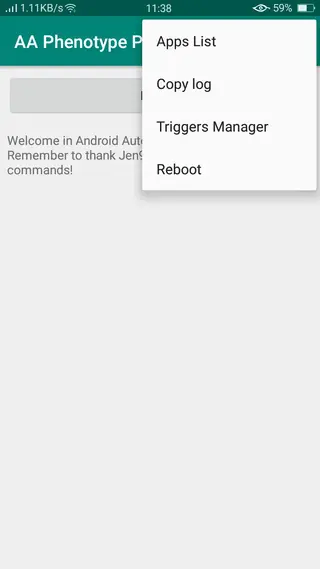

Safety, limitations and responsible use
AA Phenotype Patcher changes how Android Auto exposes apps, so you should use it carefully. Google restricts certain app categories for safety reasons, especially anything that can distract drivers such as web browsing or video playback while the vehicle is moving.
When you enable additional apps through this tool, you remain responsible for how and when you use them. It is wise to limit experiments to times when the car is parked and to keep your focus on the road during normal driving.
Because AA Phenotype Patcher is a third-party utility and not an official Google product, updates to Android, Google Play services or Android Auto may break or change its behavior. If you notice instability, you can disable patches or uninstall the app and reconnect your phone to restore default settings.
Tips for getting better results with Android Auto
Results with AA Phenotype Patcher depend on your phone model, Android version, Google Play services build and head unit firmware. To improve your chances of success, keep your phone and Android Auto updated, test changes one app at a time and reconnect to the car after each adjustment.
Pay attention to how your car display responds after enabling a new app. If you see crashes or freezes, revert the last change you made in AA Phenotype Patcher and restart Android Auto. Documenting which combinations work on your particular setup can save time if you need to reinstall or reconfigure the app later.
FAQs
Pros
- Does not require root access on many supported devices
- Offers more control over which apps show up in Android Auto
- Lightweight utility focused on a single clear purpose
- Interface is relatively simple for experienced Android users
- Available as a free APK download from our website
Cons
- Intended for advanced users and can be confusing for beginners
- May stop working or become unstable after Android Auto updates
- Potential compliance and safety concerns when enabling certain apps while driving
- Not available through the official Google Play Store
- Functionality can vary between devices, car units and software versions
Conclusion
AA Phenotype Patcher is a focused Android Auto tweaking tool for users who want to test more apps on their car display without rooting their phones. If you understand the risks and limitations of third-party utilities, you can download the APK directly from Apkoll and explore extra customization options for your in-car experience.




Comments
No approved comments yet.