

AAStore
AAStore is an alternative app catalog for Android Auto that gives you access to apps and tools that are not listed in the official Android Auto interface. It focuses on car-friendly utilities, media apps, and customization tools for your in-dash screen.
With this app you can browse, download, and install compatible Android Auto apps directly from your phone and then use them on your vehicle’s head unit. You do not need to root your device to use AAStore.
You can download the official AAStore APK file directly from our website and start exploring additional apps for your car in just a few minutes.
Rate this app
App details
- App name
- AAStore
- Category
- Productivity
- Version
- v1.1
- Size
- 14.16 MB
- Requirements
- 6.0 and Up
- Package name
- it.croccio.aastore
- Publisher
- Croccio
- Price
- Free
- Mod
- No
- Downloads
- 86,021
- Rating
- 4.7 / 5
- Rating count
- 27,000
- Play Store
- No
- Requires root
- No
- Offline support
- No
- Contains ads
- No
- In-app purchases
- No
- Updated
- May 18, 2026
- Age rating
- Rated for 3+
Table of contents
What is AAStore Android App
AAStore is an unofficial application catalog designed for Android Auto users. Instead of working as a general-purpose app store, it focuses on apps that integrate with Android Auto or extend its behavior inside your car.
Many entertainment, customization, and utility apps do not appear inside the standard Android Auto menu because of policy and safety restrictions. AAStore helps you discover and install such compatible apps from a single place, so you can manage them more easily on your phone and then launch them on your car display.
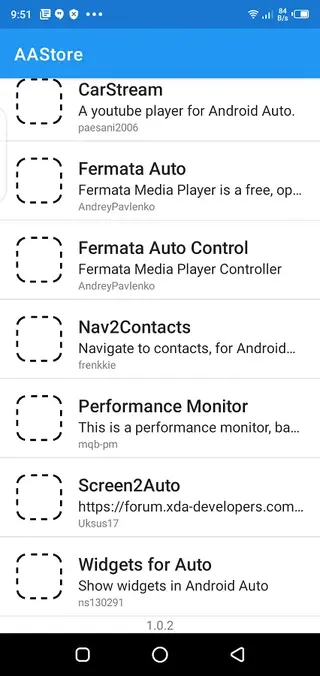
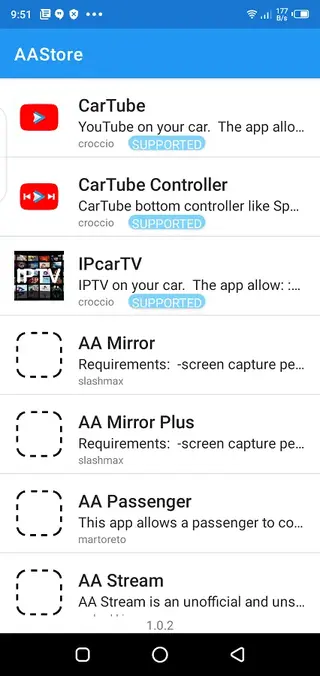
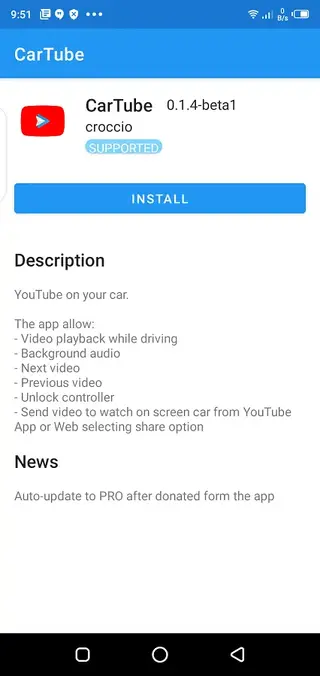
The app is developed by Croccio and distributed as a free APK for Android phones and tablets running Android 6.0 or higher. Once installed, it scans and lists available Android Auto compatible tools, including popular projects like CarTube, Fermata Auto, CarStream, IPCarTV, and similar apps, whenever they are supported.
If you only want to get YouTube on your ride, then you should try Autosweep RFID App and CarTube. These allow you to access YouTube in Car, which you can easily access and enjoy your free time.
Why Download AAStore APK from Our Site
AAStore is useful if you want to go beyond the default Android Auto experience and experiment with additional apps in your car. The standard interface focuses on navigation, calls, and basic audio to reduce distraction, which means many apps never appear as options on the head unit.
By installing AAStore, you get a central place to explore and download alternative Android Auto apps without rooting your device. You can quickly try media players, YouTube front-ends tailored for the car, widget helpers, and other utilities, then keep them updated from one catalog.
The official installation file for AAStore is available directly on our website, so you can download the current version, move it to your phone if needed, and install it in a few simple steps.
How AAStore Helps Android Auto Users
AAStore is especially useful for drivers and passengers who spend a lot of time in the car and want more control over their in-car apps. Long trips often need better media handling, flexible playlists, and sometimes access to video while parked. AAStore helps surface apps built for these scenarios.
The catalog also includes tools that tweak or extend Android Auto behavior, such as custom launchers, widget helpers, and interface customization utilities where available. This lets you build a setup that better matches your driving habits instead of relying only on the default app list.
Because AAStore works on both rooted and non-rooted devices, more users can experiment safely with expanded Android Auto functionality. You can review app descriptions, install or remove them as needed, and keep everything managed from a simple, mobile-friendly interface.
How to Download and Install AAStore APK
You can download the official AAStore APK file directly from our website and install it manually on your Android phone or tablet. Follow these steps to get started:
Scroll to the download area on this page and tap the AAStore APK download button.
Wait for the APK file to finish downloading to your device.
Open your phone settings and enable installation from unknown sources for your browser or file manager.
Locate the downloaded AAStore APK in your Downloads folder and tap it.
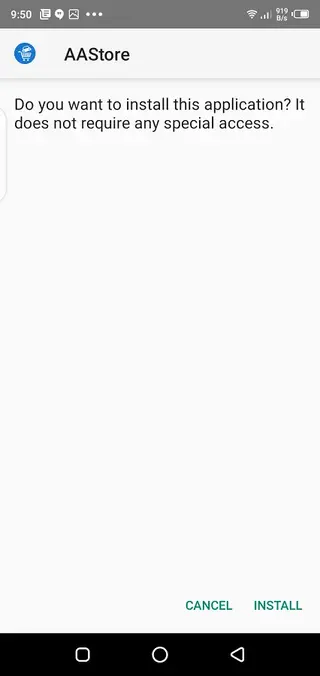
Review the installation prompts and tap Install.
Once the installation completes, open AAStore from your app drawer and start browsing Android Auto apps.
After installation, you can use AAStore to fetch other compatible Android Auto apps directly through its catalog interface.
Features
Focused Android Auto app catalog
Browse a curated list of apps created or adapted for Android Auto, including media, utilities, and customization tools.
No root required
Install and use AAStore on standard Android devices without unlocking the bootloader or gaining root access.
Access to blocked or hidden apps
Find apps that normally do not show up in the official Android Auto launcher but can work on your car screen.
Support for popular car media apps
Discover apps such as CarTube, CarStream, Fermata Auto, IPCarTV and similar tools whenever they are supported in the catalog.
Simple interface
Use an easy and straightforward UI to browse categories, open app details, and start downloads with a single tap.
Fast in-app downloads
Trigger APK downloads for supported apps from inside AAStore so you do not have to search for each package manually.
Support for rooted and non-rooted setups
Use the same catalog whether your phone is rooted or not, making the tool flexible for advanced and regular users.
Car-oriented customization options
Find apps that help tweak layouts, widgets, and behavior of Android Auto where supported by the installed tools.
Screenshots
Compatibility and System Requirements
AAStore targets users who already have Android Auto running on their phone and compatible car head unit. The app generally requires Android 6.0 or higher, which covers most modern devices, and works alongside the official Android Auto app.
Functionality can vary by car manufacturer, head unit firmware, and Android Auto version. Some third-party apps listed inside AAStore may not appear on certain car systems if they conflict with current Android Auto policies or if the car firmware blocks them. In those cases you may need to try alternative apps from the catalog that better match your setup.
Tips for Safer Android Auto Usage
AAStore gives access to a broader range of apps, but safety should always come first. Many regions have strict rules about watching video or interacting with complex interfaces while driving.
Configure and test new apps while the car is parked.
Let passengers handle media browsing whenever possible.
Rely on voice commands and simple controls during driving.
Remove or disable apps that appear unstable or distracting on your head unit.
Used responsibly, AAStore can enhance the convenience and comfort of Android Auto without compromising safe driving behavior.
FAQs
Pros
- Free to download and use with no purchase required
- Specialized catalog focused on Android Auto compatible apps
- Works on both rooted and non-rooted Android devices
- Helps users find apps that do not appear in the standard Android Auto menu
- Simple and lightweight interface that is easy to understand
- Can improve long-drive entertainment and utility options in the car
Cons
- Not available on the official Google Play Store
- Many listed apps are unofficial and may break after Android Auto updates
- Some apps may not work on every car head unit or phone model
- Using distracting apps while driving can impact safety and may violate local laws
Conclusion
AAStore is a handy companion for Android Auto users who want to experiment with extra apps and car-focused tools. You can download the official APK from our website, install it on your Android device, and explore a wider catalog of compatible apps, keeping in mind safety and local regulations while you use them in your vehicle.




Comments
محمد
البرنامج يطلب تحديث ولا يقبل ال التحديث