

Acestream
Acestream is a media streaming engine for Android that lets you play torrent and IPTV links directly as online video or audio without downloading the full file first. It works as a powerful P2P player for movies, series, sports, and live TV playlists.
With support for BitTorrent links, magnet links, and M3U playlists, the app turns your phone or tablet into a flexible streaming hub. You only paste a compatible link and the built-in player starts playback as soon as enough data is buffered.
You can download the official Acestream APK file directly from our website and install it on compatible Android devices to start streaming link-based content in just a few steps.
Rate this app
App details
- App name
- Acestream
- Category
- Tools
- Version
- v3.2.19.7
- Size
- 170.57 MB
- Requirements
- 5.1 and Up
- Package name
- org.acestream.node
- Publisher
- INNOVATIVE DIGITAL TECHNOLOGIES, LLC
- Price
- Free
- Mod
- No
- Downloads
- 200,000
- Rating
- 4.9 / 5
- Rating count
- 80,000
- Play Store
- Yes
- Requires root
- No
- Offline support
- Yes
- Contains ads
- Yes
- In-app purchases
- Yes
- Updated
- Jun 5, 2026
- Age rating
- Rated for 3+
Table of contents
What is Acestream Android App
Acestream is an Android media tool that uses P2P and BitTorrent technology to stream video and audio files from links instead of traditional downloads. It works as both an engine and a multimedia player, so you can open streaming links, torrent links, and IPTV playlists and watch them in real time.
The app focuses on link-based playback. You copy any supported URL such as a torrent link, magnet link, or M3U playlist and paste it into Acestream. The engine reads the link, connects to the P2P network, and starts playing the selected media once enough data is available.
Acestream also supports local files stored on your device. This means you can use it as a regular media player for downloaded videos and music while still having full access to its advanced streaming engine when you use online links.
Ace Stream Android is the first available mobile application providing link-based services. This application can easily read the available download or file links and provide the content. Therefore, downloading such files on the system isn’t necessary anymore. Using this unique application accessing any content is easy. Get a similar experience with the Torrz and Torrent9.
The Android version is designed to offer a similar experience to the desktop client, but with a touch-friendly interface, simple controls, and settings optimized for mobile data and Wi-Fi networks.
Why Download Acestream APK from Our Website
Downloading the Acestream APK from our website gives you direct access to the official installation file for Android without needing to go through extra steps. You can keep a backup of the installer and reinstall it whenever you change or reset your device.
The APK version is especially useful if Acestream is not visible or available for your device on Google Play, or if you prefer to install apps manually. Once downloaded and installed, you get the same streaming engine and multimedia player with full link-based playback support.
Our download page provides the latest version information, package name, Android requirements, and other important details so you know exactly what you are installing on your phone or tablet.
How Acestream is Useful for Android Users
Acestream is useful for users who regularly watch online videos, IPTV channels, or content shared over torrent networks. Instead of waiting for large media files to download, you can start streaming quickly with link-based playback.
Support for M3U playlists makes it practical for IPTV enthusiasts who maintain their own channel lists. You can open a playlist URL, browse the channels inside, and watch live streams directly through the player.
Because the app also plays local media, it can replace multiple separate players with a single solution. Users can fine-tune engine and player settings to balance quality, buffering, and data usage depending on their connection speed.
Overall, Acestream brings desktop-style torrent and IPTV streaming capabilities to mobile, making Android devices more flexible for entertainment and live content consumption.
How to Download and Install Acestream APK
You can download the latest Acestream APK file directly from our website and install it manually on any compatible Android device. Follow these steps to complete the process:
Scroll to the download section on this page and tap the download button to save the official Acestream APK file to your device.
Wait until the download finishes, then open your device's Downloads app or file manager and locate the APK file.
If this is your first manual installation, go to Android Settings and allow app installs from your browser or file manager source.
Tap the Acestream APK file, review the permissions, and press Install to start the installation process.
Once installation is complete, open Acestream from your app drawer and grant any required network or storage permissions.
Paste a supported torrent, magnet, or M3U playlist link into the app and start streaming.
Features
Link-based torrent streaming
Play torrent and magnet links as streaming video or audio without downloading the entire file first.
Built-in multimedia player
Use the integrated player with playback controls, seek support, and audio options for both online and offline files.
IPTV and M3U playlist support
Open M3U playlists to access live IPTV channels and organized lists of online streams.
Support for multiple media formats
Play popular formats such as MKV, MP4, AVI, MOV, Ogg, FLAC, TS, M2TS, Wav, and AAC files.
Local file playback
Browse and play media stored on your device alongside online link-based content.
Engine and player settings
Adjust stream quality, buffering behavior, caching, and player options to match your network and preferences.
No mandatory registration
Use core playback and streaming capabilities without creating an account in most regions.
Free to download and use
Install and access the main streaming features without any upfront purchase.
Screenshots
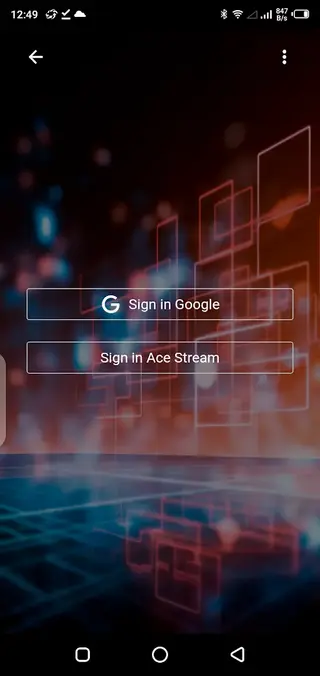
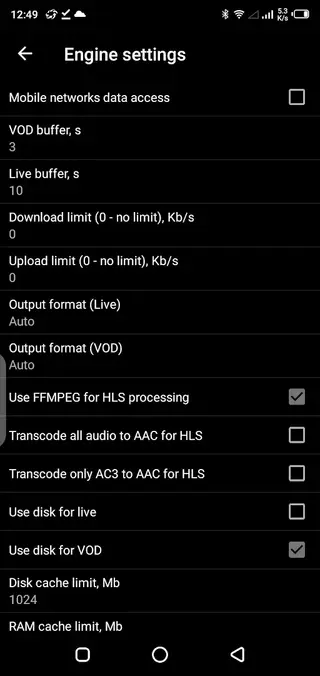
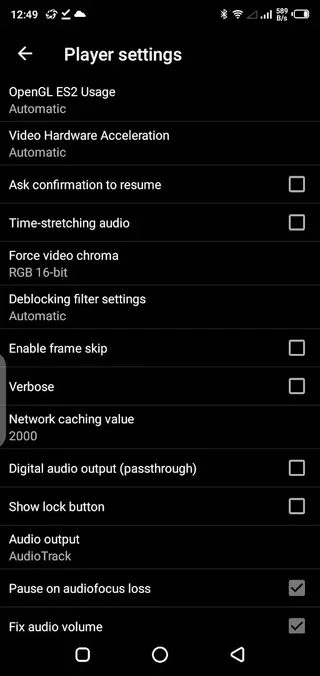
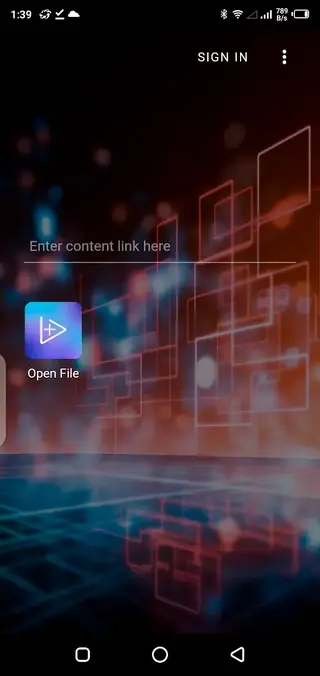
Supported media formats and playlists
Acestream is designed to handle a broad range of common media formats, which makes it suitable as an everyday player as well as a streaming engine. It supports popular video containers such as MKV, MP4, AVI, MOV, TS, and M2TS, along with multiple audio formats including Ogg, FLAC, AAC, and similar types.
For live and on-demand streaming, the app works with M3U and similar playlist structures that are widely used in IPTV setups. When you open a playlist link, Acestream parses the entries and lets you choose the stream or channel you want to play.
Tips for better streaming performance
Because Acestream uses P2P and torrent protocols, streaming quality depends on your network speed and link availability. For a more stable experience, it helps to use a fast Wi-Fi connection when possible and avoid heavy background downloads that can consume bandwidth.
You can also adjust engine and player settings inside the app. Lowering default playback quality, shortening the cache, or reducing simultaneous connections can improve responsiveness on slower networks. Experimenting with these settings will help you find the best balance between quality and smooth playback for your device.
Privacy and responsible usage
When you use P2P-based streaming, your device may both receive and share chunks of data with other peers. It is important to use Acestream responsibly and only stream content that you are legally allowed to access in your region.
Always review how the app handles network connections and permissions, and consult the official documentation or in-app information for the latest guidance on privacy and usage policies.
FAQs
Pros
- Streams torrent and magnet links without full downloads
- Supports M3U playlists for IPTV and live channels
- Handles many popular video and audio formats
- Includes a built-in multimedia player and engine controls
- Can also play local media files stored on the device
- Free to download and use on Android
Cons
- Performance and buffering depend heavily on network quality
- P2P streaming can use significant data and battery
- Interface may feel complex for first-time users
- App does not include built-in media links or playlists
Conclusion
Acestream for Android combines a torrent engine, IPTV support, and a capable media player into one app. By downloading the APK directly from our website, you can install the official package, paste your own links or playlists, and turn your phone or tablet into a powerful streaming device for both online and offline media.




Comments
No approved comments yet.