

Alua Apk
Alua App is a social and dating platform where you can chat and connect with real people, influencers and creators from around the world directly from your Android phone.
With private messaging, media sharing and interactive features, the app focuses on one-to-one conversations and closer connections instead of public feeds and crowded timelines.
You can download the official Alua APK file directly from our website and install the latest Android version to start chatting, flirting and discovering new people in a few simple steps.
Rate this app
App details
- App name
- Alua Apk
- Category
- Social
- Version
- v2.28.8400
- Size
- 72.16 MB
- Requirements
- 5.0 and Above
- Package name
- com.alua.droid
- Publisher
- Alua USA Ltd
- Price
- Free
- Mod
- No
- Downloads
- 57,919
- Rating
- 4.5 / 5
- Rating count
- 19,407
- Play Store
- Yes
- Requires root
- No
- Offline support
- No
- Contains ads
- Yes
- In-app purchases
- Yes
- Updated
- May 13, 2026
- Age rating
- Rated for 3+
Table of contents
What is Alua App for Android
Alua App is a social and dating application that focuses on private conversations between users and their favorite creators, influencers and everyday people. Instead of an open social feed, the platform is built around direct messages, paid and free chats, and personalized interactions.
Once you create an account, you can browse profiles, follow people you like and start chatting through text, photos, videos and other media. Many users treat it as a dating app, while others use it to meet fans, build a community or simply talk to new people.
The Android version, available as an APK download from our website, gives you access to the same core features you find on the web version, optimized for mobile use with a simple interface and clear navigation.
We have more similar applications available here. So, if you are willing to have more fun with similar apps, then you should try Honey Live and A3Menage. There are more amazing features available for the users, which you can explore in these apps.
Why download Alua APK from our website
Downloading the Alua APK from our website lets you install the latest Android version even if it is not yet available or visible on your local Play Store. You get the official package name com.alua.droid and can keep the app updated manually whenever a new build is published.
By using the APK file from our site, you can:
Install Alua on compatible Android phones and tablets without waiting for staged rollouts.
Reinstall the app easily if you switch devices or reset your phone.
Use the app in regions where the Play Store listing may be limited.
The file is ready to download directly from our download page, so you can start chatting and exploring profiles as soon as installation is complete.
How Alua App can be useful
Alua App can be useful if you want more direct and personal communication than standard social networks usually provide. The platform highlights one-to-one chats, so you can talk privately instead of posting to a large public audience.
Creators and influencers can use Alua to manage fan messages, offer premium conversations and build closer relationships with their audience. Regular users can discover new people, flirt, date and share daily moments in a controlled environment.
For anyone who is bored with traditional dating apps or feed-based social media, Alua offers a focused space for messaging, media sharing and building ongoing connections.
How to download and install Alua APK
You can get the latest Alua APK file directly from our website and install it on your Android device in a few minutes. Follow these basic steps:
Scroll to the download section on this page and tap the download button to save the Alua APK or XAPK file to your device.
Wait until the file finishes downloading in your browser or download manager.
Open your device settings and allow installation from unknown sources for your browser or file manager if it is not already enabled.
Locate the downloaded file in your Downloads folder using a file manager app.
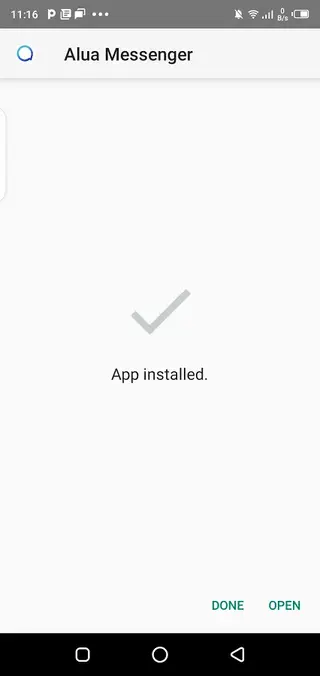
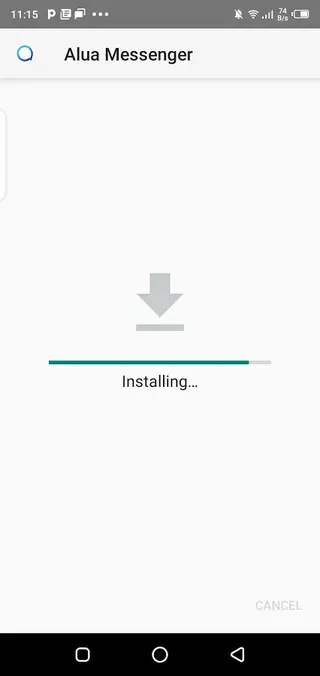
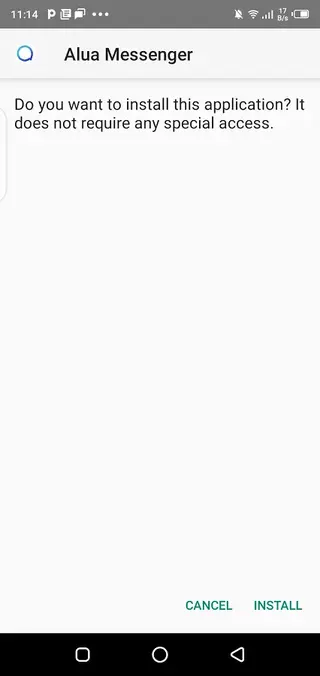
Tap the file and confirm the installation prompt to start installing Alua on your device.
After installation completes, open Alua from your app drawer, sign up or log in, and start exploring chats and profiles.
If the package is in XAPK format, you may need a compatible installer app that can handle split APK or XAPK packages before you complete installation.
Features
Private one to one chat
Start direct conversations with other users, influencers and creators without public timelines or comments.
Text and media messaging
Exchange text, photos, videos and other media files inside your private chats to keep conversations engaging.
Creator and influencer access
Follow models, influencers and other high profile users and interact with them through chat when available.
Dating and social discovery
Use Alua as a dating style app to meet new people, flirt and build relationships in a social environment.
Profile customization
Create a personal profile, add photos and information and present yourself clearly to other users.
Secure account system
Register with your email or other supported methods and protect your account with standard login security.
In app purchases for premium chats
Access additional features or premium conversations using paid options available inside the app.
User friendly mobile interface
Navigate chats, profiles and settings easily with a clean layout designed for Android phones and tablets.
Screenshots

Account setup and onboarding
When you open Alua for the first time, you need to create an account or log in with your existing credentials. The sign up process usually asks for basic details such as email, password and age confirmation, and you can later complete your profile with photos and a short bio.
After registration, the app suggests profiles or creators to follow. You can start with free chats where available, explore discovery sections and adjust privacy settings before you begin more personal conversations.
Safety and privacy tips for Alua users
Although Alua focuses on private chats, you should still protect your personal information. Avoid sharing sensitive data such as home address, financial details or passwords inside conversations. Use in app tools to block or report users who behave inappropriately or make you uncomfortable.
Review the app privacy policy and available security options, and keep your login details secure. Using a strong password and enabling any additional protections offered by the service can help keep your account safer.
Device compatibility and performance
The Alua APK listed here targets Android 5.0 and above, which covers most modern smartphones and tablets. Newer devices with more RAM and better processors will usually provide smoother video and media handling inside chats.
For the best performance, keep enough free storage space on your phone, maintain a stable internet connection and update the app whenever a newer version becomes available on our download page.
FAQs
Pros
- Focuses on private one to one conversations instead of a noisy public feed
- Lets users chat with influencers, models and creators who are active on the platform
- Supports photos and videos in chat for more engaging conversations
- Android APK is available directly from our website for manual installation
- Interface is simple and easy to use for most users
- Can be used both for casual chatting and dating style interactions
Cons
- Many premium interactions and creator chats may require in app payments
- Requires a stable internet connection for almost all features
- Availability of popular creators depends on your region and time zone
- New users may receive unsolicited messages or spam and need to manage chats carefully
Conclusion
Alua App is a focused social and dating platform built around private chats with regular users and creators. If you want more direct conversations than typical social feeds provide, you can download the official Alua APK from our website, install it on your Android device and start exploring profiles, chats and premium options at your own pace.




Comments
No approved comments yet.