

Easy FRP Bypass
Easy FRP Bypass is an Android utility that helps you remove Factory Reset Protection when you are locked out of your own device. It focuses mainly on Samsung and other popular Android phones affected by Google account verification after a reset.
If you have forgotten your Google credentials or bought a phone that is stuck on the FRP screen, this tool offers a software-based method to regain access. You can download the Easy FRP Bypass APK directly from our website and use it with a compatible Android device and USB connection.
The app is lightweight, straightforward, and designed for technicians and advanced users who want a guided way to handle FRP without modifying hardware.
Rate this app
App details
- App name
- Easy FRP Bypass
- Category
- Tools
- Version
- v2.0
- Size
- 1.17 MB
- Requirements
- 4.1 and Up
- Package name
- easy_firmware.com
- Publisher
- EASY Firmware
- Price
- Free
- Mod
- No
- Downloads
- 100,025
- Rating
- 4.5 / 5
- Rating count
- 35,000
- Play Store
- No
- Requires root
- No
- Offline support
- Yes
- Contains ads
- No
- In-app purchases
- No
- Updated
- May 29, 2026
- Age rating
- Rated for 3+
Table of contents
What is Easy FRP Bypass?
Easy FRP Bypass is a small Android application from EASY Firmware designed to help users work around the Factory Reset Protection (FRP) security layer on Android devices. FRP activates automatically when you sign in with a Google account and protects the device from unauthorized resets.
When you perform a factory reset without removing the Google account first, the phone may ask for the original account credentials. If you no longer remember the email or password, or you bought a second-hand phone that is locked, you can get stuck at this verification screen.
This tool provides a software workflow to trigger specific actions on the locked device so that you can add a new Google account and complete the setup process. It operates through standard Android functions, so it does not require any hardware modifications or root access.
Easy FRP Bypass mainly targets Samsung Android devices, but many users also apply it to a wide range of other phones and tablets running Android 4.1 and above, depending on the method they follow.
Why download Easy FRP Bypass from our website
Downloading Easy FRP Bypass from our website gives you quick access to the versions listed in our database, including the latest release noted in the app information. You do not have to search around for different builds or mirrors, because the available files are already organized on a single download page.
Our page explains what the tool does, who it is for, and the main risks and limitations involved. This helps you decide if it fits your personal or professional use before you install it on your Android phone or use it in your repair workflow.
We also provide clear instructions on the basic setup process, such as enabling installation from unknown sources and connecting your device, so you can start using the FRP bypass methods more confidently.
How Easy FRP Bypass can be useful
Factory Reset Protection is important for security, but it can create real problems when the legitimate owner cannot remember the original Google account. Easy FRP Bypass offers a way to recover access in those situations.
For personal users, it can help unlock a forgotten or long‑unused phone so you can sign in with a new account and start using the device again. For phone shops and technicians, it can be part of a toolkit for handling customer devices that are stuck on the FRP screen after repair or reset.
The app focuses on keeping the process as simple as possible through a guided interface. You typically connect the locked device, follow the on‑screen prompts, and run specific actions that open a path to the device settings or browser, where you can add or change the Google account.
As with any FRP tool, it should only be used on devices that you own or have explicit permission to service. Respecting privacy and local laws is essential when working with security features like FRP.
How to download and install Easy FRP Bypass
You can download Easy FRP Bypass directly from our website by using the download buttons provided on this page. Follow these steps to get started on your Android device.
Scroll to the download area on our Easy FRP Bypass page.
Choose the available version you want to use and tap the download button.
Wait until the APK or archive file finishes downloading to your device or computer.
On your Android phone, open Settings and enable installation from unknown sources for your browser or file manager.
Locate the downloaded file in your Downloads folder or file manager.
Tap the APK file and confirm Install to start the installation process.
Once installed, open Easy FRP Bypass and follow the on screen instructions for your specific device.
If you download to a PC first, transfer the file to your phone using a USB cable and then install it from the device storage.
Features
Bypass Google FRP lock
Helps you work around the Factory Reset Protection screen so you can access the device setup again.
Software based method
Provides a bypass workflow without requiring hardware modification or JTAG work on the phone.
Focus on Samsung devices
Optimized for many Samsung Android smartphones and tablets that commonly trigger FRP locks.
Support for multiple Android versions
Designed to work with a wide range of Android versions, including many devices released around 2021 and later where possible.
Simple user interface
Uses a straightforward layout that guides you through the key steps needed to attempt an FRP bypass.
Lightweight app size
Requires very little storage space, making it easy to keep in a technician toolkit or on low storage devices.
USB connection workflow
Works together with a USB connection and computer or directly on some devices, depending on the chosen method.
Free to use
Offered as a free utility, so you can download and run it without subscription or in app purchases.
Screenshots
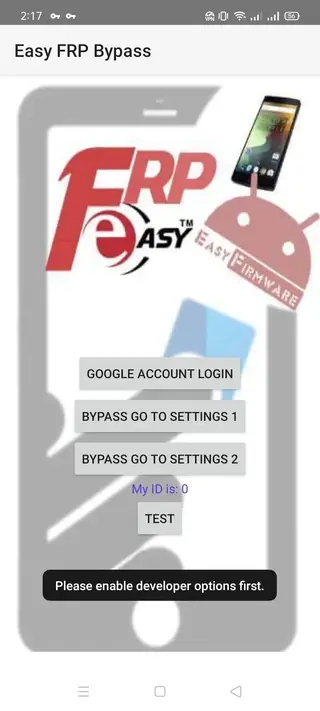
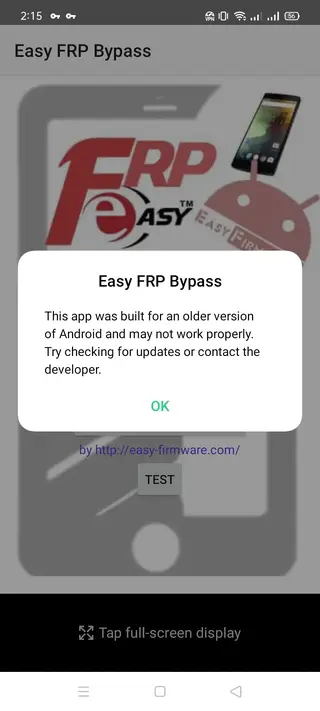
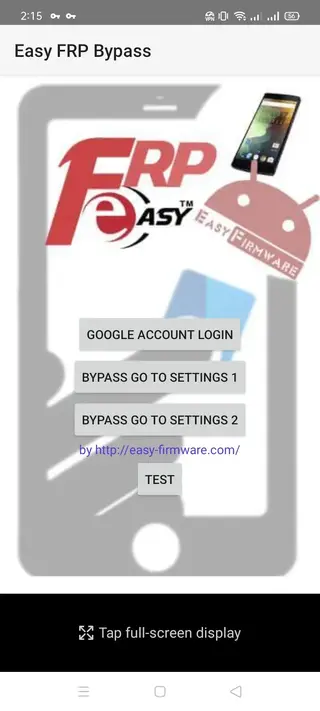
Understanding Factory Reset Protection on Android
Factory Reset Protection is a security feature that links your Android device to the Google account used during setup. When FRP is active and someone performs a factory reset from recovery or settings, the phone asks for the original Google account credentials before it can be used again.
This protects your data if the device is lost or stolen, because a thief cannot simply reset the phone and start fresh. However, if you forget the account details or buy a second hand phone that has not been properly reset, you may find yourself locked out even though you are the legitimate user.
Tools like Easy FRP Bypass aim to solve that specific problem by guiding you through steps that open a path to sign in with a different account. This does not replace the importance of remembering your credentials, but it provides an additional recovery route in difficult cases.
Best practices and safety tips
Because FRP is a security layer, you should treat any bypass tool with care. Only run Easy FRP Bypass on devices that you personally own or that you are repairing with the owner’s explicit permission.
Always back up any accessible data before attempting resets or bypass procedures.
Check that you comply with local laws and regulations related to device unlocking and data protection.
After regaining access, add a new Google account and set up strong screen lock credentials.
Remove your account and reset the device properly before selling or giving it away.
Following these practices helps you use Easy FRP Bypass responsibly while still benefiting from its ability to resolve FRP lock situations.
FAQs
Pros
- Free FRP bypass utility for personal and repair use
- Lightweight and does not require much storage
- Does not require root access to operate
- Designed with a simple and guided interface
- Useful for handling FRP lock issues on many Samsung devices
- Can help recover access when Google credentials are forgotten
Cons
- Improper use may violate device owner privacy or local law
- Bypass may not work on every Android model or firmware version
- Process can be complex for inexperienced users
- Security updates from manufacturers can block older bypass methods
- Not available on the official Google Play Store
Conclusion
Easy FRP Bypass is a compact Android tool aimed at users and technicians who need to solve FRP lock issues on Samsung and other devices. Used responsibly on devices you own or manage with consent, it can be a practical way to recover access when you are stuck at Google account verification. The latest available versions can be downloaded directly from our website and installed on compatible Android phones and tablets.




Comments
No approved comments yet.