

EnhanceFox
EnhanceFox is an AI-powered photo and video enhancer for Android that helps you repair, upscale, and clarify your media in a few taps. It is designed for users who want to fix blurry shots, old photos, or low-resolution clips directly on their phones.
With AI image restoration, video upscaling, FPS boosting, and portrait retouching, EnhanceFox turns average media into sharper, more detailed visuals. You can download the EnhanceFox APK directly from our website and start improving your gallery without complex editing skills.
The app combines free tools with optional premium upgrades, so you can test most enhancement features before deciding if you need higher limits or an ad-free experience.
Rate this app
App details
- App name
- EnhanceFox
- Category
- Photography
- Version
- v6.4.1
- Size
- 260.79 MB
- Requirements
- 6.0 and Above
- Package name
- com.changpeng.enhancefox
- Publisher
- Pixl Concerto Technology
- Price
- Free
- Mod
- No
- Downloads
- 852,746
- Rating
- 4.8 / 5
- Rating count
- 5
- Play Store
- Yes
- Requires root
- No
- Offline support
- Yes
- Contains ads
- Yes
- In-app purchases
- Yes
- Updated
- Jun 4, 2026
- Age rating
- Rated for 12+
Table of contents
What is EnhanceFox Android App
EnhanceFox is an Android photography and video enhancement app that uses artificial intelligence to improve the quality of your photos and videos. It focuses on one-tap enhancement instead of complex manual editing, so anyone can restore old pictures, sharpen blurry images, or boost video quality quickly.
The app can repair low-resolution photos, reduce blur, enhance facial details, and convert old printed photos into clean digital copies. On the video side, EnhanceFox offers AI-based upscaling, noise reduction, and frame interpolation features that can increase FPS for smoother playback.
Developed by Pixl Concerto Technology, EnhanceFox supports a wide range of media formats and runs on Android 6.0 and above. You can get the official EnhanceFox APK file from our website and install it manually if it is not available in your region on Google Play.
This application supports multiple types of media formats and easily improves the quality. Additionally, enhancing the details and resolution is also possible. Therefore, improve the media qualities and have unlimited fun experience. Maximum Zoom & MotionLeap gets to enjoy unlimited zooming.
Why Download EnhanceFox APK for Android
Downloading the EnhanceFox APK on your Android device gives you direct access to AI enhancement tools that can fix many everyday photo and video problems. Instead of learning advanced editing software, you can tap once to sharpen faces, remove noise, and increase resolution.
The app is especially helpful if you have a lot of old family photos, screenshots, or low-quality social media downloads that you want to clean up. EnhanceFox can also upgrade videos recorded on older phones, making them look clearer and smoother.
By downloading the APK directly from our website, you can install the latest available version, explore both free and premium functions, and decide whether the workflow fits your editing needs.
How EnhanceFox Is Useful
EnhanceFox is useful for anyone who wants better-looking media without learning advanced editing techniques. Its AI models analyze each frame or image, detect faces, edges, and textures, and then reconstruct missing details as naturally as possible.
For photos, this means sharper eyes and hair, reduced grain, and more accurate colors. For videos, the app can increase resolution and frame rate on supported clips, which is helpful for sharing to modern displays and social networks that favor HD or 4K output.
Because many features work offline after installation, you can enhance important media even when you do not have a stable internet connection. Combined with batch processing options on newer versions, EnhanceFox can save a lot of time when you need to clean up multiple files at once.
How to Download and Install EnhanceFox APK
You can download the official EnhanceFox APK file directly from our website and install it on your Android phone or tablet. Follow these steps to get started:
Scroll to the download section on this page and tap the EnhanceFox APK download button.
Wait for the APK file to finish downloading to your device.
Open your phone settings and enable installation from unknown or browser sources if it is disabled.
Locate the downloaded APK file in your Downloads folder or notification bar.
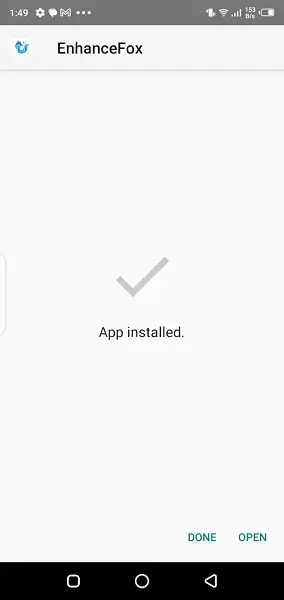
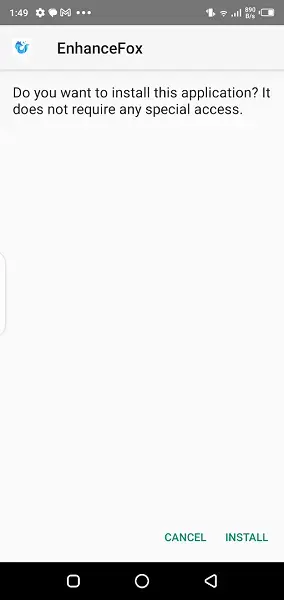
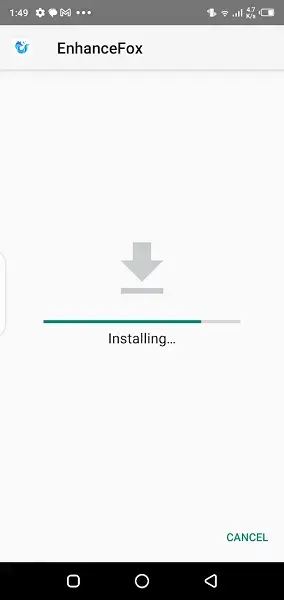
Tap the file, review the permissions, and confirm the installation.
Once installed, open EnhanceFox, grant the required storage and media permissions, and start enhancing your photos and videos.
After installation, you can use the free tools immediately and optionally upgrade inside the app if you need more advanced limits or an ad-free experience.
Features
AI photo enhancement
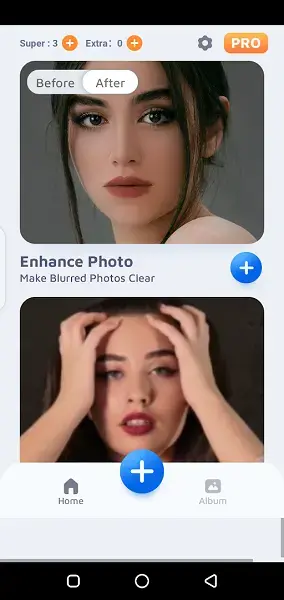
Automatically sharpen, denoise, and upscale photos to higher resolution with a single tap using AI models.
Old photo restoration
Capture or import old printed photos, remove scratches and lines, and convert them into cleaner digital versions.
Video quality improvement
Enhance low-resolution or blurry videos by improving clarity, reducing noise, and refining details on supported clips.
FPS and motion boosting
Increase frames per second on compatible videos for smoother motion using AI frame interpolation.
4K upscaling support
Upscale supported images to near-4K resolution for better viewing on modern displays and large screens.
Portrait and face enhancement
Refine facial features, improve skin texture, and sharpen eyes in selfies and portrait photos.
Toon and stylized effects
Apply cartoon-style or artistic effects to turn ordinary photos into creative illustrations.
Simple and friendly interface
Use a clean layout with clear buttons that guide beginners through each enhancement step.
Screenshots

Tips for Getting Better Results with EnhanceFox
To get the best results in EnhanceFox, start with the highest quality source file you have. Avoid heavily compressed screenshots or media that has already been edited many times, as artifacts can limit what AI enhancement can recover.
For old printed photos, try to capture them in good lighting with minimal reflections and shadows before running the restoration tools. For videos, shorter clips are easier to process and test, so consider enhancing a small segment first before committing to long recordings.
Always preview the enhanced output inside the app and compare it with the original. If the result looks too sharp or unnatural, consider dialing back certain effects or trying a different enhancement mode if available.
Device Compatibility and Performance
EnhanceFox runs on Android 6.0 and above, but performance will depend on your device hardware. Phones with more RAM and stronger processors can handle higher resolutions and longer videos more smoothly.
On entry-level devices, complex tasks such as 4K upscaling or FPS boosting might take longer and consume more battery. It can help to plug your phone into power and close other apps before running heavy enhancements.
If you experience crashes or slowdowns, try processing smaller batches, lowering output resolution where possible, and keeping the app updated to the latest version offered on our website.
FAQs
Pros
- AI-powered enhancement for photos and videos with minimal manual work
- Can restore and digitize old printed photos with better clarity
- Supports higher resolution upscaling and FPS improvement on compatible media
- User-friendly interface suitable for beginners and casual users
- Available as an APK download for regions where Play Store access is limited
Cons
- Free version includes ads during usage
- Some advanced features and higher limits require in-app purchases
- Processing large videos or 4K upscales can be slow on low-end devices
- Quality of results may vary depending on the original media condition
Conclusion
EnhanceFox is a practical AI enhancer for Android users who want to repair, upscale, and refine photos and videos without complex editing. With a mix of free and premium tools and the APK available directly on our website, it offers a straightforward way to upgrade your media library on most modern Android devices.




Comments
No approved comments yet.