

Minecraft Education Edition
Minecraft Education Edition for Android turns the classic sandbox world into a structured learning space, designed mainly for schools and classroom projects. Teachers and students can join shared worlds, explore lessons, and build together while developing problem-solving and creativity.
This version supports subjects like STEM, history, language arts, and social-emotional learning through ready-made lessons and activities. You can download the official Android APK directly from our website and use it with a valid school or organizational account.
Whether you are a teacher planning interactive lessons or a student joining your class world, Minecraft Education Edition helps bring curriculum content to life in an immersive 3D environment.
Rate this app
App details
- App name
- Minecraft Education Edition
- Category
- Trivia
- Version
- v1.21.03.0
- Size
- 394.5 MB
- Requirements
- 8.0 and Above
- Package name
- com.mojang.minecraftedu
- Publisher
- Mojang
- Price
- Free
- Mod
- No
- Downloads
- 123,028
- Rating
- 4.8 / 5
- Rating count
- 65,348
- Play Store
- Yes
- Requires root
- No
- Offline support
- Yes
- Contains ads
- No
- In-app purchases
- Yes
- Updated
- May 22, 2026
- Age rating
- Rated for 7+
Table of contents
What is Minecraft Education Edition for Android
Minecraft Education Edition is the education-focused version of Minecraft, built by Mojang Studios and Microsoft to support classroom learning. The Android app lets schools, teachers, and students use familiar Minecraft gameplay for structured lessons, projects, and collaborations.
Instead of being only a survival or creative game, this edition comes with classroom tools, secure sign-in with school accounts, and an in-game library of lessons. Educators can guide students through coding challenges, chemistry experiments, history scenarios, or literacy tasks inside Minecraft worlds.
The Android port keeps the block-based Minecraft experience but adds features like Classroom Mode support, NPCs, assessment tools, and accessibility options. With this, learners can explore concepts hands-on while teachers keep control over the world and activities.
We are here with other versions of the game for you all, which you can download and play. So, get Minecraft Modcombo and Minecraft Java Edition, both of these versions don’t require any kind of school account.
Why Download Minecraft Education Edition APK
Downloading the Minecraft Education Edition APK on Android lets schools and learners access the game-based classroom platform directly on phones and tablets. It is especially useful in 1:1 device programs or blended learning environments where students use mobile devices instead of laptops.
By installing the app from our website, teachers can quickly set up sessions, while students join with their school accounts from wherever they are. The in-game lesson library, assessment tools, and collaborative worlds make it easier to deliver engaging learning without complex setup.
This version is also valuable for homework, flipped classroom activities, or remote learning. Learners can continue exploring lessons and projects outside the physical classroom as long as their school tenant and licenses support Minecraft Education.
How Minecraft Education Edition Helps Learning
Minecraft Education Edition is useful because it combines a familiar game with structured learning design. Students already understand basic Minecraft mechanics, so teachers can focus more on learning goals instead of teaching controls from scratch.
Educators can run activities that build critical thinking, creativity, collaboration, and digital citizenship. World templates and lesson packs cover topics like climate change, ancient civilizations, AI, coding, chemistry, and more, making it easier to align gameplay with curriculum standards.
Built-in tools such as Immersive Reader, camera and portfolio, blackboard blocks, and exportable work samples support differentiated instruction and assessment. This helps teachers track progress while students learn through exploration, experimentation, and problem-solving.
How to Download and Install Minecraft Education Edition APK
You can download the official Minecraft Education Edition APK file for Android directly from our website. Follow these steps to get started on your device.
Scroll to the download section on this page and tap the download button for the latest version of Minecraft Education Edition.
Wait for the APK or XAPK file to finish downloading on your Android phone or tablet.
Open your device settings and allow installation from unknown sources if it is not already enabled.
Locate the downloaded file in your downloads folder and tap it to start the installation process.
Follow the on-screen prompts to complete installation, then open the app from your app drawer.
Sign in using your eligible school or organizational account to access lessons, worlds, and multiplayer features.
Once installed, teachers and students can join sessions, explore the lesson library, and use the app as part of regular classroom or remote learning.
Features
Education-focused Minecraft experience
Uses the Minecraft world as a structured learning platform tailored for classrooms and schools.
School account sign-in
Supports sign-in with eligible school or organizational accounts to keep access limited to education users.
In-game lesson library
Includes a curated library of ready-made lessons and worlds across STEM, history, language, and more.
Classroom collaboration worlds
Allows teachers and students to join shared worlds for group projects, challenges, and simulations.
Immersive Reader integration
Offers Immersive Reader support in-game to help with reading assistance, language learning, and accessibility.
Coding and computer science tools
Provides Code Builder, MakeCode, and Python-based activities to introduce programming concepts.
Chemistry and STEM features
Adds a chemistry resource pack with elements, compounds, and lab tools for science lessons.
Creative problem-solving challenges
Features quests, puzzles, and design tasks that encourage critical thinking and innovation.
Screenshots
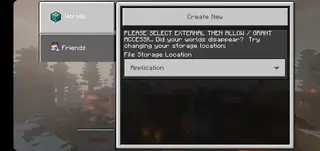
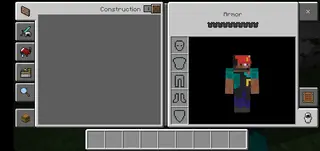
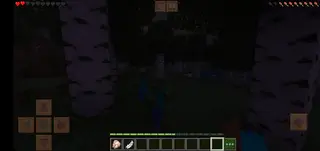
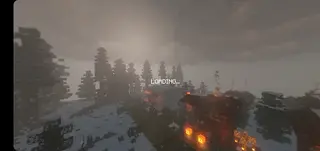
Gameplay And Learning Experience
On Android, Minecraft Education Edition keeps the core Minecraft controls and block-building gameplay while adding tools that make it suitable for lessons. Teachers can create safe, controlled worlds with clear objectives and rules.
Students can build models, reenact historical events, simulate scientific processes, or design sustainable cities. The open-ended environment supports project-based learning, where teams solve real-world problems using virtual resources.
Assessment tools, such as the camera and portfolio blocks, allow students to capture evidence of their work. Teachers can then review this work, give feedback, and connect in-game achievements to curriculum standards.
Supported Devices And Requirements
Minecraft Education Edition for Android is designed for modern devices running at least Android 8.0 or higher, as specified for this version. To ensure a smooth experience, a device with adequate RAM, storage, and graphics capability is recommended.
Because sign-in uses school or organizational accounts, your institution’s IT administrator may also need to configure access through Microsoft 365 or compatible education licensing. Once configured, students can log in across multiple devices, including Android, Windows, iPad, and Chromebook, depending on what the school supports.
Tips For Teachers Using Minecraft Education Edition
For educators new to Minecraft Education, it helps to start with smaller, focused activities before moving into large projects. Use ready-made lessons from the in-game library to quickly align with learning goals, and set clear expectations for behavior and collaboration inside the world.
Consider grouping students into roles, such as builders, researchers, writers, and presenters, to structure teamwork. Use non-player characters, boards, and books and quills to provide instructions, hints, and reflection prompts directly inside the world.
Over time, you can transition from simple exploration tasks to complex design challenges, coding assignments, or cross-curricular projects that bring multiple subjects together in one Minecraft world.
FAQs
Pros
- Transforms familiar Minecraft gameplay into a structured learning tool
- Rich library of curriculum-aligned lessons and ready-made worlds
- Supports collaboration with shared classroom worlds and projects
- Includes STEM tools like coding and chemistry resources
- Immersive Reader and accessibility features help diverse learners
- Available on Android phones and tablets for flexible learning
Cons
- Requires a supported school or organizational account to use fully
- Needs internet access for sign-in, lesson library, and multiplayer
- May not run smoothly on very low-end or older Android devices
- Some features depend on school licensing and IT configuration
Conclusion
Minecraft Education Edition for Android brings classroom lessons into a familiar Minecraft world with tools for collaboration, coding, and curriculum-based projects. Download the APK from our website, sign in with a supported school account, and use it as a flexible, game-based platform for modern teaching and learning.



Comments
No approved comments yet.