

Snack VPN
Snack VPN is a lightweight VPN app for Android that helps you hide your IP address and switch virtual locations with a single tap. It focuses on quick connection and simple controls, so anyone can start browsing more privately in seconds.
With multiple proxy servers across different regions, Snack VPN allows you to bypass many local restrictions and open apps or websites that may be blocked on your current network. You can download the official Snack VPN APK directly from our website and install it on compatible Android phones and tablets.
The app uses a clean, user-friendly interface and offers both free and premium servers. Free users get basic protection and access to selected locations, while paid options can unlock more stable and faster routes for streaming or heavy browsing.
Rate this app
App details
- App name
- Snack VPN
- Category
- Tools
- Version
- v10.0
- Size
- 6.45 MB
- Requirements
- 5.0 and Above
- Package name
- com.free.snackvpn
- Publisher
- Team SnackVpn
- Price
- Free
- Mod
- No
- Downloads
- 120,113
- Rating
- 4.7 / 5
- Rating count
- 69,912
- Play Store
- No
- Requires root
- No
- Offline support
- No
- Contains ads
- Yes
- In-app purchases
- Yes
- Updated
- May 12, 2026
- Age rating
- Rated for 12+
Table of contents
What is Snack VPN?
Snack VPN is an Android VPN application that routes your internet traffic through remote proxy servers. By connecting through these servers, the app masks your real IP address and assigns you a virtual location, which helps improve privacy and makes your online activity harder to track.
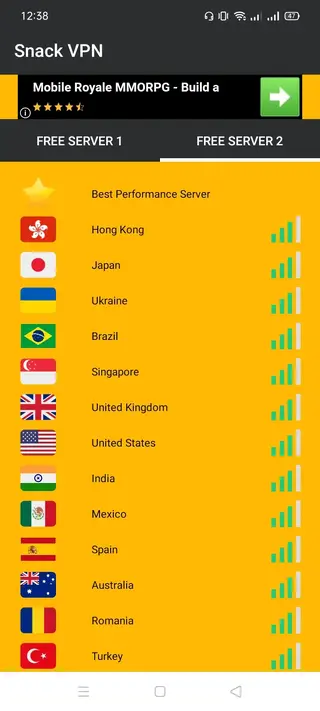
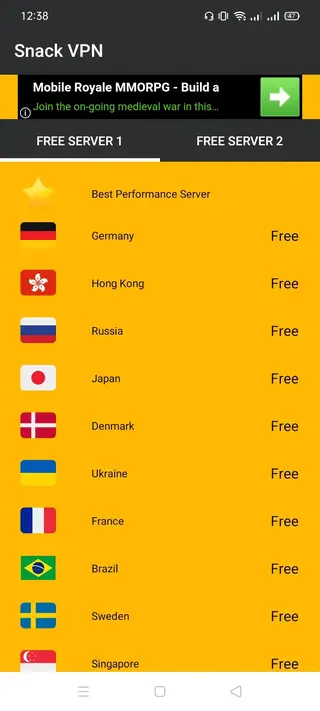
The app provides a collection of servers in multiple countries. You can choose a location manually or let the app select a route based on server availability. Once connected, your traffic is tunneled through the selected server, which can help you access services that are restricted or blocked on your local network.
Snack VPN is designed for users who want straightforward controls instead of complex configuration screens. You tap to connect, switch locations when needed, and monitor connection status and signal quality from a simple dashboard. The free tier includes ads and basic servers, while premium access can reduce limitations and offer more stable connections.
There might be people, who want to get a completely free platform without any premium services. So, you guys should try Movie Rulz VPN and Hotspot Shield Free VPN Proxy. These also provide VPN services for the users, through which you can have fun.
Why download Snack VPN APK from our website
Downloading the Snack VPN APK from our website lets you install the latest available version directly on your Android device without waiting for staged rollouts. You can get the official file, transfer it to any compatible phone or tablet, and set it up even if you do not have access to an app store on that device.
Side-loading the APK is especially useful if your device does not support certain store services, or if the app is not listed in your region. With the APK on our website, you can keep a backup copy, reinstall quickly after a reset, and share it across your own devices.
Our download page also provides key technical information such as version name, Android requirement, and basic features, so you know what you are installing before you start.
How Snack VPN can be useful
Snack VPN is useful for everyday browsing when you want an extra layer of privacy or need to route traffic through a different region. By hiding your IP address, it reduces simple tracking methods based on location and network identity.
The app can help you open websites, social media pages, or apps that may be blocked on school, office, or public Wi-Fi networks. By switching to an available server in another country, you may also be able to reach content that is normally region-restricted.
Because the interface stays minimal, it suits users who want a quick-connect VPN rather than an advanced security suite. You can connect before checking email on public hotspots, streaming lighter content, or accessing online accounts while traveling, without dealing with complicated manual settings.
How to download and install Snack VPN APK
You can get the official Snack VPN APK file directly from our website and install it manually on your Android device. Follow these steps to complete the process:
Scroll to the download section on this page and tap the APK download button for Snack VPN.
Wait for the APK file (version details shown on the page) to finish downloading to your device.
Open your device settings and, if needed, allow installation from unknown or external sources for your browser or file manager.
Locate the downloaded APK in your Downloads folder and tap it to start the installer.
Review the on-screen information and tap Install to add Snack VPN to your device.
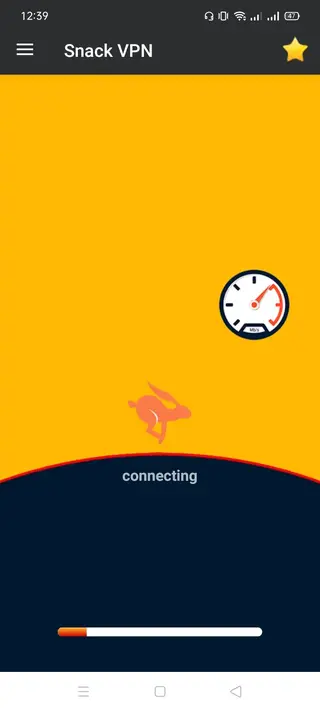
Once installation completes, open the app, grant the requested VPN permissions, and tap Connect to start using it.
Features
Multiple proxy servers worldwide
Snack VPN offers access to a range of VPN servers in different countries so you can switch your virtual location when needed.
One-tap connection
The app uses a simple connect button, enabling fast VPN start and stop without advanced configuration steps.
IP masking and virtual identity
By routing traffic through remote servers, Snack VPN hides your real IP address and presents a virtual network identity.
Manual server selection
You can browse available servers, check their status, and choose the one that best fits your speed or location needs.
Network status and ping info
Basic signal and ping indicators help you understand current server quality and decide when to switch to another route.
Free access tier
Snack VPN includes a free mode with access to selected VPN servers so users can start browsing through the tunnel at no cost.
Premium server options
Paid options unlock additional servers and can offer more stable, faster connections suitable for heavier usage.
User-friendly interface
The design keeps menus and controls simple, making it easy for beginners to connect, disconnect, and change locations.
Screenshots
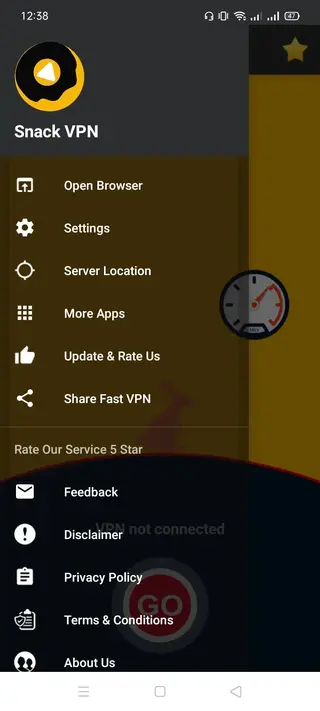
Performance and connection experience
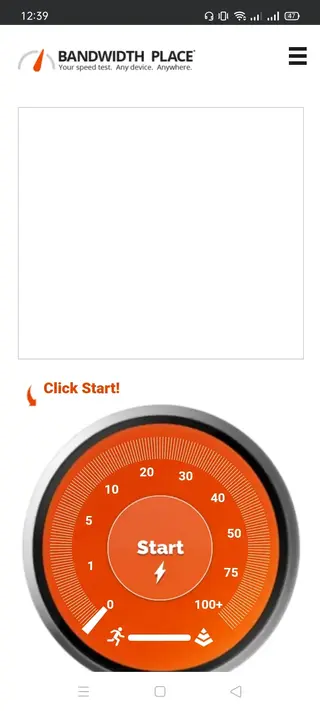
Actual performance in any VPN app depends on several factors, including your base internet speed, distance to the selected server, and current load on that server. Snack VPN lets you change servers manually, so if one route feels slow, you can disconnect and try another region.
For lighter tasks like browsing, messaging, and checking social media, many users find free servers sufficient. For more stable streaming or large downloads, premium routes in similar apps often provide better throughput, so you can explore the in-app upgrade options if you need higher consistency.
Security and privacy considerations
Snack VPN helps improve privacy by masking your IP address and routing traffic through remote servers. This makes it harder for simple IP-based tracking and can protect you against some types of monitoring on public Wi-Fi networks.
As with any VPN service, you should still follow good security practices, such as using strong passwords, enabling two-factor authentication on your accounts, and keeping your device updated. A VPN is one layer of protection and should be used alongside other safe-browsing habits.
Compatibility and system requirements
The Snack VPN APK available on our website is built for Android devices that meet the stated minimum requirement of Android 4.1 and above. This means it can run on many older smartphones and tablets, as well as more recent models.
For the best experience, ensure that your device has a stable internet connection, enough free storage space for the app, and that battery saver modes are not overly restricting background network activity while the VPN is connected.
FAQs
Pros
- Simple one-tap connection for quick VPN use
- Multiple server locations available across different regions
- Lightweight app that runs on older Android versions
- Free servers included so you can start without payment
- Premium upgrades available for users who want more stable and faster servers
Cons
- Performance and speed can vary depending on selected server and network load
- Contains advertisements in the free version
- Free servers may be limited during peak times
- Does not work offline because it requires an active internet connection
Conclusion
Snack VPN is a straightforward VPN app for Android that focuses on quick IP masking, easy location switching, and a clean interface. If you want a lightweight tool to add basic privacy and reach blocked content, you can download the official Snack VPN APK from our website and start using it within minutes.




Comments
No approved comments yet.