

Tok Liker
Tok Liker is an Android tool that helps TikTok creators increase engagement on their videos by sending automated likes, followers and shares. It targets users who want to grow accounts quickly without manual promotion.
You can download the Tok Liker APK directly from our website and install it on any compatible Android phone or tablet. The app connects with your TikTok profile and then processes engagement requests through its own servers.
Because this is an unofficial engagement booster and not an app from TikTok or Google Play, you should use it carefully, avoid using your main account and understand the potential risks before logging in.
Rate this app
App details
- App name
- Tok Liker
- Category
- Tools
- Version
- v1.0
- Size
- 1.79 MB
- Requirements
- 5.0 and Above
- Package name
- com.tokliker.tokliker
- Publisher
- TokLiker
- Price
- Free
- Mod
- No
- Downloads
- 56,929
- Rating
- 4.5 / 5
- Rating count
- 19,649
- Play Store
- No
- Requires root
- No
- Offline support
- No
- Contains ads
- Yes
- In-app purchases
- No
- Updated
- May 8, 2026
- Age rating
- Rated for 3+
Table of contents
What is Tok Liker App
Tok Liker is a third-party Android social utility that sends artificial engagement to TikTok accounts. Instead of waiting for organic growth, users can request extra hearts, followers and shares for their videos.
The app works outside the official TikTok ecosystem. After logging in with a TikTok account, users can place orders for engagement and see the results reflected on their TikTok profile. It focuses purely on metrics such as likes, followers and shares rather than editing or video creation.
Tok Liker is not available on Google Play and it is not affiliated with TikTok. It functions as an external booster, and using it can conflict with TikTok’s terms of service. For that reason many users test it only with secondary or disposable accounts.
We are not the developers of the application, which is why we cannot provide you with any kind of personal guarantee about it. If you are willing to use it, then you are on your own. You can also try to get the free popularity of TikTok from Fireliker.
Why Download Tok Liker APK
People download Tok Liker because they want to make new TikTok profiles look active and popular in a short time. High engagement numbers can help content appear more attractive to viewers who discover it on the platform.
The app automates a process that would otherwise take time and consistent posting. Instead of focusing only on organic growth, users can request a batch of hearts, followers or shares and then continue uploading videos while the app processes the order.
Since the APK is available directly on our website, users can install it on older Android devices that still meet the minimum requirement and experiment with growth strategies outside the official store.
How Tok Liker Can Be Useful
Tok Liker can be useful for users who want to test how engagement numbers affect the visibility of their TikTok content. A profile that shows more followers and likes may look more credible to casual viewers.
Creators who are experimenting with different video styles can use the tool on test accounts to understand how boosted engagement interacts with TikTok’s recommendation system. It can also help compare organic performance versus artificially supported posts.
However, the usefulness of this type of app always comes with clear trade-offs. TikTok can detect unusual activity, and automated likes or followers can violate platform rules. Users who decide to try Tok Liker should stay aware of these risks and avoid linking it with important or business-critical accounts.
How to Download and Install Tok Liker APK
You can download the Tok Liker APK file directly from our website and then install it manually on your Android device. Follow the steps below to complete the process safely.
Scroll to the download section on this page and tap the Tok Liker APK download button.
Confirm the download in your browser and wait until the APK file finishes downloading to your device.
Open your phone settings, go to security or apps, and enable the option to allow installation from unknown sources if it is disabled.
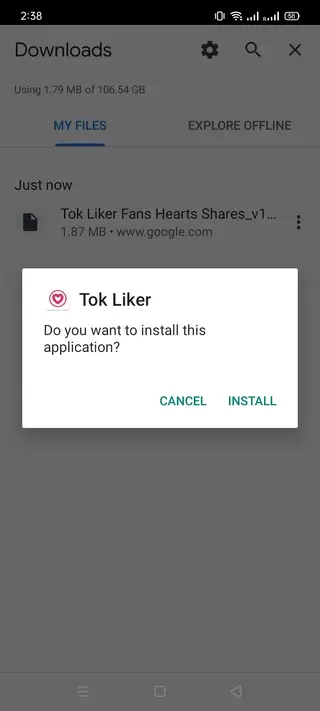
Locate the downloaded Tok Liker APK in your downloads folder and tap on the file.
Review the permissions requested by the installer and tap Install to begin the setup.
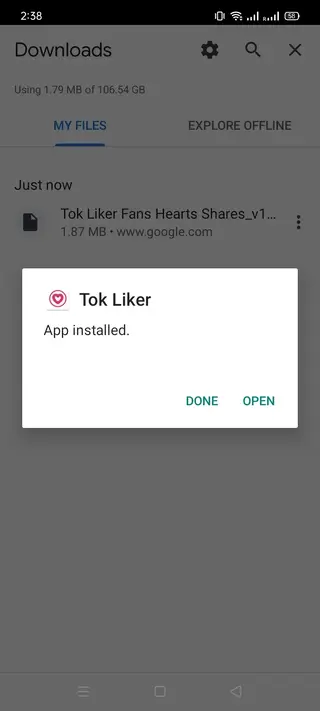
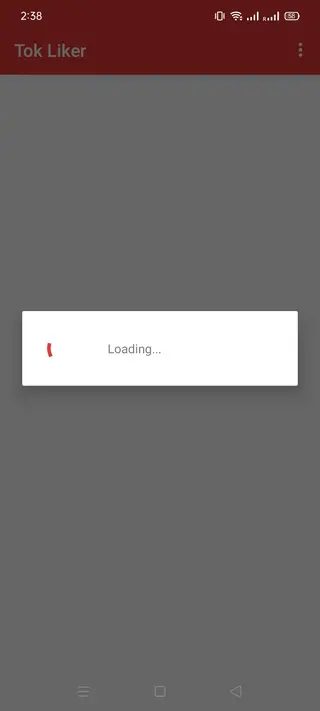
After installation completes, open Tok Liker from your app drawer and sign in with a test or secondary TikTok account to explore the features.
Whenever a newer release becomes available, you can return to our website, download the updated APK and install it over the existing version to keep using the latest build.
Features
TikTok engagement booster
Designed specifically to increase engagement metrics such as likes, followers and shares on TikTok videos and profiles.
Free likes and hearts
Lets users request extra hearts on selected videos to make posts appear more popular in the feed.
Followers generator
Sends followers to the connected TikTok account so the profile looks more established and active.
Social sharing support
Promotes videos through sharing functions to drive additional visibility and reach beyond existing followers.
Simple login process
Requires TikTok account credentials to start, and many users prefer testing with a secondary account first.
Straightforward interface
Provides a basic, easy-to-navigate layout that focuses on engagement features rather than design complexity.
Quick request submission
Allows users to submit orders for likes or followers in a few taps without complex settings.
Lightweight APK
Small-sized Android application that runs on older devices with Android 4.1 and above.
Screenshots
Is Tok Liker Legal and Allowed by TikTok
Tok Liker operates outside the official TikTok environment. It artificially inflates metrics that TikTok expects to grow organically, so it conflicts with the platform’s terms of service. TikTok has the right to restrict or ban accounts that rely on automated engagement tools.
Because of this, anyone considering Tok Liker should understand that they accept all related risks. The app is not endorsed by TikTok, and there is no guarantee that an account will remain safe if suspicious activity is detected. Using a secondary account and avoiding sensitive information can reduce, but not remove, these risks.
Privacy and Account Safety Considerations
To work correctly, Tok Liker asks for TikTok login details or access tokens. Sharing those with any third-party service always introduces privacy concerns. The developer controls how that data is stored and used, and users have limited visibility into the process.
If you decide to test the app, avoid using important accounts, enable security tools like two-factor authentication on your main profiles, and never reuse sensitive passwords. Treat Tok Liker as an experimental tool and assume that your credentials and engagement data may be exposed to the operator.
FAQs
Pros
- Helps increase TikTok likes, followers and shares quickly
- Simple interface that is easy for beginners to understand
- APK can be downloaded directly from our website
- Lightweight app that supports older Android versions
- Allows experimentation with engagement strategies on test accounts
Cons
- Violates TikTok terms of service and can lead to account restrictions
- Not safe to use on main or official TikTok accounts
- Requires login with TikTok credentials, which raises privacy risks
- Engagement quality may be low and not truly organic
- Not available on Google Play and lacks official support
Conclusion
Tok Liker offers a fast way to boost TikTok engagement through automated likes, followers and shares, but it does so by bypassing official rules. If you decide to try it, install the APK from our website, use a secondary account and stay aware of the potential risks to your profile and data.




Comments
No approved comments yet.