

Bharat Option
Bharat Option is a mobile trading app that lets you speculate on cryptocurrency price movements using simple up or down predictions. It targets users who want a fast, lightweight way to try options-style crypto trading from their phones.
With a built-in demo account, flexible trade amounts, and support for popular coins like Bitcoin and Ethereum, the app focuses on short-term predictions instead of long-term investing. You can download the Bharat Option APK directly from our website and start exploring its features on your Android device.
In the internet, cryptocurrency is one of the most popular and trending topics. Millions of people talk about it. It is quite profitable to invest in these currencies, but you have to wait for a long time. Therefore, we present simple applications like Binemon and BitcoinLegend that offers instant earnings.
Rate this app
App details
- App name
- Bharat Option
- Category
- Finance
- Version
- v1.4.98.6
- Size
- 235.56 MB
- Requirements
- 4.4 and Above
- Package name
- com.onlineoption.bharati
- Publisher
- BharatOption
- Price
- Free
- Mod
- No
- Downloads
- 64,921
- Rating
- 4.5 / 5
- Rating count
- 21,883
- Play Store
- No
- Requires root
- No
- Offline support
- No
- Contains ads
- No
- In-app purchases
- Yes
- Updated
- May 20, 2026
- Age rating
- Rated for 3+
Table of contents
What is Bharat Option APK?
Bharat Option is a finance and trading application for Android that provides a simplified way to trade cryptocurrencies through prediction-based options. Instead of buying and holding coins, you predict whether the price of a selected asset will go up or down within a short time frame and place a trade based on that view.
The app focuses mainly on the Indian market, supports registration through email, and offers a clean interface that is easier to understand than many full-scale exchanges. After creating an account, you can access different assets such as Bitcoin, Ethereum, Chainlink, Litecoin, and crypto pairs, each with its own potential payout rate.
Bharat Option also includes a demo or practice account so new traders can learn how the platform works without risking real money at the beginning. Users can connect supported e-wallets for deposits and withdrawals, manage trade durations, and monitor price charts to build their own prediction strategies.
Keep in mind that this is a trading app, not a guaranteed income tool. Crypto and options-style trading carry significant financial risk, and you should only trade with money you can afford to lose.
Why download Bharat Option for Android?
People download Bharat Option because it combines a lightweight Android app with a straightforward way to speculate on crypto price movements. The interface is designed to be less complex than a full exchange, which can make it easier for beginners to understand basic trading concepts.
The app supports short-duration trades, so users who prefer quick positions rather than long-term investing may find it appealing. The integrated demo account lets you practice first, then move to real trades when you feel more confident.
Another reason users choose Bharat Option is the ability to handle everything from a phone: registration, market analysis through simple charts, trade placement, and fund withdrawals. Since the official APK is available directly on our website, Android users who cannot find it on Google Play can still install and test the platform.
How is Bharat Option useful?
Bharat Option can be useful for traders who want to:
Learn basic crypto price action through simple charts and short-term predictions.
Practice options-style strategies with a demo balance before using real funds.
Place quick, small-sized trades on popular crypto assets from a mobile device.
Experiment with different expiry times and position sizes to understand risk and reward.
The app is not a substitute for professional financial advice, but it can serve as a starting point for learning how volatility, timing, and trade size affect your results. Because trades can be placed with relatively low amounts, users can explore strategies with tighter risk control compared with committing large capital at once.
As with any trading platform, its usefulness depends on how carefully you manage risk, how much time you spend learning, and whether the app’s features match your trading style.
How to download and install Bharat Option APK
You can download the official Bharat Option APK file directly from our website and install it on any compatible Android phone or tablet. Follow these steps to get started:
Scroll to the download area on this page and tap the Bharat Option APK download button.
Wait until the APK file finishes downloading to your device.
Open your phone settings and enable installation from unknown sources for your browser or file manager if needed.
Locate the downloaded APK in your Downloads folder and tap it to start installation.
Review the permissions and confirm to install the app.
Once installed, open Bharat Option, create or log in to your account, and explore the demo account before trading with real funds.
Always install the app using the APK provided on our website so you know exactly which version you are using on your device.
Features
Simple crypto prediction trading
Trade on short-term price movements of cryptocurrencies using easy up or down predictions instead of complex order types.
Support for popular coins
Access assets like Bitcoin, Ethereum, Chainlink, Litecoin, and selected crypto pairs with different potential payout rates.
Low entry trade amounts
Start trades with small amounts such as a few dozen rupees, allowing cautious risk exposure and gradual learning.
Flexible expiry times
Choose short result durations and manage when each trade settles according to your preferred strategy.
Practice and demo account
Use a demo balance to learn how the app works, test strategies, and reduce risk before placing real money trades.
Integrated charts and history
View recent price movements on simple charts to inform your predictions and review past performance.
Wallet and payment support
Connect supported e-wallets to deposit trading funds and request withdrawals of available profits from within the app.
Weekend and on the go trading
Place and manage trades from your Android phone at almost any time, including weekends when markets are available.
Screenshots
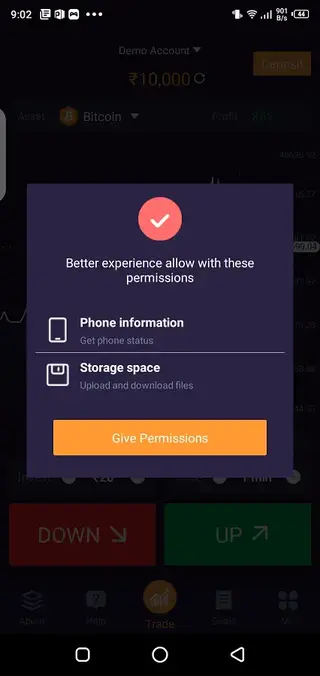
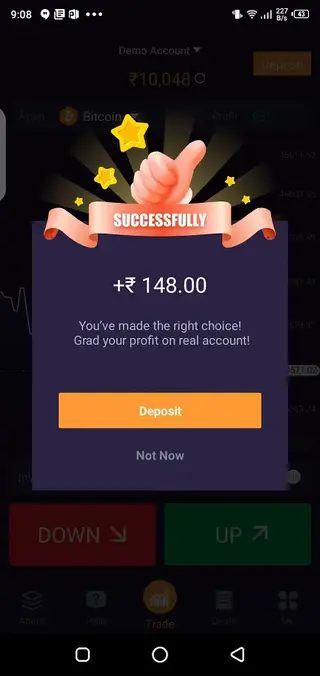
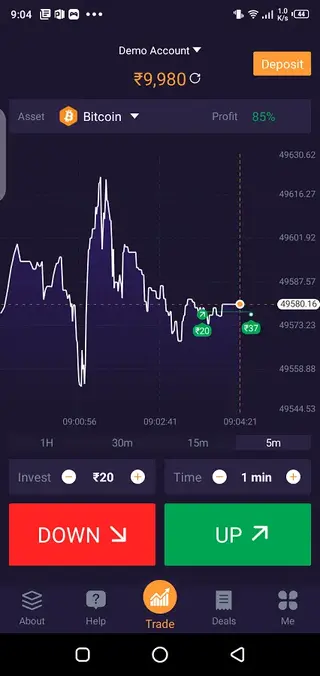
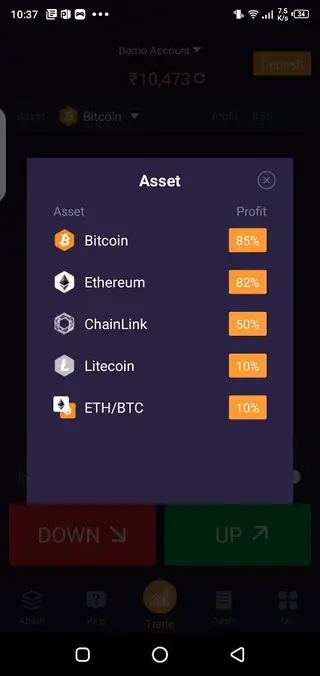
Account setup and onboarding
After installing Bharat Option, new users need to create an account using a valid email address or the sign up method offered in the app. The registration process is usually straightforward and focuses on basic contact details and password creation.
Once registered, you can access the main dashboard, switch between demo and real trading modes if available, and complete any required verification steps before depositing funds. It is a good idea to explore the interface and understand order placement, expiry times, and payout information before opening live positions.
Trading experience and risk management
Bharat Option centres on short duration trades, which can feel fast paced and engaging. Because results arrive quickly, it is important to have a clear plan for trade size, maximum daily loss, and how many trades you are willing to take.
Users should treat the platform as a high risk trading environment. Using small position sizes, setting personal limits, and relying on the demo mode while learning can help reduce the chance of large losses. The app does not replace professional financial advice, so independent research and careful decision making remain essential.
Device compatibility and requirements
Bharat Option is designed for Android devices and, according to earlier listings, typically supports Android 4.4 and above. Performance will generally be better on newer phones with stable internet connections.
Because all pricing and trading actions are handled online, the app requires continuous network access during use. Make sure you have a reliable connection whenever you place or close trades to avoid interruptions or delayed updates.
FAQs
Pros
- Simple interface suitable for beginners in crypto trading
- Supports multiple popular crypto assets and pairs
- Low minimum trade size helps limit initial risk
- Includes a demo account to practice before using real money
- Mobile based platform allows trading directly from Android devices
- Flexible trade durations for short term strategies
Cons
- Crypto and options style trading involve high financial risk
- Requires an active internet connection to function
- Availability on Google Play has been inconsistent over time
- Not a full scale exchange with advanced order types or tools
Conclusion
Bharat Option offers a streamlined way to experiment with short term crypto predictions from an Android device, with a demo account and low minimum trades. It can be a useful learning tool for users who understand the risks of trading and prefer a simple, mobile focused interface. You can download the current Bharat Option APK directly from our website and explore its features at your own pace.




Comments
No approved comments yet.