

Black Magic Camera
Get professional-style video recording and control on an Android device with Black Magic Camera Android. It offers complete control over the footage recording and advanced-level settings. Complete adjustment of settings such as frame rate, shutter angle, ISO, white balance, focus, exposure, and more.
Rate this app
App details
- App name
- Black Magic Camera
- Category
- Photography
- Version
- v3.4.0.0174
- Size
- 129.56 MB
- Requirements
- 13.0 and Above
- Package name
- com.blackmagicdesign.android.blackmagiccam
- Publisher
- Blackmagic Design Inc.
- Price
- Free
- Mod
- No
- Downloads
- 81,957
- Rating
- 4.9 / 5
- Rating count
- 12,489
- Play Store
- Yes
- Requires root
- No
- Offline support
- Yes
- Contains ads
- No
- In-app purchases
- No
- Updated
- Aug 15, 2026
- Age rating
- Rated for 3+
Table of contents
What is Black Magic Camera APK?
Black Magic Camera App is an Android Camera application developed by Blackmagic Design professionals. This app is built for recording video with manual controls. Get complete control over the video recording with this application. Make manual changes in ISO, Shutter angle, White Balance, Tint, Frame rate, and other settings directly while shooting.
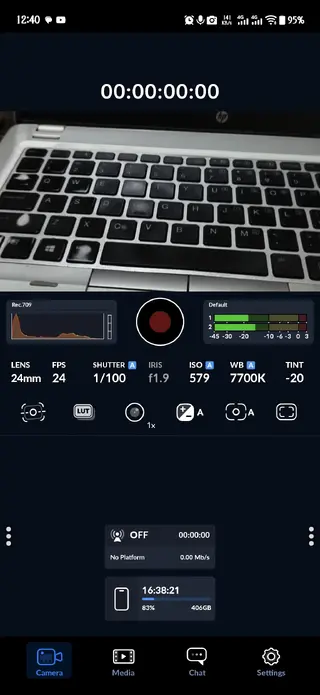
The app is focused on film making with the most advanced-level video recording controls. With an Android device, this app can perform high-end video recording services. Use tools such as Focus Assist, False Color, Zebra, Histogram, LUTs, and more. The app even offers stabilization, anamorphic de-squeeze, time-lapse, timecode, external microphone support, and multi-recording.
Android users can access all these advanced-level tools to improve video recording services. So, if you are looking for more similar apps, then try the Maximum Zoom or Efiko APK. Both of these are quite popular available Android apps offering similar services.
Why Download Black Magic Camera APK?
For video content creators, this application is a must recording app to get high-quality content on your Android device. The app offers advanced controls without any separate professional camera app. It offers high-end services completely free, with automatic camera settings and higher controls on the camera. Hence, users can easily download and have the best experience.
How is Black Magic Camera New Version useful?
The application offers advanced-level tools offering automatic camera services for Android video creators. It lets users manage things such as exposure, focus, color, motion, framing, and audio more deliberately. This is useful when recording interviews, cinematic scenes, moving subjects, low-light footage, and other videos. Use available tools to make instant changes and improve video content.
How to Download and Install Black Magic Camera APK?
The downloading process of this application is quite simple and easy for everyone. This website offers the latest updated version of the app that anyone can easily download and install on their Android device. So, get complete details related to the downloading process here.
Follow these steps to download and install the APK file:
Find the download section available at the top of this page.
Tap on the Download APK button, and wait for the process to complete.
Access the Android Settings and find the Security panel.
Enable Install from Unknown Sources if it is disabled.
Open the Android File Manager and access the Downloads Folder.
Find the downloaded APK file and tap on it.
Select the install option and wait for the process to complete.
Open the app and start recording as professional using your Android device.
Features
Manual Camera Controls
Get direct control over important camera settings instead of relying completely on automatic adjustment. You can manually set ISO, Shutter angle, white balance, tint, focus, exposure, and frame rate while recording.
High Frame Rate Recording
Record at high frame rates for slow motion footage. Supported hardware can reach up to 240 fps with clear video and smooth footage.
High-Resolution Recording
The application supports high-resolution video recording services, which include 8K, 4K, 1080p, and 720p options.
H.264 and H.265 Recording
It supports common H.264 and H.265 recording formats on compatible Android devices. It offers options for balancing video quality and file size.
Off-Speed Recording
Capture footage at a different frame rate from the playback rate. This can be used to create slow-motion or speed-related effects without editing every clip manually.
Focus Manual and Rack
You can manually control focus while recording and create rack-focus movement between different subjects. This is useful when users want to focus transition itself to become part of the shot.
Anamorphic De-Squeeze
The Anamorphic de-squeeze allows footage captured through compatible anamorphic lenses to be displayed with the correct proportions instead of appearing horizontally compressed.
External Microphone Support
Connect compatible external microphones to improve audio capture with this app. Get any high-quality audio device and easily connect using this app.
Screenshots
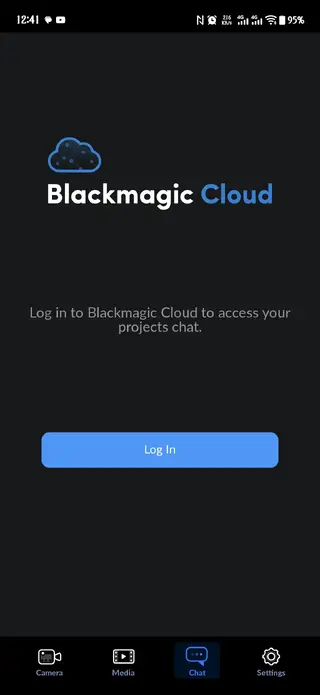
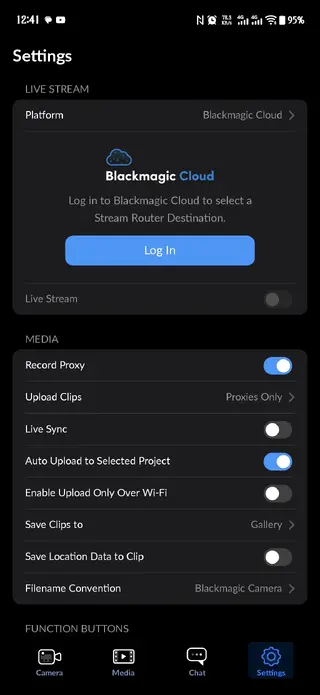
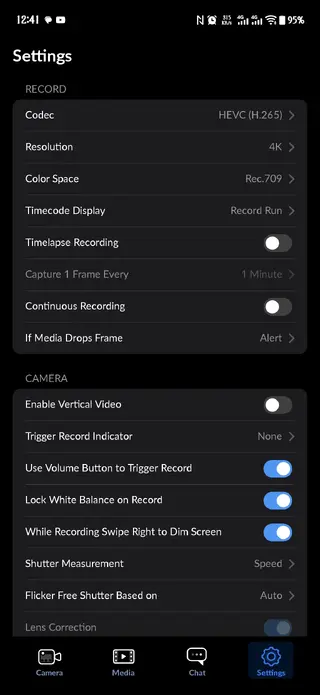
How to Record Cinematic Videos With Black Magic Camera?
To create the perfect cinematic video, multiple settings need to be manually changed. Start by choosing a frame rate that matches the footage, then set the shutter angle consistently. Adjust the white balance manually and use ISO according to the light. These are the basic settings that you should set. However, you can also make additional manual changes in focus and other tools.
How to use False Color and Zebra for Better Exposure?
Zebra and false color serve different purposes. So, using both can make exposure easier to judge. Zebra patterns mark areas reaching a selected brightness level, useful for checking highlights, and prevent important parts of images from becoming excessively bright. False color offers different colors to different exposure ranges. It allows quickly identify darker and brighter areas across the frame. The best way to control exposure is to use both.
FAQs
Pros
- Free professional camera app.
- Extensive manual controls.
- High-frame-rate recording.
- Up to 8K on supported devices.
- APV and LUT support.
- External storage and Microphone supported.
- HDMI monitoring system.
- Histogram and focus assist.
- Manual focus and rack focus.
- DaVinci Resolve workflow.
- Proxy recording.
Cons
- Some features work on supported devices only.
- Advanced controls are hard to understand.
- High-resolution and high-frame-rate require large storage.
- High-end external accessories are needed.
Conclusion
Black Magic Camera APK Download on your Android device to experience high-end professional video recording services. The application allows users to create the best videos using your Android device. Use high-end tools and control your Android camera. Install this application and get access to advanced-level services offered by this tool.




Comments
No approved comments yet.