

BlackHole
BlackHole is an open-source music player and downloader for Android that focuses on simplicity, speed, and a clean listening experience. It lets you organize, play, and download tracks in one lightweight app.
With support for online streaming and offline playback, BlackHole helps you keep your favorite songs available even without an internet connection. Users can manage playlists, customize themes, and enjoy a clutter-free interface.
You can download the official BlackHole APK latest version directly from our website and install it on compatible Android phones and tablets in a few simple steps.
We have more amazing apps, which also provide similar services for the users. So, if you are willing to get access to more similar apps, then try Spotiflyer and Deemix. Both of these are quite amazing apps, which you can have on your Android device.
Rate this app
App details
- App name
- BlackHole
- Category
- Music & Audio
- Version
- v40
- Size
- 12 MB
- Requirements
- 4.4 and Above
- Package name
- com.shadow.blackhole
- Publisher
- Shadow
- Price
- Free
- Mod
- No
- Downloads
- 495,625
- Rating
- 4.4 / 5
- Rating count
- 6,542
- Play Store
- No
- Requires root
- No
- Offline support
- Yes
- Contains ads
- No
- In-app purchases
- No
- Updated
- May 16, 2026
- Age rating
- Rated for 3+
Table of contents
What is BlackHole APK?
BlackHole APK is an Android music application that combines a powerful audio player with convenient download options. It focuses on giving users access to large music libraries, playlist controls, and high quality playback in a compact and easy to use package.
The app is popular among users who want an alternative music player that is free, open source, and does not rely on heavy interfaces or advertising. You can listen to music online, save tracks for offline use, and manage your local library in one place.
BlackHole supports multiple languages, filter based search, and custom themes, so you can tailor the experience to your listening habits and visual preferences. Everything runs inside a built in player, so you do not need separate apps for streaming and playback.
Why download BlackHole for Android?
People download BlackHole because it offers a flexible way to listen to and manage music on Android without extra distractions. The app focuses on fast search, smooth playback, and an interface that works well on both phones and tablets.
With playlist import, favorite tracks, and offline downloads, it can replace multiple separate music tools. You can quickly find songs, group them into playlists, and keep them available even when you are traveling or have limited data.
Another reason many users choose BlackHole is its open source nature. The project evolves with community feedback, and the design stays clean and minimal. If you prefer a straightforward music player that gives you control over your library, it is worth installing.
How is BlackHole useful for listeners?
BlackHole is useful for anyone who listens to music regularly on Android and wants better control over what they play and download. Instead of juggling different streaming, download, and local player apps, users can keep everything inside one interface.
The offline mode is especially helpful for commuters, students, or travelers who do not always have a stable internet connection. You can download songs in advance and listen later without buffering.
Custom themes, language options, and support for favorite lists make it easier to shape the app around your daily routine. Whether you follow a few repeat playlists or constantly explore new tracks, BlackHole adapts to both habits.
How to download and install BlackHole APK
You can get the latest official BlackHole APK directly from our website. Follow these steps on your Android phone or tablet to download and install the app safely.
Scroll to the download section on this page.
Tap the download button to start downloading the BlackHole APK file from our website.
Wait until the APK file finishes downloading on your device.
Open your device settings and enable app installation from unknown sources if it is not already allowed.
Locate the downloaded APK in your Downloads folder or notification bar and tap it.
Review the installation prompt and tap Install.
Once installation completes, open BlackHole from your app drawer and grant the needed permissions to access storage and media.
After installation, you can configure themes, create playlists, and start playing or downloading songs directly inside the app.
Features
Free to download and use
The app is available at no cost and you can install the APK directly on compatible Android devices.
Music and audio player
Play songs with a built in audio player that supports playlists, favorites, and standard playback controls.
Large music libraries
Access and manage wide collections of songs so you can keep different genres and moods in one place.
Streaming and offline playback
Listen to music online or save tracks for offline playback when you do not have an internet connection.
Download songs
Download audio files to your device so you can play them later without using mobile data.
Favorite music lists
Mark songs as favorites and quickly access them through a dedicated list whenever you want to listen again.
Playlist import support
Import playlists from the web or other supported sources to keep your collections consistent across devices.
Built in media player
Use the integrated media player without relying on external music apps on your phone.
Screenshots
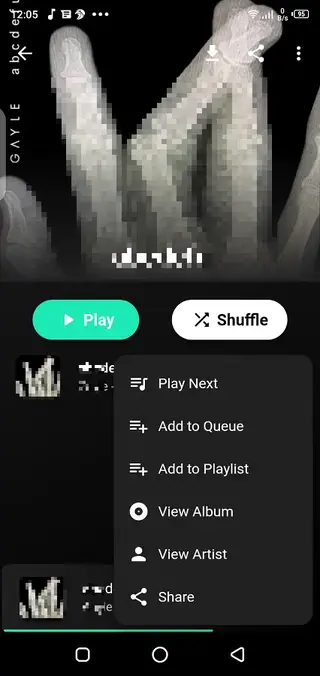
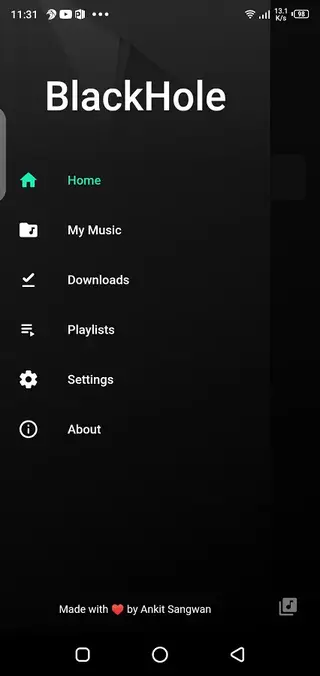
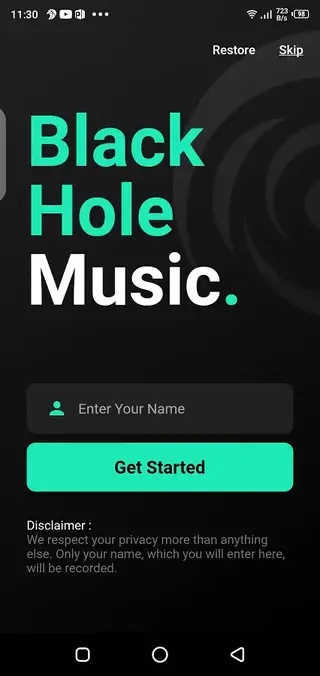

Playback controls and interface
BlackHole includes standard playback controls so you can manage your listening quickly. You can play, pause, skip tracks, adjust volume, and seek within songs from the main player view or notification controls.
The interface focuses on simple navigation tabs for home, search, library, and settings. This keeps the experience fast even on older or lower end devices. Users who prefer minimal apps often appreciate the clear layout and uncluttered screens.
Customization and themes
Customization is an important part of BlackHole. The app supports different interface themes and accent colors, letting you match the player to your system style or personal taste.
You can also adjust language preferences and layout options, making the app more comfortable if you listen to music in multiple languages or use it mainly at night. These small tweaks help create a more personal listening environment.
Library management and search
BlackHole makes it easier to find and organize music through filter based search. You can search by track, artist, or other filters and quickly narrow down large libraries.
Playlists, favorites, and history views help you return to previously played songs without repeating the search every time. This is convenient if you keep long study, workout, or travel playlists in the app.
FAQs
Pros
- Open source music player focused on a clean interface
- Supports both online streaming and offline playback
- No ads displayed in the app according to current builds
- Custom themes and interface personalization options
- Filter based search and region or language based discovery
- Built in media player removes need for extra music apps
Cons
- Not available on the Google Play Store and must be installed via APK
- Requires manual updates by downloading newer APK versions
- Music availability and sources can vary over time
- Some advanced options may feel technical for new users
Conclusion
BlackHole APK offers a clean, open source way to listen to and download music on Android with offline support and customization options. You can get the latest official APK directly from our website and use it as your primary music player if you prefer a simple, ad free listening experience.




Comments
No approved comments yet.