

Chat Partner
Chat Partner APK is a utility app that helps many Huawei and some other Android devices install Google Play services and Google apps when they are not available out of the box. It provides an automated workaround to set up core Google components without manual flashing or complex tools.
If your Huawei phone cannot access Google Play Store or Google Play Services, this app offers a one-tap process to attempt installation and repair. You can download the official Chat Partner APK file directly from our website and follow a few simple steps to get started.
The tool focuses on simplicity, guiding you through login, installation, and basic troubleshooting so that you can try to run popular Google apps, games, and services on unsupported devices.
Rate this app
App details
- App name
- Chat Partner
- Category
- Tools
- Version
- v18.06
- Size
- 146.73 MB
- Requirements
- 5.5 and Up
- Package name
- com.tyq.pro
- Publisher
- Mohamedovic
- Price
- Free
- Mod
- No
- Downloads
- 110,012
- Rating
- 4.6 / 5
- Rating count
- 28,000
- Play Store
- No
- Requires root
- No
- Offline support
- No
- Contains ads
- No
- In-app purchases
- No
- Updated
- Jun 2, 2026
- Age rating
- Rated for 3+
Table of contents
What is Chat Partner APK?
Chat Partner APK is an Android tool designed primarily for Huawei smartphones that do not ship with Google Play services. Due to restrictions on newer Huawei models, many users cannot sign in to Google, install apps from the Play Store, or use services such as Gmail, Google Maps, or YouTube in the usual way.
This app attempts to install the Google Play Store, Google Play Services Framework, and related components onto compatible devices. After launching Chat Partner, it runs an automated process that looks for suitable packages, downloads them, and sets them up on your phone.
The interface is straightforward. You usually log in with your Google account, then let the app handle installation and possible repair steps. The goal is to reduce technical complexity and make accessing Google apps on unsupported Huawei devices as simple as possible.
Keep in mind that Chat Partner is a third-party utility, not an official Google or Huawei product. Compatibility can vary between devices and software versions, and functionality may change over time as system updates and policies evolve.
Why download Chat Partner for Android?
Many Huawei users look for a practical way to run key Google apps on phones that ship without Play services. Manually installing frameworks, flashing packages, or using complex PC tools can be confusing and risky for non-technical users. Chat Partner offers a guided, app-based approach.
Instead of searching for multiple files and configuration guides, you run a single APK and follow on-screen prompts. The app tries to set up Google services automatically, including the Play Store, Google Play Services, and the required framework components.
From one place you can attempt to enable access to Gmail, YouTube, Maps, Google Drive, and thousands of apps and games that rely on Google Play. For many users, this makes an unsupported device feel closer to a regular Android phone.
You can download the latest available version of Chat Partner APK directly from our website, then install it on your Huawei or compatible Android device and start the process in a few taps.
How is Chat Partner useful for Huawei users?
Huawei owners who cannot access Google Play services often face limitations when installing popular apps, syncing data, or using many third-party services that depend on Google APIs. Chat Partner tries to bridge this gap.
By attempting to install the Google Play Services Framework, the app can help certain devices sign in with a Google account, sync contacts and backups, and run apps that normally refuse to work without Google libraries.
For non-technical users, the biggest advantage is convenience. The process is largely automated, with a repair option that looks for alternate ways to complete the setup if the initial download fails. This can save time compared with following complex manual guides.
However, results can vary. Some devices or firmware versions may not work as expected, and there is no guarantee that every Google service or app will function perfectly. Users should treat Chat Partner as an optional helper tool rather than a guaranteed replacement for native Google integration.
How to download and install Chat Partner APK
You can download the original Chat Partner APK file directly from our website. Follow these steps to get the app onto your Huawei or compatible Android device:
Scroll to the download section on this page and tap the Chat Partner APK download button.
Wait a few seconds until the download starts and finishes in your browser.
Open your phone settings, go to Security or Apps, and allow installation from unknown sources for your browser or file manager.
Open your file manager, navigate to the Downloads folder, and tap the downloaded Chat Partner APK file.
When the installation screen appears, review the permissions and tap Install.
After installation completes, open Chat Partner from your app drawer and follow the on-screen instructions to begin setting up Google services.
If installation fails, check that unknown sources are enabled, verify that the APK file downloaded completely, and then try running the installer again.
Features
Install Google services on unsupported devices
The app attempts to install Google Play Store and core Google Play services on Huawei and some other Android phones that do not include them by default.
Automated setup process
Chat Partner runs an automated routine that searches for required Google packages, downloads them, and tries to configure them with minimal user input.
Repair option during installation
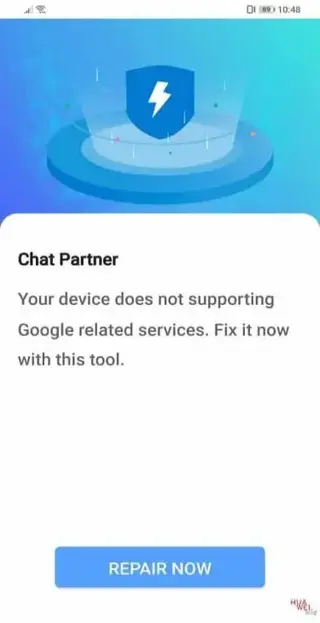
If the first installation attempt does not start correctly, a repair button appears and triggers alternative methods to complete or fix the process.
Access to Google Play Store apps
Once setup succeeds, you may be able to open Google Play Store and install supported apps, games, and tools directly onto your device.
Google Play Services Framework support
The app focuses on installing the framework libraries that many third-party apps require to run Google sign-in, notifications, location, and other features.
Simple and beginner-friendly interface
The user interface is straightforward so that users without technical experience can follow the steps and understand the progress of installation.
Login with Google account
You can sign in with your Google account inside the app or installed services to sync data such as contacts, emails, and app purchases when supported.
Helps enable Google search and apps
By installing the necessary components, the tool can help enable Google Search, Google Pay where compatible, and other official apps on selected devices.
Screenshots
How Chat Partner works internally
When you open Chat Partner for the first time, the app checks your device environment and looks for missing Google components. It then attempts to download the Google Play Store, Google Play Services Framework, and related packages from compatible sources.
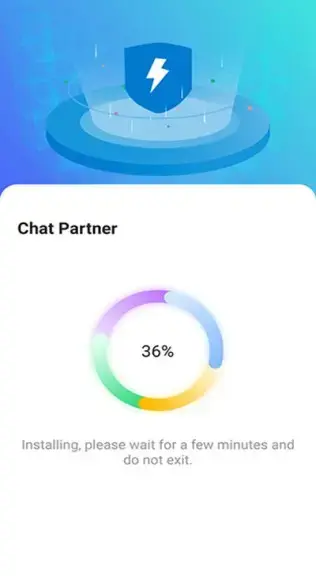
During this process, you may see progress indicators and status messages. If the normal flow does not start, a repair button appears to trigger an alternative method. After installation, you typically sign in with your Google account and test whether core Google apps run correctly.
Because this behavior interacts with system services and security policies that can change over time, the exact internal steps and success rates may differ between firmware versions and regions.
Tips for better compatibility
To improve your chances of success with Chat Partner, keep your device stable and avoid interrupting installation. Charge your phone above 50 percent, connect to a reliable Wi-Fi network, and close background apps while the tool runs.
If the app fails repeatedly, restarting the device, clearing cached downloads, or trying again after a system update may occasionally help. However, some firmware builds simply block or limit third-party Google services, in which case results may remain partial.
Always review what the app is requesting and understand that behavior can vary between regions, models, and software versions. Treat it as an optional experiment rather than a guaranteed solution.
FAQs
Pros
- Helps many Huawei devices access Google Play Store and services
- Automates complex Google services installation steps
- Simple interface suitable for non-technical users
- Includes a repair option when the first attempt fails
- Available as a single downloadable APK from our website
Cons
- Not an official Google or Huawei solution
- Compatibility and success rate vary by device and firmware
- May stop working after certain system or policy updates
- Requires installation from unknown sources, which some users may avoid
Conclusion
Chat Partner APK is a practical helper for Huawei and other Android users who want to attempt installing Google Play services on unsupported devices. It simplifies a usually complex process into a guided, app-based flow that many users can follow without technical skills. While results are not guaranteed and compatibility varies, it remains a useful option if you understand the limitations and download the APK directly from our website.
This apk will enable you to use Google Play Store on your Huawei smartphones, so if you want to get the Play Store for your Huawei devices, download the apk now. If you like this article and want more similar apps then do visit Apkoll.




Comments
No approved comments yet.