

CODM Test Server
CODM Test Server lets Call of Duty Mobile players try upcoming seasons, maps, weapons and balance changes before they arrive on the live servers. It is a separate public test build where new content is checked and fine-tuned.
On our website you can download the official CODM Test Server APK for Android and join limited-time test sessions when they are open. This helps you experience fresh content early while sharing feedback that can improve the global release.
The build often focuses on specific seasons or feature updates, so availability, content and account progress can change from one test round to another. Progress usually does not transfer to the main COD Mobile account, which keeps the environment experimental and flexible.
Rate this app
App details
- App name
- CODM Test Server
- Category
- Action
- Version
- v0.0.87
- Size
- 440.68 MB
- Requirements
- 6.0 and Above
- Package name
- com.activision.callofduty.codpbt
- Publisher
- Activision
- Price
- Free
- Mod
- No
- Downloads
- 79,985
- Rating
- 4.7 / 5
- Rating count
- 23,860
- Play Store
- No
- Requires root
- No
- Offline support
- No
- Contains ads
- No
- In-app purchases
- Yes
- Updated
- May 16, 2026
- Age rating
- Rated for 3+
Table of contents
What is CODM Test Server APK
CODM Test Server APK is a special public test build of Call of Duty Mobile for Android. It runs on separate servers and allows a limited number of players to try experimental features, new seasons and gameplay changes before they go live on the main game.
This edition is developed and operated by Activision and its CODM studio partners as a dedicated environment for testing balance changes, visual tweaks, performance improvements, and new content such as weapons, operators, scorestreaks and maps.
Players download a standalone APK package that installs alongside the standard Call of Duty Mobile app. You log in with a test account or linked credentials for the duration of each test period and play matches on servers reserved for test participants only.
The version mentioned here relates to a Season 5/Season 7 style test cycle, where new 3D maps, powerful weapons and characters are introduced early for community feedback. Because this is a preview build, content may be incomplete or subject to rapid changes.
We have more similar action games available here, which you can also play and enjoy. So, if you are willing to explore similar games, then try Gunfire Reborn and Nro Blue. Both of these are quite popular available games, which you can easily play and enjoy.
Why download CODM Test Server for Android
Many Call of Duty Mobile fans download CODM Test Server to experience new content before it launches globally. It is one of the easiest ways to see how upcoming seasons will feel in real matches instead of only watching trailers or patch notes.
By playing this build, you can experiment with new weapon balance, test meta shifts, learn fresh map layouts and understand how new operator skills might affect your playstyle. This helps you prepare strategies for ranked and multiplayer modes once updates reach the main servers.
Another reason to use the test server is to contribute to the game's development. Match data, bug reports and feedback from test players help the developers fix issues, optimize performance and adjust balance so the final release feels more stable and fair.
You can download the CODM Test Server APK directly from our website when test phases are active, install it on compatible Android devices and join the test environment while slots are still available.
How CODM Test Server is useful for players
CODM Test Server is particularly useful for players who take multiplayer and ranked matches seriously. Early access to upcoming guns, attachments and scorestreaks lets you understand recoil patterns, damage outputs and map angles before most other players.
Content creators, streamers and competitive players benefit from this build as a controlled sandbox for experimentation. It allows them to record gameplay, prepare guides and analyze changes without affecting the statistics of their main accounts.
For regular players, the test server is a low-pressure environment to try new loadouts and game modes. Matchmaking is separate, so you can explore content and mechanics that might still be unpolished without worrying about long-term account progression or rank.
Finally, the test server offers insight into how large online shooters evolve. You see how feedback turns into balance changes, how new maps are refined and how technical optimizations improve frame rates and network performance across different Android devices.
How to download and install CODM Test Server APK
You can get the CODM Test Server APK directly from our website whenever a test phase is active. Follow these steps to download and install it on your Android device:
Check that your device runs Android 6.0 or higher and has enough free storage for the APK and game data.
Tap the download button on this page to save the CODM Test Server APK file from our server to your phone or tablet.
Open your device settings and allow installation from unknown apps for your browser or file manager if needed.
Locate the downloaded APK in your downloads folder and tap it to start the installation process.
Follow the on-screen prompts to complete installation, then launch CODM Test Server from your app drawer.
Log in with the required account method for the current test round and download any additional in-game data.
If you already have the live Call of Duty Mobile app installed, it will usually remain separate, so you can keep both versions on the same device while the test is running.
Features
Early access to upcoming seasons
Join limited-time test phases to play seasonal content, maps and modes before they arrive on the global COD Mobile servers.
Separate public test environment
Uses dedicated servers and a standalone app so your main Call of Duty Mobile installation and account remain unaffected.
Multiplayer and battle royale modes
Play standard multiplayer and battle royale style modes with experimental balance, rules and content variations.
New weapons and attachments
Try unreleased guns, attachments and balance adjustments to understand how the future meta may change.
Fresh maps and reworks
Explore brand-new maps and updated versions of existing locations with revised layouts and visual improvements.
New operators and cosmetics
Test upcoming operator characters, skins and visual items designed for future seasons.
Improved 3D graphics and effects
Experience visual tweaks, lighting adjustments and performance optimizations being prepared for live servers.
Feedback-oriented design
Gameplay data and feedback from test players help developers fix bugs, tune balance and improve stability.
Screenshots

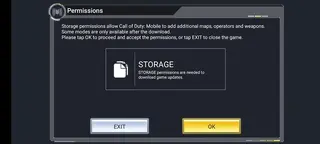



Gameplay experience on CODM Test Server
The gameplay on CODM Test Server feels similar to the live version of Call of Duty Mobile but with experimental elements layered on top. You will typically find familiar core mechanics, such as fast paced gunplay, scorestreaks and class systems, combined with fresh content designed for the upcoming season.
Matchmaking pairs you with other testers only, which creates a focused environment where players expect bugs and balance shifts. This makes it easier to test aggressive setups, off meta weapons and unusual strategies without worrying about long term statistics or ranked points.
Because new features are under evaluation, updates can arrive frequently during a test cycle. You might see weapon stats adjusted, map paths tweaked or UI elements refined from one day to the next as the developers respond to data and feedback.
Device compatibility and performance tips
CODM Test Server targets the same general hardware range as the main Call of Duty Mobile release, with Android 6.0 or higher recommended. However, tests can include new visual effects and engine changes that may impact performance differently on some devices.
To get smoother gameplay, consider lowering graphics quality or frame rate inside the test server settings if you experience stutter or overheating. Closing background apps and keeping sufficient free storage also helps reduce crashes during matches.
Because this is a work in progress build, occasional performance drops and network issues are normal. Reporting these problems through in game feedback tools can help the team improve optimization before the update reaches the global servers.
Tips for getting the most out of the test server
To make your time on CODM Test Server more valuable, focus on the content that is new or highlighted for that test phase. Spend time learning new maps, experimenting with unreleased weapons and trying the specific modes or systems mentioned in the patch notes.
Keep notes on bugs, inconsistencies or balance problems you encounter, such as invisible textures, sound glitches or weapons that feel too strong or too weak. Submitting clear feedback with map names, weapon names and screenshots makes it easier for developers to reproduce and fix issues.
Finally, remember that the goal of the test server is improvement, not long term progression. Treat it as a laboratory where you can explore, experiment and contribute to a better experience for the entire COD Mobile community.
FAQs
Pros
- Gives early access to upcoming COD Mobile content and features
- Lets players test new weapons, maps and balance changes in real matches
- Runs as a separate build so the main game and account stay safe
- Helpful for competitive players and creators to prepare for future seasons
- Feedback from testers can influence final balance and bug fixes
Cons
- Test periods are limited and may close without long notice
- Slots are often capped so some players cannot join when servers are full
- Progress and unlocks usually do not transfer to the main COD Mobile account
- May contain bugs, performance issues or unfinished content by design
Conclusion
CODM Test Server is a dedicated public test build of Call of Duty Mobile that lets Android players experience upcoming seasons and gameplay changes ahead of release. If you want to explore new maps, weapons and balance updates early and help shape the final version, you can download the official APK from our website and join available test sessions on supported devices.




Comments
No approved comments yet.