

Cut Ying
Cut Ying is a creative video editor for Android that focuses on stylish short clips for TikTok, YouTube, Instagram, and other social platforms. It combines classic editing tools with manga-style effects to make your videos stand out.
With built-in filters, effects, stickers, and music, you can turn simple footage into eye-catching content directly on your phone. The app is designed for quick edits, social sharing, and anime-inspired looks without needing advanced editing skills.
You can download the latest Cut Ying APK directly from our website and start editing high-quality videos on your Android mobile or tablet in just a few minutes.
Rate this app
App details
- App name
- Cut Ying
- Category
- Video Players & Editors
- Version
- v19.7.0
- Size
- 398.39 MB
- Requirements
- 5.0 and Above
- Package name
- com.lemon.lv
- Publisher
- Bytedance Pte. Ltd
- Price
- Free
- Mod
- No
- Downloads
- 72,871
- Rating
- 4.8 / 5
- Rating count
- 21,947
- Play Store
- No
- Requires root
- No
- Offline support
- Yes
- Contains ads
- Yes
- In-app purchases
- Yes
- Updated
- May 21, 2026
- Age rating
- Rated for 3+
Table of contents
What is Cut Ying APK
Cut Ying APK is a video editing application for Android devices built around short-form, social media friendly content. It offers a combination of basic editing tools and creative effects so you can cut, trim, merge, and enhance clips for TikTok, YouTube Shorts, Instagram Reels, and other platforms.
The app focuses on ready-made filters, visual effects, manga frames, stickers, and anime-style elements that you can apply with a few taps. You can adjust colors, apply transitions, overlay text, and decorate your footage with emojis or manga-inspired frames.
Cut Ying also includes a built-in assets store where you can access additional filters, effects, stickers, and music tracks. This makes it easier to keep your edits fresh and aligned with current trends without leaving the app.
The APK available on our website lets you install Cut Ying directly on Android 5.0 and above, so you can start editing and exporting videos in high quality without using desktop software.
Why Download Cut Ying APK for Android
Cut Ying is aimed at users who want fast, stylish, and mobile-first video editing. Instead of learning complex desktop editors, you can handle most of your social media content from your phone with simple controls.
The app is especially appealing if you like anime and manga aesthetics. It offers manga frames, anime-style hair overlays, and expressive stickers that help you turn ordinary footage into character-driven stories or stylized short videos.
By downloading the Cut Ying APK from our website, you get direct access to the latest version, with high-quality export options and tools optimized for popular social networks. You can quickly create content for your channels, save drafts, and share finished clips to your favorite platforms.
How Cut Ying is Useful for Creators
Cut Ying is useful for both new and experienced creators who want to keep a consistent posting schedule without spending hours on editing. The app simplifies key steps like trimming, combining clips, adding background music, and applying ready-made visual styles.
Short-form video platforms reward frequent, polished uploads. With Cut Ying, you can prepare vertical videos, add text overlays, and adjust colors to match your brand or current trends. The manga frame and skin tone options are particularly helpful if you want to create anime-inspired edits or stylized character clips.
Because many of the tools work offline once installed, you can edit videos anywhere and publish when you have a stable connection. This flexibility is valuable for vloggers, cosplayers, meme creators, and anyone who needs quick edits on the go.
How to Download and Install Cut Ying APK
You can get the latest Cut Ying APK directly from our website and install it on your Android device in a few simple steps.
Follow these steps to download and install:
Scroll to the download area on this page and tap the Cut Ying APK download button.
Wait for the APK file to finish downloading to your Android phone or tablet.
Open your device settings and enable app installs from unknown sources for your browser or file manager if needed.
Locate the downloaded APK file in your Downloads folder using a file manager.
Tap the APK file, review the permissions, and confirm the installation prompt.
Once installation finishes, open Cut Ying from your app drawer and start editing videos.
If the download ever stops or the file does not install, clear your browser cache, try again, and make sure you have enough storage space on your device.
Features
Creative video editing toolkit
Cut, trim, merge, and rearrange clips while enhancing them with visual effects and overlays optimized for short videos.
Latest filters and visual effects
Apply modern color filters, light effects, and mood presets to change the look and feel of your footage in seconds.
Stickers and manga frames
Use a large collection of stickers, manga-style frames, and anime hair elements to add personality to your videos.
Built-in assets store
Access a store inside the app where you can find and update filters, effects, stickers, and other editing resources.
Music and sound integration
Add background music from the built-in music section and synchronize cuts and transitions with the audio beat.
High-quality export options
Export edited clips in high quality so that image sharpness and details are preserved as much as possible after editing.
Social media focused workflows
Prepare videos in formats suitable for TikTok, YouTube Shorts, Instagram Reels, and other social apps.
Customizable app icon styles
Change the app icon style shown on your phone screen to match your theme or preferences where supported.
Screenshots
Editing Tools and Workflow
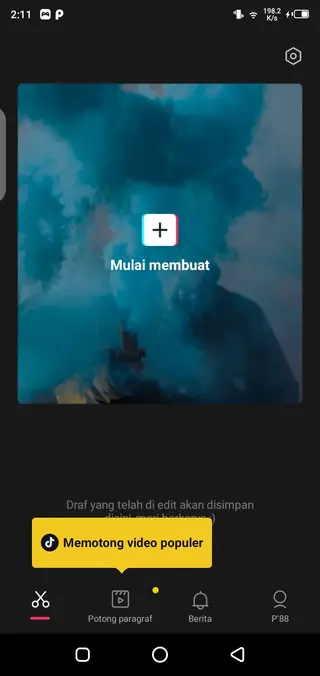
Cut Ying is designed around a fast editing workflow. You can import clips from your gallery, trim the parts you do not need, and arrange them on a simple timeline. After that, you can layer filters, stickers, and text to highlight key moments.
Transitions help connect multiple clips smoothly, while color controls and effects add a consistent visual style. For creators who post frequently, this workflow saves time and reduces the number of apps needed to prepare a single video.
Manga and Anime Style Effects
One of the main reasons users choose Cut Ying is its focus on manga and anime aesthetics. You can place manga panels around your footage, add anime-style hair elements, and use expressive emojis to create a comic-page feel.
This style works well for reaction videos, cosplay edits, fan tributes, and character-focused content. Combined with the skin tone system and filters, it helps you build a unique visual identity for your channel.
FAQs
Pros
- Easy-to-use interface suitable for beginners
- Rich collection of filters, effects, and stickers
- Manga frames and anime-style elements for creative edits
- Built-in assets and music section for quick customization
- High-quality video export suitable for social media
Cons
- May show ads during use
- Some resources or effects may require purchases
- Large APK size can be heavy for low-storage devices
- Not as advanced as professional desktop editors
Conclusion
Cut Ying is a mobile-first video editor focused on creative, manga-style short clips for social media. If you want quick, stylish edits on Android without complex tools, downloading the latest Cut Ying APK from Apkoll is a practical way to start producing engaging content directly from your phone.




Comments
No approved comments yet.