

Device ID
Device ID Free Fire is an Android utility that reads key identifiers from your phone, such as Android ID, Google Service Framework ID and more, in a clean and simple interface.
Many players use this type of tool while managing multiple gaming profiles or troubleshooting account access issues. The app focuses on showing your IDs clearly so you can copy or share them when needed.
You can download the Device ID Free Fire APK directly from our website and install it on compatible Android phones and tablets without any complicated setup.
Rate this app
App details
- App name
- Device ID
- Category
- Tools
- Version
- v1.1.3
- Size
- 24.82 KB
- Requirements
- 4.0 and Up
- Package name
- com.evozi.deviceid
- Publisher
- Evozi
- Price
- Free
- Mod
- No
- Downloads
- 75,010
- Rating
- 4.3 / 5
- Rating count
- 20,000
- Play Store
- Yes
- Requires root
- No
- Offline support
- Yes
- Contains ads
- Yes
- In-app purchases
- No
- Updated
- May 22, 2026
- Age rating
- Rated for 3+
Table of contents
What is Device ID Free Fire App
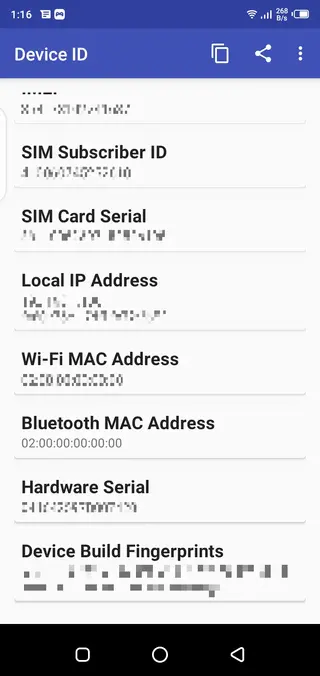
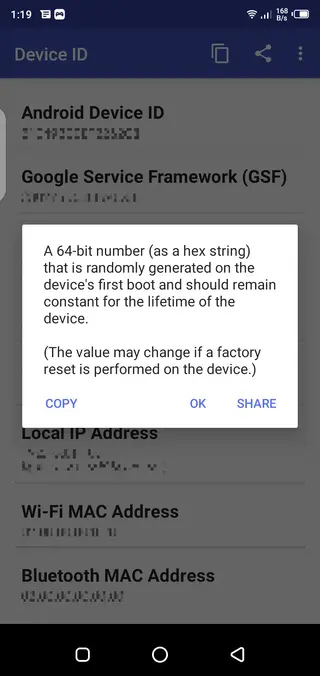
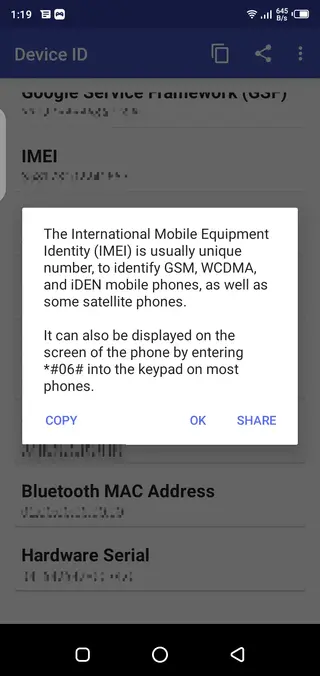
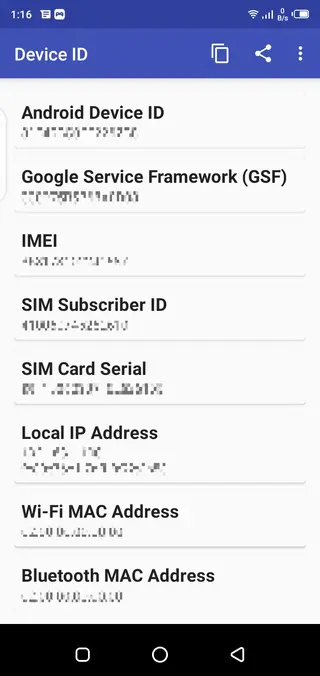
Device ID Free Fire is an Android application that displays important identification values stored on your device. These may include Android ID, Google Service Framework ID, device serial information and other basic identifiers that apps and games often reference.
The tool is built as a lightweight viewer, so you can quickly see these values on screen, copy them to the clipboard or share them for support and troubleshooting purposes. It works on most phones running Android 4.0 and above, and the interface stays simple enough for everyday users.
Some gamers use this kind of app when they face access problems with online titles like Garena Free Fire. By understanding which IDs a game may link to, they can communicate more clearly with support teams and manage their accounts more effectively.
If you are not satisfied with the services and looking for another similar app, then you should try PUBG HQ Virtual and Adidas. These two are the best Virtual apps, which also change the IMEI number of smartphones.
Why Download Device ID Free Fire APK
Downloading the Device ID Free Fire APK gives you direct access to your device identifiers without digging through system menus or using complex tools. Everything appears in one small, organized screen so you can quickly copy or note down the values you need.
Having these IDs available is useful when you contact customer support for games or apps, move between devices, or manage multiple accounts. Instead of guessing which identifier is in use, you can see the current values instantly.
You can get the latest available version directly from our website, so you avoid searching around and can focus on installing and using the tool right away.
How Device ID Free Fire Can Be Useful
Device ID Free Fire can help in several everyday scenarios. If a game or app locks your access or you need to verify your device with support, you can provide accurate identifier details instead of approximate information.
Developers, testers and advanced users may also need to confirm which Android ID or Google Service Framework ID is active on a particular device. Having these values visible in one place saves time and reduces confusion when troubleshooting.
While some players discuss using device information in relation to bans and restrictions, you should always follow the rules of each game and service. Use the app mainly to understand and manage your own device data in a transparent way.
How to Download and Install Device ID Free Fire APK
You can download the Device ID Free Fire APK file directly from our website and install it on your Android device in a few simple steps.
Scroll to the download section on this page and tap the available Device ID Free Fire APK link.
Wait for the APK file to finish downloading to your phone or tablet.
Open your device settings and enable app installation from unknown sources if it is not already allowed.
Locate the downloaded APK in your downloads folder and tap it to start the installation.
Follow the on-screen prompts to complete the setup and then open the app from your app drawer.
After installation, the app will immediately show your device identifiers without any extra configuration.
Features
Lightweight identifier viewer
Shows key device IDs in one compact screen without unnecessary options.
Multiple ID types supported
Displays Android ID, Google Service Framework ID and other basic identifiers when available.
Copy and share functionality
Lets you copy IDs to the clipboard or share them for support and troubleshooting.
Simple user interface
Uses a clean, minimal layout that most users can understand quickly.
Small file size
Installs quickly and uses very little storage on most Android devices.
Works on older Android versions
Supports Android 4.0 and above, so many legacy phones can run it.
Screenshots
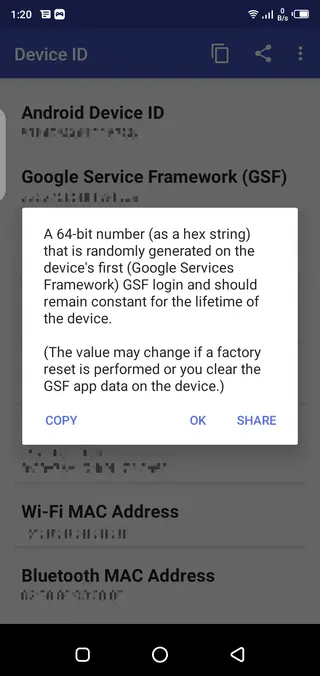
Important Safety and Responsibility Notes
Device identifiers are sensitive values that some services use for security, analytics and account management. When you use Device ID Free Fire, handle this information carefully and avoid sharing it publicly or with untrusted parties.
The app itself focuses on displaying data already present on your phone. It does not control how third-party games or apps treat your device. Always respect the terms of service of any platform you use and rely on official support channels when you face account problems or bans.
Compatibility and Performance
Device ID Free Fire is designed to run on Android 4.0 and higher, which covers a large portion of both older and newer phones. Because of its small size, it tends to install quickly and use minimal storage space.
The app generally runs offline and does not require heavy resources, so it should perform smoothly even on low-end or aging devices. Keeping your Android system updated and freeing some storage space can further improve stability.
Tips for Using Device Identifiers
When you view your identifiers with Device ID Free Fire, consider keeping a secure backup of important values in case you need them later for support. A private note app or encrypted backup is often more secure than screenshots stored in public folders.
If you contact customer service for a game or app, share only the specific values they request. Avoid posting identifiers in community forums or social networks. Treat this data the same way you treat personal account details to reduce unnecessary risk.
FAQs
Pros
- Very small and lightweight app for viewing device IDs
- Simple interface that is easy for beginners to understand
- Shows several identifier types in one place
- APK can be downloaded directly from our website
- Works on a wide range of Android versions including older devices
Cons
- Primarily a viewer so functionality is limited to displaying information
- Contains ads, which some users may find distracting
- Does not by itself guarantee any fix for account bans or game issues
- Requires users to handle sensitive identifiers responsibly
Conclusion
Device ID Free Fire is a small, focused Android tool that displays important identifiers from your device in one clean interface. If you often work with support teams, manage multiple accounts or simply want quick access to your Android ID information, downloading the APK from our website can make the process faster and more convenient.




Comments
Owen
Necesito recuperar mi cuenta robada
Діма
Ввернуть ак пж в мене вкрали
betzabe
necesito la cuenta