

DLS 24
DLS 24 is the Android edition of Dream League Soccer that lets you build your dream squad, manage the club, and play full 11v11 football matches on mobile. It combines team management, player development, and real-time gameplay in one package.
In this version you can sign licensed players, upgrade your stadium, and progress through divisions while enjoying improved animations and 3D graphics. You can download the official DLS 24 APK file directly from our website and start playing on your phone or tablet.
Whether you enjoy offline seasons or online matches against real opponents, DLS 24 offers flexible modes, intuitive controls, and a football experience that fits short sessions or longer gaming nights.
Rate this app
App details
- App name
- DLS 24
- Category
- Sports
- Version
- v13.310
- Size
- 193.25 MB
- Requirements
- 4.1 and Above
- Package name
- com.firsttouchgames.dls7
- Publisher
- First Touch Games Ltd.
- Price
- Free
- Mod
- No
- Downloads
- 81,641,607
- Rating
- 4.4 / 5
- Rating count
- 1,961,541
- Play Store
- Yes
- Requires root
- No
- Offline support
- Yes
- Contains ads
- Yes
- In-app purchases
- Yes
- Updated
- Jun 1, 2026
- Age rating
- Rated for 3+
Table of contents
What is DLS 24 APK?
DLS 24 APK is the Android package for Dream League Soccer 2024, a football game developed by First Touch Games Ltd. It focuses on building and managing a club while also letting you control every match on the pitch.
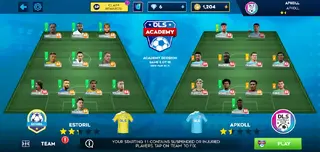
You start with a basic squad and a modest stadium, then sign new players, train your team, customize kits and badges, and climb through multiple divisions. The game features thousands of licensed footballers, updated statistics, and modern-style kits so your team feels like a real professional club.
On the pitch, DLS 24 offers full 3D gameplay with passing, shooting, tackling, and skill moves controlled through a simple on-screen button layout. You can play single-player seasons, cup tournaments, training sessions, and online multiplayer events from one interface.
DLS 24 Game (Dream League 24) is the latest available Dream League game for Android devices. This game provides a complete package of Football experience for Android gamers. Therefore, not only football fans, but any Android gamer will love to spend time playing this game. Hence, get detailed information related to this exciting game here. For Soccer fans other similar games are available known as PESHUB 21 and FTS 22.
This APK lets Android users install the latest Dream League Soccer edition directly on compatible devices. You can download the DLS 24 APK from our website and install it manually if you prefer this method over the standard store installation.
Why Download DLS 24 for Android?
DLS 24 gives you a complete football club experience in one mobile game. You are not limited to quick matches only; you also handle transfers, formations, tactics, and club facilities while still playing every minute on the field.
Players who enjoy progression systems will appreciate how each match, goal, and win contributes to club growth. Coins and other in-game rewards help you sign better players, unlock divisions, and upgrade your stadium and training facilities.
Another reason to download DLS 24 is its mix of offline and online content. You can enjoy league campaigns and events without an active connection, then switch to multiplayer modes when you want to challenge real players worldwide.
The DLS 24 APK is available directly on our website, so you can quickly download the official file, install it on your Android device, and keep playing whenever a fresh install is needed.
How DLS 24 Is Useful for Football Fans?
DLS 24 is useful for football fans who want a lightweight but deep experience on mobile. Instead of just watching matches, you are actively involved as both manager and player, which makes every decision matter.
Squad management features help you understand formations, player roles, and tactics. You can experiment with different line-ups, test strategies against AI or online opponents, and see how small changes on the tactics screen affect performance on the pitch.
The game also works well for quick entertainment. Matches are short enough to fit into a break, but the long-term progression of your club gives you a reason to return. Regular events, objectives, and seasonal updates add new challenges and rewards.
Because DLS 24 runs on a wide range of Android versions and offers adjustable graphics settings, it is a practical choice even for mid-range or older devices while still delivering modern visuals and animations.
How to Download and Install DLS 24 APK?
You can get the DLS 24 APK file directly from our website and install it manually on your Android device. Follow these simple steps to complete the process safely.
Tap the download button on this page to save the DLS 24 APK file from our website to your device.
Wait for the download to finish, then open your phone’s Downloads or file manager app.
Locate the DLS 24 APK file and tap on it to start the installation prompt.
If your device shows a warning about unknown apps, go to Settings and allow installation from this source.
Confirm the installation and wait until the process finishes successfully.
Launch DLS 24 from your app drawer, complete any initial downloads, and start managing your team.
After the first setup you can adjust graphics, controls, and audio settings to match your device and play style.
Features
Full club management
Build and manage your own football club, including transfers, contracts, formations, and tactics.
Licensed players
Sign thousands of real-world footballers with authentic names and stats to strengthen your squad.
3D match gameplay
Play full 11v11 matches with smooth 3D graphics, realistic animations, and responsive controls.
Multiple game modes
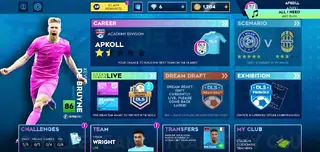
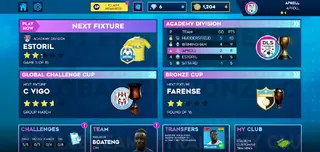
Progress through divisions, play cups and events, and take part in global challenges and tournaments.
Online and offline play
Enjoy offline leagues and training or connect online for multiplayer matches and live events.
Stadium and facility upgrades
Improve your stadium, medical facilities, and training grounds to boost club reputation and performance.
Team and kit customization
Customize kits, club badge, team name, and other visual details to create a unique identity.
Touch controls and camera options
Use intuitive on-screen buttons with adjustable camera angles and sensitivity settings.
Screenshots

Gameplay and Controls Overview
DLS 24 is designed around simple but responsive touch controls that let you move, pass, shoot, and tackle with a few on-screen buttons. The left side of the screen features a virtual joystick for movement, while the right side has context-sensitive action buttons for passing, shooting, and pressing.
Each button can trigger different actions depending on how long you press it. Short taps are used for simple passes or light shots, while longer presses create powerful through balls or stronger strikes. Defending uses similar logic with pressure, tackle, and slide options.
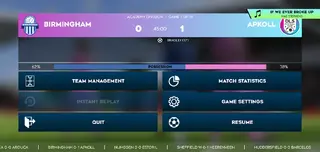
You can change camera height, zoom, and control sensitivity in the settings menu to find a layout that feels comfortable on your specific phone or tablet.
Club Progression and Events
DLS 24 uses a division-based structure where you start in a lower league and work your way up by winning matches and earning promotion. Every season unlocks new opponents, tougher AI, and higher rewards.
Special events and tournaments appear regularly and often come with unique conditions such as limited squads or themed line-ups. Participating in these events is a good way to gain extra rewards, test experimental tactics, and enjoy variety beyond the standard league schedule.
By investing earned resources into players and facilities, you improve your chances in future seasons and raise your club’s overall rating.
Device Compatibility and Performance Tips
DLS 24 runs on Android 4.1 and above, which makes it accessible for many older and newer smartphones alike. Performance will depend on your device hardware, but you can tweak several options to improve stability.
If you notice frame drops or slowdowns, try lowering the graphics quality, reducing crowd detail, or disabling certain visual effects in the settings menu. You can also close background apps before launching DLS 24 to free additional memory.
Keeping enough free internal storage helps the game handle updates, save data, and temporary files smoothly, especially when downloading new assets after big content updates.
FAQs
Pros
- Deep combination of club management and on-pitch gameplay
- Playable on many Android devices with adjustable graphics settings
- Includes both offline leagues and online multiplayer modes
- Intuitive touch controls suitable for new and experienced players
- Large pool of licensed players for building realistic squads
Cons
- Contains in-app purchases that can affect progression speed
- Shows in-game ads during certain screens or breaks
- Requires additional data downloads and storage space
- Online modes depend on a stable internet connection
Conclusion
DLS 24 delivers a complete football experience on Android by blending club management, realistic 3D matches, and flexible offline and online modes. You can download the official APK directly from our website, install it on your device, and start building your dream team within minutes.




Comments
No approved comments yet.