

DS Tunnel
DS Tunnel is an Android VPN app that creates a secure tunnel for all traffic from your phone or tablet. It aims to help you hide your IP address, protect basic privacy, and reach blocked sites or apps with a few taps.
The app offers multiple global servers, whole-device tunneling, and a simple interface that is easy to configure. You can start or stop the connection quickly and switch servers when you need better speed or a different virtual location.
If you want to get more similar top trending Apps Apk files, then you should try ITIM VPN and PKT VPN. These are quite popular available VPNs, which you can use to get similar services.
You can download the official DS Tunnel APK file directly from our website, install it on any compatible Android device, and start browsing through an encrypted VPN tunnel without paying for extra subscriptions.
Rate this app
App details
- App name
- DS Tunnel
- Category
- Tools
- Version
- v350
- Size
- 4.47 MB
- Requirements
- 5.0 and Above
- Package name
- seo.dstunnel.vip
- Publisher
- DSTUNNEL
- Price
- Free
- Mod
- No
- Downloads
- 84,627
- Rating
- 4.8 / 5
- Rating count
- 30,763
- Play Store
- No
- Requires root
- No
- Offline support
- No
- Contains ads
- No
- In-app purchases
- No
- Updated
- May 16, 2026
- Age rating
- Rated for 12+
Table of contents
What is DS Tunnel APK
DS Tunnel APK is a VPN application for Android that routes your internet traffic through remote servers and hides your real IP address. Instead of protecting only a single browser, it is designed to tunnel the whole device so that apps, games, and web traffic go through the same secure connection.
The app targets users who want a straightforward way to add a VPN layer on phones and tablets running Android 4.1 or higher. Once you connect, DS Tunnel assigns you a virtual location from its server list, which can help you bypass basic regional blocks, reduce direct tracking, and keep your online activity more private on public or shared networks.
DS Tunnel is offered as a free-to-use tool and, according to the provided information, does not require premium subscriptions, ads, or extra purchases to unlock its main features. You only need to install the APK, choose a server, and tap connect.
Why download DS Tunnel for Android
Many Android users connect to public WiFi or mobile networks without any additional protection. DS Tunnel gives you a simple way to add a VPN layer so your traffic is not sent in plain form through the network. This can be helpful when you browse, use social apps, or access services that may be limited in your region.
The app focuses on whole-device tunneling, so you do not have to configure separate browsers or apps. You can pick a server manually if you want a specific country or let the app choose an available fast server. Because it is free and does not rely on premium plans in this version, it is suitable for users who want to test VPN-style browsing without subscriptions.
If you are looking for a light Android VPN with one-tap connection, global servers, and no complex setup, downloading DS Tunnel APK from our website lets you try these functions directly on your device.
How DS Tunnel can be useful
DS Tunnel can be useful in several daily situations. When you connect to open hotspots in places like cafes, airports, or schools, routing your traffic through a VPN can reduce simple network-level snooping. The app hides your original IP behind its servers, which can help limit straightforward tracking tied to your connection.
The VPN tunnel also helps when certain websites or apps are restricted in your location. By switching to a different country server, you may be able to load content that is normally blocked on your local network, within the limits of local laws and the service itself.
For users who want quick status feedback, DS Tunnel shows basic live stats for the connection so you can monitor whether the tunnel is active and get a sense of data usage. Combined with an interface that focuses on one-tap actions, it makes VPN-style protection more accessible for less technical users.
How to download and install DS Tunnel APK
You can get the DS Tunnel APK file directly from our website and install it on your Android device. Follow these basic steps to complete the process.
Download the DS Tunnel APK file from the download button or link available on this page.
On your Android phone or tablet, open the Settings app and go to the security or privacy section.
Enable the option that allows installation from unknown or external sources for your browser or file manager.
Open your file manager, find the downloaded DS Tunnel APK, and tap the file.
Review the requested permissions and tap Install to start the installation.
When the installation completes, open DS Tunnel, choose a server, and tap connect to start using the VPN.
If the installation fails, check that the APK file downloaded completely and that your device meets the minimum Android version requirement.
Features
Whole-device VPN tunneling
Routes traffic for the entire Android device through the VPN tunnel instead of only securing one browser.
Multiple global servers
Offers servers in different countries so you can switch virtual locations according to speed or access needs.
Automatic server selection
Includes an option to auto-select a fast and active server to simplify setup for new users.
Manual country selection
Lets you manually pick a specific server or region when you need a particular location.
Secure online privacy layer
Hides your real IP address and adds a VPN layer that can help limit simple tracking and network snooping.
Live connection statistics
Shows basic real-time stats like connection status and data usage for better control of the VPN session.
User-friendly interface
Provides a clean and simple layout with large buttons so you can connect or disconnect with a single tap.
Fast connection startup
Designed to establish VPN connections quickly so you can switch servers or reconnect without long waits.
Screenshots
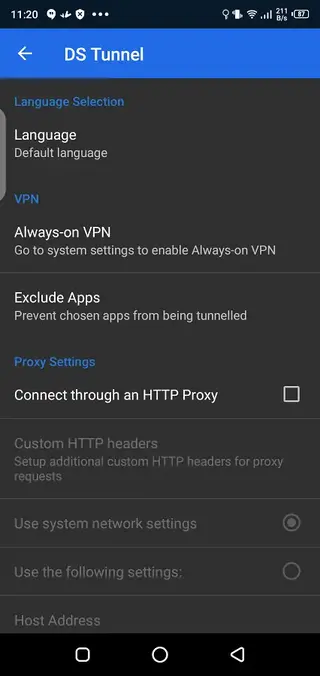
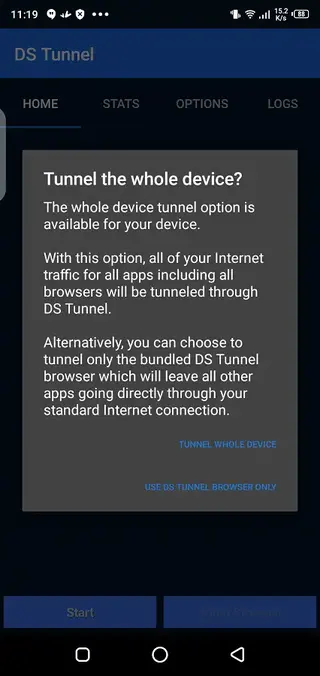
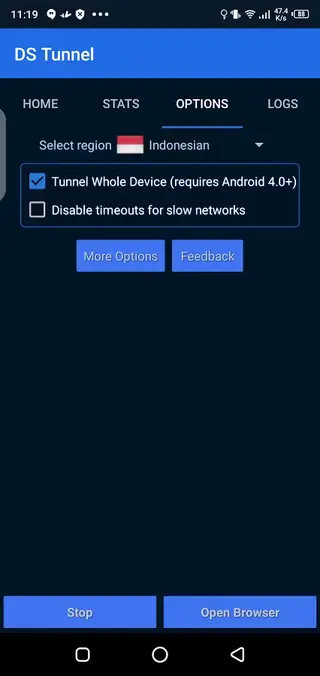
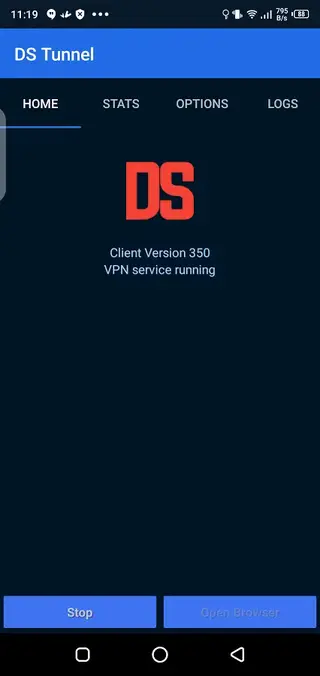
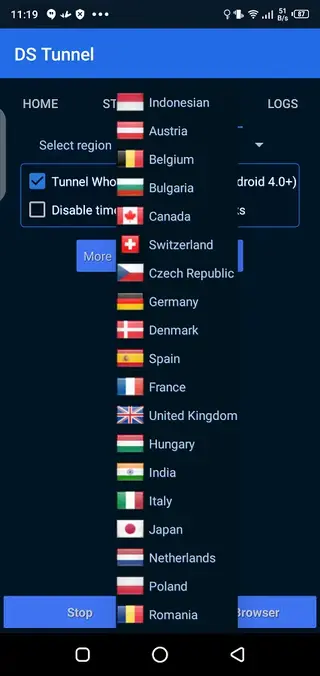
Server selection and performance
DS Tunnel offers two main ways to connect to its VPN network. You can let the app pick an available fast server automatically or you can browse the list and choose a specific country manually. Automatic mode is useful for quick connections, while manual mode is better when you want a certain region for content access.
Speeds can differ depending on your network, time of day, and the distance to the selected server. If a server feels slow, you can disconnect and switch to another option to find a better balance between speed and latency.
Privacy and responsible usage
When you enable DS Tunnel, your connection is routed through a VPN server, which can help hide your IP and reduce basic tracking. This is helpful on public WiFi or shared networks, but it does not make you invisible online or override the policies of the websites you visit.
Use DS Tunnel in line with local laws and the terms of the online services you access. A VPN should support safer browsing and access to information, not activities that break legal or platform rules.
FAQs
Pros
- Free to download and use without subscription in this version
- Tunnels the entire device instead of only one browser
- Simple interface with one-tap connect and disconnect
- Multiple servers and locations to choose from
- Automatic server selection helps new users pick a fast server
- No third-party ads according to the provided information
Cons
- Not available on Google Play Store, so updates must be installed manually
- Server list and speeds may vary over time
- Requires constant internet connection to function
- May not bypass all regional blocks or deep network restrictions
Conclusion
DS Tunnel is a straightforward Android VPN app that focuses on whole-device tunneling, easy server selection, and free access to core features. If you want a light VPN layer for everyday browsing and blocked sites, you can download the official DS Tunnel APK from our website and test it on your device within minutes.




Comments
No approved comments yet.