

Every Proxy
Every Proxy is a lightweight Android proxy and VPN-style routing tool that lets you share your device’s internet connection securely with other devices. It can expose your WiFi, mobile data, or VPN connection through HTTP, HTTPS, or SOCKS4/5 servers running directly on your phone.
With this app you can quickly set up a personal proxy hotspot, mask your real IP address, and tunnel traffic from connected devices through your Android device. The latest APK is available to download directly from our website so you can install it on mobiles and tablets with just a few taps.
Every Proxy focuses on simplicity, control, and privacy-friendly routing rather than bloated extras. Whether you want to protect web browsing on another phone, test network configurations, or share a VPN connection, it gives you a clean interface and fast performance.
Rate this app
App details
- App name
- Every Proxy
- Category
- Tools
- Version
- v16.2.1
- Size
- 8.14 MB
- Requirements
- 7.0 and Above
- Package name
- com.gorillasoftware.everyproxy
- Publisher
- Gorilla Software LLP
- Price
- Free
- Mod
- No
- Downloads
- 620,832
- Rating
- 4.2 / 5
- Rating count
- 6,542
- Play Store
- Yes
- Requires root
- No
- Offline support
- No
- Contains ads
- Yes
- In-app purchases
- Yes
- Updated
- May 16, 2026
- Age rating
- Rated for 12+
Table of contents
What is Every Proxy App
Every Proxy is a proxy server and connection-sharing app for Android developed by Gorilla Software LLP. Instead of acting like a traditional consumer VPN with public servers, it lets your Android device itself become a proxy server that other devices can use to reach the internet.
The app can expose your current connection (WiFi, mobile data, or an active VPN) over different protocols, including HTTP, HTTPS, and SOCKS4/5. You can then point other devices to your phone’s IP and port so their traffic routes through your Android device.
This setup helps you hide the real IP and location of connected devices, centralize traffic through a single connection, and test or debug network configurations. The interface is minimal, with clear toggles to start or stop each proxy type and options to set ports, authentication, and allowed interfaces.
Every Proxy works on devices running Android 7.0 and above, does not require root access, and offers a small footprint, which makes it suitable even for older phones that you might want to use as dedicated proxy gateways.
Why Download Every Proxy APK from Our Website
Downloading Every Proxy APK directly from our website gives you quick access to the latest version without needing to navigate app stores or search multiple pages. You can get the official file, move it to any compatible Android device, and install it in minutes.
The APK allows you to turn an ordinary Android phone into a flexible proxy gateway that can share VPN or mobile data connections with laptops, tablets, smart TVs, or secondary phones. This can be useful at home, in the office, or while traveling when you need more control over how your traffic is routed.
By keeping the installer on your device or storage, you can easily reinstall or deploy Every Proxy on multiple Android phones without redownloading each time. This is especially handy for developers, testers, and privacy-conscious users who manage several devices.
How Every Proxy is Useful for Everyday and Advanced Users
Every Proxy is useful for a wide range of scenarios, from basic privacy needs to advanced network experiments. Casual users can route another device’s traffic through a phone that is already connected to a VPN, helping protect browsing sessions without configuring VPN software on every device.
Power users and developers can use Every Proxy to test apps behind a proxy, analyze traffic flows, or simulate network conditions. Since the app supports HTTP, HTTPS, and SOCKS protocols, it works with many operating systems and applications that allow manual proxy configuration.
The hotspot-friendly design means you can often combine your Android hotspot with the proxy server, letting connected clients automatically reach the internet through your configured connection. This is helpful when you want one central place to adjust IP, DNS, or VPN behavior while keeping client devices simple.
We have more similar VPNs available on this website, which you can also get for free. So, if you are willing to get more similar tools, then you should try Sockslite Pro and Rev Hunter. Both of these are quite popular available tools.
How to Download and Install Every Proxy APK
You can download the latest Every Proxy APK directly from our website and install it on any compatible Android device. Follow these basic steps to get started:
Scroll to the download area on this page and tap the available Every Proxy APK download button.
Wait for the APK file to finish downloading to your Android phone or tablet.
Open your device settings and allow installation from unknown sources for your browser or file manager if needed.
Locate the downloaded file in your Downloads folder and tap it to start the installation process.
Read the permissions, then tap Install and wait until the setup completes.
Launch Every Proxy from your app drawer and configure your preferred proxy type, ports, and connection options.
After installation, you can keep the APK stored safely so you can reinstall it later or share it with other devices without downloading again.
Features
HTTP and HTTPS proxy server
Run HTTP and HTTPS proxy servers on your Android device so connected clients can route their browser and app traffic through your phone.
SOCKS4 and SOCKS5 support
Use SOCKS4 or SOCKS5 protocols for more flexible tunneling that can handle different types of applications and network tools.
Share VPN, WiFi, or mobile data
Expose whichever connection your device is using, including an active VPN tunnel, WiFi network, or mobile data connection.
Hotspot integration
Combine the Android hotspot with the built-in proxy so other devices connect via WiFi and automatically use your configured proxy gateway.
No root required
Run all proxy services on standard Android devices without root access or complex system modifications.
Simple, clear interface
Start and stop servers with one tap, choose ports, and view status indicators in a clean, user-friendly layout.
Authentication options
Optionally protect your proxy with username and password credential settings supported by compatible clients.
Lightweight and battery aware
Keep resource usage modest so you can run the proxy on older or secondary phones without heavy performance impact.
Screenshots
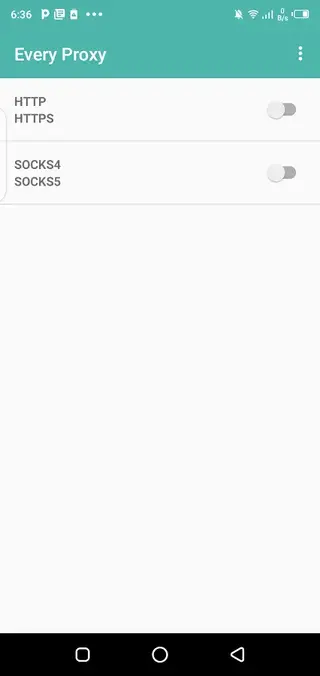
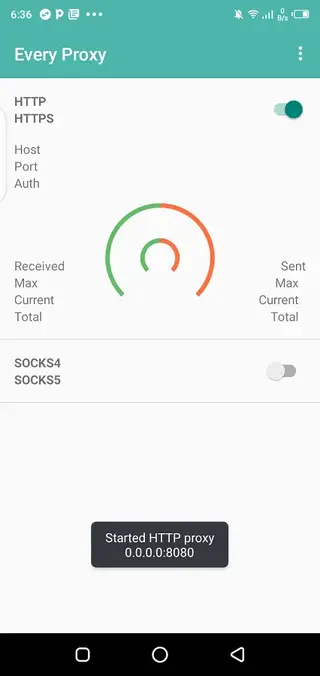
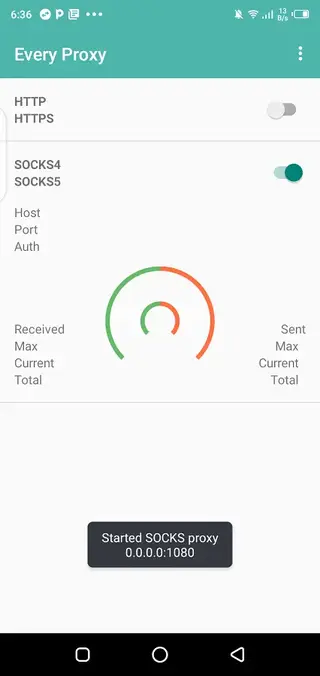
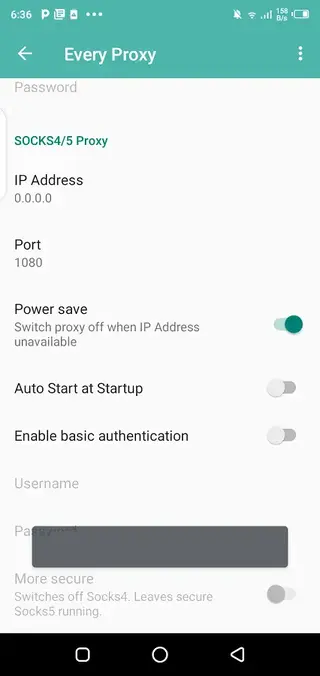
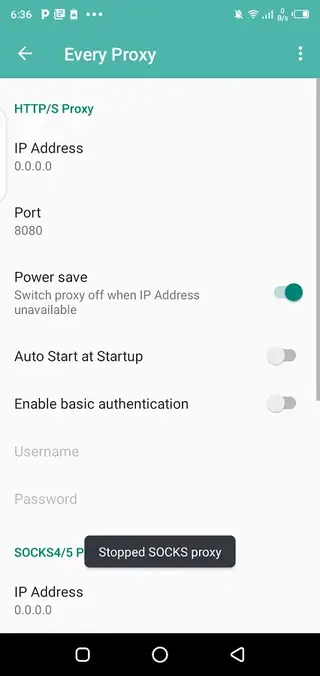
Basic Setup and Configuration Tips
After you install Every Proxy, you can configure it in a few simple steps. First, make sure your Android device has an active internet connection through WiFi, mobile data, or a VPN. Open the app and choose which proxy type you want to enable, such as HTTP or SOCKS5.
Set a port number, then start the server. On the client device, enter your phone’s IP address and the same port in the network or browser proxy settings. Once the client connects successfully, its traffic will route through your Android device.
For more control, you can enable authentication, restrict which interfaces are used, and monitor connections. It is a good idea to test with a single device first before adding more clients to confirm that routing and DNS resolution are working correctly.
Security and Privacy Considerations
While Every Proxy can help hide the real IP address of client devices by routing traffic through your phone, it does not automatically encrypt all traffic by itself. Encryption depends on the protocol and the apps or websites you are using, as well as whether your phone is connected to a VPN.
To improve privacy, many users connect their Android device to a trusted VPN service, then use Every Proxy to share that tunnel with other devices. This way, clients benefit from both the encrypted VPN connection and the flexible proxy routing the app provides.
You should also use strong credentials when enabling authentication and avoid sharing your proxy access with people you do not trust, as all their traffic will pass through your device.
Who Should Use Every Proxy
Every Proxy is ideal for users who want more granular control over their network paths than a standard mobile VPN app usually allows. It suits testers, developers, students learning about networking, and privacy-minded users who manage several devices.
Families and small teams can also use it to share one secure connection with multiple devices without configuring separate VPN clients on each one. Because the interface remains straightforward, you can start with basic settings and only explore advanced options when you are comfortable.
FAQs
Pros
- Does not require root access to run proxy servers
- Supports HTTP, HTTPS, SOCKS4, and SOCKS5 protocols
- Can share VPN, WiFi, or mobile data connections with other devices
- Lightweight app with a simple and clear interface
- Useful for privacy, testing, and network experiments
- Works with many operating systems and clients that support manual proxy settings
Cons
- Requires some basic networking knowledge to configure correctly
- Not a typical one-tap VPN with global public servers
- Performance depends on your phone hardware and network speed
- May need additional configuration on client devices to use the proxy
Conclusion
Every Proxy turns your Android device into a flexible proxy gateway that can share VPN, WiFi, or mobile data connections with other devices. If you want more control over how your traffic is routed, need a compact testing tool, or prefer to centralize network settings on one phone, downloading the latest Every Proxy APK from our website is a practical and lightweight solution.




Comments
No approved comments yet.