

Facecast
Facecast is a live video chat and social streaming app where you can meet new people, join interactive rooms, and build your own audience through real-time broadcasts.
With global matching, private chat, virtual gifts, and creator monetization tools, the app turns casual conversations and live shows into a social experience that can also generate income.
You can download the official Facecast APK latest version directly from our website and install it on your Android phone or tablet in a few simple steps.
Rate this app
App details
- App name
- Facecast
- Category
- Social
- Version
- v3.2.70
- Size
- 231.31 MB
- Requirements
- 6.0 and Above
- Package name
- com.guochao.faceshow
- Publisher
- Face Show
- Price
- Free
- Mod
- No
- Downloads
- 63,843
- Rating
- 4.8 / 5
- Rating count
- 20,481
- Play Store
- Yes
- Requires root
- No
- Offline support
- No
- Contains ads
- Yes
- In-app purchases
- Yes
- Updated
- May 13, 2026
- Age rating
- Rated for 3+
Table of contents
What is Facecast APK
Facecast is a social networking and live video streaming app for Android that focuses on real-time interaction. Users can start their own live broadcasts, join other people’s streams, participate in multi-host chat rooms, and connect via one-on-one video calls or text chat.
It is an Android online dating application and offers features like Love Tari and Coomeet, which offers the best online chatting services and features for the users. It also provides you to make easy money from this app, through which users can make money while enjoying it. All these available features don’t require any kind of charge.
The app combines elements of online dating, random video chat, and creator live shows. Viewers send virtual gifts and diamonds to streamers, while creators can redeem their in-app earnings according to the platform’s policies. This makes Facecast both a place to socialize and a platform where active hosts can earn money.
After installing the Facecast APK, you create an account using your phone number, email, or connected social profiles. Once signed in, you can browse recommended streams, follow your favorite broadcasters, discover nearby users, and use built-in tools to improve and promote your own live shows.
Why download Facecast for Android
Facecast offers a different kind of social experience compared to traditional messaging apps. Instead of only chatting with people you already know, you can explore a global community of streamers, gamers, dancers, singers, and everyday users who share their moments live.
The app includes fast registration, live video matching, private messaging, short video posts, and a complete virtual gift system. If you enjoy performing, you can go live, grow followers, and potentially earn from in-app gifts. If you prefer watching, you can join streams, send reactions, and interact with hosts and other viewers in real time.
Downloading the Facecast APK from our website gives you the latest available version for your Android device, so you can access all these features without waiting for store updates.
How Facecast is useful
Facecast can be useful for people who want to expand their social circle, improve their communication skills, or showcase their talents. The live environment makes conversations more authentic than static profiles, while filters, stickers, and beauty effects help you feel comfortable on camera.
Creators can use the platform as a lightweight content hub, going live from their phone without complex equipment. Features like followers, rankings, and virtual gifts help them understand what their audience enjoys and reward consistent streaming.
For viewers, Facecast works as an entertainment app where you can drop into a variety of shows at any time, from casual chats to themed rooms. Built-in translation tools and global matching make it easier to connect with people from different countries.
How to download and install Facecast APK
You can get the official Facecast APK file directly from our website. Follow these steps to download and install it on your Android device:
Scroll to the download section on this page and tap the Facecast APK download button.
Wait for your browser to finish downloading the APK file to your device.
Open your phone settings and enable installation from unknown sources if prompted.
Locate the downloaded APK in your Downloads folder and tap it to start installation.
Follow the on-screen instructions to complete setup and open Facecast when it finishes.
After installation, sign up or log in, set up your profile, and you are ready to join live streams or start your own show.
Features
Global live streaming
Watch and host live video streams with viewers and creators from many countries in real time.
Random video chat and matching
Connect with new people through one-on-one video calls and quick matching features.
Interactive live rooms
Join multi-host rooms with group chat, mic slots, and interactive events or parties.
Virtual gifts and diamonds
Send animated gifts to support streamers and collect diamonds that can be redeemed by eligible hosts.
Creator monetization tools
Earn rewards from your audience, grow your fan base, and track your performance as a host.
Private messaging
Chat with friends or followers through direct messages alongside public live room conversations.
Short videos and stories
Share short clips, daily updates, and highlights to keep followers engaged between live streams.
Profile and follower system
Create a personal profile, gain followers, and explore recommended users based on your interests.
Screenshots
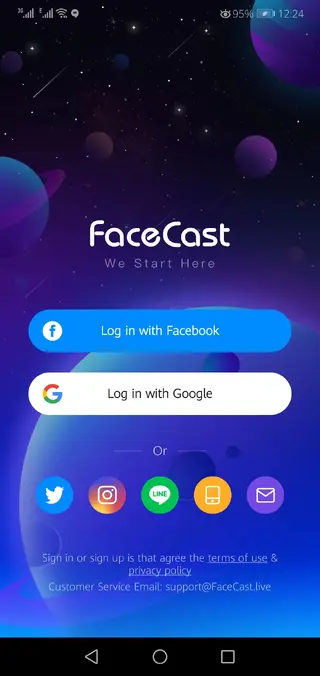

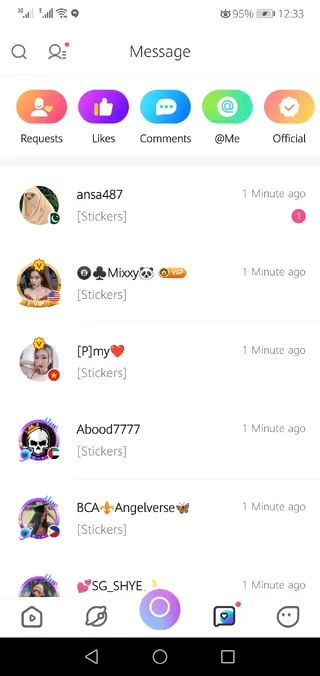
Account setup and profile customization
After installing Facecast, you can create an account using your mobile number, email, or supported social platforms. During setup you choose a nickname, profile photo, and basic details so others can recognize you more easily.
Within the profile section you can update your bio, manage your gallery, and review your followers and following lists. These elements help other users decide whether to follow you or join your streams.
Live streaming and hosting tools
When you go live on Facecast, you can switch between front and rear cameras, apply beauty filters, and add visual effects to improve your stream. Hosts can manage comments, mute or remove disruptive users, and invite co-hosts or guests into the room.
Some events include leaderboards, rankings, and special tasks that reward active participation. Consistent streaming and engagement can help you reach new viewers and climb the in-app charts.
Safety and community features
Facecast provides basic tools to help you manage your experience, such as blocking or reporting users who violate guidelines. You can control who interacts with you, adjust privacy options, and limit some types of contact.
As with any live social platform, it is recommended to protect your personal information and use the available controls to keep your account and interactions comfortable.
FAQs
Pros
- Live video chat and streaming with a global user base
- Multiple ways to socialize including one-on-one calls and group rooms
- Built-in monetization options for active streamers
- Virtual gifts and diamonds system for supporting creators
- Simple registration with phone, email, or social accounts
Cons
- Requires a stable internet connection for smooth video streaming
- Contains in-app purchases for gifts and top-ups
- May show ads depending on region and app version
- Live content quality varies depending on individual streamers
Conclusion
Facecast is a social live streaming and video chat app that lets you meet new people, watch interactive shows, and build your own audience from your Android device. If you enjoy real-time conversations and creator-style content, you can download the official Facecast APK from our website and explore its live rooms, private chats, and monetization tools at your own pace.




Comments
No approved comments yet.