

Fake Game Collection
Fake Game Collection is a small Android tool that lets you place fake icons of popular premium games on your home screen. It is designed purely for fun so you can prank friends and make your device look like a high‑end gaming phone.
With this app you can browse a catalog of well known titles, select the ones you like, and instantly create matching icons on your device. The icons look similar to real games, but they are only for display and do not download or install the original games.
You can download the latest version of Fake Game Collection APK directly from our website and start customizing your Android home screen with a few simple taps.
Rate this app
App details
- App name
- Fake Game Collection
- Category
- Tools
- Version
- v2.0.21
- Size
- 8.61 MB
- Requirements
- 4.0 and Above
- Package name
- com.mahesa.app.fakegamecollection
- Publisher
- BimaDev Studio
- Price
- Free
- Mod
- No
- Downloads
- 51,237
- Rating
- 4.6 / 5
- Rating count
- 16,324
- Play Store
- No
- Requires root
- No
- Offline support
- Yes
- Contains ads
- No
- In-app purchases
- No
- Updated
- May 9, 2026
- Age rating
- Rated for 12+
Table of contents
What is Fake Game Collection App
Fake Game Collection is an Android personalization and prank app created by BimaDev Studio. Instead of installing real games, it adds convincing shortcut icons of famous titles to your home screen. The goal is to help you play harmless pranks on friends by making your phone look packed with expensive or heavy games.
Inside the app you get a long list of well known games such as Asphalt 8 Airborne, Assassin’s Creed Pirates, Call of Duty Black Ops Zombies, DOTA 2, Fortnite, God of War and many more. You simply pick a title and place its icon on your device. The icon appears just like any other app icon, so at a quick glance it looks like the full game is installed.
The interface focuses on simplicity. A search bar at the top lets you quickly find specific titles, while category style lists help you scroll through dozens of options. You can also send icon requests from inside the app if a particular game you want is not yet available in the catalog.
Why Download Fake Game Collection APK
Many Android gamers use Fake Game Collection to make their home screen look like a premium gaming setup without needing powerful hardware or huge storage. Heavy games often do not run well on low end phones, but their icons can still sit on the screen and impress anyone who casually checks your device.
Downloading the APK from our website gives you direct access to the latest available version, with updated game lists and bug fixes. Once installed, the app works offline and you can add or remove icons at any time without an internet connection.
Because the app only creates fake icons and does not modify game files or system data, it stays simple to use and does not require root. That makes it a quick, low risk way to enjoy prank style customization on almost any Android phone that meets the minimum version requirement.
There are more similar apps available for the users, which you can get. So, try Funsta and Fake Aadhar Card, through which you can get more customizing services on your device. Further using the tools helps playing these different prank games with other random Android friends.
How Fake Game Collection Can Be Useful
Although Fake Game Collection is mainly a prank tool, it offers a few practical uses for people who enjoy customizing their devices. Creators can use the icons as visual props in screenshots, mockups or social posts that show a heavily stocked gaming home screen, without actually installing every game.
The app is also useful for users with older or budget phones that cannot run demanding titles. You can still display icons of famous games to show your interests or start conversations with friends who notice your home screen.
For prank lovers, the app provides a structured way to prepare jokes. You can quickly populate the screen with dozens of premium looking games before handing the phone to a friend and watching their reaction when they tap icons that do not open the expected content.
How to Download and Install Fake Game Collection APK
You can download the official Fake Game Collection APK file directly from our website and install it manually on your Android device. Follow these basic steps to get started:
Scroll to the download section on this page and tap the APK download button for Fake Game Collection.
Wait for your browser to finish downloading the file to your device.
Open your phone settings and allow installation from unknown or browser sources if it is not already enabled.
Locate the downloaded APK file in your notifications or file manager and tap it.
Read the installation prompts and press Install to add the app to your device.
Once the process completes, open Fake Game Collection from your app drawer and start adding fake game icons.
If the APK does not install, check your Android version, available storage and permission settings, then try the installation steps again.
Features
Large catalog of fake game icons
Browse a long list of popular and premium style games whose icons you can place on your home screen without installing the real titles.
Simple one tap icon creation
Select any listed game and add its icon to your launcher with a single tap using a straightforward interface.
Fast search bar
Use the built in search box to find specific game names quickly, which helps when the catalog contains many titles.
Icon request option
Submit requests for new game icons directly from the app if a title you want is not yet included in the collection.
No root required
Works on standard Android devices without any rooting or complex system level changes.
Offline functionality
After installation you can browse the list and place icons without needing a constant internet connection.
Lightweight personalization tool
The app focuses only on adding and managing fake icons, keeping it small and easy to run on low end phones.
Ad free experience
According to the original description the app does not display ads, so you can use it without pop ups or banners.
Screenshots
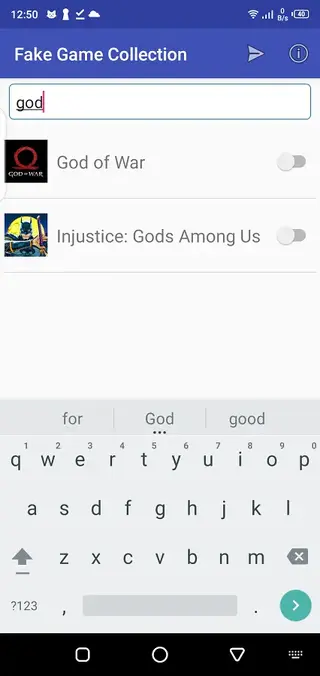
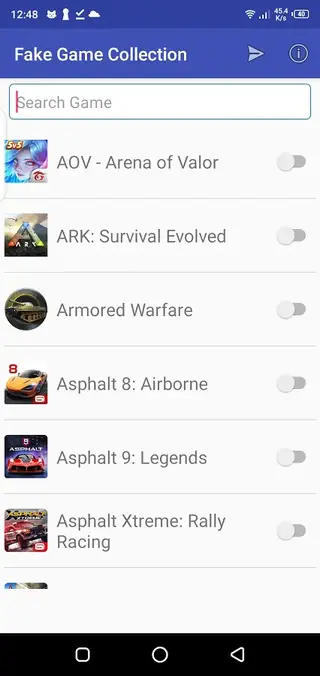
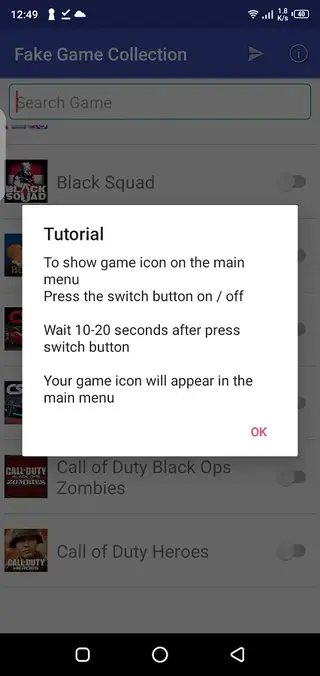
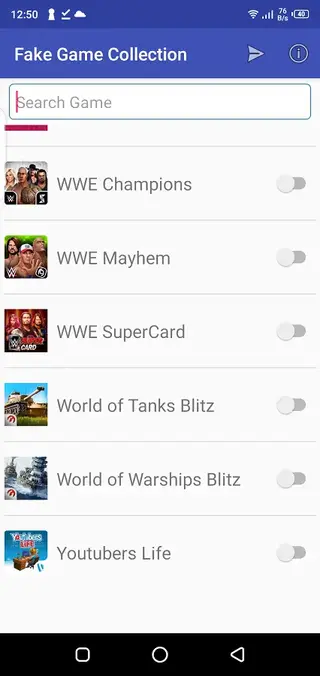
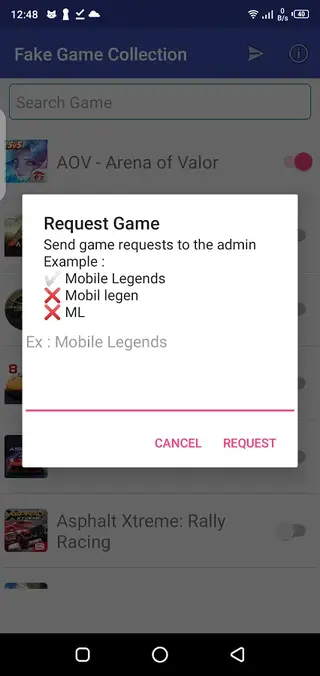
How the Fake Icon System Works
Fake Game Collection focuses on icons rather than full games. When you pick a title from the list, the app creates a launcher icon that imitates the game’s look. Tapping the icon usually opens a basic screen or does nothing, depending on the app version, because no real game files are present on the device.
This design keeps storage usage low and avoids performance issues that come with installing large games. It also helps maintain a clear separation between prank icons and legitimate game installations you may already have on your phone.
Tips for Safer and Responsible Use
Because the app is built for jokes, it is important to use it responsibly. Avoid using fake icons to trick people into sharing money, accounts or sensitive information. Keep your pranks lighthearted, explain the joke afterward and respect anyone who does not enjoy this kind of humor.
For personal use, you can focus on cosmetic customization, screenshots or fun conversations about gaming. Keeping your usage transparent and harmless will help you enjoy the tool without causing unnecessary confusion.
Device Compatibility and Performance
Fake Game Collection is designed for Android 4.0 and above, which covers a wide range of phones and tablets. Since it works primarily with icons and simple lists, it typically runs smoothly on both new and older devices.
To get the best experience, ensure your launcher supports custom icons and shortcuts. Clearing old unused icons from time to time can also keep your home screen tidy and make the prank icons easier to manage.
FAQs
Pros
- Easy way to create realistic fake game icons
- Works on low end devices without heavy resource use
- Does not require root access or complex setup
- Offers a search bar for quick title discovery
- Includes an icon request feature for missing games
- Primarily ad free according to the original description
Cons
- Icons do not launch real games and may confuse some users
- Catalog depends on developer updates so some titles may be missing
- Limited to prank and visual customization with no gameplay
- Not available on Google Play Store as of the latest check
Conclusion
Fake Game Collection is a lightweight Android prank and personalization app that lets you decorate your home screen with realistic game icons without installing the actual games. If you enjoy visual customization and harmless jokes with friends, you can download the latest APK version directly from our website and start building your own fake gaming library in minutes.




Comments
No approved comments yet.