

Festival Post
Festival Post is a poster and video design app that helps businesses, shops, and creators publish ready-made marketing posts for festivals, events, and daily promotions. You can quickly customize templates with your brand name, logo, and contact details on your phone.
The app offers thousands of layouts for Indian festivals, national days, offers, and business categories, along with animated video posts and frames. Users can edit text, colors, fonts, and images and share content directly on WhatsApp, Instagram, Facebook, and other social platforms.
You can download the official Festival Post APK latest version directly from our website and start designing promotional creatives for your brand in a few simple steps.
Rate this app
App details
- App name
- Festival Post
- Category
- Art & Design
- Version
- v5.0.44
- Size
- 86.78 MB
- Requirements
- 5.0 and Above
- Package name
- com.app.festivalpost
- Publisher
- FESTIVAL POST: Daily Marketing, Photo Frame Editor
- Price
- Free
- Mod
- No
- Downloads
- 0
- Rating
- 4.7 / 5
- Rating count
- 12,000
- Play Store
- Yes
- Requires root
- No
- Offline support
- No
- Contains ads
- Yes
- In-app purchases
- Yes
- Updated
- May 13, 2026
- Age rating
- Rated for 3+
Table of contents
What is Festival Post App
Festival Post is an Android art and design application focused on ready-made posters and videos for business promotion. It is developed by FESTIVAL POST: Daily Marketing, Photo Frame Editor and targets users who want quick, professional-looking creatives without learning complex design tools.
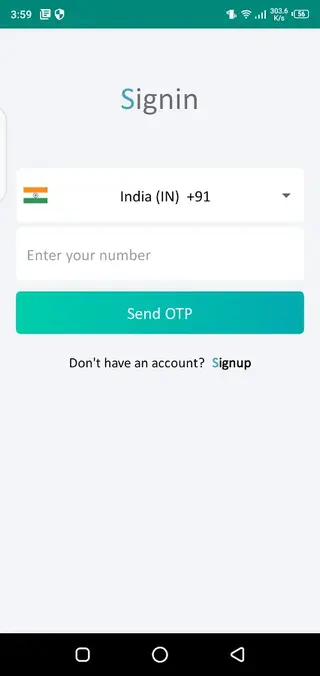
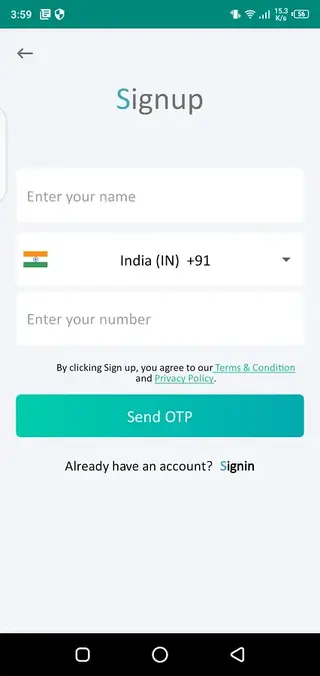
After a simple mobile number registration and OTP verification, you can select your business category, add your brand details, and start using templates that automatically include your logo, shop name, and contact information. The app works globally but is especially popular for Indian festivals, local events, and small business marketing.
The application combines poster templates, photo frames, stories, and short video creatives. Most designs are customizable, so you can change text, fonts, colors, backgrounds, and images to match your brand style before sharing.
Why Download Festival Post APK from Our Site
Downloading the Festival Post APK from our website gives you direct access to the official installation file of the latest version. You do not need to search across multiple sites or stores. The download link is already prepared for Android phones and tablets that meet the minimum system requirements.
With the APK from our site, you can:
Install Festival Post on devices where the Play Store is not available or not working properly.
Access the same features as the official release, including free and premium templates.
Update manually whenever a new version file is added to our download page.
How Festival Post Is Useful for Businesses
Festival Post is designed to save time and effort for shop owners, freelancers, agencies, and influencers who need regular social media content. Instead of hiring a designer for every festival or offer, you can use pre-built creative layouts and update them in a few taps.
The app is especially useful for:
Festival marketing: Ready templates for Diwali, Holi, Eid, Christmas, New Year, and many other regional and national occasions.
Daily branding: Business cards, quote posts, product offers, opening/closing announcements, and sale creatives.
Video posts: Short promotional videos and animated posts that help your brand stand out on social media feeds.
Local businesses: Templates for shops, restaurants, salons, education centers, real estate, health services, and more.
Because the app updates its template library around every major festival and event, you get fresh content regularly without needing to design from scratch.
How to Download and Install Festival Post APK
You can download the official Festival Post APK file directly from our website by following these steps:
Scroll to the download section on this page.
Tap the Festival Post APK download button to start fetching the file.
Wait until the APK finishes downloading on your Android device.
Open your device settings and enable installation from unknown sources if required.
Locate the downloaded file in your Downloads folder and tap it.
Follow the on-screen prompts to complete the installation.
Open Festival Post, register with your mobile number, and start creating posters and video posts.
Make sure your device meets the minimum Android version requirement (Android 5.0 or higher) before installing.
Features
Wide range of festival templates
Access poster and video templates for national days, regional festivals, religious events, and seasonal celebrations.
Business category based designs
Select your business type to get posters and creatives already aligned with your products and services.
Logo and branding integration
Add your logo, shop name, address, and contact details once and apply them automatically across multiple designs.
Customizable text and styles
Edit text, fonts, colors, and alignment so each poster matches your brand tone and visual identity.
Video and animated posts
Use ready-made video templates and animated creatives to publish engaging marketing content on social media.
Photo frames and image layouts
Place your photos inside themed frames to create festive greetings and branded picture posts.
Simple registration with OTP
Sign up quickly with your mobile number and verify with an OTP to unlock all available templates and tools.
Regular festival content updates
Get new posters and videos added around major festivals, campaigns, and trending events.
Screenshots
Account Setup and Personalization
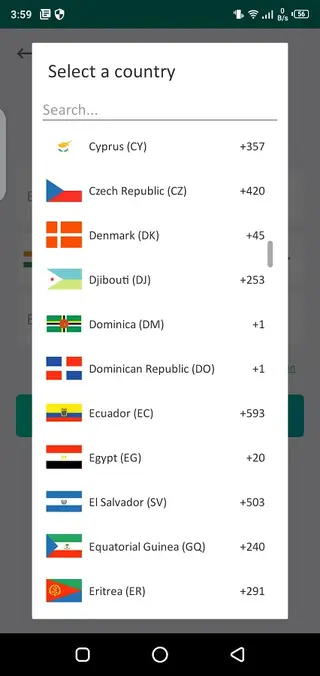
After installing Festival Post, you start by registering with your mobile number. The app sends an OTP, which you must enter to confirm your account. Once verified, you can select your preferred language and add business details such as brand name, tagline, logo, address, and contact number.
This information helps the app personalize templates. Many designs auto-fill your brand name and other details, so you only adjust the message or offer before publishing. You can later update your business information if your branding changes.
Editing and Sharing Workflow
Creating a post in Festival Post usually follows a simple workflow. First, you choose a festival, category, or business theme. Then you pick a template and tap to edit. You can modify the written content, change fonts and color combinations, add or replace images, and adjust your logo placement.
When you finish editing, you can save the design to your device or share it directly on social platforms such as WhatsApp, Instagram, Facebook, or Telegram. This makes it easier to maintain a consistent posting schedule during busy festival seasons.
Device Compatibility and Performance Tips
Festival Post supports Android 5.0 and above and works on most modern smartphones and tablets. For smoother performance with video templates and high-resolution posters, it is helpful to keep enough free storage and a stable internet connection.
Clearing cached data occasionally, closing unused apps in the background, and updating Festival Post to the latest version when available on our website can also improve performance and reduce loading problems.
FAQs
Pros
- Large library of ready-made festival and business templates
- Easy customization of text, colors, fonts, and branding
- Includes both poster and short video creatives
- Simple mobile number registration with OTP
- Regular updates with new festival and event content
Cons
- Many advanced templates require in-app purchases
- Needs internet connection to browse and load most designs
- Contains ads in the free version
- Limited offline editing compared with full desktop design tools
Conclusion
Festival Post is a practical tool for anyone who wants fast, branded marketing designs for festivals and daily promotions without advanced design skills. By downloading the official APK from our website, you can quickly install the app, explore free templates, and decide whether premium content fits your business needs.




Comments
No approved comments yet.