

GB News
GB News is the official Android app of the GB News television channel, designed for viewers who want live UK news and opinion-led shows on the go. You can stream the channel in real time directly from your phone or tablet.
With the app, you can follow breaking stories, politics, debates and analysis from GB News presenters without staying in front of a TV. The official APK file is available on our website, so you can download and install it directly on compatible Android devices.
The interface keeps things simple, focusing on fast access to the live stream and on-demand clips. This makes it a practical choice if you prefer a straightforward news app that prioritises live broadcasting and commentary.
Rate this app
App details
- App name
- GB News
- Category
- News & Magazines
- Version
- v2.4.3
- Size
- 81.2 MB
- Requirements
- 5.0 and Above
- Package name
- uk.gbnews.app
- Publisher
- GB News
- Price
- Free
- Mod
- No
- Downloads
- 598,714
- Rating
- 4.1 / 5
- Rating count
- 52,298
- Play Store
- Yes
- Requires root
- No
- Offline support
- No
- Contains ads
- Yes
- In-app purchases
- Yes
- Updated
- May 9, 2026
- Age rating
- Rated for 3+
Table of contents
What is the GB News app for Android?
GB News is a news and opinion app for Android that streams the GB News TV channel and related video content. It is developed and maintained by GB News, giving viewers a direct way to follow the channel from their mobile devices.
The app focuses on British and international news, politics, current affairs and panel discussions. You can watch the live television feed, catch up on key segments, and see coverage from well-known GB News presenters in one place.
Once installed, the app connects to GB News streaming servers so you can watch live content over Wi-Fi or mobile data. It targets users who prefer a TV-style experience within a clean and easy-to-use mobile interface rather than a heavy, feature-crammed app.
Why download the GB News APK from our website?
Downloading the GB News APK from our website lets you install the app quickly on any compatible Android phone or tablet, even if you cannot access it via Google Play on your device. The file provided here corresponds to the official package name uk.gbnews.app and version information shown above.
By keeping the installation file on your device, you can reinstall GB News whenever you need, without repeating the download process. This is useful if you reset your phone often or manage multiple devices.
Our download page focuses on the app itself, so you can read about its features, requirements and usage before installing. When you are ready, a single tap on the download button starts the APK download directly from our website.
If you want to get more similar content on your device, then you should get the IPTV app. We have some of the best alternatives for mobile users, including Sky 4K and Horjun TV. Thus we recommend visiting Apkoll to get direct access to these best alternative Apps.
How the GB News app is useful?
The GB News app is useful for viewers who want a continuous stream of UK-focused news and commentary. You can open the app and immediately join the live broadcast, which is handy during breaking stories or political events.
Regular programmes, debates and panel shows are available through the same interface, so you do not have to search across different platforms to keep up with the presenters you follow. The app is designed to remain responsive even on modest connections, helping you watch live content more smoothly.
For people who travel frequently or do not spend much time near a television, the app turns any compatible Android device into a portable screen for GB News, keeping you connected to the channel wherever you have an internet connection.
How to download and install GB News APK?
You can download the official GB News APK file directly from our website and install it manually on your Android device. Make sure your phone or tablet meets the minimum Android version shown above before you start.
Follow these steps to download and install:
Tap the download button on this page to start downloading the GB News APK to your device.
Wait for the download to complete, then open your device's Downloads folder or notification panel.
Tap the GB News APK file to begin installation.
If prompted, allow installation from unknown apps in your Android settings.
Confirm the installation and wait until the process finishes.
Open the GB News app from your app drawer and follow any on-screen prompts to start watching.
If you later decide to update, return to this page and download the newer APK version, then install it over your existing app.
Features
Official GB News channel access
Stream the official GB News television channel and related video content directly on Android devices.
Live UK news coverage
Watch live news reports, breaking stories and political coverage as they are broadcast on TV.
Opinion and debate shows
Follow panel discussions, interviews, analysis and opinion-led programmes from GB News presenters.
Multiple presenters
Access content from a wide range of presenters and hosts across different GB News shows.
Simple, TV-first interface
Use a straightforward interface focused on quickly starting and controlling the live stream.
High-quality streaming
Enjoy a high-quality video stream when your internet connection supports it.
Optimised for mobile viewing
Watch content in portrait or landscape mode, tailored for phones and tablets.
Free to use
Install and use the app without any subscription fees for the core live channel.
Screenshots
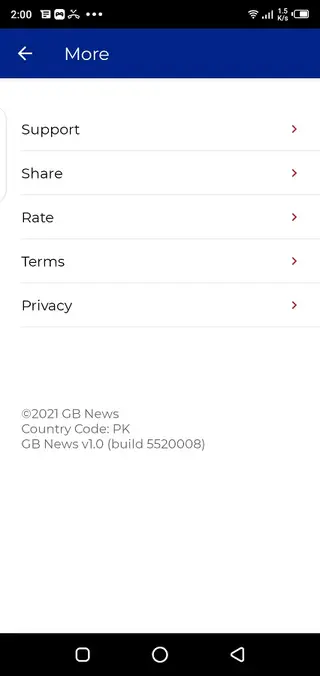

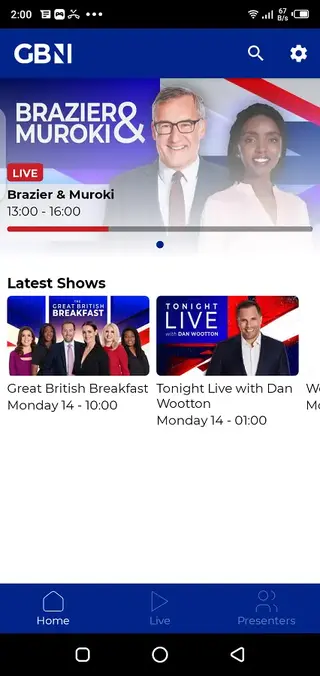


App compatibility and requirements
GB News is built for modern Android devices. The version information provided here requires Android 5.0 or higher, which covers most phones and tablets still in use. Performance and video quality depend on your hardware and network, so newer devices and faster connections will generally deliver a smoother experience.
The app installs like any standard Android application and does not need root access or advanced configuration. Once installed, you simply open it, grant any basic permissions it requests, and start streaming.
Tips for a better streaming experience
Because GB News relies on live streaming, your connection quality directly affects playback. For a more stable experience, try the following:
Use Wi-Fi when possible, especially for long viewing sessions.
Keep other heavy downloads or streams to a minimum while watching.
Make sure your device battery is sufficiently charged, as video streaming can be power intensive.
Close unused apps in the background to free up memory.
These small adjustments can help reduce buffering and keep the live stream running more smoothly on your device.
FAQs
Pros
- Official app from the GB News channel with direct access to its content
- Provides live TV-style news and opinion programming on mobile devices
- Simple and focused interface that is easy to navigate
- Free to download and use with no subscription for the main channel
- Convenient for following UK news while away from a television
Cons
- Requires a stable internet connection for live streaming
- Primarily focused on one channel, so content variety is limited to GB News output
- Not designed for extensive offline viewing
- Contains channel branding and may include broadcast advertisements
Conclusion
GB News for Android offers a straightforward way to watch the GB News television channel live on your phone or tablet. If you prefer a focused app that streams a single UK news and opinion channel, you can download the official APK from our website and start watching within minutes.




Comments
No approved comments yet.