

Gloo Macro
Gloo Macro is an Android auto clicker designed to automate rapid taps on your screen, especially useful for fast-paced shooters and action games. It lets you configure tap speed and patterns so you can focus more on aiming and movement.
It is an Auto Clicker app like Agar Tool, which offers an additional advantage to the user of this tool. It provides an automatic clicking system, by which you can increase the speed of firing bullets and also through the gloo garnets process.
With a simple floating control panel and customizable settings, you can create macros for repeated actions such as firing, placing walls, or triggering skills. The tool runs on top of your existing games and apps without needing root access on most modern devices.
You can download the latest Gloo Macro APK directly from our website and install it on compatible Android phones and tablets running Android 7.0 or higher.
Rate this app
App details
- App name
- Gloo Macro
- Category
- Tools
- Version
- v1.3.4.3
- Size
- 2.78MB
- Requirements
- 7.0 and Above
- Package name
- com.autoclicker.clicker
- Publisher
- XIAOYANG
- Price
- Free
- Mod
- No
- Downloads
- 58,385
- Rating
- 4.7 / 5
- Rating count
- 18,002
- Play Store
- No
- Requires root
- No
- Offline support
- Yes
- Contains ads
- Yes
- In-app purchases
- No
- Updated
- May 19, 2026
- Age rating
- Rated for 12+
Table of contents
What is Gloo Macro?
Gloo Macro is an auto clicker and macro tool for Android. It simulates rapid taps on specific areas of your screen based on settings you configure. The app is popular among Garena Free Fire players, but it can also work with other games and apps that rely on repetitive tapping.
Using the overlay panel, you set tap points, tap frequency, and duration. Once started, Gloo Macro repeatedly taps on those locations at the speed you define. It can reach up to around 30 taps per second, which is far higher than normal manual tapping.
The app focuses on providing a simple interface, quick setup, and customization options. It aims to give users more control over repetitive actions while keeping the configuration process straightforward, even for beginners.
Why download Gloo Macro APK from our website?
Downloading the Gloo Macro APK from our website gives you direct access to the latest available version without going through any extra sign-ups or app stores. The package information, version details, and basic specs are clearly listed so you know what you are installing.
Our Gloo Macro download page is tailored for Android users, with information about minimum system requirements, installation steps, and feature highlights. You can quickly grab the APK file and install it on your phone or tablet whenever you need an auto clicker for games or apps.
Because the app is not listed on Google Play, having a central place where you can get the APK file for Android 7.0 and above is convenient. You simply use the download button on our page and follow the standard installation steps.
How is Gloo Macro useful?
Gloo Macro is useful for players and users who perform constant tapping actions and want to reduce effort or improve consistency. In titles like Garena Free Fire, it can help with rapid firing, faster gloo wall placement, or other repeated in-game tasks that require quick taps.
Beyond gaming, the app can assist with repeated tapping in utility apps, incremental games, or workflows that need frequent confirmation taps. By setting the tap speed and intervals, you can automate long sequences and avoid finger fatigue.
The combination of adjustable tap rate, floating controls, and a beginner-friendly layout makes it easier to experiment with different configurations. You can start with moderate speeds, test in-game behavior, and then refine your settings according to your device performance and comfort level.
How to download and install Gloo Macro APK
You can get the Gloo Macro APK file directly from our website. Follow these steps to download and install it on your Android device:
Scroll to the download section on this page and tap the Gloo Macro APK download button.
Wait for the APK file to finish downloading on your Android phone or tablet.
Open your device settings and enable the option to install apps from unknown sources for your browser or file manager.
Locate the downloaded APK file in your Downloads folder and tap it.
Review the permissions requested, then tap Install to begin the setup process.
After installation completes, open Gloo Macro, grant the required overlay and accessibility permissions, and configure your first macro.
Once installed, you can launch the app whenever you need an auto tapper and adjust the settings based on the game or app you are using.
Features
Automatic tapping engine
Simulate repeated screen taps automatically at user-defined positions and intervals to handle rapid actions with minimal manual effort.
Adjustable tap speed
Configure taps per second and intervals, with support for very fast tap rates such as around 30 taps per second on capable devices.
Floating control panel
Use an on-screen floating window to start, pause, or stop macros without leaving your game or closing the current app.
Custom tap positions
Place tap points exactly where buttons or controls appear on the screen, useful for fire buttons, skills, or quick actions.
Beginner friendly guide
Basic instructions and simple menus help new users set up their first macro without complex scripting or coding.
Manual profile tweaking
Fine tune macro settings, including tap duration and spacing, so you can balance speed with device stability.
Support for multiple apps and games
Use the same auto clicker with different Android apps or games by adjusting the tap areas and macro profiles.
Language support
Provides support for more than one language so users from different regions can navigate the interface more easily.
Screenshots
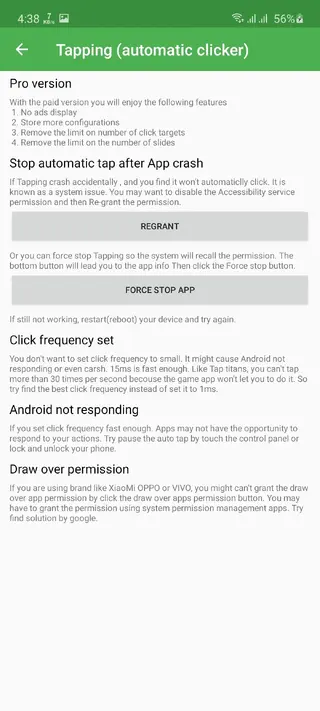
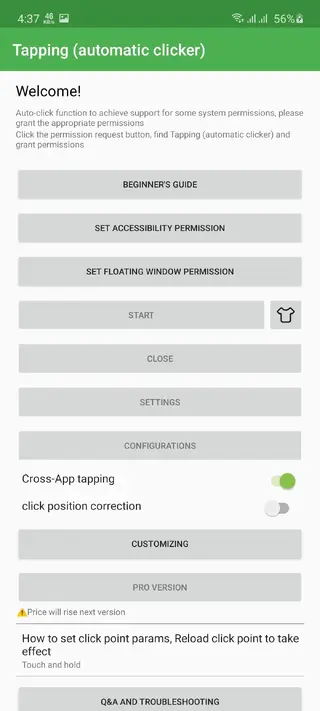
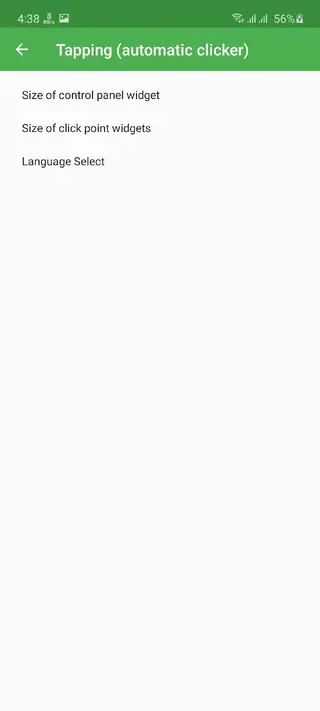
Important usage and fairness notice
Using tools like Gloo Macro in competitive online games can affect fair play and may break the terms of service set by game publishers. Many online titles treat external automation as an unfair advantage and reserve the right to restrict or ban accounts that rely on such tools.
If you decide to use an auto clicker, consider testing it in training modes, private rooms, or offline content first. Always review the rules of the specific game or service and make your own informed decision before enabling macros in live competitive matches.
Tips for setting up stable macros
When you first configure Gloo Macro, start with moderate tap speeds instead of the maximum rate. This approach helps you avoid performance issues and makes it easier to control your actions in-game.
Begin with a lower taps per second value and test the behavior in a safe environment.
Place tap points carefully so they align with buttons even if your device resolution changes.
Increase tap speed step by step, checking for missed taps or lag.
Save different macro profiles for different games or layouts.
By gradually tuning your settings, you can find a balance between speed, precision, and device stability that works for your specific Android phone or tablet.
FAQs
Pros
- Does not require root access on most supported Android devices
- Provides very high tap speed for rapid-fire and fast actions
- Floating window overlay makes it easy to control macros in-game
- Customizable tap locations and speed profiles
- Lightweight tool that is quick to set up and use
- APK is available directly from our website for Android 7.0 and above
Cons
- Not available on the Google Play Store
- May violate terms of service of some online games if used as a cheat tool
- Very high tap rates can impact device performance or stability
- Requires overlay and accessibility permissions, which some users may find sensitive
Conclusion
Gloo Macro offers a powerful yet simple auto clicker solution for Android users who need fast, repeatable taps in games and apps. If your device meets the requirements and you understand the risks of using macros in online titles, you can download the latest Gloo Macro APK from our website and configure it to match your personal play style and workflow.




Comments
No approved comments yet.