

HomeSafe
HomeSafe is the official Swann app that lets you watch and manage supported Swann DVR and NVR security systems directly from your Android phone or tablet. You can keep an eye on your home or office from almost anywhere with a data or Wi-Fi connection.
With live view, multi‑channel support and snapshot capture, the app turns your device into a portable monitoring screen for compatible Swann recorders. You can download the original HomeSafe APK directly from our website and install it on supported Android devices.
The app focuses on reliable remote access rather than flashy extras, so you get a simple interface, quick login to your recorder, and practical controls for viewing and managing your security cameras.
Rate this app
App details
- App name
- HomeSafe
- Category
- Tools
- Version
- v4.4.1
- Size
- 58.27 MB
- Requirements
- 5.0 and Up
- Package name
- com.homesafeview
- Publisher
- Swann Communications
- Price
- Free
- Mod
- No
- Downloads
- 52,000
- Rating
- 4.7 / 5
- Rating count
- 24,000
- Play Store
- Yes
- Requires root
- No
- Offline support
- No
- Contains ads
- No
- In-app purchases
- No
- Updated
- May 22, 2026
- Age rating
- Rated for 3+
Table of contents
What is HomeSafe Android App
HomeSafe is a remote surveillance app from Swann Communications designed for selected Swann DVR and NVR security systems. Once you connect the app to your recorder, you can view live video streams from your security cameras, switch between channels, and capture still images on your Android device.
The app supports a range of Swann recorders, including:
DVRx
1590
1600
4480
4575
4780
4980
5580
DVKx
4580
4590
NVRx
7450
8580
When your device is connected to the internet, HomeSafe can display a multi‑channel layout with up to 16 cameras on one screen, depending on your recorder model. You can also take snapshots, zoom in for more detail, and use cloud or network storage features offered by your Swann system where available.
The HomeSafe APK available on our website is the standard Android version of the app that you can sideload if you prefer to install it manually instead of using the Play Store.
We have more tools available on our website, which can also improve your security. So, if you are possessive about your privacy, on Apkoll you can find so many apps for that purpose. Both of these are quite popular available tools on the web.
Why Download HomeSafe APK from Our Website
Installing the HomeSafe APK directly from our website gives you a quick way to set up Swann remote viewing on Android, especially if the Play Store listing is not convenient or available for your device or region. You get the official package, ready to install with no extra tools required.
By keeping the APK on your device or backup storage, you can reinstall the app whenever you need without searching again. This is useful for users who manage multiple devices or who reset their phones frequently.
If you already own a compatible Swann DVR or NVR, downloading the APK from our website lets you start monitoring your cameras almost immediately after a simple configuration process.
How HomeSafe Helps With Everyday Security
HomeSafe is useful for anyone who wants to check security cameras without sitting in front of a TV or PC all day. You can quickly open the app, look at your live feeds, zoom into areas of interest, and capture still images if you notice something important.
For homeowners, it makes it easier to verify deliveries, keep an eye on the driveway or backyard, or check in while traveling. For small businesses, the app offers a simple way to check entrances, stock rooms, and customer areas outside working hours.
Because the app works with specific Swann DVRx, DVKx, and NVRx models, you get tighter integration with your existing system. Multi‑channel viewing allows you to monitor several critical spots at once instead of switching screens on a dedicated monitor.
How to Download and Install HomeSafe APK
You can download the official HomeSafe APK file directly from our website and install it manually on your Android device. Follow these steps to get started:
Scroll to the download section on this page.
Tap the HomeSafe APK download button provided on our website.
Wait for the APK file to finish downloading to your device.
Open your device settings and enable installation from unknown sources or allow your browser to install apps when prompted.
Locate the downloaded APK file in your downloads folder and tap it.
Confirm the installation and wait until the process completes.
Open HomeSafe, add your Swann DVR or NVR details, and start viewing your cameras.
Once installed, you can keep the APK file as a backup so you can reinstall the app later without downloading it again.
Features
Live remote viewing
Watch live video from your compatible Swann DVR or NVR on your Android phone or tablet over the internet.
Multi channel layout
View multiple camera channels at the same time, with support for layouts of up to 16 cameras depending on your recorder.
Snapshot capture
Capture still images from the live video feed and save them on your device for later review or evidence.
Digital zoom
Zoom in and out on the live view to focus on faces, license plates, doors, or any important area in the scene.
Supported Swann recorders
Works with selected DVRx, DVKx, and NVRx models such as 1590, 1600, 4480, 4575, 4780, 4980, 5580, 4580, 4590, 7450, and 8580.
Cloud and network storage support
Can access recorded video and storage features offered by your Swann recorder and cloud services where configured.
User friendly interface
Simple layout with clear controls for switching channels, taking snapshots, and adjusting basic view settings.
Free to use
The app is free to download and use with supported Swann devices, with no subscription inside the app itself.
Screenshots
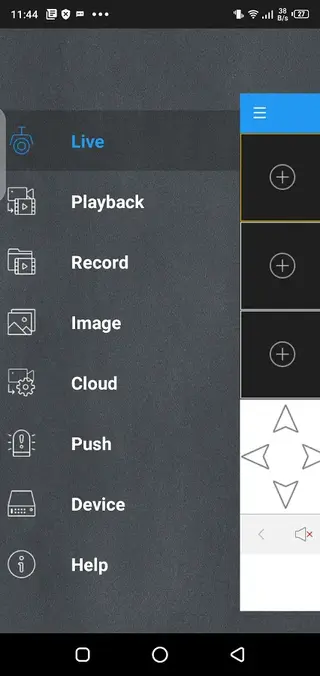
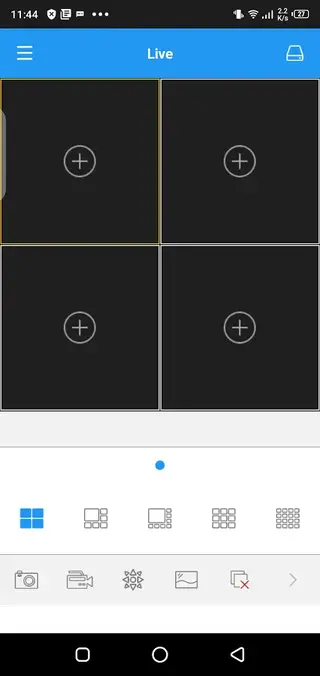
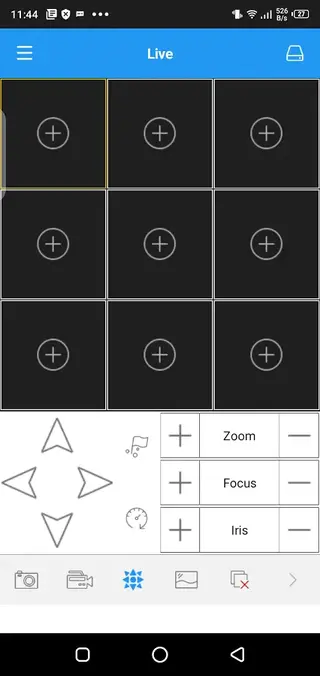
Supported Swann DVR and NVR Models
HomeSafe is not a universal CCTV app. It is built specifically for a defined list of Swann DVR and NVR recorders. Using it with a non supported device will usually result in connection errors or limited functionality.
Supported families include:
DVRx: 1590, 1600, 4480, 4575, 4780, 4980, 5580
DVKx: 4580, 4590
NVRx: 7450, 8580
Before installing and configuring the app, check the model number printed on your Swann recorder. If it matches one of the supported ranges, you can use HomeSafe to view your cameras remotely.
Basic Setup and Configuration Tips
After installing HomeSafe and opening it for the first time, you need to connect it to your Swann recorder. The exact menu labels vary slightly depending on the app version, but the general process is similar:
Ensure your DVR or NVR is connected to your router and has internet access.
On the recorder, confirm the network settings and note its ID, IP address, or QR code.
Open HomeSafe on your Android device and choose the option to add a device.
Enter the required details such as device ID, IP/hostname, port, username, and password, or scan the QR code if supported.
Save the profile, then tap to connect and load the camera channels.
For best results, use a reliable Wi Fi connection when first configuring the app and creating your device profile.
Performance and Network Considerations
Because HomeSafe streams live video from your DVR or NVR, network quality has a strong impact on how well the app performs. High resolution cameras and multi channel layouts can use significant bandwidth.
To improve stability and video smoothness, consider the following tips:
Connect your phone to a strong Wi Fi network whenever possible.
Ensure your recorder has a wired connection to the router rather than Wi Fi, if supported.
Reduce the number of channels shown at once if your connection is slow.
Lower the stream quality on the recorder or in the app, where available, to save bandwidth.
These simple optimizations can make the app more responsive while you monitor your cameras remotely.
FAQs
Pros
- Official Swann app for selected DVR and NVR systems
- Supports multi channel viewing for up to 16 cameras at once
- Simple interface that is easy to learn for most users
- Allows snapshots and digital zoom for closer inspection
- Free to download and use with compatible devices
Cons
- Works only with specific Swann recorder models
- Requires a stable internet connection for remote access
- Interface and performance can feel outdated on newer devices
- No offline viewing when your recorder or network is unavailable
Conclusion
HomeSafe is a practical companion app for owners of compatible Swann DVR and NVR systems who want reliable remote viewing on Android. If your recorder is supported and you prefer a straightforward monitoring tool, downloading the HomeSafe APK from our website is a simple way to set up secure camera access on your phone or tablet.




Comments
No approved comments yet.