

Incognito TV
Incognito TV is a simple yet addictive Android game focused on a knife-flipping challenge. It turns short breaks and boring moments into quick competitive sessions.
The app acts as a launcher for the Flip the Knife style game where you flip a virtual knife onto a table, earn coins, and chase high scores on a global leaderboard.
You can download the official Incognito TV APK directly from our website and start playing on compatible Android phones and tablets.
Rate this app
App details
- App name
- Incognito TV
- Category
- Arcade
- Version
- v9.8
- Size
- 22.6 MB
- Requirements
- 4.1 and Above
- Package name
- incognito.tv
- Publisher
- IncógnitoTVAPPS
- Price
- Free
- Mod
- No
- Downloads
- 325,391
- Rating
- 4.5 / 5
- Rating count
- 870
- Play Store
- No
- Requires root
- No
- Offline support
- No
- Contains ads
- Yes
- In-app purchases
- No
- Updated
- May 19, 2026
- Age rating
- Rated for 3+
Table of contents
What is Incognito TV APK
Incognito TV APK is an Android game app that gives you access to a knife-flipping arcade challenge. Despite its name, it is not a TV or movie streaming application. Instead, it loads an online game where you flip a knife, try to land it perfectly on a table, and compete with other players on the leaderboard.
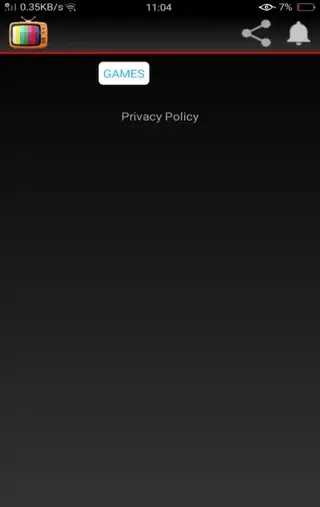
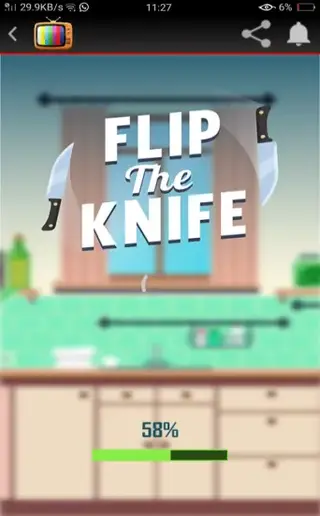
When you open the app, you see a Games option that takes you into the Flip the Knife type game. Once the game loads, you can choose between Play, Settings, Upgrade, and Leaderboard. The core idea is very straightforward: swipe to flip the knife upward and make it stick to the surface.
The difficulty increases as you score more points. New objects appear on the table, landing zones become trickier, and you need better timing and precision. It is designed as a light arcade title that focuses on quick reactions and replay value rather than complex storylines.
Why Download Incognito TV APK from Our Website
Downloading Incognito TV APK from our website lets you get the official installation file directly, without searching around. You can quickly save the APK to your device and start playing the Flip the Knife style game within minutes.
The app is free to install and does not require in-app purchases to enjoy the main gameplay loop. You flip the knife, earn coins, unlock more knives, and try to reach the top of the leaderboard using only your skill and patience.
If you enjoy minimal, reaction-based arcade games that are easy to learn but challenging to master, Incognito TV offers a straightforward way to pass time and test your reflexes against other players.
Every time you stick the knife on the table, you get one point and five coins. You need points to top the leaderboard. This is all you have to know about this gaming. If you are interested in exploring more of these games, we have shared plenty of options. Users can start with Super Mario 3 and Sun Clan Hop.
How Incognito TV Can Be Enjoyable and Useful
Incognito TV is useful for players who want a fast, no-nonsense game that runs in short bursts. Each round lasts only a few seconds, which makes it suitable for quick breaks, commutes, or waiting times.
The scoring and leaderboard system encourages you to refine your timing, improve hand-eye coordination, and chase a better position than your previous runs. Progress gets measured through points and coins, so every successful flip feels rewarding.
Because the controls are simple, most users can pick up the basics quickly. The challenge comes from consistent accuracy, making it a good option for casual players who still like a bit of competition.
How to Download and Install Incognito TV APK
You can download the official Incognito TV APK file directly from our website and install it manually on your Android device. Follow these steps to get started.
Step 1: Download the APK from our website
Scroll to the download section on this page.
Tap the download button for the Incognito TV APK.
Wait until the file finishes downloading on your device.
Step 2: Enable unknown sources
Open your phone settings and go to the security or privacy section.
Allow app installs from unknown or external sources for your browser or file manager.
Step 3: Install the APK
Open your file manager and locate the downloaded Incognito TV APK in the Downloads folder.
Tap the APK file to launch the installation wizard.
Press Install and wait for the process to complete.
Once installation finishes, you can open Incognito TV from your app drawer, load the game, and start flipping the knife.
Features
Simple knife flipping gameplay
Flip a virtual knife upward and try to land it perfectly on the table to score points and collect coins.
Online leaderboard competition
Compete with other players through a global leaderboard and track how your score ranks over time.
Coins and knife upgrades
Earn coins with every successful flip and use them to unlock or upgrade different knife styles in the Upgrade section.
Straightforward controls
Use basic swipe controls to flip the knife, making the game easy to learn for players of all ages.
Adjustable sound settings
Turn background music and sound effects on or off through the Settings menu according to your preference.
Progressive difficulty
Face extra objects and trickier landing zones on the table as your score increases and the challenge ramps up.
Lightweight arcade experience
Small game focused on quick sessions rather than long campaigns, suitable for short bursts of play.
Free to play
Install and play the core game for free without mandatory in-app purchases.
Screenshots

Gameplay Overview
In Incognito TV, each round starts with a knife resting on a table. You swipe the screen to flip the knife into the air. The goal is to land the blade so it sticks to the surface. A successful landing rewards you with one point and five coins, while a failed attempt ends your streak.
As your score improves, the game gradually introduces new objects and surfaces on the table. These elements narrow the safe landing spots and require more precise timing. Because you see your current and best scores, it becomes natural to try to beat your own record as well as other players on the leaderboard.
Controls and Interface
The interface keeps things simple. After the game loads, you see four main buttons: Play, Settings, Upgrade, and Leaderboard.
Play: Start a new knife flipping run.
Settings: Turn game sounds and music on or off.
Upgrade: Spend coins you earned in matches to unlock or enhance knives.
Leaderboard: Check your rank and compare scores with other players.
This layout keeps the focus on quick access to the game and essential options without complex menus.
Device Compatibility and Requirements
Incognito TV is built for Android devices running version 4.1 and above, which covers a wide range of phones and tablets. The game is relatively lightweight, so it can run on many older or budget devices as well.
Because the game content loads online, you should use a stable internet connection, especially when launching the app and accessing the leaderboard or upgrades.
FAQs
Pros
- Simple controls and easy-to-understand gameplay
- Short sessions make it ideal for quick breaks
- Online leaderboard adds competition and replay value
- Free to download and play from our website
- Lightweight app that works on older Android versions
Cons
- Requires an active internet connection to load the game
- Arcade concept may feel repetitive over long play sessions
- Contains ads during gameplay or menus
- Not available on the official Google Play Store
Conclusion
Incognito TV delivers a straightforward knife-flipping arcade challenge with coins, upgrades, and online leaderboards. Download the APK from our website, install it on your Android device, and test how high you can climb on the scoreboard with accurate flips and timing.




Comments
No approved comments yet.