

Influencer Rush 3D
Influencer Rush 3D is a casual 3D runner where you sprint through social media themed tracks, collect likes, and grow your online fame. It is easy to pick up, quick to play, and designed for short, relaxing sessions.
Guide your character through crowds, emojis, and obstacles while boosting your followers and influence score. Each run is a fast race to become a top influencer, with straightforward controls and colorful visuals.
You can download the Influencer Rush 3D APK directly from our website, install it on any compatible Android phone or tablet, and start playing online or offline whenever you have a few spare minutes.
There are different types of games available in the market, which you can play and enjoy. But most of the available games require gaming skills and the gameplay is kind of hard. Crash Bandicoot On The Run and Çukur also provide running gameplay. Try all available unique running games and have fun.
Rate this app
App details
- App name
- Influencer Rush 3D
- Category
- Casual
- Version
- v0.3
- Size
- 50.97 MB
- Requirements
- 6.0 and Above
- Package name
- com.TooLiteral.InfluencerRush3D
- Publisher
- SorbetProductions
- Price
- Free
- Mod
- No
- Downloads
- 122,485
- Rating
- 4.4 / 5
- Rating count
- 3,539
- Play Store
- Yes
- Requires root
- No
- Offline support
- Yes
- Contains ads
- Yes
- In-app purchases
- No
- Updated
- May 11, 2026
- Age rating
- Rated for 3+
Table of contents
What is Influencer Rush 3D?
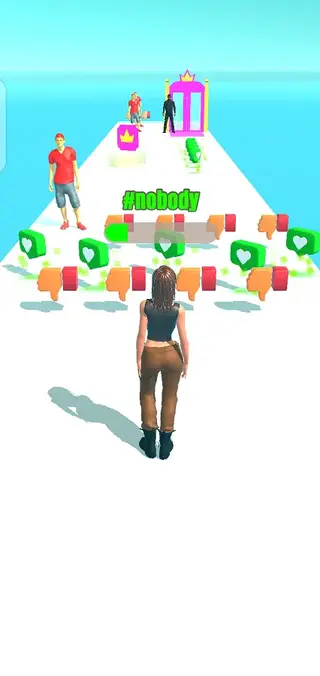
Influencer Rush 3D is an Android casual running game where you play as a rising social media star. Your goal is to run through a 3D course, collect positive reactions such as likes and reviews, and avoid negative items that reduce your popularity.
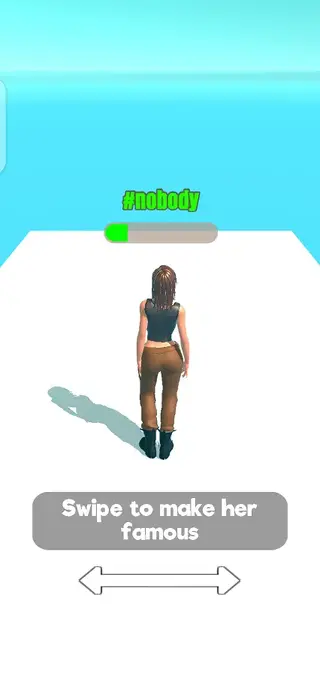
The game uses simple swipe controls. Your character runs forward automatically, and you move left or right to pick up rewards and dodge hazards. As you progress, your influence score and followers increase, and you can unlock access to exclusive areas like clubs by collecting special items such as crowns.
Influencer Rush 3D focuses on light, arcade-style gameplay rather than complex mechanics. You do not need to create an account or sign in, so you can install the APK and start playing immediately on any supported Android device.
Why download Influencer Rush 3D APK from our site?
Downloading the Influencer Rush 3D APK from our website lets you get the listed version directly on your device without extra steps. You can store the installer, share it between your own devices, and reinstall it whenever you need.
The game itself offers quick, satisfying runs with a clear objective: gather as many positive reactions as possible while avoiding dislikes and obstacles. If you enjoy simple runner games with a social media twist, this APK gives you a straightforward way to install and play.
You can also run the game offline after installation. This means you can avoid in-game ads by disabling your internet connection and still enjoy full runs and missions without interruptions.
How Influencer Rush 3D can be enjoyable
Influencer Rush 3D is useful for players who want a light, no-pressure mobile game for short breaks. Runs are brief and repeatable, so you can play a round while commuting, waiting in a queue, or relaxing at home.
The influence mechanic makes each run feel meaningful. Collecting likes, reviews, and crowns gives a clear sense of progression, while avoiding dislikes and obstacles adds a bit of challenge without becoming stressful.
Because the game works offline and does not require registration, it suits users who prefer quick entertainment without creating accounts or staying constantly connected.
How to download and install Influencer Rush 3D APK
You can download the Influencer Rush 3D APK file directly from our website and install it on your Android phone or tablet. Follow these steps to get started:
Scroll to the download section on this page and tap the available Influencer Rush 3D APK download button.
Confirm the download in your browser and wait until the APK file is fully saved on your device.
Open your device settings and enable installation from unknown apps for your browser or file manager if needed.
Locate the downloaded APK in your Downloads folder using a file manager app.
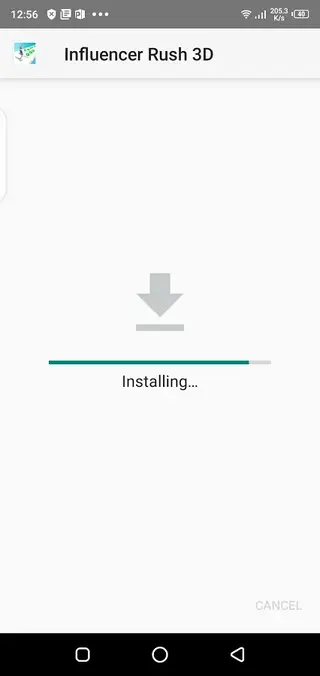
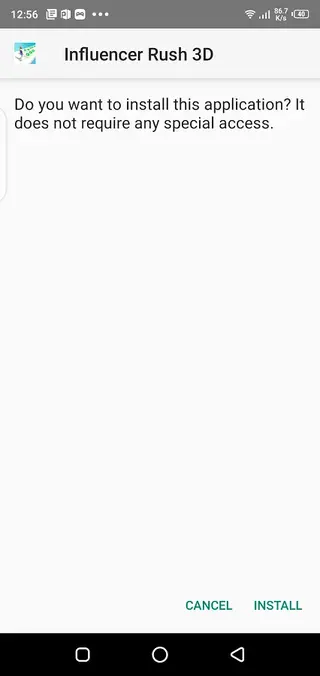
Tap the APK file, review the permissions on the installation screen, and press Install.
Once installation finishes, tap Open to launch Influencer Rush 3D and start playing.
After installing, you can run the game offline if you prefer fewer interruptions, or keep your internet connection on to access online features and content.
Features
Casual 3D runner gameplay
Enjoy simple, fast-paced running gameplay where your character moves forward automatically and you control side-to-side movement.
Influencer themed progression
Collect likes, positive reviews, and followers to increase your influence score and feel your character becoming more popular.
Crowns and club access
Pick up crowns during a run to unlock doors to exclusive club areas and reach higher reward zones.
Simple touch controls
Use intuitive swipe or drag controls to move left and right, making it easy for players of any skill level to start playing.
Obstacles and negative items
Dodge dislikes, hostile characters, and other obstacles that can reduce your popularity or cause you to lose the race.
Single main character
Play with a default character model, keeping the focus on the run and the influence-building mechanics.
Colorful 3D graphics
Run through bright, stylized 3D environments with clear visual feedback for rewards and hazards.
Multiple levels and missions
Progress through various stages and runs, each with its own layout, item placement, and difficulty.
Screenshots

Gameplay tips for better runs
To make the most of each run in Influencer Rush 3D, focus on planning your lane changes early. Watch upcoming items and obstacles so you can slide toward likes and crowns while avoiding dislikes and blocking characters.
When you see club doors ahead, prioritize collecting crowns on the way so you can access these bonus areas. Try several runs in a row to learn the patterns of each level and improve your reaction time without feeling rushed.
Device compatibility and requirements
Influencer Rush 3D is designed for Android devices running version 6.0 and above. For the best experience, keep some free storage space available and close other heavy apps before playing to reduce stutters.
The game is lightweight compared with many 3D titles and is suitable for a wide range of phones and tablets, although performance can vary depending on your device hardware.
Ads and connectivity behavior
The game displays ads while you are connected to the internet, which can interrupt gameplay. If you prefer a smoother experience, you can disable your data or Wi-Fi connection and play offline.
Playing offline keeps the core runner gameplay intact, so you can still complete runs, collect rewards, and enjoy the main features without frequent ad breaks.
FAQs
Pros
- Easy, casual gameplay suitable for quick sessions
- Straightforward controls that are beginner friendly
- Offline mode available after installation
- Fun social media and influencer theme
- No account or registration required to start playing
Cons
- Contains ads that can feel repetitive when online
- Limited character variety in the current version
- Gameplay can feel simple for players seeking depth
Conclusion
Influencer Rush 3D is a light, influencer-themed runner that works well for short, casual play sessions. Download the APK from our website, install it on your Android device, and enjoy quick runs focused on collecting likes, crowns, and followers while avoiding negative obstacles.




Comments
No approved comments yet.