
Iron TV Pro
Iron TV Pro is an IPTV player for Android that lets you load M3U and other compatible playlists to watch live TV channels on your phone or tablet. It focuses on a simple interface with playlist control and quick access to favorite channels.
With Iron TV Pro you can combine your own IPTV lists with the in-app channel sections to build a personal streaming hub. The player supports multiple playlist formats and basic customization so you can organize channels the way you like.
You can download the official Iron TV Pro APK file directly from our website and install it on compatible Android devices running version 5.0 or higher.
Rate this app
App details
- App name
- Iron TV Pro
- Category
- Video Players & Editors
- Version
- v5.1
- Size
- 167.12 MB
- Requirements
- 5.0 and Above
- Package name
- com.mbm_soft.irontvpro
- Publisher
- IRON STORE
- Price
- Free
- Mod
- No
- Downloads
- 394,207
- Rating
- 4.7 / 5
- Rating count
- 3,751
- Play Store
- No
- Requires root
- No
- Offline support
- No
- Contains ads
- No
- In-app purchases
- No
- Updated
- May 30, 2026
- Age rating
- Rated for 16+
Table of contents
What is Iron TV Pro APK
Iron TV Pro is an Android video player and IPTV client designed to play internet TV streams through M3U and similar playlist formats. Instead of bundling a full streaming platform, it works as a flexible player where you can add and manage your own channel playlists.
The app belongs to the Video Players and Editors category and is developed by IRON STORE. Once installed, you can load IPTV playlists, browse in-app channel groups, and switch between live TV streams inside a clean and simple interface.
Iron TV Pro also offers a private area where you can protect selected channels or lists with a password. This helps keep certain content separate from the main interface and is useful for personal or family devices.
The APK on our website corresponds to version 5.1 with support for Android 5.0 and above, so most modern phones and tablets can run it without special configuration or root access.
This app is specially developed to access all types of IPTV services on Android. Therefore, with this exciting app, enjoy accessing the high-end services on an Android device. Explore all available features and have unlimited fun. Get similar services on Flix TWT.
Why download Iron TV Pro for Android
People download Iron TV Pro because it provides a straightforward way to watch IPTV playlists on Android without complex setup. If you already have access to IPTV links or M3U files, this app lets you load them quickly and start watching live TV channels.
The in-app IPTV sections add an extra layer of convenience. You can mix built-in channel lists with your own playlists, save favorites, and organize everything into clear categories. The private section adds password protection, which is helpful when sharing a device with others.
Iron TV Pro focuses on being a lightweight, free IPTV player instead of a full subscription platform. You simply install the APK from our website, add your playlists, and use the player as a central place to manage and watch streams.
How Iron TV Pro is useful
Iron TV Pro is useful for anyone who prefers to manage IPTV streaming through a single Android app. Instead of switching between different tools, you can:
Load M3U or M3U8 playlists and keep them organized.
Browse in-app channel groups for quick access to popular categories.
Create custom playlists that match your viewing habits.
Use a private, password-protected section for selected channels.
This makes the app suitable for users who like to fine-tune their IPTV experience rather than relying only on fixed channel lineups. The simple interface and category-based layout also help new users learn the app quickly.
How to download and install Iron TV Pro APK
You can get the official Iron TV Pro APK file directly from our website. Follow these steps to download and install it on your Android device:
On your Android phone or tablet, open your browser and visit our Iron TV Pro page.
Tap the download button for the Iron TV Pro APK version 5.1 available on our website.
Wait for the APK file to finish downloading to your device.
Open your device settings, go to security or apps, and allow installation from unknown sources if it is not already enabled.
Locate the downloaded APK file in your downloads folder and tap it.
Confirm the installation prompt and wait until the process completes.
Launch Iron TV Pro from the app drawer and start adding your IPTV playlists.
After installation, you can return to our website whenever you need to download the APK again or check for newer versions.
Features
IPTV playlist player
Play IPTV streams by loading compatible playlists such as M3U and M3U8 and manage them in one place.
In-app IPTV channel sections
Access a built-in collection of IPTV channels organized into categories for easier browsing.
Private password-protected section
Create a secure area to store selected channels or playlists behind a password for extra privacy.
Custom playlist management
Add, edit and organize your own IPTV playlists to create a personal channel lineup.
Category based interface
Navigate channels through well organized sections so it is easier to find what you want to watch.
Simple video player controls
Use straightforward playback controls designed for live TV streaming on phones and tablets.
No registration required
Start using the app immediately after installation without creating an account.
Free to download and use
Install the APK and access the IPTV player features without a purchase fee.
Screenshots
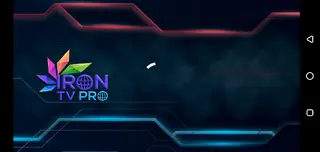
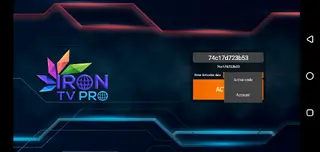
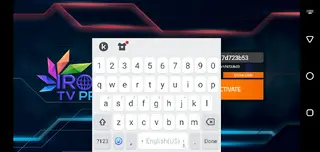
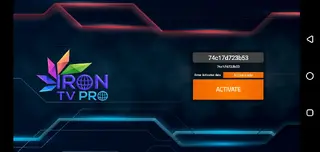
Supported playlist formats
Iron TV Pro focuses on IPTV playback through common playlist formats. The app supports M3U and M3U8 lists, which are widely used to distribute live TV and radio streams. Many IPTV providers deliver channel lineups in these formats, so you can load them directly into the app.
Once you add a playlist, Iron TV Pro reads the channels, groups them into categories when possible, and displays them in a structured list. This helps you move between channels and sections faster than handling separate links manually.
Interface and user experience
The interface in Iron TV Pro prioritizes clarity over complex design. The home screen usually contains sections for playlists, in-app channels, and the private area. Large, readable labels and simple icons make it accessible even for users who are new to IPTV players.
Channel lists are scrollable with quick selection, and playback starts inside the integrated video player. Basic controls allow you to play, pause, and switch streams without extra clutter, which is helpful on smaller screens.
Privacy and parental control options
One standout feature is the private section, which lets you move specific channels or playlists into a password-protected area. This can function as a light parental control method or a way to hide certain content from the main interface.
You can customize which channels appear in this section and adjust the password settings to match your needs. While it is not a full parental control suite, it adds a layer of separation for shared devices.
FAQs
Pros
- Free IPTV playlist player for Android
- Supports popular formats like M3U and M3U8
- Includes in-app IPTV channel sections
- Private password-protected section for selected channels
- No account or registration required
- Simple interface that is easy to learn
Cons
- Requires internet connection for streaming content
- Not available on the official Google Play Store at the time of writing
- Content quality depends on the IPTV playlists you add
- Limited offline use because streams need active network access
Conclusion
Iron TV Pro is a focused IPTV player for Android that helps you load playlists, browse in-app channels, and organize private lists inside a clean interface. You can download the official APK directly from our website, install it on a compatible device, and use it as a central hub for your IPTV streams.




Comments
No approved comments yet.