

iVibrate
iVibrate is a phone vibrator app that lets you turn your Android device into a simple relaxation tool with custom vibration patterns and intensity levels. It focuses on helping users unwind after a long day using the built-in vibration motor.
With a clean interface, one-tap controls, and multiple vibration modes, the app makes it easy to switch between soft, medium, and hard patterns. You can quickly test what feels comfortable and adjust sessions according to your mood or needs.
You can download the official iVibrate APK latest version directly from our website and install it on compatible Android phones and tablets without any complicated setup.
Rate this app
App details
- App name
- iVibrate
- Category
- Health & Fitness
- Version
- v3.9
- Size
- 32.67 MB
- Requirements
- 5.0 and Above
- Package name
- com.kite.ivibrate.phone.vibrator
- Publisher
- KITE GAMES STUDIO
- Price
- Free
- Mod
- No
- Downloads
- 981,261
- Rating
- 4.1 / 5
- Rating count
- 694,718
- Play Store
- Yes
- Requires root
- No
- Offline support
- Yes
- Contains ads
- Yes
- In-app purchases
- Yes
- Updated
- May 15, 2026
- Age rating
- Rated for 3+
Table of contents
What is iVibrate Android App?
iVibrate is a health and relaxation focused Android app developed by KITE GAMES STUDIO. It uses your phone’s vibration motor to generate different patterns and intensities that you can control from a simple on-screen panel.
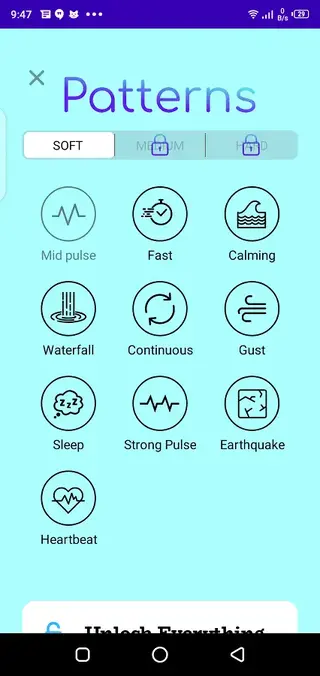
The app offers three main modes – Soft, Medium, and Hard – along with a collection of preset patterns such as Mid Pulse, Fast, Calming, Waterfall, Continuous, and Earthquake. These patterns aim to provide gentle to more intense vibration sessions depending on what you select.
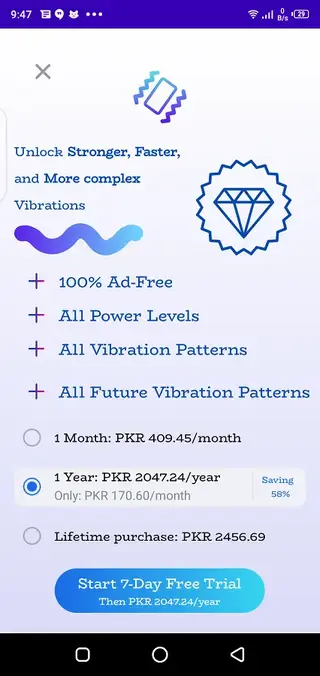
iVibrate follows a freemium model. Basic access gives you soft-mode patterns for free, while premium access unlocks stronger modes, additional patterns, and removes advertising. Everything is managed from one screen, so you can start and stop sessions in a single tap.
The app runs locally on your device and does not require root access. Once installed, you simply open it, choose a mode and pattern, and let the phone vibrate according to your selection.
We got more applications, which are related to human health. So, if you want to get more similar apps, then you guys can try Replika Romantic Partner and Sổ sức khỏe điện tử.
Why Download iVibrate APK from Our Site?
Downloading the iVibrate APK from our website lets you install the current Android version directly, even if you prefer manual APK installation over using an app store client. The file available here matches the official package name and version information listed for the app.
By keeping the installer on your device, you can easily reinstall iVibrate, share it with your other Android devices, or roll back to this version if you update later and prefer the previous experience.
Our download section provides a clear button for the APK file, along with key details such as version number, Android requirement, and approximate file size, so you know exactly what you are installing.
How iVibrate Can Be Useful?
Many people finish the day with muscle tension, stress, or a restless mind. iVibrate aims to offer a quick way to trigger soothing vibrations using just your phone, without extra hardware.
The combination of Soft, Medium, and Hard modes with different rhythm patterns gives you flexibility. You can choose shorter, pulsing patterns when you want stimulation or more continuous ones when you aim for a calmer effect.
Because the app is simple and focused on vibration control, it suits users who do not want complex tracking features or accounts. Open the app, pick a pattern, adjust the intensity if required, and let it run for a short session.
It can complement other relaxation habits such as breathing exercises or listening to calming sounds, though it does not replace professional medical or therapeutic tools. Users should always listen to their body and stop use if they feel discomfort.
How to Download and Install iVibrate APK?
You can get the official iVibrate APK directly from our website and install it on any compatible Android device that meets the minimum requirements.
Follow these steps to download and install:
Scroll to the download section of this page and tap the iVibrate APK download button.
Wait for the APK file to finish downloading to your device.
Open your phone settings and, if needed, allow installation from unknown apps for your browser or file manager.
Locate the downloaded APK in your Downloads folder and tap it.
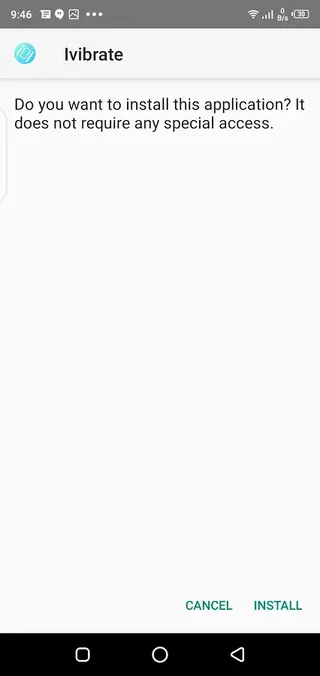
Review the installation prompts and tap Install.
Once installation completes, tap Open or find iVibrate in your app drawer to start using it.
After the first installation, you can launch iVibrate anytime without repeating these steps, and you can return to our site to download the APK again if you ever need to reinstall.
Features
Multiple vibration modes
Choose between Soft, Medium, and Hard modes to adjust overall vibration intensity according to your comfort level.
Preset vibration patterns
Use built-in patterns like Mid Pulse, Fast, Calming, Waterfall, Continuous, and Earthquake to quickly start a session.
One-tap start and stop
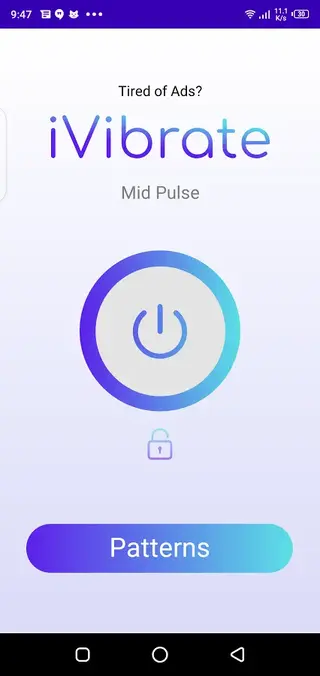
Control vibration with a single button so you can begin or end sessions instantly without navigating multiple menus.
Simple user interface
Enjoy a minimal, user-friendly layout that focuses on mode selection and pattern choice for quick use.
Freemium access model
Access soft-mode patterns for free, then optionally unlock higher intensities and more patterns through premium access.
Ad-supported free version
Use the app for free with ads, or upgrade to remove advertising and enjoy a cleaner experience.
Works offline
Run vibration sessions without an internet connection after you download and install the app on your device.
Designed for phones and tablets
Install and use iVibrate on most modern Android smartphones and tablets that include a vibration motor.
Screenshots
Device Compatibility and Requirements
According to the available information, iVibrate supports Android 5.0 and above, which covers most modern smartphones and tablets. The app relies on the device’s built-in vibration motor, so it works best on phones that support strong and consistent vibration feedback.
Performance and intensity can vary slightly between devices from different manufacturers, as vibration hardware is not identical across all models. If your device has vibration disabled at the system level, you will need to enable it in settings for the app to function properly.
Tips for Comfortable Use
To make iVibrate more comfortable and practical, consider starting with the Soft mode and shorter sessions. You can gradually test different patterns such as Calming or Waterfall to see what feels right for you.
Avoid very long continuous use to reduce potential strain on your device battery and vibration motor. If you notice any discomfort or excessive heating of your phone, stop the session and let the device rest.
Remember that iVibrate is intended as a simple relaxation helper and does not replace professional medical treatment or devices. Use it sensibly and in line with your own comfort level.
FAQs
Pros
- Simple interface makes vibration control easy for all users
- Multiple modes and patterns provide flexible vibration options
- Works offline after installation without constant internet access
- Free version available so users can test before paying for premium
- Premium upgrade removes ads and unlocks additional content
Cons
- Intense or prolonged vibration may drain battery faster
- Full feature set requires in-app purchases for premium access
- Effectiveness for relaxation can vary between users
- Limited functionality beyond vibration control and patterns
Conclusion
iVibrate is a straightforward vibration controller app that turns your Android device into a customizable vibration tool. With clear controls, preset patterns, and optional premium upgrades, it suits users who want a simple way to experiment with vibration-based relaxation. You can download the latest official iVibrate APK directly from our website and start using it on supported Android phones and tablets.




Comments
No approved comments yet.