

Kasir Pintar Pro
Kasir Pintar Pro is a point of sale and business management app designed for small and medium businesses that want to run their store from an Android device. It brings core POS tools into a compact and practical mobile solution.
With product catalog management, barcode scanning, receipt printing, and cloud backup, the app helps shop owners, cafes, and service businesses record sales more accurately. You can track stock, monitor staff activity, and review performance reports in one place.
You can download the Kasir Pintar Pro APK latest version directly from our website and start using it on compatible Android phones or tablets to modernize your cashier system without expensive hardware.
Rate this app
App details
- App name
- Kasir Pintar Pro
- Category
- Business
- Version
- v4.1.1
- Size
- 88.11 MB
- Requirements
- 5.0 and Above
- Package name
- org.owline.kasirpintarpro
- Publisher
- PT Kasir Pintar Internasional
- Price
- Free
- Mod
- No
- Downloads
- 75,372
- Rating
- 4.8 / 5
- Rating count
- 26,690
- Play Store
- Yes
- Requires root
- No
- Offline support
- Yes
- Contains ads
- No
- In-app purchases
- Yes
- Updated
- Jun 2, 2026
- Age rating
- Rated for 12+
Table of contents
What is Kasir Pintar Pro?
Kasir Pintar Pro is an Android-based POS and accounting assistant developed by PT Kasir Pintar Internasional. The app turns your phone or tablet into a smart cash register that can record sales, manage inventory, and generate reports for your business.
It is an Android application, which is developed by PT Kasir Pintar Internasional. It offers the best account management system for the users, by which they get all the services related to accounts. It is a free business management app just like YanApp, which offers all these services for free.
Instead of relying only on desktop software or expensive registers, Kasir Pintar Pro lets you register products, set prices, and handle transactions directly from mobile devices. You can store detailed product information such as price, barcode, manufacture date, and expiry date, then search them quickly during checkout.
The app supports barcode scanning, thermal receipt printers, and cloud synchronization, so your transaction data and stock levels stay organized and accessible. It targets retail shops, minimarkets, F&B outlets, and service businesses that need a flexible and affordable cashier system.
Why download Kasir Pintar Pro APK from our website?
Downloading the Kasir Pintar Pro APK from our website lets you install the current Android version directly on your device without waiting for store updates. You get the official file listed for this version, along with key details like version number, Android requirements, and basic app information in one place.
Our download page focuses on business owners who want a straightforward way to set up a mobile cashier system. Alongside the APK, you can read about features such as barcode scanning, staff activity logging, receipt printing support, and cloud backup, so you know what to expect before installing.
If you manage a small shop, cafe, or multi-branch business and want to test Kasir Pintar Pro on different devices, having the APK readily available on our website makes it easier to deploy and update across your team.
How Kasir Pintar Pro is useful for your business
Kasir Pintar Pro helps business owners reduce manual calculations and paperwork. By entering product data once, you can then scan or search items during checkout and let the app calculate totals, change, discounts, and payment breakdowns for cash, debit, or transfer.
The app supports monthly and daily overviews with summaries of total transactions, revenue, and profit or loss indicators. These reports help you understand sales trends, stock movement, and staff productivity without relying on separate spreadsheets.
Because it syncs to cloud storage, Kasir Pintar Pro can keep your transaction history and item data available across devices. Combined with plugins like food menu management, supplier tracking, online catalog, and tax management, it becomes a practical tool to monitor store performance and support business decisions.
How to download and install Kasir Pintar Pro APK
You can get the Kasir Pintar Pro APK file directly from our website and install it on your Android device. Follow these steps to complete the process smoothly:
Scroll to the download section on this page and tap the available Kasir Pintar Pro APK button.
Wait for your browser to finish downloading the APK file to your device.
On Android, open your Downloads folder and tap the APK file.
If prompted, allow installation from this source in your phone’s security or app settings.
Tap Install and wait until the process completes.
Open Kasir Pintar Pro, create or sign in to your account, then start adding products and testing the POS features.
Make sure your device meets the minimum Android version listed in the app details before installing.
Features
Complete mobile POS system
Turn your Android phone or tablet into a full POS for recording sales, managing items, and printing receipts.
Product catalog and inventory
Register products with names, prices, barcodes, and expiry information, then track stock levels and movement.
Fast search and barcode scanning
Find items quickly with keyword search or use the built-in barcode scanner for faster checkout.
Built-in business calculator
Calculate totals, change, and payment splits for cash, debit, and bank transfer directly inside the app.
Monthly and daily reports
View transaction summaries, revenue tracking, and profit or loss style reports for selected periods.
Cloud-based data storage
Store transaction and product data in the cloud so it can be backed up and accessed from supported devices.
Staff activity logging
Monitor staff performance and sales activity with logs and employee performance reports.
Branch and multi-outlet support
Manage sales data from multiple branches or outlets within the same ecosystem, depending on your plan.
Screenshots

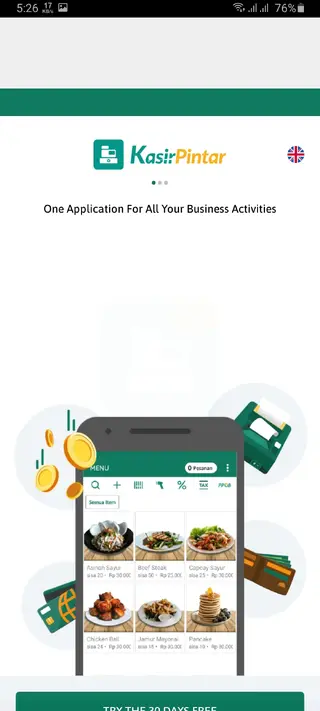

Kasir Pintar Pro for different types of businesses
Kasir Pintar Pro is flexible enough to support various business models. Retail shops and minimarkets can benefit from barcode-based checkout, stock monitoring, and supplier management. Cafes and restaurants can use the food menu plugin to organize menu items, track orders, and handle dine-in or takeaway sales.
Service-based businesses such as salons, repair centers, or clinics can register services as items, set pricing, and issue receipts through supported thermal printers. By centralizing sales records and staff activity, the app offers a clearer view of which products or services perform best and when peak hours occur.
Printer and hardware support
Kasir Pintar Pro supports common thermal printers, including many Epson thermal printer models and WiFi thermal printers that are widely used in retail. This allows you to print receipts for customers without investing in a full traditional cash register.
In addition, the app works with barcode scanners and Android devices that have built-in cameras for scanning barcodes. Hardware compatibility can vary by model, so it is recommended to test your printer and scanner setup after installing the app and before deploying it in daily operations.
Tips for getting started efficiently
To get the most out of Kasir Pintar Pro from day one, start by organizing your product or service list outside the app. Prepare names, prices, barcodes, and categories before manual entry. This makes initial setup faster and reduces mistakes.
Next, configure staff accounts and access rights according to each role, so you can track who performs which transactions. Finally, review daily and monthly reports regularly to understand which items sell best, identify slow-moving stock, and adjust purchasing and pricing strategies based on clear data.
FAQs
Pros
- Mobile POS app designed for small and medium businesses
- Barcode scanning and fast search speed up checkout
- Supports thermal receipt printers for printed bills
- Cloud backup reduces risk of data loss and enables multi-device use
- Detailed reports help track revenue, profit, and staff performance
Cons
- Initial manual data entry for all items can be time consuming
- Some advanced features may require subscriptions or paid plans
- Requires stable internet connection for full cloud functionality
- Interface and feature set may feel complex for first-time POS users
Conclusion
Kasir Pintar Pro is a practical Android POS solution for shop owners who want to manage sales, stock, and reports from a mobile device. You can download the current APK version from our website, install it on compatible phones or tablets, and start organizing your cashier workflow with a more structured system.




Comments
No approved comments yet.