

Linky
Linky is an AI-powered social app where you chat with virtual characters in dynamic storylines. Your messages shape relationships, unlock scenes, and reveal new events.
The app mixes AI chat, character cards, and gacha-style collectibles to create a lightweight visual novel experience on your phone. You can talk, flirt, roleplay, and experiment with different choices at your own pace.
You can download the official Linky APK/XAPK latest version directly from our website and start chatting with AI companions on any compatible Android device.
Rate this app
App details
- App name
- Linky
- Category
- Social
- Version
- v3.24.1
- Size
- 373.31 MB
- Requirements
- 4.1 and Above
- Package name
- com.aigc.ushow.ichat
- Publisher
- Skywork AI Pte. Ltd.
- Price
- Free
- Mod
- No
- Downloads
- 81,777
- Rating
- 4.7 / 5
- Rating count
- 29,171
- Play Store
- Yes
- Requires root
- No
- Offline support
- No
- Contains ads
- Yes
- In-app purchases
- Yes
- Updated
- Jun 5, 2026
- Age rating
- Rated for 3+
Table of contents
What is Linky App
Linky is a social and entertainment app for Android that lets you chat with AI-generated characters through a familiar messaging-style interface. Each character has its own background, personality, and relationship to you, so conversations feel like ongoing stories instead of one-off chats.
The app is developed by Skywork AI Pte. Ltd. and is available on Google Play in selected regions. On compatible Android phones and tablets, you can install the Linky APK or XAPK and instantly access a list of characters who text you first, react to your replies, and evolve their stories over time.
Linky combines elements of AI chatbots, dating simulators, and story-driven games. You do not wait for real people to respond; instead, AI characters answer in seconds, adapt to your tone, and can send images or special cards when the relationship deepens.
Linky Android is the first AI-Soical App providing an interactive and interesting platform to improve social skills. This is a simple mobile application providing contacts of multiple characters. Each available character has some relation with you. However, your response will make changes to the storylines. Hence, explore and have fun spending time on this platform. The Omegle Brasil and Profoundly also provide similar services.
Why Download Linky for Android
People download Linky because it provides a low-pressure way to socialize, practice conversations, and enjoy interactive fiction without relying on real-time human replies. You can explore romantic, friendly, or casual storylines and see how different messages change the outcome.
The app is especially appealing if you like visual novels, AI companions, or character collecting. Linky uses a gacha system for unlocking new images and cards, so regular chatting and smart use of points keep rewarding you with fresh content.
Because the official installation file is available directly on our website, you can get the latest Linky version even if it is not yet visible in your local Play Store region, as long as your device meets the Android version requirements.
How Linky Can Be Useful
Linky is more than a simple chatbot. It can help you:
Practice conversation skills, small talk, and flirting in a private environment.
Experiment with different choices and see how they influence storylines and relationships.
Relax after a long day by following light, character-driven stories.
Explore personality types and dialogue styles through multiple AI characters.
Because characters respond almost instantly, Linky can fill spare moments with short, engaging interactions. The ability to create custom characters from your own images also lets you personalize the experience and tailor it to your interests.
How to Download and Install Linky APK
You can download the latest official Linky APK or XAPK file directly from our website. Follow these steps on your Android device:
Scroll to the download section on this page and tap the download button for Linky.
Wait for the APK or XAPK file to finish downloading to your phone or tablet.
Open your device settings, go to Security or Apps, and allow installation from unknown sources if it is not already enabled.
Locate the downloaded file in your Downloads or file manager and tap it to start installation.
Follow the on-screen prompts to complete the setup, then open Linky and sign in or create your profile.
Once installed, you can log in, pick a character, and start chatting immediately using the AI-powered messaging interface.
Features
AI character chat
Chat with multiple AI-driven characters, each with unique personalities, stories, and relationships to your profile.
Branching storylines
Your replies influence how conversations develop, which scenes you unlock, and how close you become to each character.
Character list and contacts
Start from a built-in contact list that includes different characters like Emily, Isabella, Rebecca, Sophia, Max, Lily and Lulu, and more.
Realistic responses
AI generates context-aware answers that adapt to your tone and wording, making conversations feel more natural.
Gacha spin system
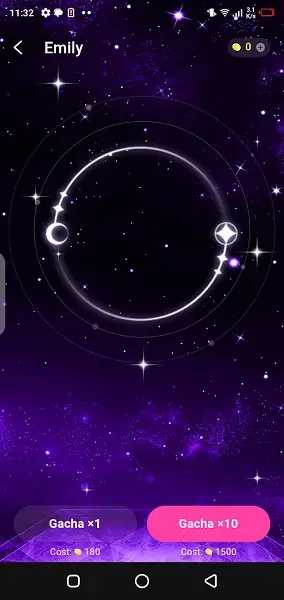
Use the in-app gacha feature to spin for special cards and pictures linked to each character when you have enough points.
Collectible picture cards
Unlock, view, and collect exclusive character images and cards as you progress and use the gacha system.
Custom character creation
Upload an image and use prompts or tags to turn it into a personalized animated character with its own appearance.
Interface customization
Adjust the look and feel of the app to make chatting and browsing characters more comfortable for you.
Screenshots
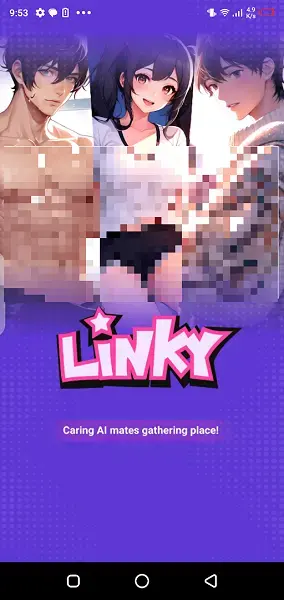
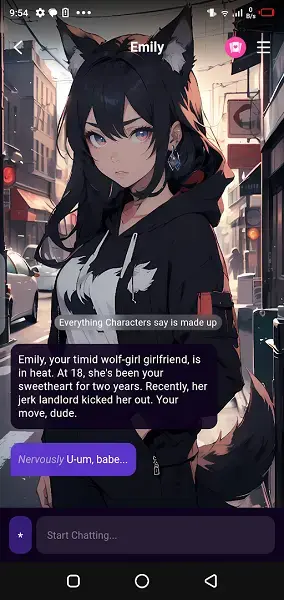
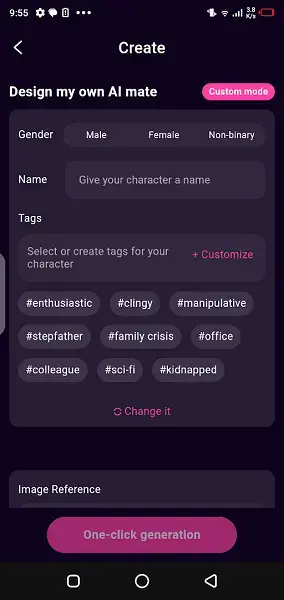
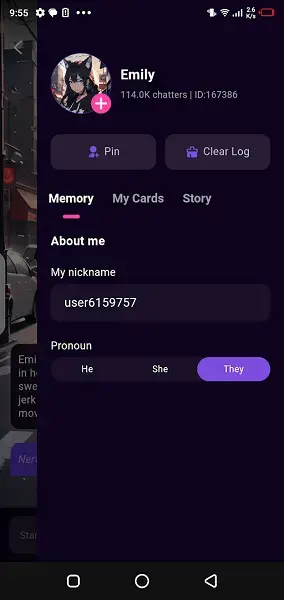
Character Types and Relationship Progression
Linky offers a mix of personalities, from friendly and supportive characters to more playful or mysterious ones. The list includes characters such as Emily, Isabella, Rebecca, Sophia, Max, Lily and Lulu, Carrie, Karin, Sherry, and others.
Your relationship level grows as you keep talking and choosing replies that match a character’s personality. Better relationships can unlock special dialogues, images, and unique scenarios, giving you an incentive to experiment with different reply styles.
Custom Characters and Personalization
One of Linky’s standout options is custom character creation. You can upload an image and then use descriptive prompts or tags to shape how the character looks as an animated avatar.
This feature lets you tailor the app to your preferences. You might design a character that resembles a favorite fictional persona, a completely original creation, or simply a style you enjoy. Combined with interface adjustments, this makes Linky feel more personal over time.
FAQs
Pros
- Fun AI chats with many characters and personalities
- Branching stories where choices affect relationships
- Built-in gacha system for unlocking collectible images
- Custom character creation using your own images
- Simple, chat-style interface that is easy to use
Cons
- Requires an internet connection for AI responses
- Access to some content depends on points and purchases
- Regional restrictions in the Play Store in some countries
Conclusion
Linky offers a light, story-focused AI chat experience built around distinct characters, gacha rewards, and customizable avatars. If you want to experiment with interactive conversations and collectible cards in one place, you can download the official Linky APK from our website and start exploring its features on your Android device.




Comments
No approved comments yet.