

MLUAS
MLUAS is an Android tool that injects skins and visual customizations into Mobile Legends Bang Bang. It helps players apply premium-looking outfits, heroes, and effects without using in-game diamonds.
This injector focuses on a simple interface where you pick a hero and choose a skin, then apply it in a few taps. You can download the MLUAS APK directly from our website and install it on compatible Android phones and tablets.
Because it modifies an online game, it is an unofficial tool and may conflict with the game’s rules. Users should understand the risks before using it, especially on main Mobile Legends accounts.
Rate this app
App details
- App name
- MLUAS
- Category
- Tools
- Version
- v2.5
- Size
- 11.63 MB
- Requirements
- 5.0 and Above
- Package name
- com.my.newproject4
- Publisher
- Mluas ML
- Price
- Free
- Mod
- No
- Downloads
- 59,272
- Rating
- 4.7 / 5
- Rating count
- 20,194
- Play Store
- No
- Requires root
- No
- Offline support
- No
- Contains ads
- No
- In-app purchases
- No
- Updated
- May 16, 2026
- Age rating
- Rated for 3+
Table of contents
What is MLUAS APK?
MLUAS is a third-party skin injector for Mobile Legends Bang Bang designed for Android devices. Instead of buying diamonds to unlock cosmetic content, this tool lets you apply a wide range of skins, costumes, and hero models from an external app.
The interface is built around categories for different hero roles and characters. After you select a hero, you can browse available outfits and inject a preferred skin into your game data. The process is automated inside the tool, so you do not need to paste external scripts or configuration files.
MLUAS targets users who want visual customization only. It focuses on changing hero appearances, costumes, and related effects rather than altering core gameplay mechanics. It is not an official Mobile Legends product, and it works by modifying game resources on your device.
This APK is intended only for Android 5.0 and above. You download the file from our website, install it manually, and then run the injector alongside Mobile Legends.
In general, there are some older kinds of stuff that are still quite popular among the users, so they love to use them for their most favorite Heroes, and that is why we have included them here in our list of our favorite old stuff. Users can get similar services in other ML Tools like MSC ML Injector and Brutal Cheats MLBB.
Why Download MLUAS for Android?
Players download MLUAS because it offers a quick way to experiment with a large library of Mobile Legends skins. Instead of waiting for events or spending diamonds, you can preview and apply different outfits directly from a single menu.
The app groups skins by role and hero name, which makes it easier to find cosmetics for favorites like Saber, Lancelot, Gusion, Ling, Wanwan and others. For many users, the main appeal is visual variety and the ability to refresh the look of their roster whenever they like.
MLUAS is also lightweight and simple to navigate, so you do not need technical knowledge to use it. You open the app, tap the shirt icon or hero list, pick a hero and choose a skin. Then you follow the on-screen process to inject it into the game.
However, downloading and using this injector means accepting that it is unofficial software that interacts with an online game. Some players choose to test it on alternate accounts to limit potential risk.
How is MLUAS Useful for MLBB Players?
For Mobile Legends fans who care about cosmetics, MLUAS can be a convenient way to explore different visual styles. It brings old and new skins together, including epic and special costumes that many users may not normally access.
The tool is useful if you like to rotate looks for multiple heroes in quick sessions. You can jump into the app, switch skins for several characters and then open the game to see the changes.
Because the injector focuses on appearances, it primarily targets players interested in collection and aesthetics. It allows experimentation with costumes, color schemes, and character themes without changing the base gameplay balance.
At the same time, users must remember that this kind of tool can go against the game’s terms of service. Its usefulness should always be weighed against the possibility of detection or account-related issues.
How to Download and Install MLUAS APK
You can download the official MLUAS APK file directly from our website. Make sure your device runs Android 5.0 or higher and has enough free storage before starting.
Follow these steps to download and install:
Scroll to the download section on this page and tap the APK download button for MLUAS version 2.5.
Wait for the APK file to finish downloading to your Android device.
Open your device settings and enable installation from unknown sources for your browser or file manager.
Use a file manager to locate the downloaded MLUAS APK in your Downloads folder.
Tap the file and choose Install, then wait until Android completes the installation process.
Launch MLUAS from your app drawer, grant the requested permissions if prompted and start selecting skins to inject.
After installation, you can reopen the app whenever you want to change or apply new skins. If the game updates and some skins stop working, you may need to download an updated version from our website when it becomes available.
Features
Wide mobile legends skin library
Access a collection of skins for many Mobile Legends heroes, from older outfits to newer releases, covering multiple roles and characters.
Hero based organization
Browse cosmetics by selecting specific heroes such as Saber, Gusion, Ling, Wanwan, Chou, Akai and more, making it easier to find desired skins.
One tap skin injection
Apply selected skins with a few taps. The app automates the injection process without needing external scripts or manual configuration.
Support for multiple roles
Includes skins for assassins, marksmen, fighters, tanks and other roles so you can customize your entire lineup, not just one category.
Epic and special costumes
Offers access to epic style skins and visually rich costumes with unique effects and themes for various heroes where available.
Simple user interface
Uses clear icons like a shirt symbol and straightforward menus so new users can navigate and inject skins without a learning curve.
Works on phones and tablets
Designed for Android smartphones and tablets running Android 5.0 and above, allowing you to use it across different mobile devices.
Regular update approach
The tool typically follows game updates so that newly added heroes and skins can be integrated over time when the developer releases new builds.
Screenshots
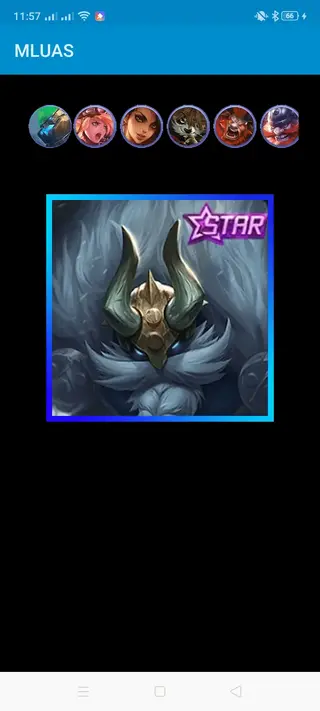
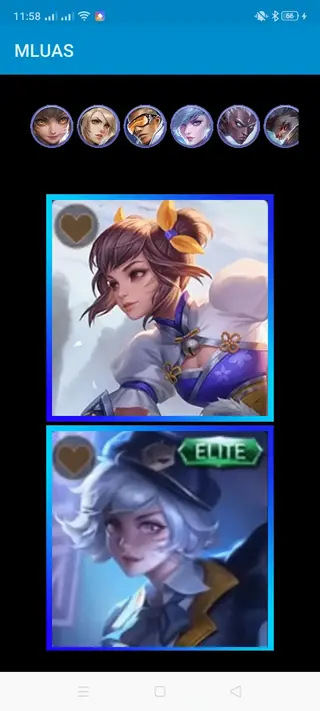
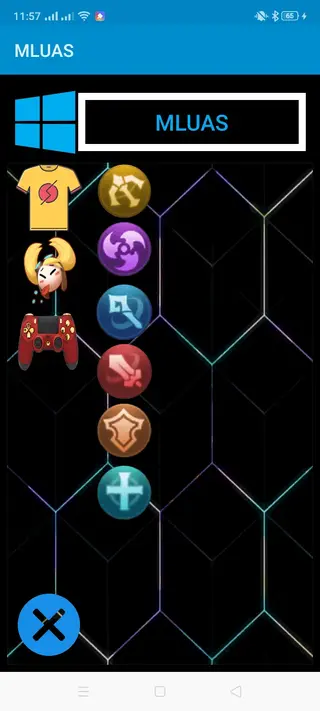
How to Use MLUAS to Apply Skins
After installing the app, using MLUAS is mostly about choosing a hero and then a skin. The layout is simple, so even new users can follow it without confusion.
A typical usage flow looks like this:
Open MLUAS on your Android device.
Tap the main icon or the shirt symbol to access the hero list.
Select the hero you want to customize, such as Saber, Gusion, Ling or Wanwan.
Browse the available skins and tap the one you want to inject.
Follow the on screen instructions to complete the injection.
Open Mobile Legends and check whether the selected skin shows up correctly.
If a skin does not appear or stops working after an update, try reinjecting it or waiting for a newer build of the injector. Because the game receives frequent security and content changes, compatibility can vary over time.
Risks and Account Safety Considerations
Using an injector like MLUAS always involves some level of risk. Mobile Legends has security mechanisms designed to detect unfair modifications, and any third party hack can potentially trigger them.
Many players reduce risk by:
Testing the app only on guest or alternate accounts.
Avoiding the use of highly suspicious or obviously hacked combinations.
Keeping the injector updated when new versions are released.
Stopping use immediately if they notice unusual behavior or warnings.
There is no guarantee that an account will remain safe while using tools like this, so each user has to decide whether the visual benefits outweigh the possible consequences.
Compatibility and Technical Requirements
MLUAS is built for Android devices and follows standard APK installation rules. It does not rely on root access, which makes it accessible to a wider audience, but it still needs basic compatibility conditions.
Key requirements include:
Android 5.0 or higher installed on your phone or tablet.
Sufficient internal storage to hold both the APK and the modified game data.
A stable internet connection when playing Mobile Legends, since the game itself is online.
Permission to install apps from unknown sources in your system settings.
Performance can vary by device. Lower end phones may experience slowdowns if both the game and injector run with limited memory. Closing background apps and keeping some free space can help maintain smoother gameplay.
FAQs
Pros
- Provides a large variety of Mobile Legends skins in one app
- Simple interface makes skin selection and injection easy for beginners
- Supports many popular heroes and roles across the roster
- No root access is required on most modern Android devices
- Lightweight APK suitable for phones and tablets with limited resources
Cons
- Unofficial and considered a cheating tool by the game developer
- Possible risk of account warnings or bans if detected
- May break or stop working after major Mobile Legends updates
- Not available on Google Play Store and requires manual installation
- Online connection and game compatibility can affect stability
Conclusion
MLUAS is a dedicated Mobile Legends skin injector for Android that focuses on visual customization across many heroes. It offers quick access to a wide range of costumes and effects, all managed from a straightforward interface. Because it is an unofficial hacking tool for an online game, users should carefully consider the risks and preferably test it on secondary accounts before regular use.




Comments
No approved comments yet.