

Mobiblog
Mobiblog is a lightweight Android app that brings curated blogs, news, and entertainment updates together in one simple feed. It helps you follow popular posts from different websites without jumping between multiple browser tabs.
With organized sections for trending stories, sports, entertainment, and more, the app focuses on readable, image-supported articles. You can browse fresh content quickly and comfortably on your phone or tablet.
The original APK file for Mobiblog is available on our website, so you can download the latest version directly and start exploring articles in a few moments.
On the web, you can find multiple types of content, which you can easily read and enjoy. However, finding accurate content on the web is rare. Apps such as Sharea and GB News App do offer instant real content. However, try the new app specially developed for readers here.
Rate this app
App details
- App name
- Mobiblog
- Category
- News & Magazines
- Version
- v0.0.25
- Size
- 5.31 MB
- Requirements
- 5.0 and Above
- Package name
- com.mobylogapp.app
- Publisher
- Michele Riso
- Price
- Free
- Mod
- No
- Downloads
- 69,193
- Rating
- 4.2 / 5
- Rating count
- 1,581
- Play Store
- No
- Requires root
- No
- Offline support
- No
- Contains ads
- No
- In-app purchases
- No
- Updated
- May 2, 2026
- Age rating
- Rated for 3+
Table of contents
What is Mobiblog App?
Mobiblog is a free Android application that aggregates blog posts and articles from different online sources and presents them in a clean, mobile-friendly format. Instead of manually searching the web every time you want to read something new, you can open the app and explore ready-made lists of popular and recent posts.
The app focuses on readable, short to medium-length content with featured images and clear titles. Users can discover stories across multiple topics, including general news, sports updates, celebrity and entertainment coverage, and various informative blog posts.
Mobiblog works like a content hub: it highlights trending posts, helps readers find interesting articles quickly, and offers a smooth scrolling experience that feels more convenient than browsing random websites through a browser.
Why Download Mobiblog APK from Our Site?
Downloading the Mobiblog APK from our website lets you get the official file in its latest available version without extra searching. You do not need to rely on app stores, as the app is currently not listed on Google Play.
Once installed, Mobiblog gives you a quick way to read blogs and news on your Android device, with sections that surface popular and relevant posts. If you own a blog or website, you can also submit your content to appear in the app and potentially reach more readers.
Our download page keeps the core details in one place, including version information, Android requirements, and direct access to the APK file, so you can install the app with confidence and start reading within minutes.
How Mobiblog Is Useful for Readers and Bloggers?
Mobiblog is useful for everyday readers who want a simple solution for discovering fresh content. Instead of browsing multiple sites, you get structured sections like popular posts, sports, and entertainment, which saves time and makes casual reading more enjoyable.
For bloggers and site owners, Mobiblog can also act as an additional exposure channel. By submitting your content to the platform, you may attract new visitors who browse through the app’s collections of articles and discover your posts alongside other popular blogs.
Because the app is free to use, with no registration required and no ads mentioned in the original description, it suits users who prefer a straightforward reading tool without unnecessary distractions.
How to Download and Install Mobiblog APK?
You can download the latest Mobiblog APK directly from our website. Follow these steps to get the app on your Android phone or tablet:
Scroll to the download area on this page and tap the available Mobiblog APK download button.
Wait for the APK file to finish downloading to your device.
Open your device settings and enable installation from unknown sources if it is not already allowed.
Locate the downloaded APK file in your file manager or downloads folder.
Tap the file, confirm installation, and wait until the process completes.
Launch Mobiblog from your app drawer and start exploring the latest blogs and news.
After installation, you can open the app anytime to check fresh content without going back to a browser.
Features
Curated blog collections
Browse a handpicked collection of blogs and articles grouped in an easy-to-read layout.
Popular posts section
View trending and most-read posts in one place to quickly find what others are enjoying.
Sports news updates
Follow recent sports-related articles and updates from different online sources.
Entertainment coverage
Read about celebrities, movies, shows, and entertainment industry news inside the app.
Multiple content types
Access different types of informational and news content instead of being limited to one niche.
Featured images on posts
Each blog entry includes a featured image to make the feed more visual and easier to scan.
Simple mobile interface
Use a clean, user-friendly interface designed for quick reading on phones and tablets.
No registration required
Start reading immediately without creating an account or logging in.
Screenshots
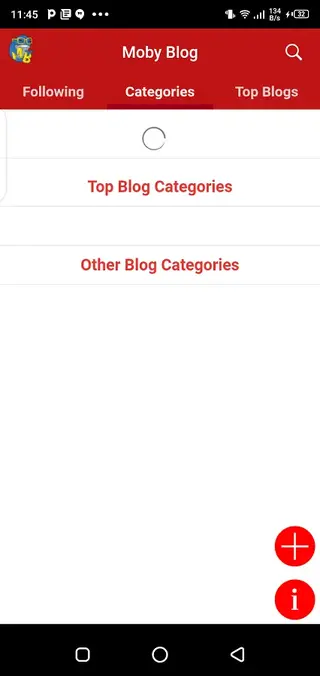

Content Categories Available in Mobiblog
Mobiblog organizes its articles into different content areas so readers can jump straight to the topics they like most. The main sections include:
Popular posts for trending and widely read articles.
Sports for match news, results, and commentary.
Entertainment for celebrity news, movies, and lifestyle content.
This structure keeps the reading experience focused and helps users discover new posts without scrolling through unrelated topics.
Device Compatibility and Requirements
Mobiblog is designed for Android devices running Android 5.0 and above, which covers a wide range of modern phones and tablets. The app is lightweight, so it should run smoothly on most devices that meet the minimum system requirements.
To get the app, simply download the APK file from our website and install it through your device’s package installer. Once installed, you can open the app like any other Android application.
Tips for Getting the Best Experience
To get the most out of Mobiblog, make sure your internet connection is stable so new articles can load quickly. Check the popular section regularly to spot trending posts and explore different categories such as sports and entertainment when you want a change of pace.
If you manage a blog or online publication, consider submitting your content for inclusion so that Mobiblog users can discover your posts directly inside the app.
FAQs
Pros
- Free to download and use on Android
- Clean interface focused on reading blogs and news
- Curated sections for popular, sports, and entertainment content
- Featured images make articles easier to browse
- No registration required to start reading
- Lightweight APK suitable for most modern Android devices
Cons
- Not available on Google Play Store
- Requires an active internet connection for new content
- Limited configuration or personalization options are publicly documented
- Content catalog depends on connected sources and submissions
Conclusion
Mobiblog is a straightforward Android app for discovering and reading curated blogs, news, sports, and entertainment posts in one place. If you want a simple, free reader that highlights popular articles and does not require sign-up, you can download the official Mobiblog APK from our website and start exploring content on your device in a few minutes.




Comments
No approved comments yet.