
Moshup App
Moshup App is a creative photography and video tool that lets you record live datamosh-style clips directly on your Android phone. It focuses on glitch transitions and pixel blending instead of classic filters.
With its built-in camera and simple controls, you can overlap frames, smear motion, and generate distorted transitions in real time. You do not need editing experience, just point, record, and experiment with movement.
You can download the latest Moshup App APK directly from our website and start turning everyday moments into abstract glitch art on your Android device. There are some other top apps similar to this one on this site like, Blur App.
Rate this app
App details
- App name
- Moshup App
- Category
- Photography
- Version
- v1.0.45
- Size
- 4.88 MB
- Requirements
- 6.0 and Above
- Package name
- com.pytebyte.moshup
- Publisher
- PyteByte
- Price
- Free
- Mod
- Yes
- Downloads
- 100,922
- Rating
- 4.6 / 5
- Rating count
- 50,349
- Play Store
- Yes
- Requires root
- No
- Offline support
- Yes
- Contains ads
- No
- In-app purchases
- No
- Updated
- May 12, 2026
- Age rating
- Rated for 7+
Table of contents
What is Moshup App
Moshup App is a photography and video application for Android that specializes in datamoshing, a visual effect where frames and pixels from different shots blend, smear, and glitch into each other. Instead of only capturing clean photos or videos, the app focuses on creative distortion and pixel mixing.
The app offers a built-in camera so you can record footage specifically for datamosh effects. While you capture, Moshup reuses and blends information from previous frames, creating glitchy transitions, broken pixels, and streaked motion between shots.
Moshup is mainly used by visual artists, content creators, and social media users who want stylized glitch aesthetics without complex desktop editing software. It keeps the interface minimal, so you can focus on timing, movement, and experimentation rather than technical settings.
Why download Moshup App APK for Android
Installing the Moshup App APK on your Android phone gives you a quick way to create glitch art videos with almost no learning curve. You can capture and process clips in one place without importing footage into a separate editor.
The APK available on our website lets you:
Access live datamoshing tools on a mobile-friendly interface.
Capture and glitch footage instantly using the built-in camera.
Experiment with overlapping frames, pixel smearing, and creative transitions.
Save your creations in different formats so they are easier to share on social platforms.
If you enjoy experimental visuals, music videos, or abstract short clips, downloading Moshup gives you a compact toolkit dedicated to that specific style.
How Moshup App is useful
Moshup App is useful for anyone who wants to add a distinct visual identity to their videos without complex editing. Instead of standard filters, it provides a focused environment for glitch transitions and datamosh effects.
Content creators can use it to make intros, story transitions, reels, and music visuals that stand out from regular camera footage. Because effects happen during recording, you immediately see how motion, camera movement, and timing influence the result.
For hobbyists and beginners, it works as a playground for learning the basics of datamoshing. You can shoot multiple takes, test different movements, and quickly understand how frames interact when blended or partially destroyed.
How to download and install Moshup App APK
You can download the official Moshup App APK file directly from our website. Follow these steps to get it on your Android device:
Scroll to the download section on this page and tap the APK download button for Moshup App.
Confirm the download in your browser and wait until the APK file is saved on your device.
Open your phone settings and enable installation from unknown sources if it is not already allowed.
Locate the downloaded APK file in your Downloads folder and tap it to start installation.
Follow the on screen prompts to complete the setup, then launch Moshup from your app drawer.
After installation, you can open the app, grant camera and storage permissions, and start recording your first datamosh clips.
Features
Live datamoshing capture
Record videos while the app blends and glitches frames in real time, so you see the effect as you shoot.
Built in camera
Use the integrated camera to capture photos and videos optimized for datamosh style transitions.
Pixel blending and overlapping
Combine two or more shots so pixels from earlier frames mix with later ones, creating distorted transitions.
Support for photos and videos
Work with both still images and motion clips, giving flexibility for experimental edits.
Multiple filters and color effects
Apply different effects and color shifts to enhance the glitch look and customize the final result.
Opacity and blending control
Blend images with reduced opacity so the second frame appears through the first for layered compositions.
Simple user interface
Navigate clean controls that focus on capture, play, and save functions without unnecessary complexity.
Save in multiple formats
Export your creations in different file formats depending on how and where you plan to share them.
Screenshots
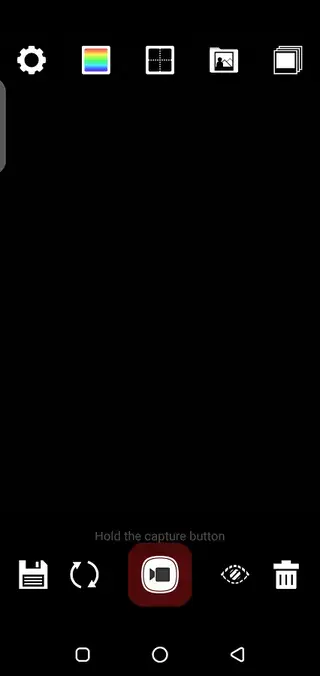
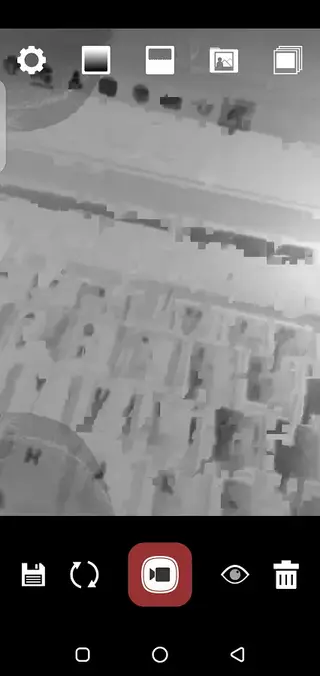
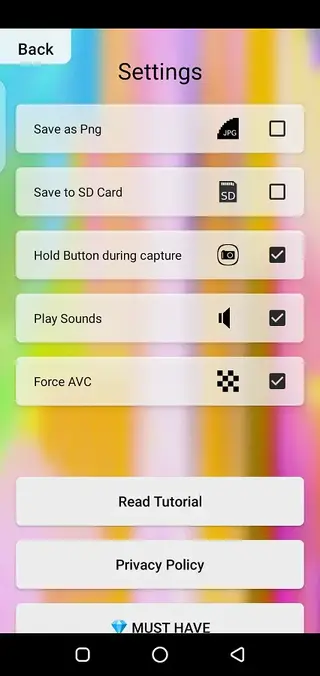
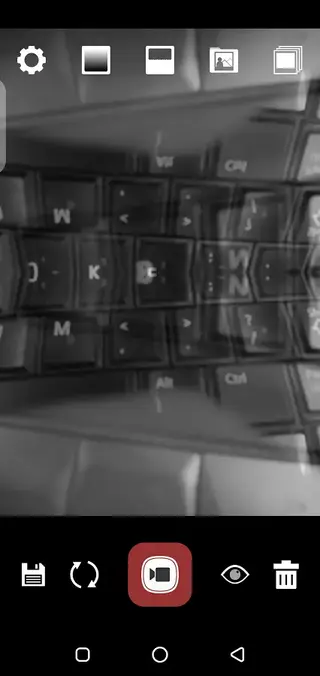
Datamoshing basics for new users
Datamoshing is a visual technique where frames from different moments in a video share or reuse compression data, causing shapes and colors to smear across cuts. In traditional workflows, it often requires editing software and manual file manipulation. Moshup simplifies this by performing the process as you record.
To get better results in Moshup, try these ideas:
Move the camera or subject clearly between shots so the app has distinct frames to blend.
Use strong colors or contrasting backgrounds to emphasize smearing and pixel trails.
Record short segments instead of long takes, then experiment with how you cut and restart recording.
Tips to get creative results with Moshup
Because Moshup reacts strongly to motion and scene changes, small adjustments can significantly change the final look. You can:
Combine slow camera pans with fast subject movement to create stretched pixel trails.
Switch between close ups and wide shots so elements overlap in unexpected ways.
Use lights, screens, or neon colors to create vivid glitch patterns.
Capture background textures, then overlay people or objects for layered compositions.
Saving multiple test clips and reviewing them will help you understand how your shooting style affects the glitch patterns, making it easier to repeat or refine specific looks.
FAQs
Pros
- Specialized app for live datamoshing and glitch art effects
- Built in camera makes capture and editing part of a single workflow
- Simple interface suitable for beginners and casual creators
- Works offline after installation once permissions are granted
- Exports in multiple formats for flexible sharing
Cons
- Niche tool that focuses mainly on one visual style
- Limited to mobile workflow with fewer advanced controls than desktop software
- Effect results can be unpredictable and may require trial and error
Conclusion
Moshup App is a focused Android tool for creating datamosh style glitch videos using a simple built in camera interface. If you enjoy experimental visuals and abstract motion effects, downloading the APK from our website gives you an easy way to record, blend, and export unique clips directly from your phone.




Comments
No approved comments yet.