
MT Manager
MT Manager is a powerful Android file manager and APK editor designed for advanced users who want more control over their device storage. It lets you browse folders, manage files, and work directly with app packages from a single, compact interface.
With dual-panel navigation, archive support, text and hex editors, and permission editing tools, it goes far beyond the default file manager found on most phones. You can download the official MT Manager APK directly from our website and start using these tools right away.
Whether you want to organize downloads, inspect APK contents, or tweak app files on your device, MT Manager offers a flexible toolkit that works both online and offline on compatible Android phones and tablets.
Rate this app
App details
- App name
- MT Manager
- Category
- Tools
- Version
- v2.26.4
- Size
- 28.73 MB
- Requirements
- 4.2 and Up
- Package name
- bin.mt.plus
- Publisher
- Lin Jin Bin
- Price
- Free
- Mod
- No
- Downloads
- 100,003
- Rating
- 4.6 / 5
- Rating count
- 25,000
- Play Store
- No
- Requires root
- No
- Offline support
- Yes
- Contains ads
- No
- In-app purchases
- Yes
- Updated
- May 19, 2026
- Age rating
- Rated for 3+
Table of contents
What is MT Manager?
MT Manager is an advanced file manager and APK management tool for Android. It combines classic file browsing features with powerful editing utilities so you can work directly with the files and app packages stored on your device.
Inside the app, you can view and manage all folders in internal storage and SD cards, copy or move files, rename items, create new folders, and quickly search for specific formats such as APKs, documents, images, or archives.
MT Manager is especially popular among power users and developers because it includes tools for opening APK files, viewing their structure, and editing resources or configuration files. It also offers a plugin system and some premium capabilities for users who need more advanced functions.
The app works locally on your Android device, so you can manage files and perform many tasks even without an internet connection, as long as required components are already installed.
We have more similar apps, which you can also try and have fun with. So, if you want more similar apps, try Seagull Assistant and Oppo Tools. Both of these are quite popular available apps, which you can easily access and have fun with.
Why download MT Manager APK for Android?
Most stock file managers only support basic operations like copying, moving, or deleting files. MT Manager adds a second layer of control by letting you inspect APK packages, edit text and binary files, and use filters to find exactly what you need.
If you handle many downloads, custom apps, or development builds, MT Manager helps you stay organized with bookmarks, categorized views, and storage usage information. It can quickly list all APK files on your device, show which formats occupy the most space, and make it easy to clean or reorganize folders.
By downloading MT Manager APK directly from our website, you get a convenient way to install the app on any compatible Android phone or tablet, even if it is not available in your region on app stores.
How is MT Manager useful on Android devices?
MT Manager is useful for both everyday users and technical users who need deeper access to files.
For regular users: It simplifies browsing internal storage, finding large files, cleaning old downloads, and grouping similar file types using filters. You can quickly locate APKs, media files, archives, and documents in a structured way.
For advanced users: It offers tools such as an APK browser, text editor, hex editor, archive manager, and permission editor. These features are handy when you need to inspect app contents, adjust configuration files, or analyze storage usage in detail.
For long-term maintenance: The plugin system and bookmarks help you create a workflow that fits your device usage, making repeated tasks faster and more consistent.
This combination of convenience and control makes MT Manager a practical choice if you frequently work with files and apps directly on your Android device.
How to download and install MT Manager APK
You can download the official MT Manager APK file directly from our website and install it manually on your Android device. Follow these basic steps:
Scroll to the download section on this page and tap the MT Manager APK download button.
Wait for the APK file to finish downloading to your device.
On your phone, open the downloaded file from the notification bar or your downloads folder.
If prompted, allow installation from this source in your Android security settings.
Tap Install and wait until the process completes.
Open MT Manager from your app drawer and grant the requested storage permissions so it can access your files.
After installation, you can start managing files, exploring APKs, and using the built-in editors without needing additional tools.
Features
Dual-panel file manager
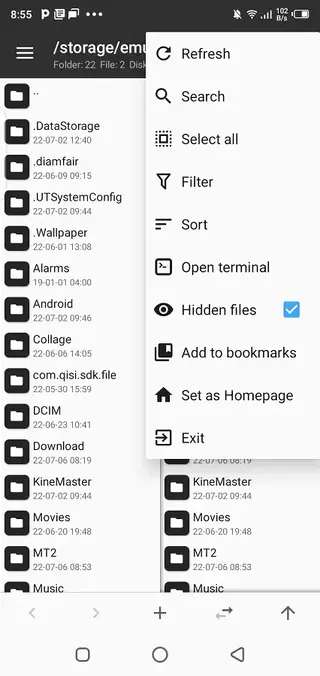
Browse two folders side by side to copy, move, and organize files more efficiently across internal storage and SD cards.
Advanced file filters
Quickly list files by type such as APKs, images, archives, or documents to locate specific content without manual searching.
APK viewing and editing tools
Open APK packages, inspect their structure, and work with internal resources and configuration files for advanced management.
Archive management
Create and extract common archive formats, making it easier to compress large folders or unpack downloaded archives.
Built-in text and hex editors
Edit plain text files, configuration files, and binary data directly from the app without switching to other tools.
Bookmark favorite paths
Save frequently used folders as bookmarks so you can jump to important locations in storage with one tap.
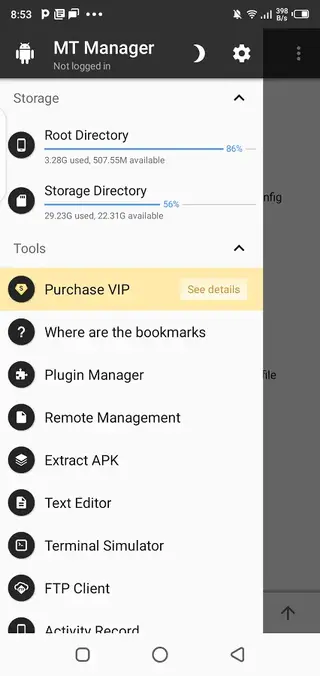
Storage usage overview
View how much space different file types and folders consume to identify large or unnecessary data quickly.
Plugin support
Extend core functionality with optional plugins, some of which are available through premium access for advanced tasks.
Screenshots
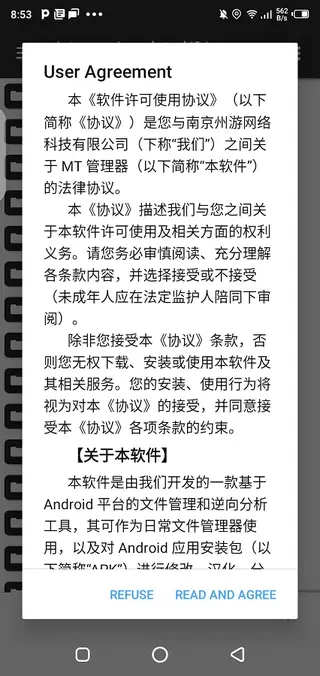
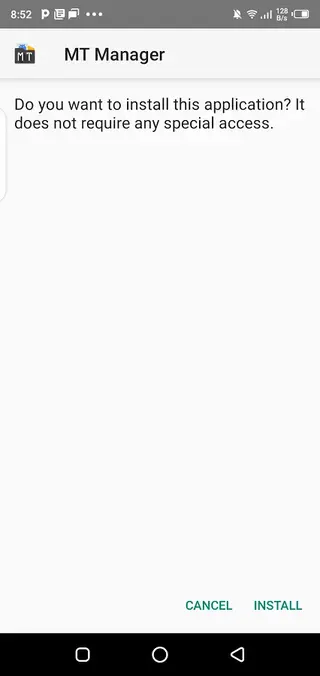
System requirements and compatibility
MT Manager is built for Android smartphones and tablets running Android 4.2 or higher, according to the provided version information. It works on most modern devices with enough free storage space to install the app and handle your files.
For the best experience, it is recommended to keep your device updated and ensure you have sufficient free space when working with large archives, APKs, or multiple file operations at once.
Tips for safer advanced usage
Because MT Manager allows direct access to many system and app files, it is important to use its advanced tools carefully. Editing or deleting critical files can cause apps to malfunction or data to be lost.
Create backups of important APKs and configuration files before editing them.
Avoid changing system folders unless you understand the impact of each modification.
Use the text and hex editors only when you are confident about the changes you are making.
Keep a copy of the original file so you can restore it if something goes wrong.
Following these practices helps you take advantage of MT Manager’s powerful features while reducing the risk of accidental issues on your device.
FAQs
Pros
- Dual-panel interface makes file management faster and more efficient
- Supports filters to quickly find APKs and other file types
- Includes text and hex editors for direct file and resource editing
- Offers storage overview to see which files consume the most space
- Plugin system and premium features extend functionality for power users
- Works largely offline once installed, useful for local file tasks
Cons
- Interface and tools can feel complex for beginners
- Some advanced features and plugins require paid access
- APK and system-level operations should be used carefully to avoid issues
- Not available through the official Play Store in many regions
Conclusion
MT Manager is a capable Android file and APK manager aimed at users who need more than a basic file browser. If you regularly work with downloads, app packages, or configuration files, downloading the MT Manager APK from our website gives you a compact toolkit for organizing storage and handling advanced editing tasks on your device.




Comments
No approved comments yet.