
Muliatrack
Muliatrack is a GPS tracking app from MULIAGPS that lets you monitor vehicles, shipments, and other assets directly from your Android phone. It connects with MULIAGPS tracking devices to show live locations on a map.
Fleet owners, logistics companies, and individual car owners can use the app to view real-time positions, movement history, and basic status information. You can download the official Muliatrack APK directly from our website and start tracking supported devices in a few steps.
The app focuses on clear maps, continuous tracking, and remote visibility so you always know where your important assets are. It is designed for Indonesian MULIAGPS customers but can be useful anywhere your installed devices have coverage.
Rate this app
App details
- App name
- Muliatrack
- Category
- Auto & Vehicles
- Version
- v1.2.6
- Size
- 23.53 MB
- Requirements
- 4.3 and Above
- Package name
- com.indogps.muliatracks
- Publisher
- MULIAGPS
- Price
- Free
- Mod
- No
- Downloads
- 5,763
- Rating
- 4.1 / 5
- Rating count
- 968
- Play Store
- Yes
- Requires root
- No
- Offline support
- No
- Contains ads
- No
- In-app purchases
- No
- Updated
- May 8, 2026
- Age rating
- Rated for 3+
Table of contents
What is Muliatrack App?
Muliatrack is an Android companion app for the MULIAGPS tracking platform. When you have compatible GPS trackers installed on your vehicles or other assets, the app lets you see their live positions and movement in real time on Google Maps.
You can monitor cars, motorbikes, trucks, containers, ships, tugboats, people, pets, and other tagged items. The system sends location data through GSM, GPRS, or satellite networks to the MULIAGPS servers, and Muliatrack displays that information in a mobile-friendly interface.
The app is built for MULIAGPS customers who want self-service tracking instead of calling operators for updates. After signing in with your account, you can check each unit on the map, view the latest status, and keep an eye on your assets from anywhere with an internet connection.
These are the only methods available for the users, through which you can easily know about TrackPro. So, there are tons of features available in it, which you can explore. So, don’t waste your time and start using this app by downloading it from Apkoll.
Why download Muliatrack for Android?
Installing Muliatrack on your Android phone gives you quick access to your MULIAGPS tracking system wherever you are. Instead of relying on desktop dashboards or phone calls, you can open the app and instantly see where your vehicles and assets are.
This is especially useful for fleet managers, delivery coordinators, rental operators, and private owners who want fast updates on movement, estimated positions, and basic security status. Real-time visibility helps reduce theft risks, improve response times, and keep customers informed about deliveries.
You can download the official Muliatrack APK directly from our website, install it on compatible Android devices, and log in with your MULIAGPS account to start monitoring supported trackers right away.
How is Muliatrack useful?
Muliatrack turns your Android phone into a portable tracking console. It combines live GPS locations with simple controls so you can supervise fleets and assets while you are on the move.
Security and protection: Regular location updates help you notice unusual movements, potential theft, or unauthorized use more quickly.
Operational efficiency: Dispatchers can check where drivers are, plan routes more effectively, and give more accurate arrival information.
Peace of mind: Private users can watch over family vehicles, valuable shipments, or pets and feel more confident about their whereabouts.
Because the app uses existing MULIAGPS hardware and communication channels, it fits naturally into your current tracking setup and provides a clear, mobile-first interface for everyday monitoring.
How to download and install Muliatrack APK?
You can get the official Muliatrack APK directly from our website. Follow these steps to download and install it on your Android device:
Scroll to the download section on this page.
Tap the available Muliatrack download button for the version you want.
Confirm the download in your browser and wait for the APK or XAPK file to finish downloading.
On your phone, open Settings and allow installation from unknown sources if it is not already enabled.
Open the downloaded file from your notifications or file manager.
Tap Install and wait until Android completes the installation process.
Launch Muliatrack from your app drawer and sign in with your MULIAGPS account to start tracking.
After installation, keep your internet connection enabled so the app can receive live location updates from your tracking devices.
Features
Real-time GPS tracking
View live locations of connected vehicles and assets on Google Maps in the app.
Support for multiple asset types
Track cars, motorbikes, trucks, containers, ships, tugboats, people, animals, and more with compatible devices.
Map-based interface
Use an interactive map to see current positions, movement, and basic status of each unit.
24 7 monitoring capability
Keep an eye on your assets at any time as long as devices and network coverage are available.
Remote access from anywhere
Check locations from your Android phone without needing to call operators or be at a desktop.
Integration with MULIAGPS platform
Works with MULIAGPS tracking hardware and backend services already installed on your assets.
Uses GSM GPRS and satellite networks
Location data is transmitted through supported communication networks for wide coverage.
Simple login for registered users
Existing MULIAGPS customers can sign in with their account details to access devices.
Screenshots
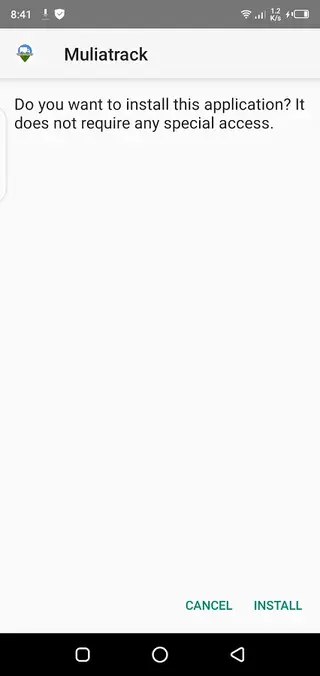
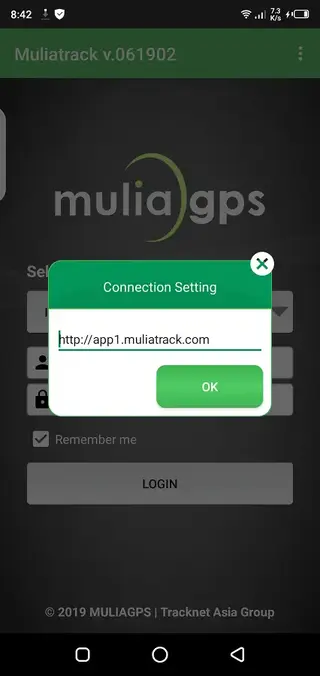
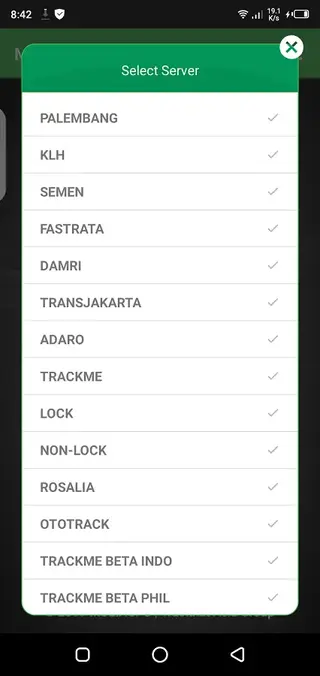
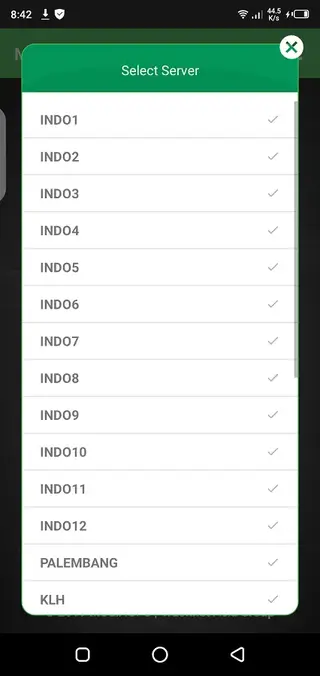
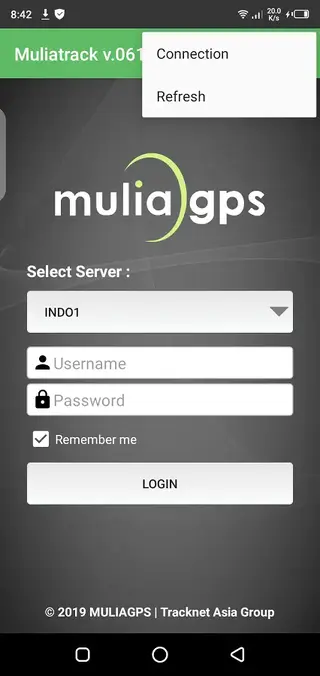
Device compatibility and requirements
Muliatrack is built for Android devices running version 4.3 and above, which covers most modern smartphones and tablets. For reliable performance, it is recommended to use a stable internet connection and enable GPS and location permissions when prompted.
The app itself does not replace the need for hardware trackers. You still need compatible MULIAGPS devices installed in your vehicles or assets so that Muliatrack can receive location data from the platform.
Account and security considerations
Access to tracking data in Muliatrack is protected by your MULIAGPS account. Keep your login details private, and avoid sharing them with people who should not see your asset locations. If you manage a fleet, you may want to create separate accounts or roles according to your organization policies.
Always follow local laws and regulations when tracking vehicles or people. Make sure drivers, employees, or family members know that tracking devices are installed, and use the app responsibly for safety and operational purposes.
FAQs
Pros
- Real-time GPS tracking for vehicles and other assets
- Works with existing MULIAGPS tracking hardware and accounts
- Simple map-based interface focused on monitoring
- Useful for fleets, logistics, and private vehicle owners
- Available as a direct APK download from our website
Cons
- Requires MULIAGPS-compatible devices and account to be useful
- Needs an active internet connection for live tracking
- May not be available or updated on Google Play in some regions
- Features are focused on monitoring and may feel limited for advanced fleet management
Conclusion
Muliatrack is a practical GPS tracking companion for MULIAGPS users who want mobile access to their vehicles and assets. By installing the APK from our website and signing in with your account, you can check real-time locations, improve oversight, and manage everyday tracking tasks directly from your Android phone.




Comments
No approved comments yet.