

Mxc Exchange
Mxc Exchange is the official Android app of the MEXC cryptocurrency exchange, designed for trading, investing, and tracking digital assets on the go. It connects your phone directly to the global spot and derivatives markets.
With this app you can manage your portfolio, monitor real-time prices, place buy and sell orders, and access advanced market charts in a single interface. The APK is available on our website, so you can download and install it directly on your Android device.
Mxc Exchange supports a wide range of coins and tokens, including major assets and selected new listings, so active traders, long-term investors, and beginners can all use one mobile platform for daily crypto activity.
Rate this app
App details
- App name
- Mxc Exchange
- Category
- Finance
- Version
- v6.38.0
- Size
- 225.02 MB
- Requirements
- 5.0 and Above
- Package name
- com.mexcpro.client
- Publisher
- MEXC Pro
- Price
- Free
- Mod
- No
- Downloads
- 99,340
- Rating
- 4.7 / 5
- Rating count
- 42,101
- Play Store
- Yes
- Requires root
- No
- Offline support
- No
- Contains ads
- No
- In-app purchases
- Yes
- Updated
- May 13, 2026
- Age rating
- Rated for 12+
Table of contents
What is Mxc Exchange App
Mxc Exchange is a financial trading app for Android that gives you mobile access to the MEXC cryptocurrency exchange. After creating and verifying an account, you can deposit funds, buy and sell a wide range of digital assets, and manage your portfolio from your phone.
As you know there are tons of similar platforms available for users, that provide similar services for the users such as Binance TR and Bitexen. However, there are different amounts of service charges, which will be deducted from your trading on the platform. So, we are here with Mxc Exchange Apk for you, which offers the best services at a minimum.
The app focuses on real-time market data and trading tools. You can view live price feeds, depth charts, candlestick charts, and index data to understand current market conditions. It supports multiple cryptocurrencies, including popular coins like BTC and ETH, stablecoins such as USDT, and many altcoins that are listed on the MEXC platform.
Mxc Exchange combines trading, asset management, and wallet functions in one place. You can check balances, review order history, move funds between different accounts within the exchange, and use the built-in wallet system for storage on the platform. The app works as a companion to your web account, but you can also use it as your primary way to trade if you prefer mobile.
Why download Mxc Exchange APK for Android
Installing the Mxc Exchange APK on your Android phone allows you to react to the crypto market wherever you are. Instead of waiting to reach a computer, you can execute trades immediately when prices change, check open positions, or adjust your strategy in seconds.
The app offers an optimized mobile interface with quick access to markets, favorites, and order forms. Real-time charts, order books, and price alerts help you follow trends and volatility throughout the day. For users who already trade on MEXC, the Android app makes it easier to keep an eye on the market and your holdings at all times.
You can download the official Mxc Exchange APK directly from our website, install it manually, and sign in with your existing account or create a new one in a few steps. This gives you a complete trading terminal in your pocket without needing to rely on a desktop browser.
How Mxc Exchange app is useful
Mxc Exchange is useful for anyone who wants to manage cryptocurrency without being tied to a computer. Day traders can place market, limit, or other order types while commuting or traveling. Long-term investors can periodically rebalance holdings and track performance from a single dashboard.
Real-time market data and chart analysis tools help users make more informed decisions. You can monitor the latest price movements, check historical performance, and compare different coins before committing funds. The app also centralizes your open orders, trade history, and balances, so you always know where your assets are.
Because the app supports account verification, wallet functions, and customer support access, you can handle core account tasks from your device. For users who follow new tokens or trending assets such as recently listed coins, having quick access to the exchange on mobile can help capture opportunities sooner.
How to download and install Mxc Exchange APK
You can download the official Mxc Exchange APK file directly from our website and install it on any compatible Android device. Follow these steps to get started:
Tap the download button for the Mxc Exchange APK on this page to save the file to your device.
Open your phone settings and, if needed, allow installation from unknown or external sources for your browser or file manager.
Locate the downloaded APK in your Downloads folder or file manager and tap it to start the installation process.
Confirm the on-screen prompts and wait until Android finishes installing the app.
Open Mxc Exchange from your app drawer, sign in with your existing MEXC account, or register a new account to begin trading.
Once installed, you can update the app in the future by downloading the newer APK version from our website and installing it over the existing app.
Features
Wide cryptocurrency support
Trade and manage many cryptocurrencies and tokens that are listed on the MEXC exchange, from major coins to selected new projects.
Real-time price tracking
View live market prices, order books, and market depth so you can respond quickly to price changes and volatility.
Advanced charting tools
Use candlestick charts, indicators, and index views to analyze trends and plan entry and exit points for your trades.
Spot and derivatives trading
Access spot markets and, where supported, derivatives sections such as futures or margin trading from your mobile device.
Built-in wallet and balances view
Check balances, internal transfers, and account overviews through the integrated wallet and asset management screens.
Secure account access
Protect your account with login credentials and available security features such as verification steps and additional checks.
Registration and verification inside the app
Create a new account, complete required verification, and set up your trading profile directly on your phone.
Customizable watchlist
Mark favorite trading pairs and track the ones you care about most using a personalized watchlist.
Screenshots
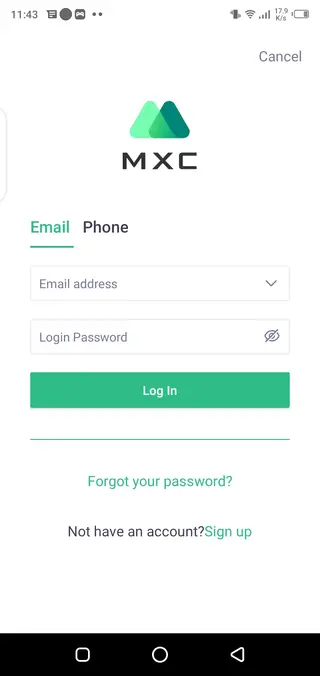

Account setup and verification
To use Mxc Exchange effectively, you need to create an account and complete any required verification steps. The app guides you through registration by asking for basic details, such as email and password. After that, you may need to confirm your email address and, depending on your region and regulations, provide additional identity information.
Completing verification usually unlocks higher withdrawal limits and more platform features. Within the app you can also manage security options, review login activity, and adjust important settings for your profile.
Trading experience on mobile
The trading screen in Mxc Exchange is structured to keep key tools close at hand. You can switch between markets, open the order book, and place buy or sell orders without leaving the main view. The app allows you to pick order types, choose quantities, and review fees before sending orders.
For active traders, the ability to check open orders and recent trades quickly is essential. The app lets you cancel or modify orders where supported, watch how they fill in the order history, and track realized or unrealized profit and loss over time.
Security and risk considerations
Mxc Exchange includes typical security measures such as account credentials and verification procedures. Users should also follow good personal security practices, like using strong passwords, enabling additional security options where available, and keeping their device protected.
Cryptocurrency trading and investing always involve market risk. Prices can move quickly and unpredictably, and you may lose part or all of the funds you invest. Make sure you understand the products you use and only trade with amounts you can afford to risk.
FAQs
Pros
- Supports a large selection of cryptocurrencies and trading pairs
- Provides real-time market data and advanced charting tools
- Offers integrated wallet and portfolio management inside the app
- Mobile interface is optimized for quick trading and market monitoring
- Registration and account management can be completed from the phone
Cons
- Requires a constant internet connection to trade and update data
- New users may find the number of markets and tools overwhelming
- Trading and holding cryptocurrencies carries financial risk
- Full functionality may depend on regional availability and regulations
Conclusion
Mxc Exchange for Android brings the core tools of the MEXC cryptocurrency exchange to your phone, combining trading, charts, and account management in one app. By downloading the APK from our website, you can monitor markets, place orders, and manage your holdings from almost anywhere, as long as you stay aware of the risks that come with crypto trading.




Comments
No approved comments yet.