

NashStore
NashStore is an independent Android app store created primarily for users in Russia and a few neighboring countries. It helps users find and install apps and games that may not be easily accessible through other marketplaces.
With NashStore on your device, you can browse categories, search for popular Russian services, and manage app updates in one place. The official APK file for the latest version is available for direct download from our website.
If you live in a supported region such as Russia, Kazakhstan, or Belarus, this store offers a localized experience with regional apps, banking tools, entertainment, and more tailored to your daily needs.
Due to political problems, Russia has been under multiple digital sanctions. Therefore, people in the country were facing multiple problems including the restriction of the Google Play Store. However, with time, we have successfully presented the best alternative, which includes 4399 and Ccplay. Further, we also present this new NashStore App.
Rate this app
App details
- App name
- NashStore
- Category
- Tools
- Version
- v0.0.6
- Size
- 31.47 MB
- Requirements
- 5.0 and Above
- Package name
- com.nashstore
- Publisher
- nashstore
- Price
- Free
- Mod
- No
- Downloads
- 97,211
- Rating
- 4.8 / 5
- Rating count
- 32,502
- Play Store
- No
- Requires root
- No
- Offline support
- No
- Contains ads
- No
- In-app purchases
- No
- Updated
- May 15, 2026
- Age rating
- Rated for 7+
Table of contents
What is NashStore Android App Store
NashStore is an Android application store designed as an alternative marketplace for downloading apps, games, and tools. It focuses on Russian-speaking users and offers a large catalog of regional services, including banking apps, shopping clients, and entertainment platforms.
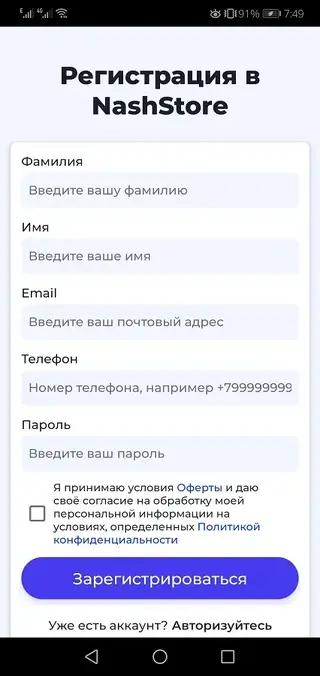
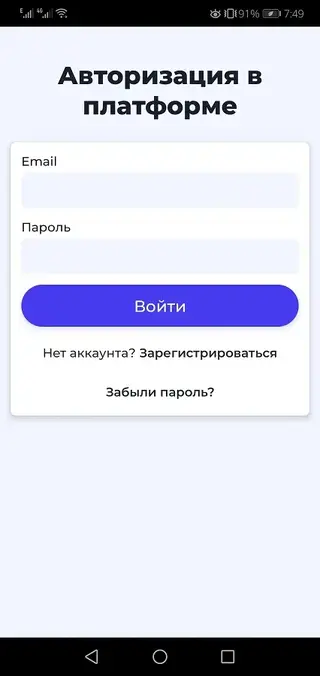
The app works as a full-featured store: you can create an account, browse categories, read basic app details, and download or update installed apps directly from the NashStore client. It aims to fill the gap where access to other digital stores may be limited or unstable.
NashStore officially targets a limited list of countries, including Russia, Kyrgyzstan, Kazakhstan, Belarus, and Armenia. Users in these regions can access a catalog that includes apps like Alfa-Bank, Sovcombank, Sber-Market, Wink Online Cinema, and many other local services.
Because it is a store and not a single-purpose app, NashStore continues to expand its catalog over time, giving users a growing ecosystem of regional utilities, lifestyle apps, and entertainment options.
Why Download NashStore APK from Our Website
Downloading the NashStore APK directly from our website gives you quick access to the latest available version without needing any other marketplace. You can save the installer, share it between devices, and reinstall it whenever you need.
For users in supported countries, NashStore can be especially useful when common app stores are restricted or missing local Russian services. Many regional banking, shopping, and media apps are easier to discover inside this ecosystem.
The app store is free to download and use. Once installed, you only need a simple registration to start browsing and installing apps. Our website provides the official APK file listed in the details below, so you can start using NashStore with just a few taps.
How NashStore Can Be Useful for Users
NashStore offers value mainly through its focus on regional content. Instead of searching multiple sites for local banking, shopping, and media clients, users can find many of them in one store and manage updates centrally.
For Android owners in Russia and neighboring countries, this can make everyday tasks simpler. You can install mobile banking apps to manage accounts, use retail and supermarket apps to order goods, or open video and music services directly from one catalog.
The store also supports a familiar, straightforward interface, which helps less technical users install apps with fewer steps. By combining localized recommendations and a registration-based account system, NashStore can act as a practical daily hub for regional Android applications.
How to Download and Install NashStore APK
You can download the NashStore APK file directly from our website. Follow the steps below to get it on your Android phone or tablet.
Scroll to the download section on this page and tap the NashStore APK download button.
Wait for the APK file to finish downloading to your device.
Open your device settings and enable app installation from unknown or external sources if it is disabled.
Locate the downloaded NashStore APK in your downloads folder and tap it.
Review the permissions shown on screen, then tap Install and wait for the process to complete.
Open NashStore, create or sign in to your account, and start exploring available apps and games.
After the first installation, future updates can usually be managed from within the NashStore client or by downloading the newer APK version from our website when available.
Features
Regional app marketplace
Provides an app store focused on Russian and neighboring markets, with many local services and tools.
Large catalog of apps and games
Offers access to thousands of applications including banking, shopping, utilities, and entertainment titles.
Account-based access
Uses a simple registration system so users can manage downloads and keep track of installed apps.
Support for limited countries
Officially targets Russia, Kyrgyzstan, Kazakhstan, Belarus, Armenia, and selected nearby regions.
Banking and finance apps
Includes popular local banking clients such as Alfa-Bank, Sovcombank, PSB-Business, and others.
Entertainment and shopping services
Lists services like Wink Online Cinema, Gloria Jeans, Sber-Market, and similar lifestyle apps.
User-friendly interface
Features a clean layout with clear navigation, making it easier to search and install new apps.
Free to download and use
The store client itself is free and allows users to download many apps without extra platform fees.
Screenshots
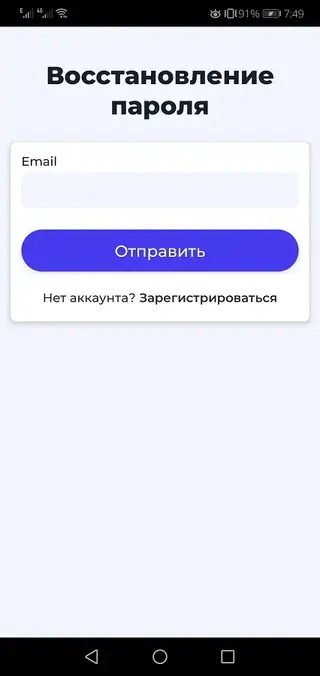
Availability and Device Requirements
NashStore is designed for Android smartphones and tablets running at least Android 5.0 or newer. If your device meets this requirement, you can download the APK from our website and complete installation in a few minutes.
Although the app can technically run on many Android devices, full service availability is oriented toward users in Russia and certain neighboring countries. App listings, payment options inside third-party apps, and regional services are tailored to those markets.
Privacy and Security Considerations
As with any alternative app store, it is important to review permissions and app details before installing third-party applications. Take time to read descriptions, check the developer names where available, and only install apps that match your needs.
Keeping your Android system updated and avoiding unnecessary permissions can help reduce risk. You can uninstall any app obtained through NashStore at any time from your device settings if you no longer need it.
FAQs
Pros
- Localized Android app store for Russian-speaking users
- Offers many regional banking, shopping, and entertainment apps
- Free to download and use on supported Android devices
- Simple registration and easy-to-understand interface
- APK can be downloaded directly from our website for manual installation
Cons
- Official access limited to a small set of countries
- Requires an internet connection for browsing and downloading apps
- Some popular international apps may be missing or unavailable
- Users must allow installation from unknown sources, which some may find inconvenient
Conclusion
NashStore is a focused Android app store that serves users in Russia and nearby countries with a growing catalog of regional services. If you live in a supported region and want easier access to local banking, shopping, and entertainment apps, you can download the official NashStore APK directly from our website and manage everything from one place.




Comments
No approved comments yet.