
Nothing Launcher
Nothing Launcher is the official Android launcher from Nothing Technology that brings the clean, minimal experience of Nothing Phone devices to compatible phones. It focuses on simple layouts, bold typography, and smooth animations.
With this launcher you can personalize your home screen using custom icons, widgets, wallpapers, and ringtones inspired by Nothing OS. The APK file is available on our website, so you can download and install it directly on supported Android devices.
If you want a fresh, distraction-free interface without complicated setup, Nothing Launcher offers a lightweight way to change the look and feel of your phone while keeping daily use fast and intuitive.
Android devices provide multiple services for the users, which anyone can easily access and have fun with. However, the devices don’t provide complete access to features. Therefore, we are here with one of the best applications similar to NU Display and X Icon Changer Pro, through which you can make multiple changes.
Rate this app
App details
- App name
- Nothing Launcher
- Category
- Personalization
- Version
- v4.0.16
- Size
- 57.25 MB
- Requirements
- 8.0 and Above
- Package name
- com.nothing.launcher
- Publisher
- NOTHING TECHNOLOGY LIMITED
- Price
- Free
- Mod
- No
- Downloads
- 100,025
- Rating
- 4.7 / 5
- Rating count
- 48,203
- Play Store
- Yes
- Requires root
- No
- Offline support
- Yes
- Contains ads
- No
- In-app purchases
- No
- Updated
- May 14, 2026
- Age rating
- Rated for 7+
Table of contents
What is Nothing Launcher for Android
Nothing Launcher is a personalization app and home screen launcher created by Nothing Technology Limited, the company behind the Nothing Phone series. It brings key elements of Nothing OS to other Android phones, including its distinctive dot-matrix style, large app icons, and clean, dark-friendly layouts.
Once set as your default home app, Nothing Launcher replaces your current launcher. You can manage your apps, widgets, and home screens through its interface, just like any other Android launcher, but with the visual style and animations that match the Nothing ecosystem.
The app focuses on simplicity instead of heavy theming. It offers minimal but well-designed customization options such as wallpapers, icon styling, folders, and ringtones so that your phone looks modern and coherent without feeling cluttered.
Why download Nothing Launcher APK from our website
Downloading the Nothing Launcher APK from our website lets you install the launcher quickly on compatible Android devices, even if the Play Store listing is limited in your region or device. You get the official package name and version information, along with a straightforward install process.
By getting the file directly from our website, you can keep a local backup of the installer and reinstall it whenever you need. This is useful when you experiment with other launchers and later decide to return to the Nothing look without searching around again.
Our page also explains the main features, requirements, and basic usage steps in one place so you can decide easily whether this launcher fits the way you use your phone before installing it.
How Nothing Launcher is useful
Nothing Launcher is useful for users who want a cleaner, more focused Android experience without complex configuration. It brings a consistent visual language with large, readable icons and text that make home screens easy to scan at a glance.
The launcher supports custom wallpapers, ringtones, and simple theming options that help you refresh the look of your phone without installing separate icon packs or heavy theme engines. Its unified animation style also makes transitions between screens feel smooth and coherent.
Because it works as a normal launcher, you can still organize apps, create folders, and add widgets while keeping the minimalist design intact. This balance between personalization and simplicity makes it a practical option for everyday use.
How to download and install Nothing Launcher APK
You can download the Nothing Launcher APK file directly from our website and install it manually on your Android device. Follow these steps for a smooth setup.
Step 1: Download the APK from our website
Scroll to the download area on this page.
Tap the download button for the available Nothing Launcher APK version.
Wait for the file to finish downloading on your device.
Step 2: Allow installation from this source
Open your phone settings and go to the security or apps section.
Enable the option that allows installing apps from your browser or file manager, if prompted.
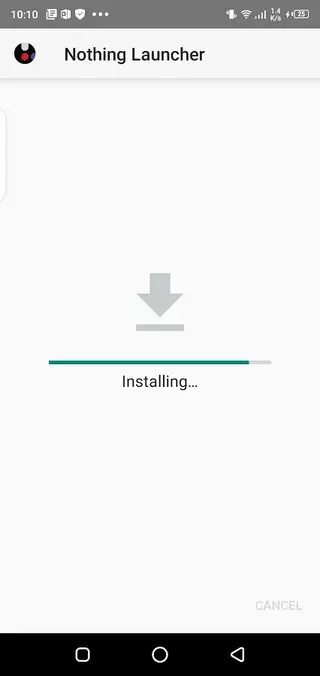
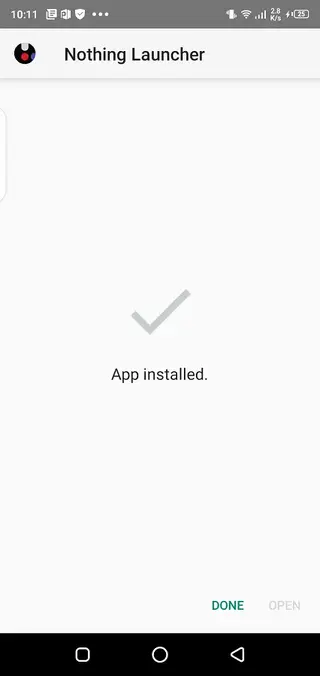
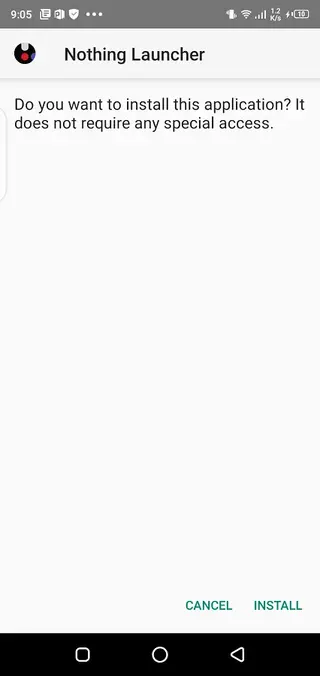
Step 3: Install the launcher
Open your file manager and locate the downloaded APK.
Tap the file and confirm the installation request.
Wait until the installation completes.
Step 4: Set Nothing Launcher as default
Open device settings and go to Apps or Default apps.
Choose Home app or Launcher and select Nothing Launcher.
Press the home button to start using the new interface.
Features
Clean Nothing OS inspired design
Experience the minimal visual style of Nothing OS with bold typography, large icons, and simple layouts on compatible Android devices.
Home screen replacement
Set Nothing Launcher as your default home app to manage apps, widgets, and pages through its interface instead of the stock launcher.
Custom icons and folders
Use oversized app icons, neatly arranged folders, and a grid layout that keeps your home screen organized but not crowded.
Wallpapers and ringtones
Apply curated wallpapers and ringtones that match the Nothing aesthetic to give your device a consistent overall look and sound.
Unified animations
Enjoy smooth, unified animations when opening apps, swiping between screens, and interacting with widgets and folders.
Simple personalization controls
Adjust themes, wallpapers, widgets, and layout with straightforward settings that avoid complicated menus and advanced tweaks.
Ad free experience
Use the launcher without banner ads or pop ups, so your home screen stays clean and focused on your apps and content.
Optimized for modern Android
Designed for Android 8.0 and above, taking advantage of newer system features while remaining light and responsive.
Screenshots
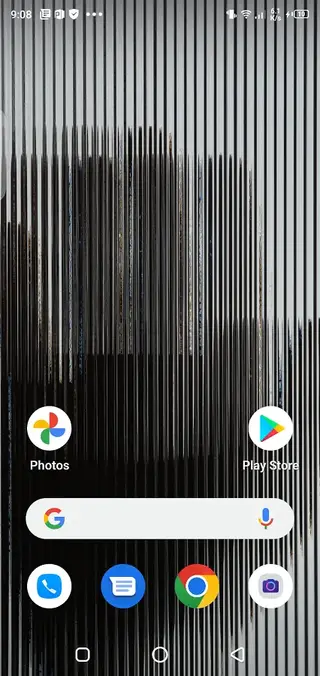
Device compatibility and requirements
Nothing Launcher targets modern Android phones and is officially built for Android 8.0 and above. On these systems it can be set as the default home app and will handle app shortcuts, widgets, folders, and home screens.
Some manufacturer specific features such as gesture navigation, system themes, or proprietary widgets may behave differently depending on your device brand. In most cases, core launcher functions like app grid, app drawer, and folders work as expected, but deeply integrated vendor features may still rely on the stock launcher.
Basic tips for getting started
After you set Nothing Launcher as your default home app, you can start organizing your space. Long press on the home screen to add widgets, change wallpapers, or adjust layout options. Drag apps to create folders and place your most used apps on the first page for quick access.
If you prefer a more minimal look, reduce the number of home screens and keep only essential apps and widgets visible. You can always access the rest from the app drawer, keeping your main view clean and easy to manage.
FAQs
Pros
- Minimal, clean interface inspired by Nothing OS
- Ad free launcher experience without intrusive banners
- Simple customization options for icons, wallpapers, and layout
- Smooth animations that make navigation feel fluid
- Works as a full home screen replacement on supported devices
Cons
- Feature set is lighter than many advanced third party launchers
- Best visual integration is on Nothing devices, others may have minor inconsistencies
- Available only for Android 8.0 and above
- Some system level customization options remain limited
Conclusion
Nothing Launcher offers a clean, Nothing OS inspired home screen experience with simple personalization, smooth animations, and no ads. If you prefer a minimal, focused Android interface, you can download the APK directly from our website and set it as your main launcher in a few quick steps.




Comments
No approved comments yet.