

Osu Droid
Osu Droid is a rhythm game for Android where you tap, slide, and hold notes in time with the music. It brings a mobile experience inspired by the popular PC game osu! so you can enjoy beatmaps on your phone or tablet.
The game supports fanmade beatmaps, multiple difficulty levels, and precise touch controls. You can load songs and charts, chase high scores, and try to climb online leaderboards when connected.
You can download the official Osu Droid APK file directly from our website, install it on supported Android devices, and start playing music-based stages without complicated setup.
Rate this app
App details
- App name
- Osu Droid
- Category
- Music
- Version
- v2026.330.0
- Size
- 24.71 MB
- Requirements
- 4.1 and Above
- Package name
- ru.nsu.ccfit.zuev.osuplus
- Publisher
- ZUEV
- Price
- Free
- Mod
- No
- Downloads
- 68,451
- Rating
- 4.6 / 5
- Rating count
- 2,845
- Play Store
- No
- Requires root
- No
- Offline support
- Yes
- Contains ads
- No
- In-app purchases
- Yes
- Updated
- May 12, 2026
- Age rating
- Rated for 3+
Table of contents
What is Osu Droid Android App
Osu Droid is a free rhythm-based Android game developed by ZUEV. It adapts the core idea of the original osu! experience to touchscreens, letting you play beatmaps by tapping circles, following sliders, and holding notes in sync with the song.
The app focuses on timing and accuracy. Each note appears on the screen following the rhythm, and you must react quickly to maintain combos and build a high score. Different difficulty levels and patterns make it suitable for both new players and experienced rhythm game fans.
Osu Droid supports fanmade beatmaps that you can place on your device and then load inside the game’s music library. You can also create an account to track scores, compare results on online leaderboards, and sync some of your progress across devices.
Why Download Osu Droid APK from Our Website
Downloading the Osu Droid APK from our website gives you direct access to the official file for your Android device. You do not need the Play Store, and you can install the game on phones and tablets that meet the minimum system requirements.
Our download page provides the current version name, package name, basic device requirements, and other essential details so you know what you are installing. Once downloaded and installed, you can immediately add beatmaps and start playing.
If you enjoy rhythm challenges, customizable song libraries, and touch-based gameplay, keeping the APK from our site also makes it easy to update manually whenever a newer compatible build is released.
How Osu Droid is Useful for Rhythm Game Fans
Osu Droid is useful if you want a portable rhythm game that you can shape around your own music tastes. Because it supports external beatmaps, you are not limited to a fixed in-game soundtrack and can explore many community-made charts.
The game helps improve timing, focus, and hand–eye coordination as you learn complex note patterns and tempo changes. You can start with simple songs, then move to higher difficulties as your skills grow.
Leaderboard support, accuracy grades, and combo counters give you clear feedback on your performance. This makes Osu Droid a good training tool for players who also enjoy other rhythm titles and want to practice on mobile.
Friday Night Funkin Music Game Beta and Rhythm Hive are also music-based games, which you can easily play on your Android device. So, if you want to try some similar apps, then try both of these games on your device.
How to Download and Install Osu Droid APK
You can download the Osu Droid APK file directly from our website and install it manually on your Android device. Make sure your phone or tablet meets the minimum Android version requirement before you start.
Follow these steps to get started:
Scroll to the download section on this page.
Tap the APK download button to save the official Osu Droid file from our website.
Wait until the download completes fully on your device.
Open your device settings and allow installation from unknown sources if it is not already enabled.
Locate the downloaded APK in your downloads folder and tap it.
Confirm the installation prompts and wait for the process to finish.
Launch Osu Droid from your app drawer, then add beatmaps and start playing.
If you update to a newer version later, download the latest APK from our site and install it over the existing app, keeping your data when supported by your device.
Features
Rhythm based gameplay
Play tap, slide, and hold notes in sync with the music, focusing on timing and accuracy.
Support for fanmade beatmaps
Load community-created beatmaps stored on your device and expand your music library.
Multiple game modes and difficulties
Choose from different modes and difficulty levels to match your skill and preferred playstyle.
Account and leaderboard system
Create an account to track scores and compare your performance on online leaderboards.
2D touch optimized interface
Enjoy a 2D layout designed for touchscreens with responsive controls and clear visual cues.
Custom song collection
Add as many songs and beatmaps as your storage allows and organize them in the in-game library.
Combo and accuracy tracking
Monitor your accuracy, combo chains, and grades to improve over time.
Free to download and play
Install and play the core game for free without mandatory payments.
Screenshots

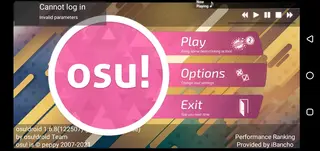

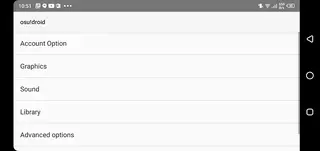
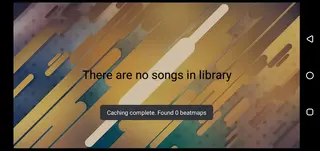
Gameplay Basics and Controls
Osu Droid focuses on precision tapping. During a song, circular objects appear on the screen following the rhythm. You need to tap these circles, follow sliders, and hold long notes at exactly the right time. Each successful hit increases your combo, while missed notes break it and lower your score.
Controls are simple but demand practice. You can play with one or two fingers, adjust sensitivity, and tweak some visual options to make objects easier to read. Higher difficulties introduce faster patterns, dense note streams, and tricky rhythms that challenge even experienced players.
Beatmaps and Custom Music Library
One of the strongest points of Osu Droid is its support for fanmade beatmaps. Instead of relying only on built in tracks, you can store compatible beatmaps on your Android device and load them into the game. This keeps your library fresh and lets you explore many genres and artists.
Once beatmaps are on your device, Osu Droid scans and lists them in the in game library. You can browse by song, artist, or difficulty, and quickly jump into songs you like. As you grow your collection, you can focus on maps that match your preferred difficulty range or musical style.
Tips for New Players
If you are new to rhythm games, start with easier beatmaps and slower songs. Focus on watching the approach circles and listening closely to the beat so you tap at the right moment. Do not worry about perfect scores at first; building consistent timing is more important.
As you improve, try raising the difficulty, experimenting with faster songs, and learning to read denser patterns. Adjust visual and audio settings until the game feels comfortable. Regular short sessions can help you develop muscle memory and better rhythm sense over time.
FAQs
Pros
- Free rhythm game inspired by the osu experience
- Supports a wide range of fanmade beatmaps
- Precise touch controls and combo based scoring
- Offline play is possible once beatmaps are stored locally
- Online leaderboards and account system for competition
- Customizable library with many songs and charts
Cons
- Not available on the official Google Play Store
- Manual APK installation and updates are required
- Performance can vary on low end or older devices
- Beatmap management may feel complex for new users
Conclusion
Osu Droid offers a flexible, community-driven rhythm game experience on Android. By downloading the APK from our website, you can install the official app, add your favorite beatmaps, and practice timing and accuracy whenever you like.




Comments
No approved comments yet.