

Penny Camera
Penny Camera is a lightweight photography app that combines a beauty camera, photo editor, and GIF creator in one simple toolkit for Android users.
With ready-made filters, effects, and music support, you can turn everyday photos into creative GIFs and stylish images in just a few taps.
You can download the official Penny Camera APK directly from our website and start editing photos and GIFs on your phone right away.
If you want to get the latest application, then we have some options for you. Awake Picture App and Toon App Pro are also quite popular editors, that offer more advanced-level services for the users.
Rate this app
App details
- App name
- Penny Camera
- Category
- Photography
- Version
- v1.24
- Size
- 22.83 MB
- Requirements
- 4.4 and Above
- Package name
- com.penny.filter.beautycam
- Publisher
- 2OO4
- Price
- Free
- Mod
- No
- Downloads
- 36,214
- Rating
- 4.3 / 5
- Rating count
- 12,567
- Play Store
- Yes
- Requires root
- No
- Offline support
- Yes
- Contains ads
- Yes
- In-app purchases
- No
- Updated
- May 9, 2026
- Age rating
- Rated for 3+
Table of contents
What is Penny Camera App
Penny Camera is an Android photography and editing app that focuses on quick, creative enhancements for your photos and selfies. It combines a built-in camera with live filters, a picture editor, and a GIF maker so you can capture, edit, and export content without switching between multiple apps.
The app lets you shoot photos directly from its own camera or import existing images from your gallery. Once loaded, you can apply filters, adjust basic settings, and add effects in a few seconds. You can also create animated GIFs from a sequence of photos and enrich them with transitions and background music.
Penny Camera is designed to stay simple and beginner-friendly, so you can start producing shareable content quickly, even if you have no advanced editing skills.
Why Download Penny Camera APK
Downloading the Penny Camera APK gives you a compact editing toolkit that works well on a wide range of Android phones, including older devices. The app focuses on essential creative features instead of heavy professional tools, which keeps it easy to use and quick to load.
By getting the APK directly from our website, you can install the app even if it is difficult to find on official stores for your region or device. Once installed, you have access to GIF creation, filters, and the built-in camera in one place, so you can produce fun edits without extra plugins.
It is a good option if you want to experiment with filters, add simple animations, and keep your photo editing workflow lightweight and straightforward.
How Penny Camera is Useful
Penny Camera is useful for users who want fast, casual edits instead of complex professional workflows. The live camera filters help you capture better-looking selfies and moments without spending much time on post-processing.
The GIF maker can turn a short series of photos into a looping animation with transitions and sound, which is ideal for social media posts and stories. The built-in editor then helps you refine colors and mood with ready-made filters rather than manual sliders.
Because the main tools work even when your device is offline, you can edit and create GIFs without a constant data connection, which is helpful when traveling or saving mobile data.
How to Download and Install Penny Camera APK
You can get the official Penny Camera APK file directly from our website and install it manually on your Android phone or tablet. Follow these basic steps to complete the process smoothly.
Scroll to the download section on this page and tap the Penny Camera APK download button.
Wait for your browser to finish downloading the APK file to your device.
Open your device Settings and enable installation from unknown apps for your browser, if it is not already allowed.
Locate the downloaded APK file in your Downloads folder and tap it.
Review the installation prompts and tap Install to add Penny Camera to your device.
Once the installation finishes, open the app, grant the required camera and storage permissions, and start editing your photos.
After the first install, you can come back to our website whenever you need to download the same version again or update to a newer build when available.
Features
Built-in beauty camera
Capture photos directly in the app using a dedicated camera with live filters and effects for selfies and portraits.
Quick photo editor
Edit photos from your gallery with basic enhancement tools and a range of presets designed for fast adjustments.
GIF creator
Combine multiple photos into animated GIFs, adjust sequence, and export shareable loops.
Filters and effects collection
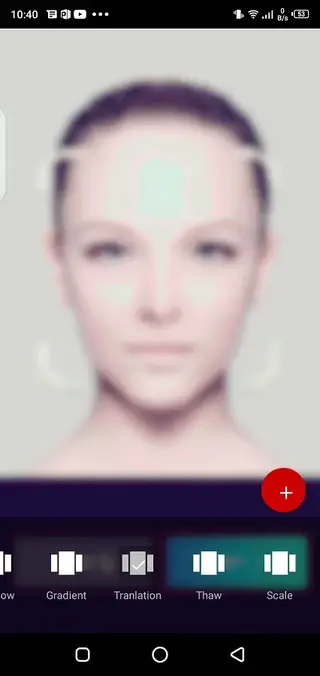
Apply different filters and visual effects to change the style, color tone, and overall mood of your images or GIF frames.
Transitions and motion styling
Add simple transitions between frames in your GIFs to make animations look smoother and more engaging.
Music support for GIFs
Attach background music to your animated creations where supported, adding more expression to your content.
User-friendly interface
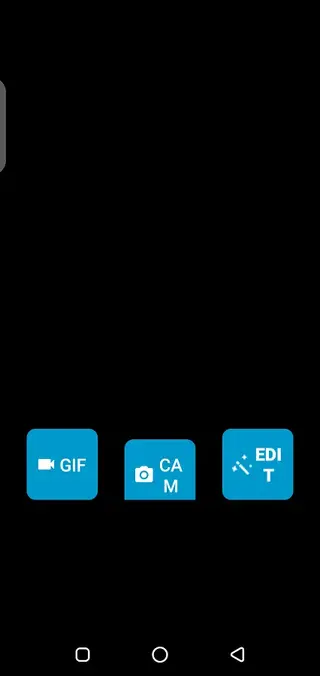
Navigate between camera, editor, and GIF maker with a clean and straightforward layout suitable for beginners.
Works on older Android versions
Supports Android 4.4 and above, making the app accessible to many older phones and tablets.
Screenshots
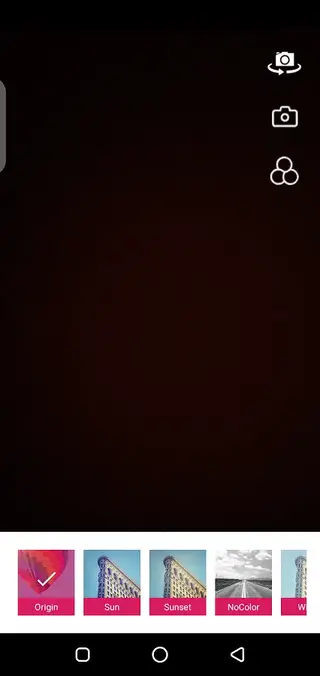
Getting Started With Camera And Editor
After installing Penny Camera, you can open the built-in camera from the main screen. Select a filter before you take a shot or switch filters to preview different looks in real time. This helps you decide how your selfie or scene should appear before you tap the shutter button.
For existing photos, switch to the editor section and choose an image from your gallery. Apply filters, crop if needed, and adjust the overall style until you are satisfied. The app focuses on speed, so you can create a ready-to-share result in a short time.
Creating GIFs Step by Step
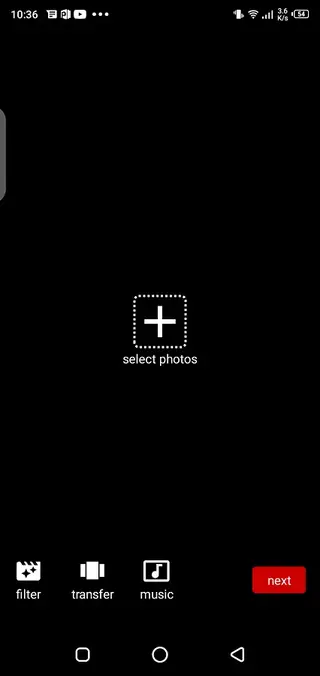
Penny Camera includes a dedicated GIF tool that turns static images into simple animations. Start by choosing multiple photos that show a sequence or slight movement.
Open the GIF section in the app.
Select the photos you want to include in your animation.
Arrange the order of the frames as you prefer.
Apply filters and, where available, choose transitions between frames.
Add background music if the format you select supports it.
Export the GIF and save it to your gallery for sharing.
This workflow is suitable for creative stories, reaction GIFs, or looping clips made from a short series of shots.
Tips to Reduce Distractions From Ads
Penny Camera displays advertising to support development. If the ads feel distracting, you can limit their impact by editing when your connection is weak or by focusing on quick sessions rather than long, continuous use.
Keeping your edits structured, such as preparing all photos first and then processing them in one go, can also make the overall experience smoother, even if ads appear from time to time.
FAQs
Pros
- Lightweight photo and GIF editor suitable for older Android devices
- Simple interface that is easy for beginners to understand
- Includes built-in camera with live filters for quick selfies
- Offers GIF creation from photos with transitions and music support
- Many features can be used offline after installation
- APK is directly downloadable from our website for manual install
Cons
- Contains in-app advertisements that some users may find intrusive
- Lacks advanced professional editing tools and fine-grained controls
- Interface and features may feel basic for power users
- Availability and performance can vary across different Android devices
Conclusion
Penny Camera is a compact and beginner-friendly photography app that combines a beauty camera, GIF maker, and quick photo editor. If you want a simple way to capture and stylize photos, create animated images, and experiment with filters on almost any Android device, downloading the Penny Camera APK from our website is a practical place to start.




Comments
No approved comments yet.