

Pirata Sensi
Pirata Sensi is an Android sensitivity tool designed for players of popular shooter titles like PUBG Mobile, COD Mobile, and Garena Free Fire. It focuses on giving you more control over how fast your screen responds to touches and swipes.
By adjusting detailed sensitivity values outside the default game limits, the app helps you find smoother aim, quicker camera movement, and more consistent recoil control. You can install the official Pirata Sensi APK directly from our website and start tuning your settings in minutes.
The interface stays simple, so even new players can select a game, apply a preset, or fine tune sliders without digging through complex menus. It is mainly aimed at competitive mobile gamers who want more responsive controls without rooting their device.
Rate this app
App details
- App name
- Pirata Sensi
- Category
- Tools
- Version
- v9.0
- Size
- 5.08 MB
- Requirements
- 5.0 and Above
- Package name
- com.my.topsensifree
- Publisher
- Cupsat Tecnologia
- Price
- Free
- Mod
- No
- Downloads
- 99,650
- Rating
- 4.7 / 5
- Rating count
- 31,009
- Play Store
- No
- Requires root
- No
- Offline support
- Yes
- Contains ads
- Yes
- In-app purchases
- No
- Updated
- May 18, 2026
- Age rating
- Rated for 12+
Table of contents
What is Pirata Sensi app
Pirata Sensi is a third-party Android utility that lets you customize touch and camera sensitivity for selected mobile shooter games. Instead of relying only on the in-game options, it offers extended ranges and ready-made configurations so you can react faster during matches.
The app targets three major titles often played on phones and tablets:
PUBG Mobile
Call of Duty Mobile
Garena Free Fire
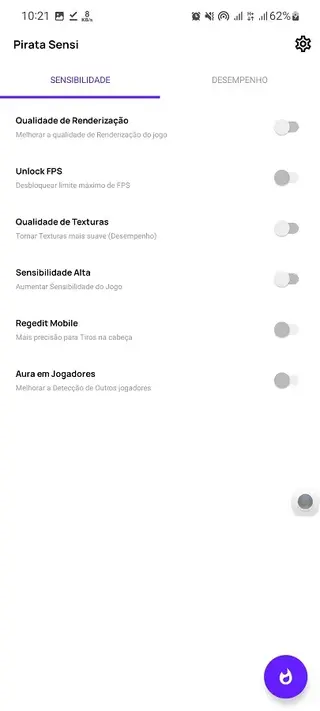
Inside the app you choose your game, pick from suggested sensitivity levels, or manually move sliders for camera, ADS, and general movement. These tweaks aim to make aiming smoother, tracking enemies easier, and quick turns more controlled.
Pirata Sensi works without root on most devices running Android 5.0 or higher. Many players use it as a lightweight companion tool alongside their favorite battle royale or FPS games to refine their control feel.
Why download Pirata Sensi for Android
Mobile shooters often limit how far you can push sensitivity inside game settings. Pirata Sensi offers extra headroom and custom profiles, which can help you match the controls to your device screen, finger speed, and play style.
Downloading the Pirata Sensi APK from our website gives you direct access to the latest available version, so you can:
Experiment with finer sensitivity steps than standard game menus.
Switch between different configurations depending on weapon type or game mode.
Speed up or slow down camera movement until it feels natural for you.
If you struggle with slow aim, jerky camera movement, or inconsistent flicks, using a dedicated sensitivity tool can be an efficient way to adjust control response without changing hardware.
How Pirata Sensi can be useful
Sensitivity tuning plays a major role in competitive shooters. Too low and you cannot turn or track targets fast enough; too high and your crosshair skips past enemies. Pirata Sensi helps you find a middle ground that fits your hand movement and screen size.
By centralizing sensitivity controls for multiple games, the app saves time when you switch between titles. You do not need to manually guess values every time you reconfigure your settings. Instead, you can:
Use starting presets as a baseline and refine them over time.
Adapt your settings if you change devices or screen resolution.
Test different values in training mode until your aim feels stable.
This makes Pirata Sensi particularly helpful for new players learning shooter mechanics and for experienced users who want consistent control across all their favorite games.
We have more similar tools available for the users, which you can also access and have fun with. If you are willing to have more similar tools, then try Sensilag 2 and Macro Extreme. Both of these are quite popular tools, which you can have and enjoy.
How to download and install Pirata Sensi APK
You can get the official Pirata Sensi APK directly from our website. Follow these basic steps on your Android phone or tablet:
Scroll to the download section on this page and tap the Pirata Sensi APK download button.
Wait until the APK file finishes downloading to your device.
Open your device settings and enable installation from unknown or external sources if it is not already allowed.
Locate the downloaded APK in your notifications or file manager and tap it.
Confirm the installation prompts and wait for the process to complete.
Launch Pirata Sensi, select your game, and start adjusting your sensitivity values.
If you later update to a newer version from our website, install the latest APK over the existing one so your data stays intact where supported.
Features
Multi game sensitivity support
Adjust sensitivity settings for popular shooter games like PUBG Mobile, COD Mobile, and Garena Free Fire from one place.
Extended sensitivity ranges
Go beyond many default in game sensitivity limits to fine tune camera, ADS, and movement controls.
Simple game selection
Choose your target game from a clear list and apply changes without navigating complicated menus.
Preset and custom profiles
Start from suggested sensitivity levels or build your own configurations by moving sliders.
No root requirement
Use the app on most standard Android devices without needing root access.
Lightweight interface
Minimal, easy to understand layout that focuses on core sensitivity options only.
Quick apply process
Select the game, adjust your preferences, and apply changes in a few taps.
Free to download
The official APK is available to download and install at no cost from our website.
Screenshots
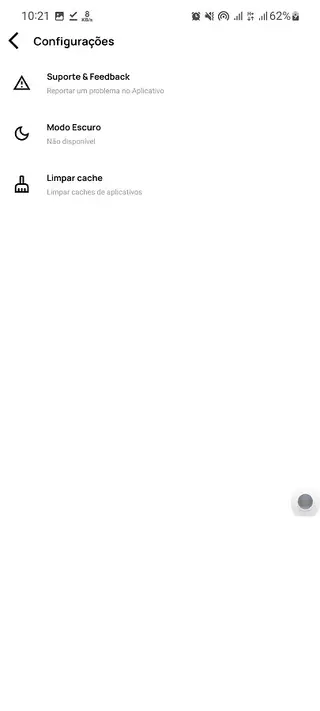
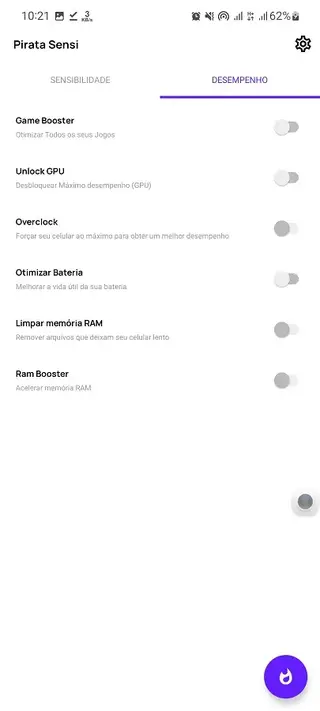
Tips for setting up your first sensitivity profile
When you start using Pirata Sensi, it is better to make gradual adjustments instead of large jumps. This helps you stay in control while your muscle memory adapts.
Begin with a balanced preset close to your current in game values.
Increase or decrease sensitivity in small steps and test for a few matches.
Use training grounds or practice modes to experiment before entering ranked games.
Keep separate profiles for close range and long range play if your game supports different scopes.
Over time you will notice which values feel natural for flicks, tracking, and quick turns, and you can lock those in as your main profile.
Device compatibility and performance notes
Pirata Sensi targets Android 5.0 and higher, which covers most modern phones and tablets. Performance can still vary based on your device CPU, GPU, and screen refresh rate.
For the best experience:
Close background apps before running heavy shooter games.
Keep your device software up to date.
Monitor how sensitivity feels after game updates, as patches can change overall handling.
If you change devices or adjust your screen DPI, revisit your Pirata Sensi configuration and retune your profiles so they match the new hardware.
FAQs
Pros
- Lets you fine tune sensitivity beyond many in game limits
- Supports several popular shooter games in one tool
- Works on most non rooted Android devices
- Simple interface that is easy for beginners to understand
- Available as a free APK download from our website
Cons
- Only useful for supported shooter titles
- Contains ads which some users may find distracting
- Third party tools may not align with every game’s terms or future updates
- Settings changes can take time to test and optimize
Conclusion
Pirata Sensi is a focused Android tool for players who want tighter control over sensitivity in major mobile shooters. If your current in game options feel limiting, downloading the official APK from our website gives you a simple way to experiment with new values and build smoother, more responsive controls tailored to your own play style.




Comments
No approved comments yet.