

PisoWifi
PisoWifi is a helper app for managing connections on Piso WiFi and PisoNet coin-operated hotspots, popular in the Philippines. It focuses on giving you better control over how you use paid WiFi time.
With this tool you can view connection details, access the 10.0.0.1 Piso WiFi portal, and manage pause or resume functions when supported by the hotspot. This helps you stretch your coins and avoid wasting paid minutes.
You can download the official PisoWifi APK file directly from our website and install it on compatible Android phones and tablets running Android 4.0.3 or higher.
Rate this app
App details
- App name
- PisoWifi
- Category
- Business
- Version
- v1.08
- Size
- 4.43 MB
- Requirements
- 4.0.3 and Up
- Package name
- org.pcbuild.rivas.pisowifi
- Publisher
- PisoNet
- Price
- Free
- Mod
- No
- Downloads
- 110,000
- Rating
- 4.7 / 5
- Rating count
- 41,000
- Play Store
- Yes
- Requires root
- No
- Offline support
- No
- Contains ads
- No
- In-app purchases
- No
- Updated
- May 30, 2026
- Age rating
- Rated for 3+
Table of contents
What is PisoWifi App
PisoWifi is an Android application designed for users of Piso WiFi and PisoNet vending machines, which offer pay-per-use internet access using coins. Instead of buying regular data packages, you insert coins into a nearby Piso WiFi vendo machine and connect your Android device to its wireless network.
The app works as a companion tool for these networks. After connecting your phone to the Piso WiFi hotspot SSID, you can use PisoWifi to reach the 10.0.0.1 portal page, check your remaining time, and review basic connection details. On supported systems, you can also pause and resume your active session to avoid wasting minutes when you are not browsing.
This solution is mainly used in the Philippines, where Piso WiFi machines are installed in small shops, terminals, and public areas. The app does not replace the coin-operated hardware; it helps you interact with it in a smoother and more user-friendly way.
Why Download PisoWifi APK from Our Website
Downloading PisoWifi APK from our website lets you install the app quickly on your Android device without searching around. The installation file is available in the latest version listed on this page, so you can get started as soon as you are near a Piso WiFi hotspot.
Once installed, the app helps you access the 10.0.0.1 Piso WiFi portal, monitor your active session, and use pause features when offered by the network. This is particularly useful if you want to control every minute of your paid internet time and avoid unnecessary coin spending.
Our download page includes the current version information, package name, Android requirement, and other technical details so you know exactly what you are installing before you start.
How PisoWifi Helps Piso WiFi Users
Piso WiFi networks are built around short, coin-based internet sessions. Without a proper tool, it is easy to lose track of remaining time and end up wasting coins when you are temporarily away from your device.
PisoWifi makes this experience more manageable. By giving you direct access to the 10.0.0.1 portal and clear connection information, the app helps you see how long your session will last and whether you need to recharge. The pause function, when available on the hotspot, lets you stop the timer while keeping your remaining balance safe.
For frequent Piso WiFi users in the Philippines, having this app installed on their phone can make daily internet use cheaper, more predictable, and more convenient.
How to Download and Install PisoWifi APK
You can download the PisoWifi APK file directly from our website and install it on your Android device. Follow these steps to get started.
Scroll to the download area on this page and tap the download button for the latest PisoWifi APK file.
Wait for the APK to finish downloading on your phone or tablet.
On your Android device, open Settings and go to the security or privacy section.
Enable the option that allows installation of apps from unknown sources if it is not already enabled.
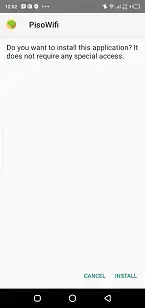
Open your file manager, locate the downloaded PisoWifi APK, and tap it to start installation.
Review the permissions and confirm the installation process.
Once installed, connect to a Piso WiFi hotspot, open the app, and start managing your session.
After setup, you can return to the app whenever you connect to a compatible Piso WiFi network to access the portal and manage your internet time.
Features
Portal access to 10.0.0.1 Piso WiFi
Quickly open the 10.0.0.1 Piso WiFi portal from your phone to manage your session and view package details.
Supports coin-based WiFi sessions
Works with Piso WiFi and PisoNet vendo machines that provide internet access in exchange for coins.
Connection detail overview
Shows useful information about your current WiFi connection so you can track status and packages more easily.
Pause and resume session time
On compatible Piso WiFi systems you can pause your internet time to avoid wasting minutes while you are idle.
Fast recharge handling
Helps you quickly reconnect or top up your session after inserting new coins into the vendo machine.
Customer log management
Includes basic options to keep track of customer sessions and access history on supported setups.
Customizable settings
Lets you adjust certain user details such as username and address bar based on network configuration options.
Designed for Philippines Piso WiFi
Optimized for Piso WiFi networks that are widely deployed across the Philippines in shops and public places.
Screenshots




Where PisoWifi Is Commonly Used
PisoWifi is most widely used in the Philippines, where coin-operated WiFi machines are installed in convenience stores, boarding houses, transport terminals, and neighborhood shops. These machines offer short bursts of internet access for a low price, usually a few coins per session.
The app fits naturally into this environment by making it easier for users to monitor and control their purchased time. Students, commuters, tourists, and residents who do not maintain long-term data plans often rely on Piso WiFi and can benefit from using the app whenever they connect.
Tips for Getting Better Value from Piso WiFi
To get the most out of Piso WiFi with the help of PisoWifi, try to plan your browsing sessions before inserting coins. Queue downloads or pages you need, then connect and start your session only when you are ready.
Use the pause option when it is available on your local network to stop the timer if you need a short break. Keep an eye on the remaining time in the portal so you can decide whether to extend the session or disconnect. These simple habits can help you make your Piso WiFi usage more efficient and cost effective.
FAQs
Pros
- Helps manage coin-based Piso WiFi sessions more efficiently
- Provides quick access to the 10.0.0.1 Piso WiFi portal
- Pause and resume options can save paid internet time
- Simple interface that is easy for new users to understand
- Designed specifically for popular Piso WiFi networks in the Philippines
Cons
- Useful only when you are within range of a compatible Piso WiFi hotspot
- Requires an active internet connection through the Piso WiFi network to function
- Availability is mainly limited to the Philippines
- Features depend on how the local Piso WiFi system is configured
Conclusion
PisoWifi is a focused companion app for people who regularly use Piso WiFi or PisoNet coin-operated hotspots. By simplifying portal access, exposing clear connection details, and supporting pause controls where available, it helps you get more value out of every coin. If you rely on Piso WiFi for everyday browsing in the Philippines, downloading the official APK from our website and keeping it installed on your Android device can make managing your paid sessions much easier.
Pisowifi Apk offers the best internet connection, which is faster, smoother, and cheaper. So, get these features, by using this application and enjoy surfing. For more amazing apps and hacks, keep visiting our website.




Comments
No approved comments yet.