

Player Latino Pro
Player Latino Pro is a lightweight IPTV player for Android that lets you add your own streaming links and watch live TV on mobile or tablet. It focuses on playback quality and simple controls instead of bundled channels.
With this app you can create personal playlists, organize IPTV sources, and enjoy a built-in media player optimized for live streams. Download the official Player Latino Pro APK directly from our website and start watching in a few minutes.
We got some IPTV Apps, which provide better services for the users. So, if you are not satisfied with the available services, then you guys should try Dark Buzz and P2Braz.
Rate this app
App details
- App name
- Player Latino Pro
- Category
- Tools
- Version
- v3.5.4
- Size
- 7.68 MB
- Requirements
- 4.1 and Above
- Package name
- live.playerlatino
- Publisher
- PLAYERLATINO
- Price
- Free
- Mod
- No
- Downloads
- 333,215
- Rating
- 4.5 / 5
- Rating count
- 11,258
- Play Store
- No
- Requires root
- No
- Offline support
- No
- Contains ads
- No
- In-app purchases
- No
- Updated
- May 11, 2026
- Age rating
- Rated for 3+
Table of contents
What is Player Latino Pro?
Player Latino Pro is an Android IPTV player that focuses purely on playback. It does not include built-in TV channels or playlists. Instead, it allows you to add your own M3U or IPTV source links and then stream those channels through its integrated video player.
The app is mainly designed for Spanish-speaking users and offers a clean, straightforward interface in Spanish. Once you add your preferred IPTV URLs, Player Latino Pro organizes them into a personal playlist and lets you access live streams directly on your phone or tablet.
Because it works as a standalone player, you stay in control of what you watch. You decide which channels or lists to add, remove, or update at any time without depending on fixed, preloaded content.
Why download Player Latino Pro APK from our website?
Downloading the Player Latino Pro APK from our website gives you quick access to the official installation file without needing any extra tools or stores. You can save the APK to your device, install it manually, and start adding your IPTV links right away.
Our download page provides the current Android version, package name, and technical details so you know exactly which app you are installing. This is especially useful if Player Latino Pro is not easily available in your local app store or if you prefer installing apps via APK files.
Once installed, the app lets you build a custom IPTV environment that fits your interests, instead of relying on generic channel lists you cannot edit.
How is Player Latino Pro useful?
Player Latino Pro is useful for anyone who already has access to IPTV lists or channel URLs and needs a stable, easy-to-use Android player. Instead of juggling multiple apps, you can centralize your links, organize them into playlists, and stream them with a single tap.
The built-in player supports common IPTV formats and offers smart playback controls such as pause, seek, and aspect ratio changes. Theme options let you adjust the appearance of the interface so the player looks and feels the way you like.
Because it does not force preloaded content or heavy extras, Player Latino Pro stays relatively light and focused on what matters most: playing the IPTV sources you choose.
How to download and install Player Latino Pro APK
You can download the official Player Latino Pro APK file directly from our website and install it on your Android phone or tablet. Follow these steps to get started:
Scroll to the download section on this page.
Tap the APK download button for Player Latino Pro.
Wait for the APK file to finish downloading to your device.
Open your device settings and enable installation from unknown sources if it is not already allowed.
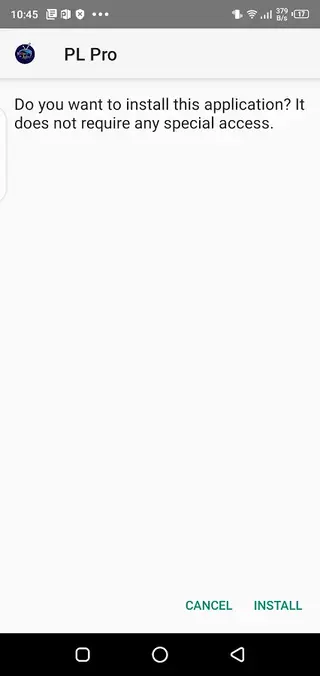
Locate the downloaded APK in your downloads folder and tap it.
Confirm the installation prompt and wait until the process completes.
Open Player Latino Pro, add your IPTV links or playlists, and start streaming.
Whenever a newer version becomes available, you can return to our website, download the updated APK, and install it over the existing app to keep your player current.
Features
Custom IPTV playlists
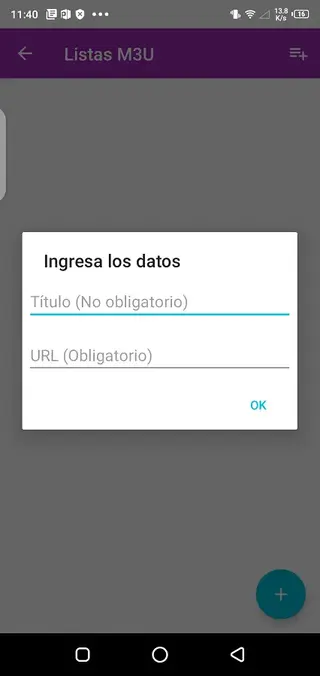
Create and manage your own IPTV playlists by adding channel or list URLs manually.
No preloaded channels
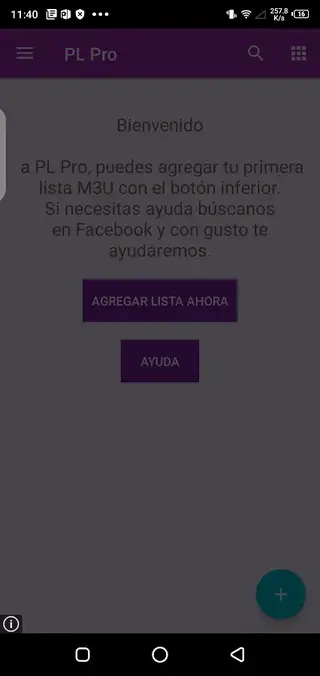
The app starts empty so you only see the channels and lists that you choose to add.
Integrated media player
Play streams with a built-in video player optimized for live IPTV playback and control.
Simple user interface
Navigate channels and settings easily thanks to a clean, user-friendly layout in Spanish.
Spanish language support
Interface and labels are mainly in Spanish, making it comfortable for Spanish-speaking users.
Theme customization
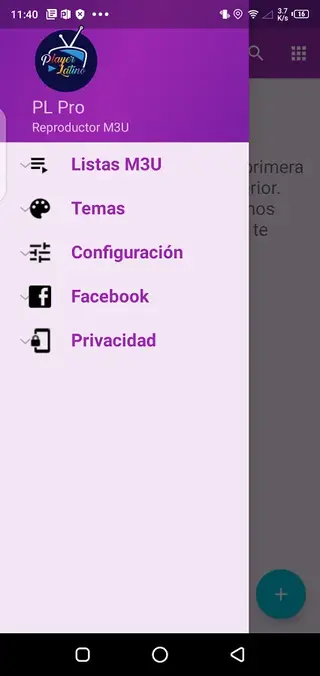
Switch between available themes to change colors and overall visual style of the player.
Quick playback performance
Designed to start streams quickly and reduce lag or buffering issues when the source is stable.
Ad-free viewing
According to the original description, the app does not show third-party advertising inside the player.
Screenshots
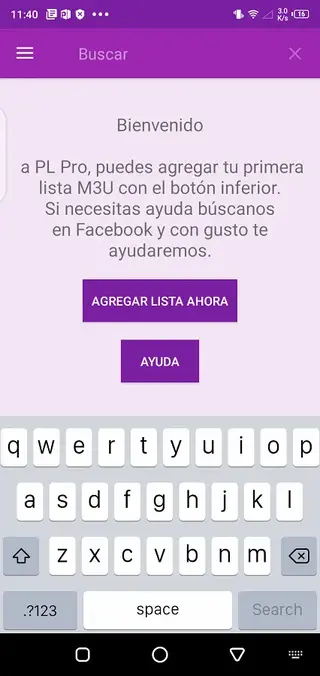
How Player Latino Pro handles IPTV playlists
When you first launch Player Latino Pro, the channel list is empty. You can start by adding individual stream URLs or complete playlist files that contain multiple channels. The app then groups these entries inside its interface so you can browse them by name and select the stream you want.
If you later discover better sources, you can edit or replace your existing links. This flexibility is helpful for users who frequently update their IPTV lists or switch between different providers.
Interface and user experience
The design of Player Latino Pro is centered around quick access to content. Menus are kept simple, and the main focus is on your playlist and player controls. Because the interface is in Spanish, labels and options will feel natural for Spanish-speaking viewers.
Theme options allow some visual customization, so you can choose colors and styles that are easier on your eyes during long viewing sessions.
Tips for smoother IPTV streaming
Even though Player Latino Pro is optimized for IPTV playback, overall performance still depends heavily on the quality of your IPTV source and your internet connection. For better results, try the following tips:
Use reliable IPTV lists or URLs that are known to be stable.
Connect to a fast and stable Wi-Fi network whenever possible.
Close other heavy apps running in the background while streaming.
Update the app to the latest version from our website when available.
By combining a good source with the Player Latino Pro IPTV engine, you can significantly improve your overall viewing experience.
FAQs
Pros
- Lets you add and manage your own IPTV links instead of forcing fixed channel lists
- Lightweight IPTV player focused on playback rather than bundled content
- Built-in media player with practical controls for live TV streaming
- Interface is simple and easy to understand for Spanish-speaking users
- Ad-free experience according to the original app description
- Supports personal playlists so you can organize channels by your own preference
Cons
- Does not include any built-in IPTV channels or playlists by default
- Requires you to find and maintain your own IPTV sources or M3U lists
- Interface supports only Spanish language, which can be difficult for other users
- Needs a stable internet connection for smooth playback and cannot be used fully offline
Conclusion
Player Latino Pro is a focused IPTV player for Android users who already have their own channel lists and want a clean way to watch them. By downloading the APK from our website, you can install the app quickly, add your preferred IPTV links, customize the interface, and enjoy live TV without built-in clutter or intrusive ads.




Comments
No approved comments yet.