
Prerna DBT
Prerna DBT is an official education and data management app for teachers working in government schools across Uttar Pradesh. It helps staff record and update student information in one digital platform.
With this app, teachers can handle enrollment details, attendance data, and scheme-related information directly from their Android phone or tablet. All records sync with state-level systems so schools and authorities can review accurate, up-to-date data.
You can download the latest Prerna DBT APK directly from our website and install it on compatible Android devices without any extra tools or complex setup.
Rate this app
App details
- App name
- Prerna DBT
- Category
- Educational
- Version
- v1.0.0.73
- Size
- 26.75 MB
- Requirements
- 5.0 and Above
- Package name
- com.technosys.StudentEnrollment
- Publisher
- TECHNOSYS SERVICES PVT LTD
- Price
- Free
- Mod
- No
- Downloads
- 65,231
- Rating
- 4.6 / 5
- Rating count
- 24,121
- Play Store
- Yes
- Requires root
- No
- Offline support
- No
- Contains ads
- No
- In-app purchases
- No
- Updated
- May 14, 2026
- Age rating
- Rated for 12+
Table of contents
What is Prerna DBT App?
Prerna DBT is an Android application developed by TECHNOSYS SERVICES PVT LTD for the Uttar Pradesh Basic Education Department. The app supports teachers and school administrators in managing student enrollment and related data for state initiatives such as Mission Prerna and Direct Benefit Transfer (DBT) schemes.
Using Prerna DBT, teachers in primary and upper primary schools can log in with their registered credentials, select their school, and capture accurate details about each student. This includes profile information, class and section, and other data required for government programs.
The app focuses on making data entry more structured and digital so that records stay consistent across districts. It is designed specifically for users in Uttar Pradesh and is not intended for schools outside the state.
Why download Prerna DBT APK from our website
Downloading the Prerna DBT APK from our website gives you quick access to the official installation file without searching through multiple pages. You get the version that matches the details listed on this page, so you know what you are installing.
Once downloaded, you can install the app on eligible Android devices and sign in with your registered mobile number and school details. This helps you start or continue your data entry tasks without waiting for updates through other channels.
Our download section is kept focused on the original app package, so teachers and school staff can get the file they need and move straight to installation and login.
We also have some similar applications, which you can try. So, get Wings Ek Udaan and Jagananna Vidya Kanuka, both of these apps provide active services for the users.
How Prerna DBT helps teachers and schools
Prerna DBT is useful because it centralizes important student and school data in a single mobile platform. Instead of keeping scattered paper records, teachers can capture information in a structured format that aligns with government reporting requirements.
The app supports activities such as student enrollment verification, attendance tracking support, and data collection for DBT-linked schemes. This reduces manual errors and makes it easier for authorities to monitor implementation at school level.
By using the app regularly, teachers can stay informed about relevant training activities and updates shared through the system. Over time, this can contribute to better classroom support, more accurate records, and smoother coordination between schools and education officials.
How to download and install Prerna DBT APK
You can get the Prerna DBT APK file directly from our website and install it on your Android device. Follow these steps to complete the process smoothly:
Scroll to the download section on this page and tap the Prerna DBT APK download button.
Wait for the APK file to finish downloading to your phone or tablet.
Open your device settings and, if required, allow installation from unknown sources for your browser or file manager.
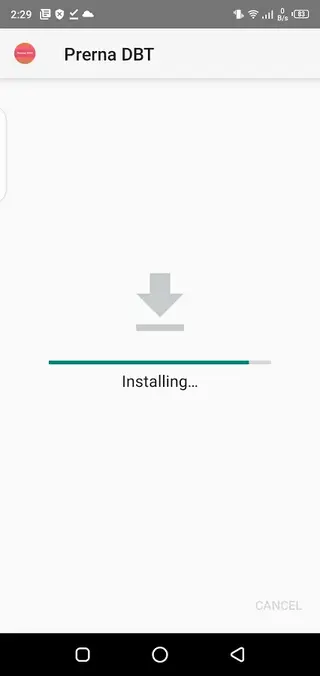
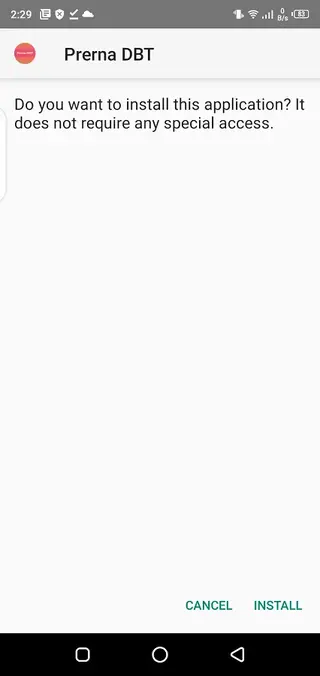
Locate the downloaded APK in your Downloads folder and tap it to start installation.
Follow the on screen prompts to complete the setup.
Open Prerna DBT, register or sign in with your mobile number, verify the OTP, and select your school details to begin using the app.
Features
Official app for Uttar Pradesh schools
Designed for teachers and staff working in government primary and upper primary schools in Uttar Pradesh.
Digital student data collection
Allows teachers to record and update student enrollment details directly on their Android device.
Support for DBT and schemes
Helps capture the data needed for Direct Benefit Transfer and related state education programs.
OTP based registration and login
Uses mobile number verification with OTP to confirm user identity before granting access.
School and location selection
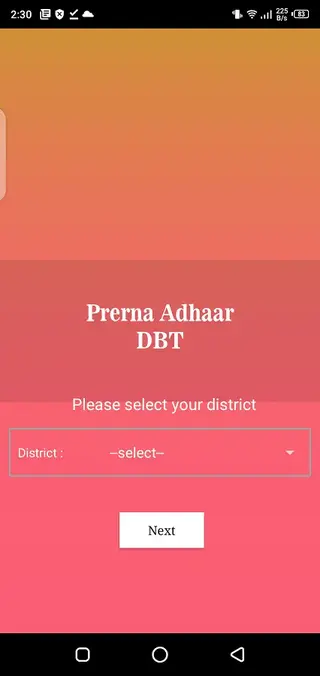
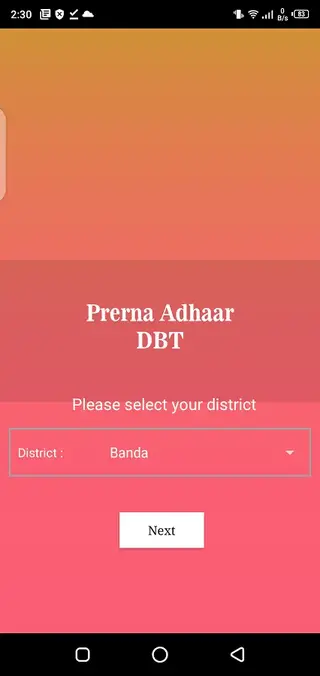
Lets users select their district, block, and school to ensure data is stored under the correct institution.
Dashboard based navigation
Provides a simple dashboard where teachers can access different sections and tasks.
Updates and announcements
Can display notices and information about upcoming training or teaching related events.
Simple interface for teachers
User interface is focused on basic forms and fields so teachers can use it with minimal training.
Screenshots
System requirements and compatibility
Prerna DBT is built for Android devices running version 5.0 and above. It is aimed at entry-level and mid-range smartphones commonly used by teachers in the field. Although the app may install on devices with lower specifications, using a phone with sufficient storage and stable network connectivity will provide a smoother experience.
The app requires an active SIM card or network connection for OTP verification and data syncing. Teachers should ensure that their registered mobile number remains active and accessible on the device where the app is installed.
Registration and onboarding process
After installing Prerna DBT, new users must complete a registration process before they can access the dashboard. The steps typically include selecting the appropriate district, block, and school, then entering a valid mobile number. The system sends a one time password (OTP) that must be entered correctly to confirm the account.
Once verified, users can proceed to configure basic school details and start capturing student records. It is a good practice to review the initial information carefully so that all subsequent data links to the correct institution.
Daily use in classrooms and field work
Teachers can use Prerna DBT both inside classrooms and during field visits for enrollment-related activities. When meeting students and families, staff can update records on the spot instead of filling paper forms and transferring data later.
This can save time at the end of the day and reduce the possibility of missing or duplicated entries. Regular updates through the app also help ensure that student lists reflect transfers, new admissions, and dropouts more accurately.
Best practices for accurate data entry
Since Prerna DBT feeds into official databases, accuracy is important. Teachers should double-check spellings of names, verify class and section assignments, and confirm key identifiers before submitting each form. Where possible, cross-check information with existing school registers.
Entering data consistently in the same format across all classes makes it easier for administrators to generate reports and use the information for planning, audits, and DBT related processes.
FAQs
Pros
- Official data collection tool for Uttar Pradesh government schools
- Simplifies student enrollment and record keeping for teachers
- Supports OTP based secure access with mobile verification
- Structured forms help reduce manual data entry errors
- Mobile app interface allows work from classrooms and field visits
Cons
- Useful only for users and schools within Uttar Pradesh
- Requires stable internet connectivity for most features
- Interface may feel basic compared to modern consumer apps
- Initial registration and setup can be time consuming for new users
Conclusion
Prerna DBT gives Uttar Pradesh teachers a focused tool for managing student data and enrollment details in line with state education programs. If you work in a government school and need to update records digitally, downloading the APK from our website is a straightforward way to install the official app and start using its features.




Comments
No approved comments yet.