
Prim Keyboard
Prim Keyboard is a lightweight Android keyboard that focuses on fast, accurate typing with a clean, customizable layout. It offers smart word suggestions, auto-correction, and multi-language support in a compact package.
With built-in dictionary, emoji support, and multiple themes, the app aims to improve everyday typing without clutter or distractions. You can set it as your default keyboard and enjoy a smoother typing experience across all apps.
You can download the latest Prim Keyboard APK directly from our website, install it on compatible Android devices, and start using its features within minutes.
Rate this app
App details
- App name
- Prim Keyboard
- Category
- Personalization
- Version
- v1.0
- Size
- 1.23 MB
- Requirements
- 4.3 and Up
- Package name
- at.couchpot.primkeyboard
- Publisher
- Couch Pot
- Price
- Free
- Mod
- No
- Downloads
- 50,023
- Rating
- 4.0 / 5
- Rating count
- 20,001
- Play Store
- No
- Requires root
- No
- Offline support
- Yes
- Contains ads
- No
- In-app purchases
- No
- Updated
- May 13, 2026
- Age rating
- Rated for 3+
Table of contents
What is Prim Keyboard?
Prim Keyboard is an Android keyboard application developed by Couch Pot that replaces your default system keyboard with a smarter, more customizable typing board. The app focuses on delivering an efficient typing experience with minimal size and a straightforward interface.
It includes an integrated dictionary for auto-correction, word prediction to speed up typing, and support for multiple languages. Users can switch layouts, customize the visual style with themes, and use emojis or GIFs when chatting in social and messaging apps.
Once installed and enabled as the default input method, Prim Keyboard works across your entire device, including messaging apps, browsers, email clients, and social networks.
Why download Prim Keyboard APK from our website?
Downloading the Prim Keyboard APK from our website lets you get the specified version directly, without waiting for staged rollouts or store availability. The APK file for version 1.0 is listed with its details so you know exactly what you are installing.
Our download page keeps the core information in one place, including Android version requirements, developer details, and basic feature highlights. This helps you quickly decide whether the app suits your device and typing needs before you install it.
If you prefer to keep a backup of installers or sideload apps on multiple devices, having the Prim Keyboard APK file from our site makes that process easier.
How Prim Keyboard is useful
Prim Keyboard is useful for Android users who want a simple, responsive keyboard without unnecessary clutter. The word prediction and auto-correction features help reduce spelling mistakes and speed up long messages or emails.
Its multi-language support allows you to type in more than one language without constantly switching apps. The built-in dictionary improves over time as you use it, making suggestions more relevant to your writing style.
Custom themes and layout settings give you visual control, which can improve readability and comfort during long typing sessions. Emoji and GIF access make conversations more expressive, especially in chats and social media apps.
How to download and install Prim Keyboard APK
You can get the Prim Keyboard APK directly from our website by following a few simple steps. Make sure your device meets the minimum Android requirement of version 4.3 or higher before you begin.
Scroll to the download section on this page and tap the APK download button for Prim Keyboard.
Wait for your browser to finish downloading the APK file to your Android device.
If prompted, allow installs from unknown sources in your device security or app installation settings.
Open the downloaded APK file from the notification panel or your file manager.
Tap Install and wait for the installation to complete.
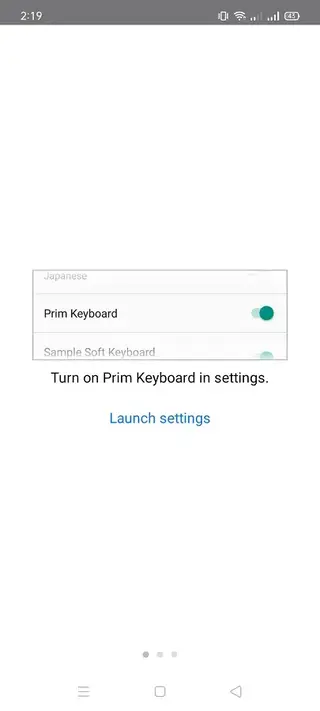
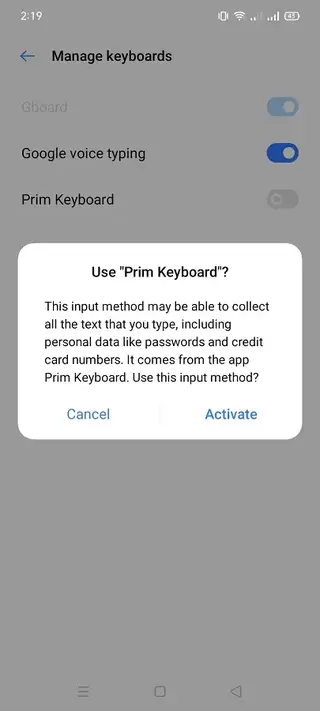
Go to Settings > System > Languages & input (or similar), select Prim Keyboard, and set it as your default keyboard.
Grant the requested permissions so all features like prediction and voice input can work properly.
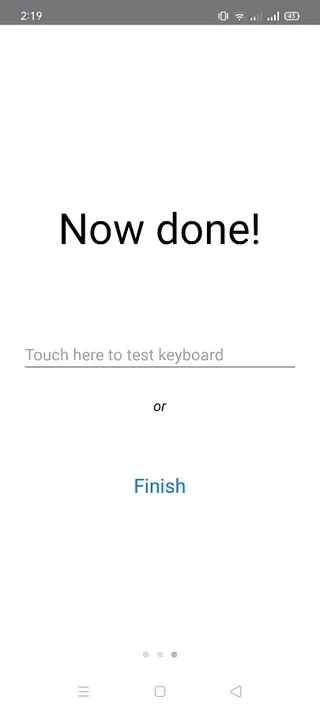
After setup, open any app that requires typing and the Prim Keyboard will appear, ready to use.
Features
Smart word prediction
Learns from your typing and suggests likely next words to speed up text input.
Auto-correction and dictionary
Built-in dictionary checks spellings and corrects common mistakes as you type.
Support for multiple languages
Allows typing in different languages and switching layouts as needed.
Voice typing support
On compatible devices you can dictate text using voice input instead of manual typing.
Emojis and GIFs
Provides access to emojis and GIFs to make chats and social posts more expressive.
Multiple keyboard themes
Offers several themes so you can personalize the look of the keyboard to your taste.
Lightweight and simple interface
Small app size and a clean, user-friendly layout focused on fast typing.
No ads in the keyboard
According to the original description, the app does not display ads during use.
Screenshots

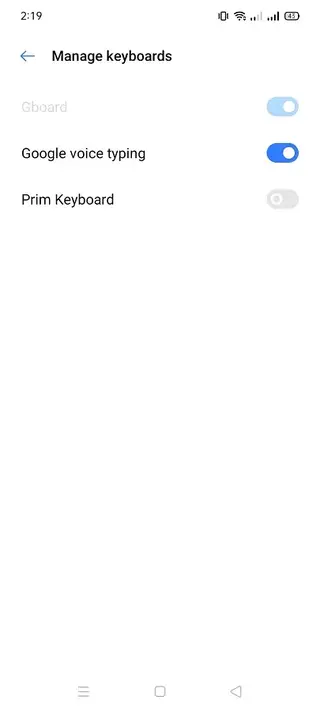
App details and requirements
Prim Keyboard is listed as version 1.0 with the package name at.couchpot.primkeyboard. It is designed for Android devices running version 4.3 or higher, which covers a wide range of phones and tablets.
Because of its small size, the app is suitable for devices with limited storage. Once installed, you can manage it like any other keyboard through the system input settings, enabling or disabling it whenever needed.
Permissions and privacy considerations
As with most keyboard apps, Prim Keyboard may request permissions related to text input, language settings, and voice typing. Granting these permissions is necessary for features like prediction, dictionary, and voice input to work correctly.
Keyboard apps can access the text you type, so always review the app permissions and decide whether they match your comfort level. You can adjust or revoke permissions later from your Android settings if you change your mind.
Tips for better typing with Prim Keyboard
To get the most from Prim Keyboard, use it regularly so the prediction system can learn your writing style. Adding frequently used words to the dictionary can reduce future corrections.
Experiment with different themes and layouts until you find a design that is easy on your eyes during long typing sessions. If you type in more than one language, enable those languages in the keyboard settings to switch quickly while chatting or emailing.
FAQs
Pros
- Lightweight keyboard with small install size
- Smart word prediction and auto-correction improve typing speed
- Supports multiple languages and layouts
- Includes emojis, GIFs, and voice typing support on compatible devices
- Customizable themes and user-friendly interface
- No ads according to the original description
Cons
- Feature set is more basic compared to some large mainstream keyboards
- Voice typing availability may vary between devices and Android versions
- Limited public documentation and community support
Conclusion
Prim Keyboard is a compact Android keyboard focused on fast, accurate typing with smart prediction, auto-correction, and customization options. If you want a simple alternative to heavy keyboards, you can download the Prim Keyboard APK from our website and set it up as your main input method in a few steps.For more details visit apkoll




Comments
No approved comments yet.