
RTV TV
RTV TV is an Android app that focuses on Christian education through live TV channels, radio streams, and scheduled programs. It gathers religious content in one place so you can follow teachings and events more easily.
With a simple interface and organized sections for IPTV and radio, the app helps users explore Christian sermons, talks, worship sessions, and religious discussions without complex setup.
You can download the official RTV TV APK directly from our website and install it on compatible Android phones and tablets to start watching and listening right away.
Rate this app
App details
- App name
- RTV TV
- Category
- Educational
- Version
- v26
- Size
- 6.83 MB
- Requirements
- 4.1 and Above
- Package name
- com.nathan_software.rtntv
- Publisher
- Nathan Software Engineering Ltd
- Price
- Free
- Mod
- No
- Downloads
- 69,664
- Rating
- 4.2 / 5
- Rating count
- 3,628
- Play Store
- No
- Requires root
- No
- Offline support
- No
- Contains ads
- Yes
- In-app purchases
- No
- Updated
- May 16, 2026
- Age rating
- Rated for 3+
Table of contents
What is RTV TV APK
RTV TV APK is an educational Android application that provides Christian-focused content through live radio and IPTV channels. The app is developed by Nathan Software Engineering Ltd and is designed for users who want to learn more about Christianity, follow sermons, and stay updated with religious programs.
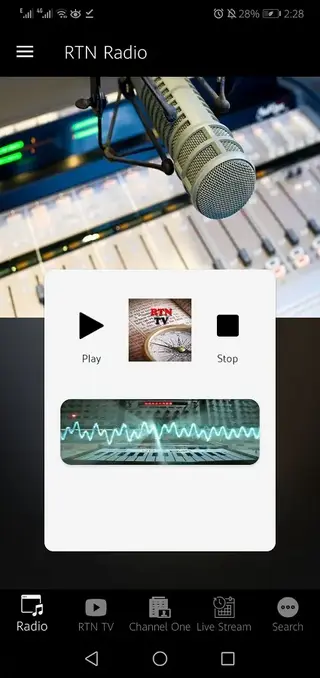
Inside the app you will find sections for live TV streams, radio stations, and a program schedule. This makes it easier to discover talks from religious scholars, worship services, and other spiritual broadcasts without manually searching the web.
The app is free to use and does not require complex registration. Once you install the APK on your device, you can open the app, browse the available channels, and start streaming content as long as you have an active internet connection.
Why download RTV TV on Android
RTV TV gives Android users a dedicated place to watch and listen to Christian content, instead of jumping between different platforms and links. If you want to combine TV-style broadcasts, radio sermons, and scheduled events in one app, this tool offers a convenient solution.
The channel list focuses on Christian teachings and related programs, which can be helpful for believers, learners, and anyone researching Christianity. The built-in schedule and notifications also make it easier to follow specific programs at the right time.
Because the official RTV TV APK is available directly on our website, you can quickly download the latest version and get started without searching multiple sites.
How RTV TV can be useful
RTV TV can support daily spiritual learning and regular religious engagement. Users can listen to radio sermons while doing other tasks, watch live TV broadcasts during free time, and follow scheduled events to stay connected with their preferred Christian programs.
The app can also be useful for people who are new to Christianity and want a steady stream of teachings, explanations, and discussions. Having content grouped by channels and formats saves time and helps users focus on learning instead of searching.
For families or small groups, RTV TV can act as a shared source of Christian media, making it easier to watch or listen together during study sessions, gatherings, or worship times.
There are more similar applications on this website, which you can also access and enjoy. So, if you are willing to enjoy it more, then get the Yasin TV and Alfa TV Pro. Both of these are quite popular available applications with amazing features.
How to download and install RTV TV APK
You can get the official RTV TV APK directly from our website by following these simple steps. Make sure your device runs Android 4.1 or above before starting.
Scroll to the download area on this page and tap the RTV TV APK download button.
Wait for your browser to finish downloading the APK file to your Android device.
Open your device settings and enable installation from unknown sources if it is not already allowed.
Locate the downloaded RTV TV APK file in your Downloads folder or notification bar.
Tap the file, review the permissions, and press Install to begin the setup.
Once installation is complete, open RTV TV from your app drawer and start exploring the TV and radio content.
Features
Christian educational focus
Offers content centered on Christianity, including sermons, teachings, and religious discussions.
Live radio stations
Provides access to multiple Christian radio channels for continuous audio streaming.
IPTV TV channels
Includes IPTV channels that broadcast Christian programs and events in TV-style format.
Program schedule and alerts
Features a schedule system that can notify users about upcoming shows and events.
Free to download and use
The app can be downloaded and used without a purchase price or subscription requirement.
Simple user interface
Uses a straightforward layout so users can move between TV, radio, and schedule sections easily.
Christian events and programs
Helps users follow specific religious events, talks, and worship services through scheduled programming.
Regular content availability
Provides ongoing access to Christian content as long as channels are online and the device has internet.
Screenshots
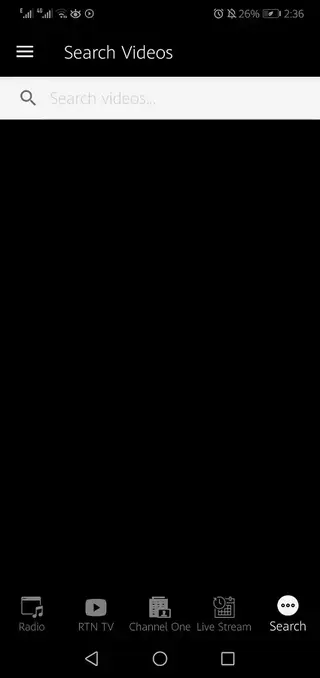
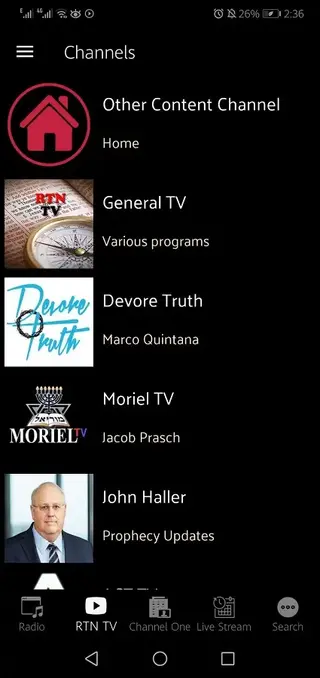
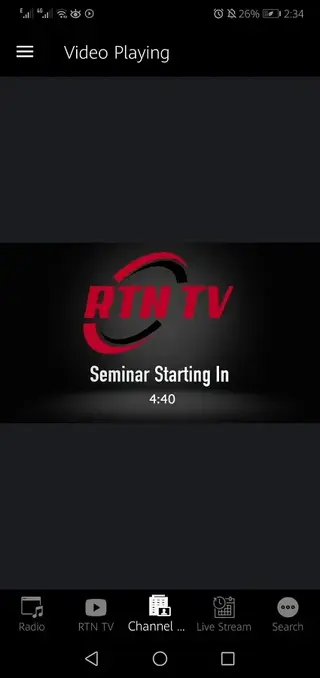
System requirements and compatibility
RTV TV is built for Android devices and works on smartphones and tablets that run Android 4.1 or higher. Performance can vary depending on your device hardware and network quality, especially when you stream IPTV channels at higher resolutions.
For the best experience, it is recommended to use a stable Wi-Fi connection or a reliable mobile data plan. Make sure you keep enough storage space free for the app and its future updates.
Streaming quality and data usage
Since RTV TV focuses on live IPTV and radio streams, video quality and audio clarity depend on both your network speed and the source channels. On slower connections, streams may buffer or switch to lower quality to maintain playback.
Streaming video can use a significant amount of data, especially over mobile networks. If you have a limited data plan, monitor your usage and prefer Wi-Fi when watching TV channels for longer periods.
Tips for a better user experience
To get more value from RTV TV, explore different channels and find the ones that match your language and theological interests. Add preferred channels to your routine viewing and use the schedule features to follow key programs.
Keeping your device updated, closing unnecessary background apps, and using headphones or external speakers can improve both performance and listening comfort during long sermons or teachings.
FAQs
Pros
- Focused on Christian educational and religious content
- Combines IPTV TV channels, radio, and schedule in one app
- Free to download and use on Android devices
- Simple interface that is easy for most users to understand
- Helps users follow scheduled Christian programs and events
Cons
- Requires a stable internet connection for all main features
- May not be available on the official Google Play Store in some regions
- Channel availability and quality can change over time
- Limited offline functionality since content is streamed
Conclusion
RTV TV is a focused Christian education and media app for Android users who want easy access to live TV channels, radio streams, and scheduled religious programs. You can download the official RTV TV APK from our website and install it on a compatible device to start exploring its content and features.




Comments
No approved comments yet.