
Rumble
Rumble is a video sharing and creator-focused platform where you can upload clips, build your own channel, and reach a global audience from your Android phone. Creators use it to share vlogs, news, tutorials, gaming, and more.
With a simpler path to monetization than many traditional platforms, Rumble helps new and growing creators start earning from views and ads sooner. The Android app makes it easy to watch trending content, follow channels, and publish videos directly from your device.
It is designed for beginners to get some earnings quickly and for pros who want a simple yet fair platform. It doesn’t require you to reach a big number of subscribers to get monetized, like some other platforms such as YouTube, TikTok, and more.
You can download the official Rumble APK directly from our website and install it on compatible Android mobiles and tablets to start watching and uploading in just a few minutes.
Rate this app
App details
- App name
- Rumble
- Category
- Social
- Version
- v3.14.3
- Size
- 11.92 MB
- Requirements
- 5.0 and Above
- Package name
- com.rumble.battles
- Publisher
- Rumble Inc
- Price
- Free
- Mod
- No
- Downloads
- 1,981,623
- Rating
- 4.1 / 5
- Rating count
- 175,261
- Play Store
- Yes
- Requires root
- No
- Offline support
- No
- Contains ads
- Yes
- In-app purchases
- Yes
- Updated
- Jun 3, 2026
- Age rating
- Rated for 18+
Table of contents
What is Rumble APK?
Rumble APK is the Android application package for the Rumble video platform, a service built around user-generated video content and easier monetization for creators. Inside the app, you can browse a large catalog of videos across news, entertainment, commentary, sports, gaming, and more.
Users create their own channels, upload original clips, and build an audience over time. The platform focuses on giving creators more opportunities to earn through ad monetization and distribution, without demanding very high subscriber or follower thresholds before earnings begin.
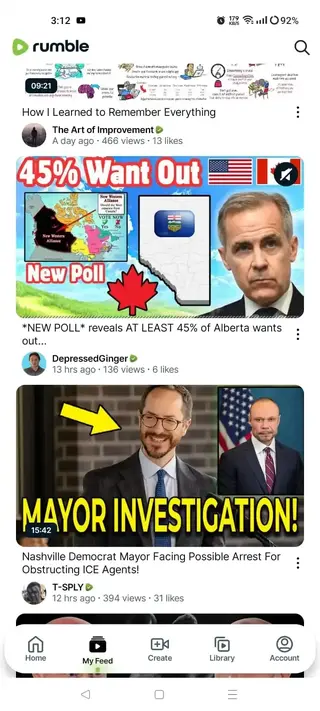
The Android app offers a clean, straightforward interface designed for both casual viewers and serious creators. From a single account, you can manage your channel, track performance, and interact with videos through likes, comments, and subscriptions.
Why Download Rumble for Android?
Installing Rumble on your Android device gives you direct access to both sides of the platform: watching and publishing. Viewers get an endless feed of videos and a recommendation system that surfaces trending and relevant content. Creators get a lightweight tool to record, upload, and manage videos without needing a computer.
The app is especially appealing if you want to explore alternatives to traditional video platforms or diversify where you host your content. With monetization, channel-building tools, and cross-platform availability, Rumble fits creators who want a simpler workflow and more ways to distribute their videos.
You can download the latest Rumble APK version from our website, install it manually, and start exploring the platform even if the Play Store is not convenient for you.
How Rumble App is Useful?
Rumble is useful for different types of users, from casual viewers to professional creators.
For viewers: the app offers a growing library of videos with subscriptions, watch history, and a personalized feed. You can follow your favorite creators, explore new channels, and watch content on topics that matter to you.
For creators: Rumble simplifies the process of starting a channel, publishing videos, and enabling monetization. You can upload content directly from your phone, add titles and descriptions, and manage your channel while tracking performance over time.
For brands and commentators: the platform supports longer-form commentary, news-style segments, and niche community content, giving you another place to host and share your message.
Because the app runs on Android, iOS, and the web, you can start building your audience on mobile and stay connected across multiple devices.
How to Download and Install Rumble APK?
You can get the official Rumble APK file directly from our website and install it on your Android device. Follow these steps to complete the process safely and smoothly:
Scroll to the download section on this page.
Tap the APK download button to start downloading the Rumble installation file to your device.
Wait for the download to finish and locate the APK in your notifications or Downloads folder.
On your first manual install, Android may ask you to allow installations from this source. Enable the permission in Settings when prompted.
Open the Rumble APK file and tap Install.
Once installation is complete, tap Open or find the Rumble icon in your app drawer to launch the app.
After installation, sign in or create a new account to start watching videos, following channels, and uploading your own content.
Features
Easy channel creation
Create your own channel with a simple sign up and start uploading videos without complex setup steps.
Video upload from mobile
Record or select clips from your phone and upload them directly through the app with basic metadata options.
Monetization options
Enable monetization on eligible content and earn from views and ads shown alongside your videos.
Large content library
Watch a wide range of videos including news, talk shows, vlogs, reviews, tutorials, and entertainment.
Personalized feed
Follow channels, like videos, and get a home feed that reflects your viewing interests over time.
Cross platform access
Use Rumble on Android, iOS, and desktop so you can reach and manage your audience from different devices.
Simple user interface
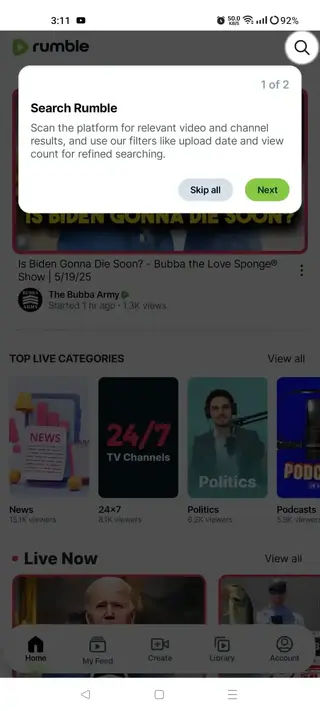
Navigate between home feed, search, subscriptions, and your channel easily, even if you are new to video apps.
Account sign in options
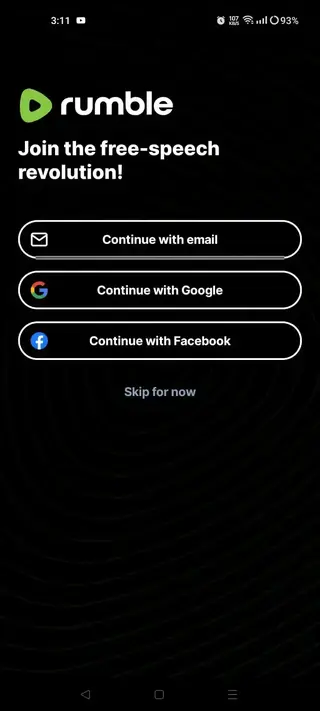
Sign up or log in using email or supported social accounts to sync subscriptions and uploads.
Screenshots
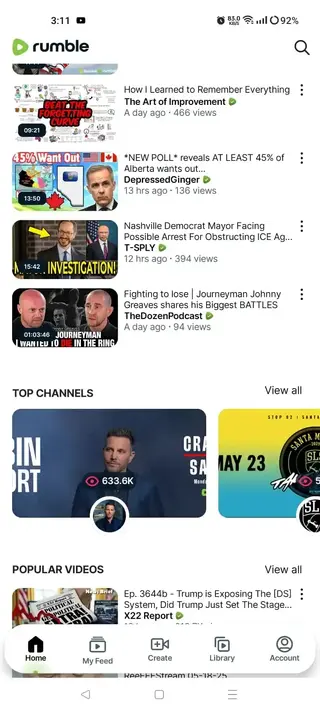
Getting Started as a New Creator
When you first install Rumble, you can quickly move from viewer to creator. After creating an account, you choose a channel name, upload a profile image, and add a short description that explains what your content is about.
From there, you can start posting videos on a consistent schedule. Many creators focus on a specific niche, such as tech, politics, commentary, or lifestyle, to attract a clear target audience. Over time, consistent uploads and engagement help your channel grow.
Monetization and Earnings Overview
Rumble provides different monetization options, but the details can change over time. In general, you enable monetization on your account or individual videos, and eligible content can earn money from views and ads.
Earnings depend on factors such as audience size, viewer location, watch time, and advertiser demand. It is important to follow Rumble guidelines, use original content, and respect community and copyright rules to remain eligible for monetization.
Tips for Growing on Rumble
To grow on Rumble, treat your channel like a long term project. Use clear titles and thumbnails, focus on a defined topic, and post regularly. Engage with comments when possible and study which videos perform best to refine your approach.
Sharing your Rumble videos on social networks, websites, or email lists can also help you reach new viewers. Because Rumble is available on multiple platforms, you can build an audience that follows you on mobile and desktop.
FAQs
Pros
- Lower barrier to start monetizing video content compared to some traditional platforms
- Straightforward interface that is friendly for beginners and non technical users
- Supports both watching and publishing, so one app covers creators and viewers
- Cross platform ecosystem across mobile and web for flexible access
- Direct video upload from Android devices without needing a computer
- Growing library of channels covering news, commentary, and entertainment
Cons
- Requires an internet connection for most features and video playback
- Monetization availability and earnings depend on Rumble policies and performance
- Content library and audience size may be smaller than the very largest platforms in some niches
- Contains advertising, which some viewers may find intrusive
Conclusion
Rumble APK gives Android users a practical way to watch alternative video content and start building a monetized channel without a complicated setup. If you want a creator friendly platform with an easier entry point, you can download the official Rumble app from our website, install it, and begin sharing your videos and growing an audience right from your phone.




Comments
No approved comments yet.